I've set up 2 global variables to capture the Color and Brightness of some lights via Rule Machine.
The color copies over to the global variable properly:
--
But, when this rule (below) triggers, it sets all the lights to white (2 are supposed to stay white and turn off, 2 are supposed to turn magenta at 100%)
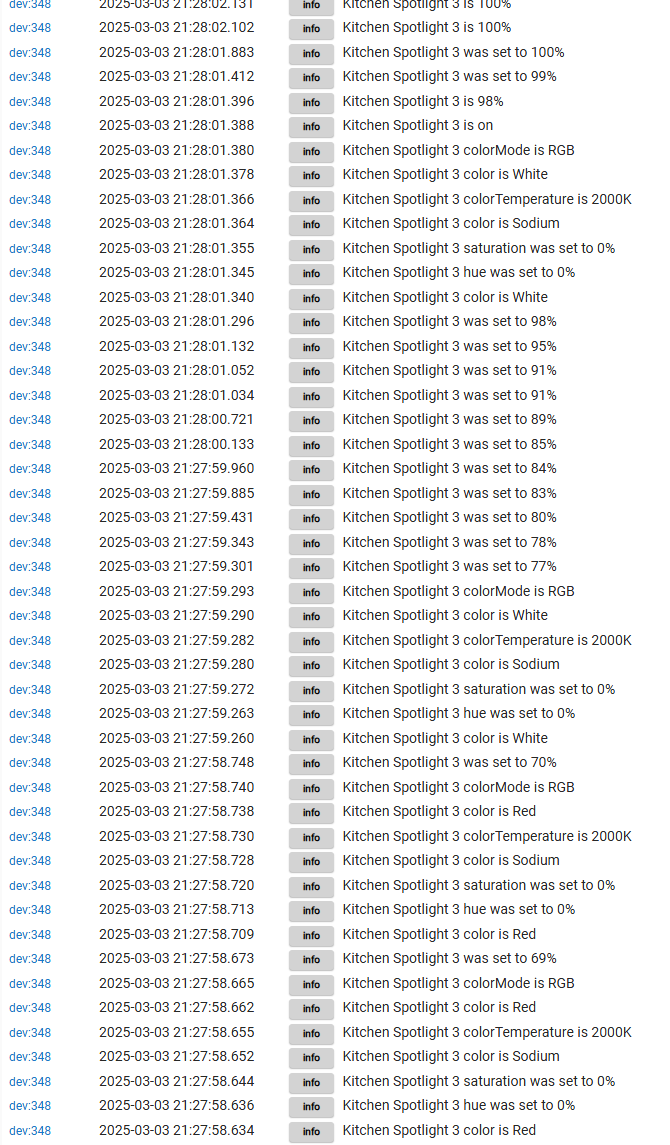
As you can see, from the current display of what the variable is, 2 should turn Magenta. They turn white, and then that color is captured into the variable.
Is this because setting a color in HE doesn't support using a string to name the color? (as in, do I have to use RGB numbers instead?), or is this a bug with Matter integration?
It looks like you are trying to use a Custom RGB Color command. That probably expects and RGB value based on Red, Green, and Blue values. Have you tested the command you are using directly in the driver?
What commands you have available depend on the the bulbs you are using, and the driver. For example, on my 3rd Reality RGB bulb, I cannot set a color name, only by Set Color. It does provide a state attribute telling me the color name, but I cannot set a color name. Color names fall within a range of hue and saturation values, so it not any specific setting.
You will need to use an available command like Set Color, which usually takes a map for hue, saturation, and level. Or just save the hue and saturation values that correspond to the color name you want, and save both of those as variables, and then set them both separately. If your driver does have a Custom RGB, then you need to use the actual red, green, blue values, in some format like 80,151,72. You will have to check the command on your driver page to figure out what that command takes for a value.
I am still thinking it's behaving abnormally but I'll try again...I have variables set as strings and variables set as numbers
If I pick 'set colour', the option to use a variable disappears until I select 'custom RGB'. The only variables that then appear, are the string variables! (I can't select a variable that is a number, but I'll see if a decimal variable can be used)