That's almost certainly what I've been seeing, it only normally happens when I'm testing stuff, e.g. a new dashboard.
Certainly not a day to day issue.
That's almost certainly what I've been seeing, it only normally happens when I'm testing stuff, e.g. a new dashboard.
Certainly not a day to day issue.
How do I input the token for tts so notifications work? Don’t see anything the in the driver for token. Will the “show message” button work afterwards?
I believe the notes say this is not enabled yet. I could never get it working on my set (I will look at again today).
Hi! This is a great and exciting app and I already having fun with it. However, I have a few questions:
-I didn't get clearly what are the benefits of linking the app to Smartthings, is it just for setInputSource and setTvChannel?
-Also, I am trying to come up with a smart way to easily open HBO Max, for example. I am trying the function "App Open by Name" or "App Open by Code" but I have no idea what name/code of this app is. I certainly tried the App name but it didn't work. Is there a way to find out?
The current ST Link Limitation is the explicit setting input source and channel and then knowing in the app the current state. So, unless you need those, do not enable the ST interface. (in the future, I will be expanding the ST API interface to be able to set sound and picture mode. It is fun to play with, but people just do not change that much.)
I do not know the code to load HBO Max. This is one of the newer services and it has not been identified in the user community.
@djgutheinz Is there a way to send a “Sleep” command when in Art Mode? I’m trying to replicate the “Sleep After” X minutes function in Art Mode that puts the TV to sleep if no motion is detected after a set time.
I have a physical frame that covers the motion sensor and I’d like to enable the same functionality with an external motion sensor.
Not sure it’s helpful, but when in “Sleep” the currentFunction is “close” and the logs show “event”:”go_to_standby”. When it wakes up the currentFunction is “frameArt” and logs show “event”:”wakeup”.
Thanks!
I will have to test. The event "go_to_standby" is not in my current structure. Will test this AM.
Update: I don't have a Frame TV, so I can't test any development.
I have created a test driver. It is designed to be a new samsung tv device (test purposes only.
Location: https://raw.githubusercontent.com/DaveGut/Test-Code/master/Samsung_TV_StbyTest.groovy
Instructions:
New Application List Available
Solution for HBO Max and other apps codes.
A new App list with codes for 2020 and later TV's is now on GitHub:
HubitatActive/APPS.pdf at master · DaveGut/HubitatActive (github.com)
Hey folks. I just installed this driver. I can ping my TV from HE, so I know I have basic connectivity. However, clicking the "guide" button on the device driver does not pop up a dialog on the TV. My TV and HE are on separate VLANs though I do allow communication between HE and the TV.
Any suggestions?
First, what year is your TV? If earlier than 2016, then this integration will not work.
TV Setup: Make sure that hubitat is allowed on your TV. Basically, the tv has a method of verify you allow the interface. That can be disabled in the TV settings .
Device Installation in Hubitat. On the device's page, you should see:
If these are not present, reread the instructions and make sure you did not skip a step.
HubitatActive/Samsung TV Remote.pdf at master · DaveGut/HubitatActive (github.com)
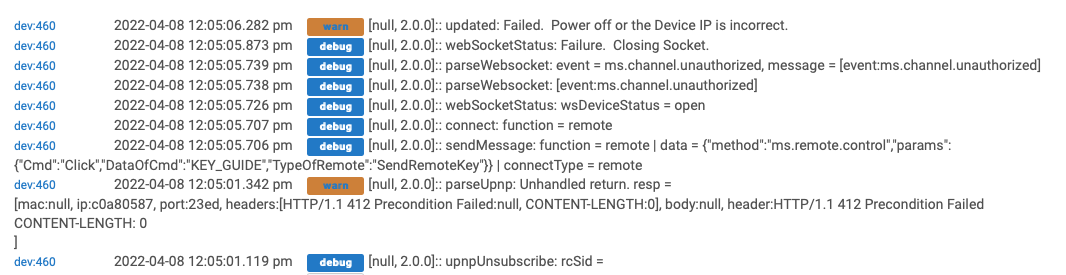
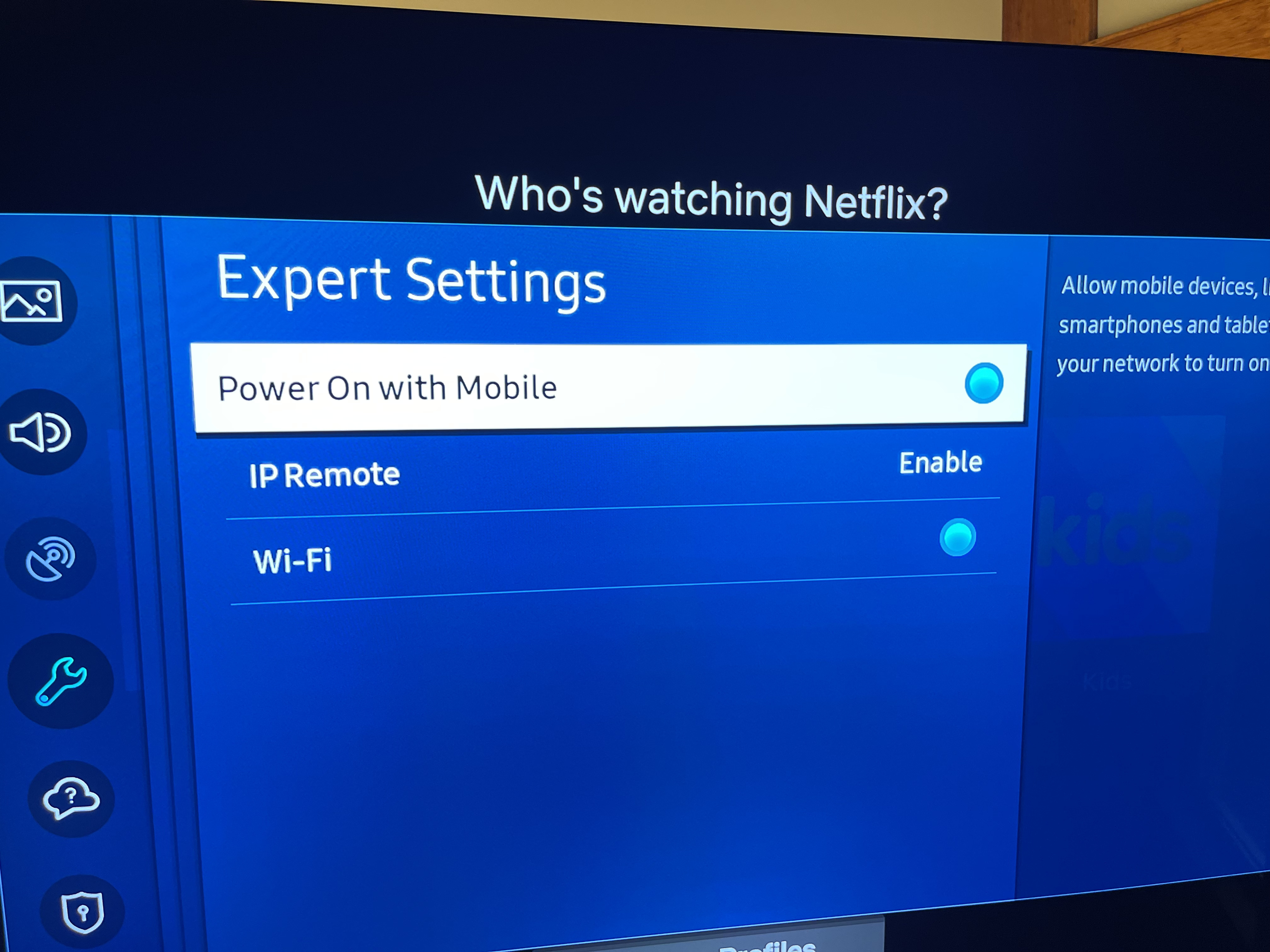
TV is a 2022 model... brand new. I tried the instructions several times, no luck. Under expert settings on the TV I have both Power On with Mobile and IP Remote enabled. When pressing the Guide button on HE's device, nothing pops up on the TV. Here's what I see in the logs... the Ip is most definitely valid and I can ping the TV from HE.
Does the driver use any sort of UDP discovery that would not traverse a VLAN boundary? Since it asks for the IP of the TV I would suspect no but worth asking.
No UPD Discovery.
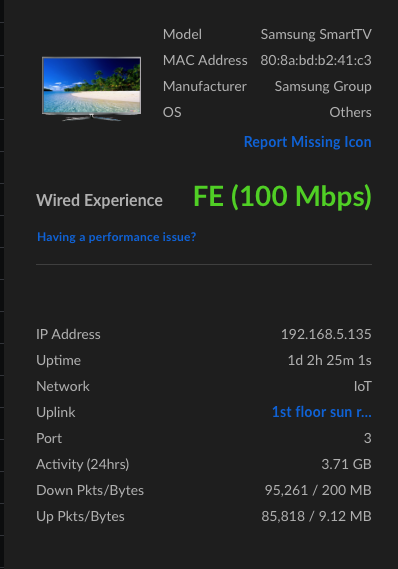
Bottom message indicates ip address: 192.168.5.135. True?
Reference: top warn message.
Browser Test:
Did you do a save preferences? If so, on the device's page:
under data, what is the value of tokenSupport? if true, under state variables, what is the value of token?
Do the browser page again and send me the results (you can redact what I did on mine, not important for the functions).
TV Setup Check
On the TV, go to settings >> general >> network >> expert settings
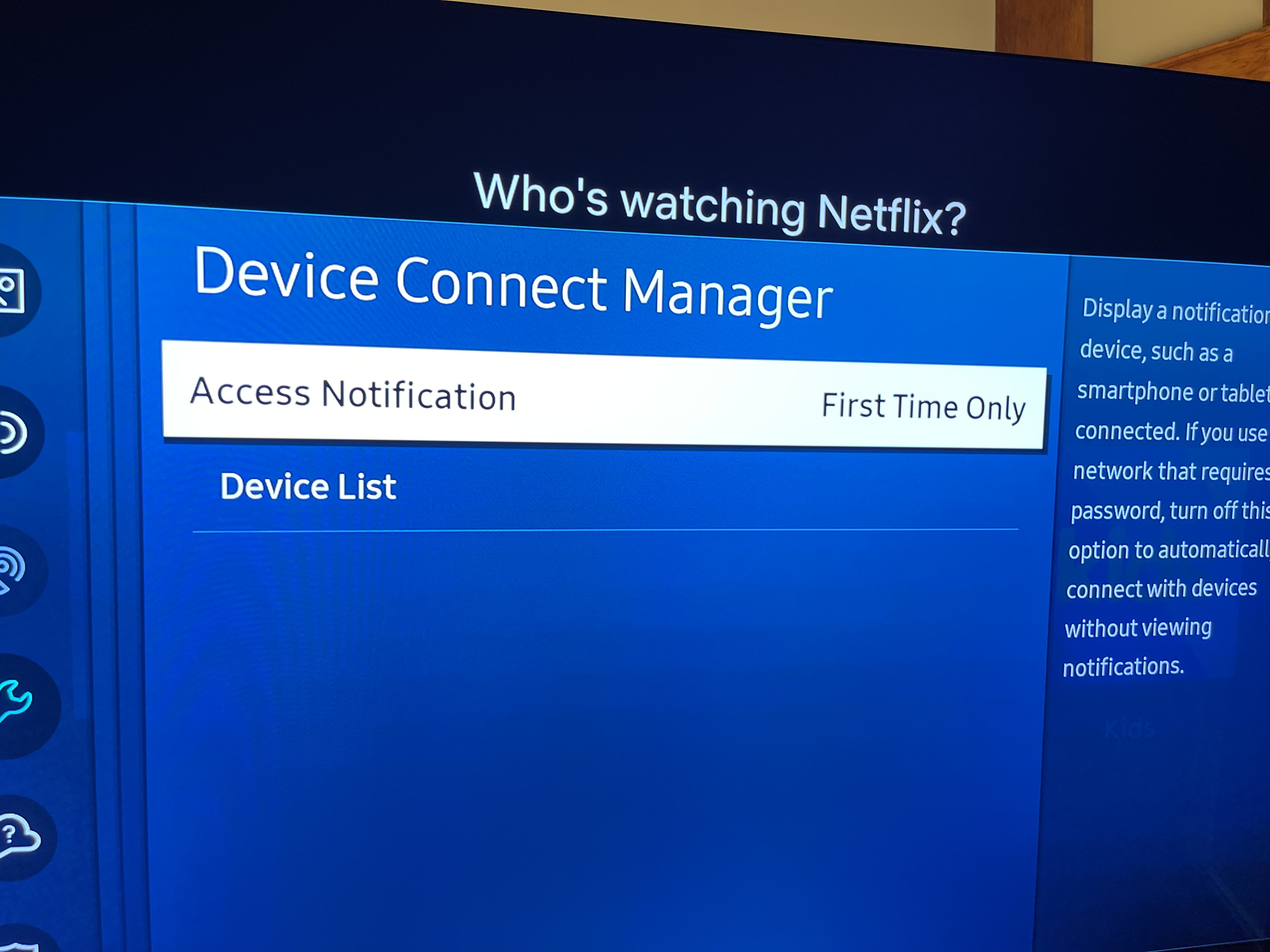
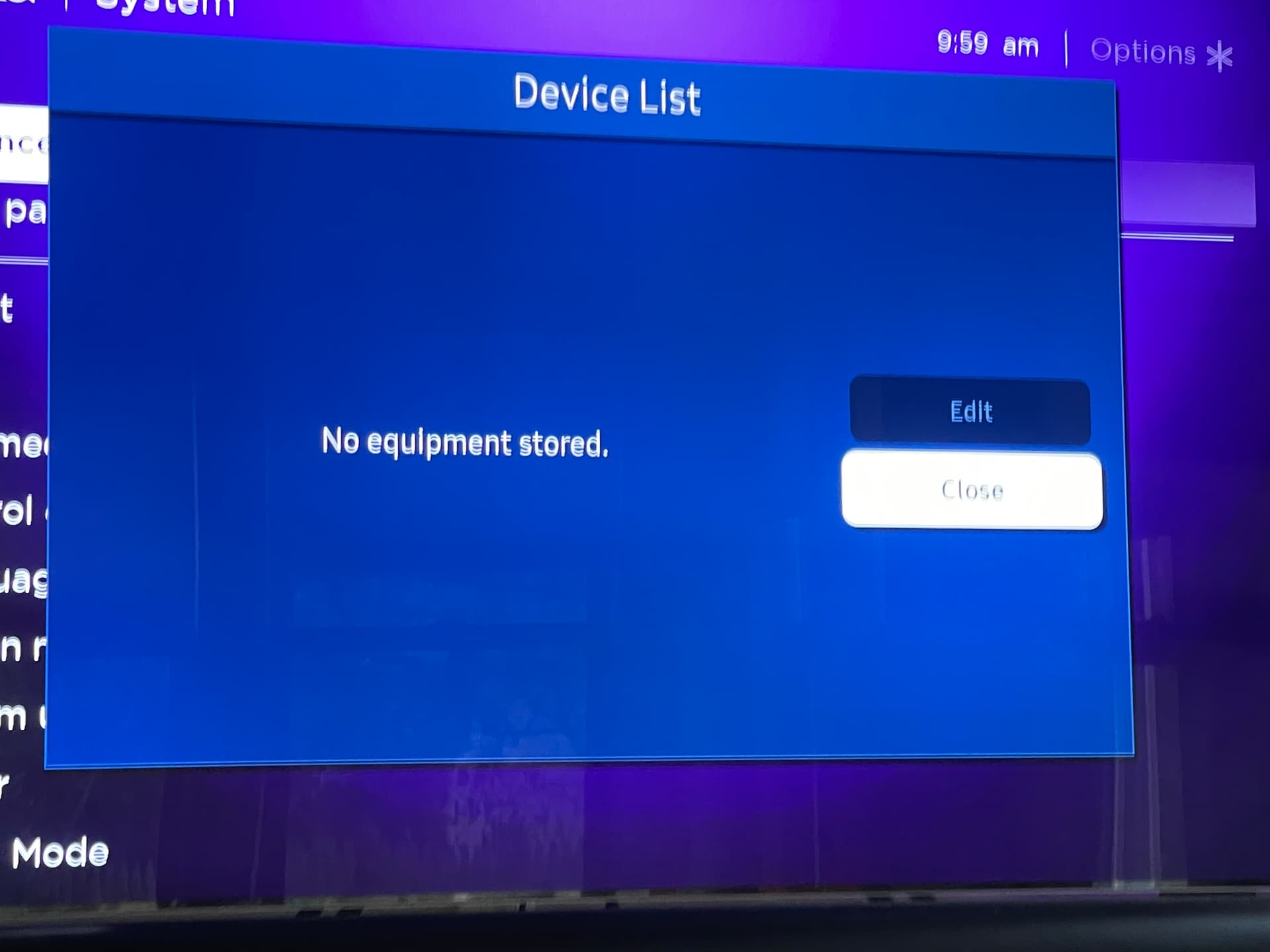
Now go to settings >> general >> external device manager >> device connect manager
Dave
I'm not seeing any value for tokenSupport on the device driver but in the TV's data stream it reports true. The token is the default 12345678. Here's the data dump from the TV with some parts redacted.
{"device":{"FrameTVSupport":"false","GamePadSupport":"true","ImeSyncedSupport":"true","Language":"en_US","OS":"Tizen","PowerState":"on","TokenAuthSupport":"true","VoiceSupport":"true","WallScreenRatio":"-1","WallService":"false","countryCode":"US","description":"Samsung DTV RCR","developerIP":"0.0.0.0","developerMode":"0","duid":"uuid:2586d6cc-57cd-4ad6-aa25-be70bfdd81ff","firmwareVersion":"Unknown","id":"uuid:REDACTED","ip":"192.168.5.135","model":"21_OSCARP_8K","modelName":"QN65QN900AFXZA","name":"Samsung QN900A 65 TV","networkType":"wired","resolution":"7680x4320","smartHubAgreement":"true","type":"Samsung SmartTV","udn":"uuid:REDACTED","wifiMac":"80:8a:bd:b2:41:c3"},"id":"uuid:2586d6cc-57cd-4ad6-aa25-be70bfdd81ff","isSupport":"{"DMP_DRM_PLAYREADY":"false","DMP_DRM_WIDEVINE":"false","DMP_available":"true","EDEN_available":"true","FrameTVSupport":"false","ImeSyncedSupport":"true","TokenAuthSupport":"true","remote_available":"true","remote_fourDirections":"true","remote_touchPad":"true","remote_voiceControl":"true"}\n","name":"Samsung QN900A 65 TV","remote":"1.0","type":"Samsung SmartTV","uri":"http://192.168.5.135:8001/api/v2/","version":"2.0.25"}
Here are screen shots from the setup on the TV:
Although wifi is enabled on the TV, it is not connected to a wireless network. It's hard wired and on a different subnet & VLAN. But I can ping the TV from HE without errors.
I validated you model data vs the processing I do on setup. No error issues there. That leaves the TV - Hub link setup as the issue. Indications are you did not get connected to the TV (therefore the default token).
Finish what I asked in my previous post and go to the 'device list' on the TV's 'device connect Manager' page.
out of ideas. Something may not be compatible within your network setup.
OK well at least that points me in the right direction and tells me it's not something stupid I'm doing. And thank you for your help with troubleshoot. I appreciate the time and effort. The switches are all managed so there may be something there I need to adjust. Will advise if I find a solution.
Let me know if you get it working and what it takes. I may see ths again.