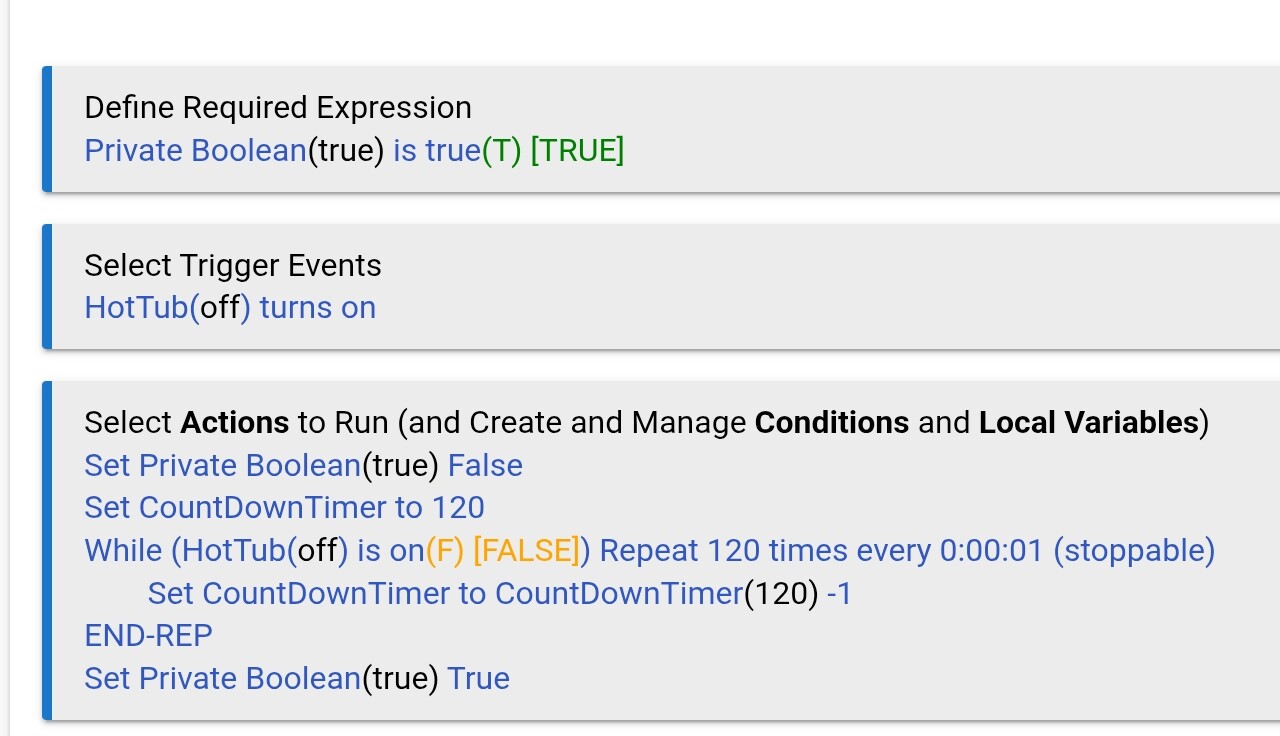
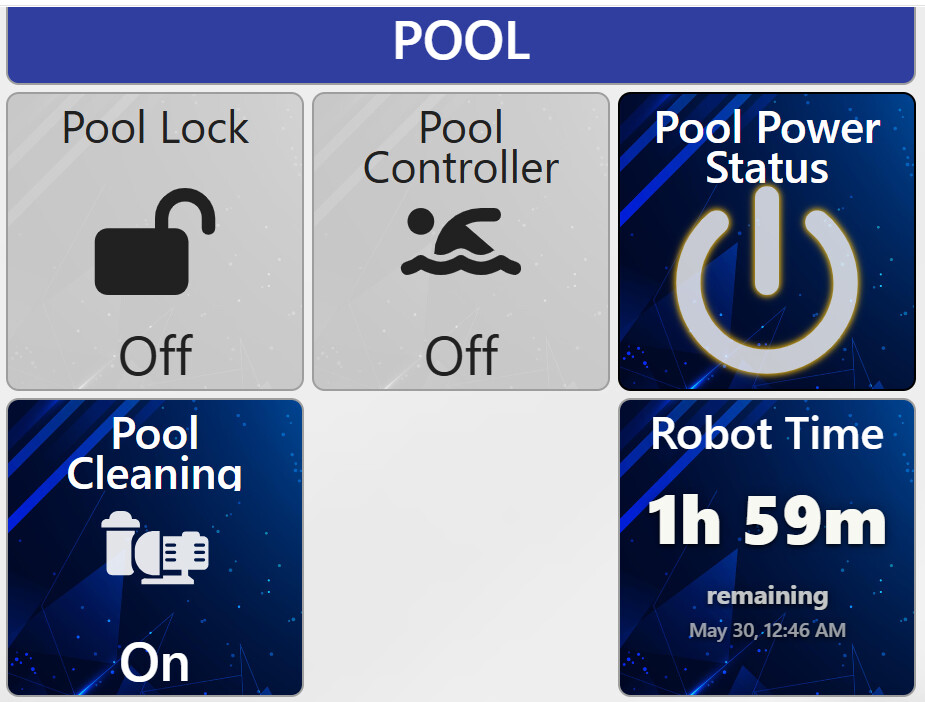
Is there a way to create a rule that will cancel a different rule? Case: Rule 1 is a count down timer. If a switch in Rule 2 is turned OFF, I’d like to cancel Rule 1. Can it be done?

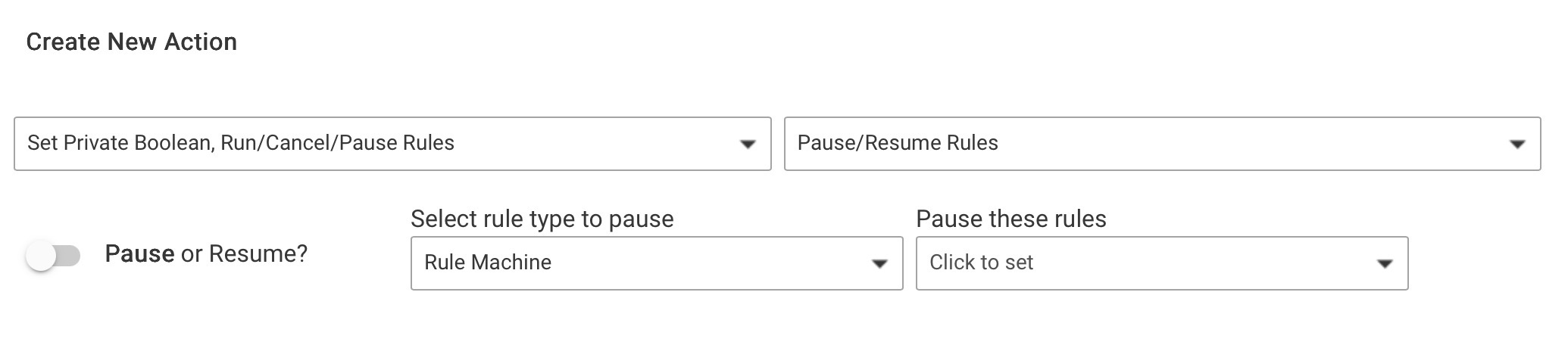
Thanks Sid- I saw those but I thought PAUSE would not be a good option because I would not want it to run again. I wasn’t sure about cancel timed actions because it is not actually a timed action, it is a repeat. Would that be considered a timed action?
No need to run it again, you can pause and resume with a delay
I’m trying to prevent an overlap. Here’s what happens. Switch 1 turns ON, stuff happens, and a rule is triggered to start a countdown timer. If the switch were to be turned OFF and back on again, I’ll have 2 instances of the timer running. So I was thinking about a separate rule, IF switch 1 turns OFF Stop, or kill the rule that is repeating. If Switch 1 turns back ON, it will start again. So I just need a way to create a rule that will end the repeat in a different rule.
I use private boolean for this. when switch turns on, if private boolean is false, set private boolean to true and set it back to false on a delay… or even when the switch turns off.
I not sure your logic is flushed out yet, it maybe be beneficial to just describe what you’re actually trying to do and what your trying to do it with, and not the logic.
Yes you can create another rule to cancel this rules timers. Or you could just make trigger for Switch 1 “changed”
Add a Conditional action at the top of the rule - if switch 1 is off, cancel rule timers “this rule”, exit rule
This is assuming you want the repeat to completly restart on next on and not continue where the timer was last.
OTOH you could add a required expression with a condition on the switch state and check the “cancel pending actions” box.
1 Like
I thought this also. But if the required expression is that the switch is off, then turning it on will cancel the rule timer.
If the required expression is that the switch is on, then it won’t trigger for the switch on event.
Maybe add a wait for event - Switch turns off with a timeout, then use a condition check on the switch to determine what to do?
If switch is off, exit rule
If switch is on, do the original actions
Or, just wait for elapsed time. In that case, a switch off to back on just cancels the timer and starts a new instance.
The function of a required expression is to disable rule execution by unsubscribing its triggers. On top of that, it has an option to cancel current executing actions when the expression becomes false. Seems like a good match for what the OP wants.
Doesn’t matter if the condition is on or off, but the switch should be controlled from outside the rule (which also seems to match the OP’s requirements).
If the switch for the required expression is the same as the trigger switch, it absolutely matters.
If the required expression is that the switch is on, then it will never trigger from off since the trigger is disabled unless it is on.
If the required expression is that the switch is off with cancel pending actions, it will trigger once it turns on, then immediately cancel pending actions because it is no longer off (Or does that not work on an already triggered set of actions?)
I did not realize this was a requirement of the design the OP was shooting for.
Maybe I misread…. but it sounded like he wanted the same switch turning off to cancel the rule that ran when it turned on.
Yet another reminder (speaking for myself) that our first question should always be “what are you trying to achieve with this rule/what is the use case” 
1 Like
I was reading into what the OP stated. Switch 1 turns on - do stuff. Switch 1 turns off, cancel
Although, it would be nice to see a screenshot of the rule
If the OP is using wait for (event or expression), it should automatically cancel on retrigger.
If the OP is using a loop (from the sounds - maybe?), then there are other ways to escape (like using an exit and setting a do while “switch is on” )
2 Likes
I thought it was pretty simple in #4 and didn’t want to inject a lot of clutter, but I will at this point:
(1) - I have a virtual switch that is used when cleaning the pool “POOL CLEANING SWITCH”
(2) - I have a rule that when “POOL CLEANING SWITCH” turns ON, it does stuff. Here is the stuff:
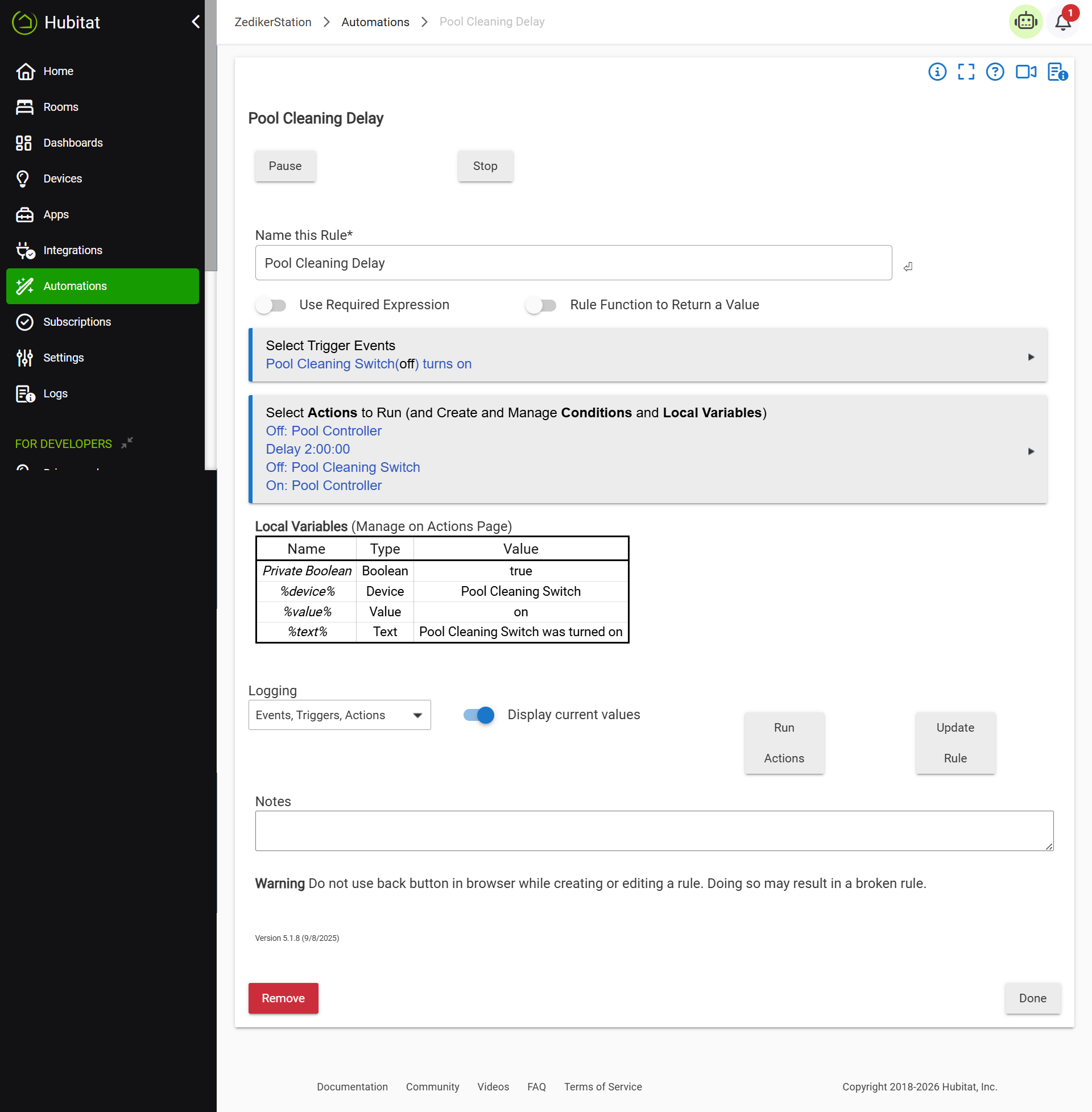
(3) - I have another rule ”POOL CLEANING COUNTDOWN DISPLAY” that is triggered when the above “POOL CLEANING SWITCH” turns ON. It is here:

That sets a timer to 120 minutes and starts repeating until it gets to 0. (ignore the -822 because that was caused by some editing last night and the rule did not stop repeating)
There may be times when I want to turn OFF the “POOL CLEANING SWITCH” for some reason or another, or just start the cleaning over. Turning OFF the “POOL CLEANING SWITCH” and turning it back ON will take care of that, but I will have 2 instances of the “POOL CLEANING COUNTDOWN DISPLAY” running. I simply want to be able to turn OFF the “POOL CLEANING SWITCH” then turn it back ON, which will trigger both rules. I think I need a rule to kill the repeating in the “POOL CLEANING COUNTDOWN DISPLAY” when the “POOL CLEANING SWITCH” is turned OFF.
… Have at it…!
For the first two, I would replace the delays with “wait for event: Elapsed time”

This will restart the timer if the switch is cycled during the wait

For the last, I would add an - OR Switch is off to the conditional to the Stop repeating actions into the first part of the repeat.
If Minutes remaining <= 0 OR Switch is off
The other option would be to use a repeat while option (using switch is on as the condition). You still set the every one second for the repeat while option and avoid having to exit using the if conditional by setting the number of repeats. (did not include the update display action, but you get the gist.
For this one, you would likely want the private boolean (Note: if you rapidly turn the switch off then on -in the middle of a one second repeat-, it should continue the original count down. If you turn it off for greater than one second, and then back on, it should stop the repeats and restart with a new countdown.)
Edited to add, just realized that you wanted minutes instead of seconds on your countdown timer. So, you would need to wait longer than a minute between turning off and back on to reset the timer countdown in either case, you would only have one instance of the rule running)