Please post a screenshot of a portion of Application State from the App Status page. Specifically need to see near the middle on the list, where the 'i's are. Looking for 'inUseConds'.
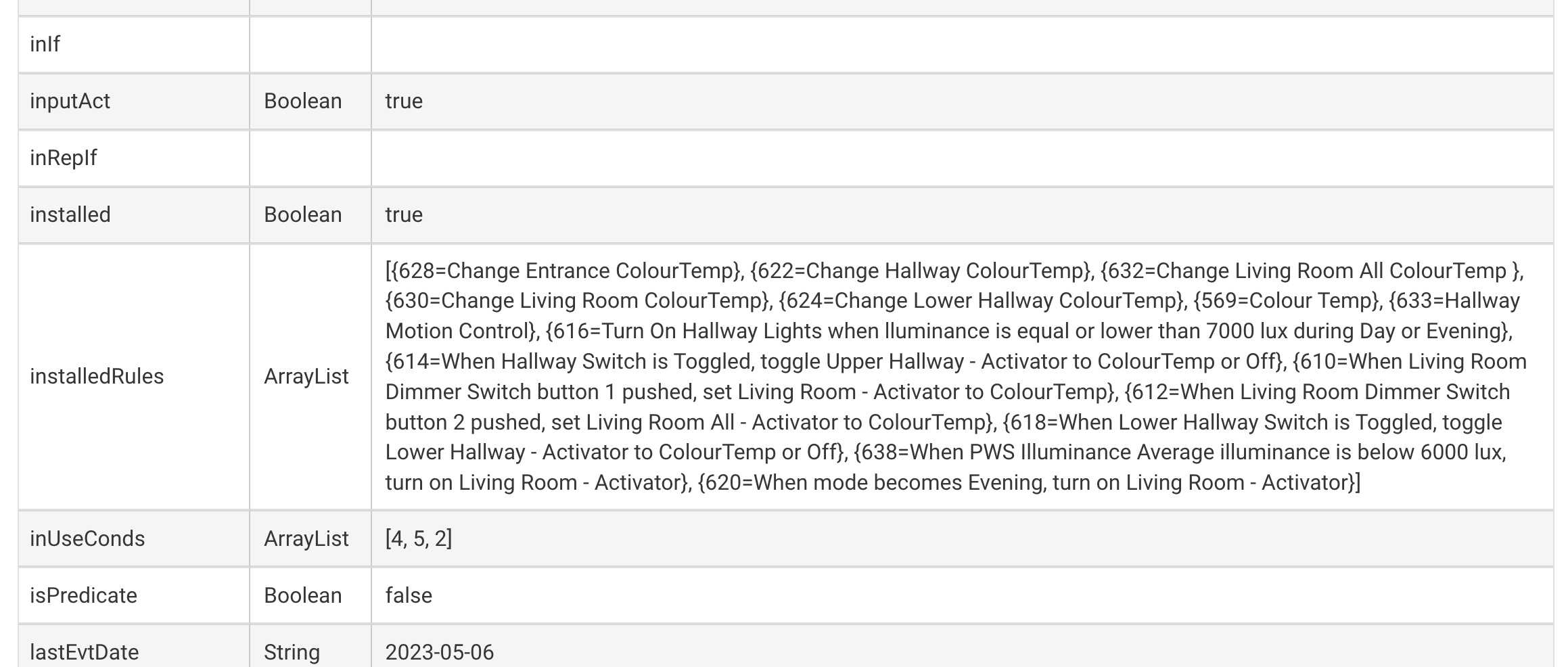
Yeah. That doesn't show an earlier problem, since fixed.
We will look into this further next week. Not a clue at the moment what is causing this.
3 Likes
Actually, I do have a clue. This probably has to do with the fetching and writing atomicState, which is used for *changed*.
There is a simple work-around: Don't use changed` and a single rule that then tests what the event is. That's just throwing information away, and it's the fetching and storing of this information that underlies the problem. Mind, it is a problem, and we will look into finding its root cause.
But in the meantime use two rules, one triggered by 'on' and one by 'off', and dispense with the conditional. I predict these will not slow down over time.
5 Likes
To piggyback off Bruce, if you post the full rule, we may be able to find a way to do what you want with a single rule. Maybe in its own post though so this one doesn't get derailed.
I don't use RM for lighting automations. Try Room Lights instead.
Ok there are a bunch of things here. First I have a little rule engine changing the color temp at various times. Not a full circadian thing, just a few trigger points based on time of day linked to sunrise and sunset. This sets a variable that is used globally by lights throughout the house. I originally used a Basic Rule but it does not support color temp from a variable, just hard coded.
I looked at Room Lighting and I actually use RM to trigger RL activators, takes care of the Zigbee popcorn effect. The problem with RL is that it again doesn't support color temp variables and my time periods are variable. I could create more modes to cover it but then a lot of other things that use Day & Evening would break and I'd have to go back and sort that out.
Next issue is that the lights are not just controlled by the wall switchs (these are standard mains wall switches that connect to an Aqara relay which just sends switch state). But the lights can be turned on and off by various other things like ambient light sensors, so I want it so that changing the state of the switch toggles the state of the lights regardless of whether the switch is on or off.
I'm sure I could come up with other ways of dealing with this but if you can fix it that would be great....and I hate having two rules to deal with one thing, more to maintain! For now I can just reboot every few days.
One other thing you could try to help isolate the cause of the slowdown is to turn off Action logging. Action logging does a lot of work, so eliminating it would shed some light on what's going on behind the scenes. Instead, so you can still see the timing, add a Log action as the first action of the rule. That way, you'll see the same timing, without the overhead of Action logging. Don't know if Action logging is implicated or not, but this would help understand that.
I also saw no improvement after updating to the .135 firmware and doing the Open/Done procedure on all of my rules.
Then I removed all usage of changed in rule triggers. Unfortunately, this also had no effect on the latency increase.
Note that this latency issue affects more than just one rule.
OK. Would you try the logging change I describe just above please.
1 Like
I had actually done this before raising the issue, all trigger, event & action logging was turned off. I turned it on again to get the logs for you.
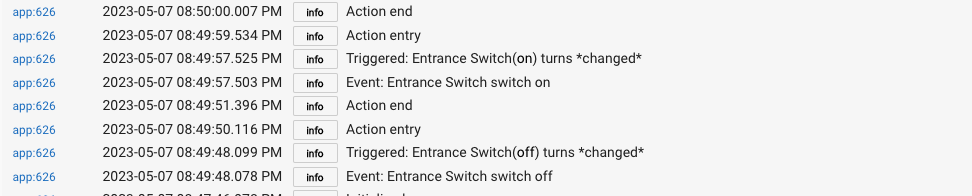
Ok, I turned off Action logging and put in log events. First one at start of actions and one at the end of the actions. This is from a couple of days ago:
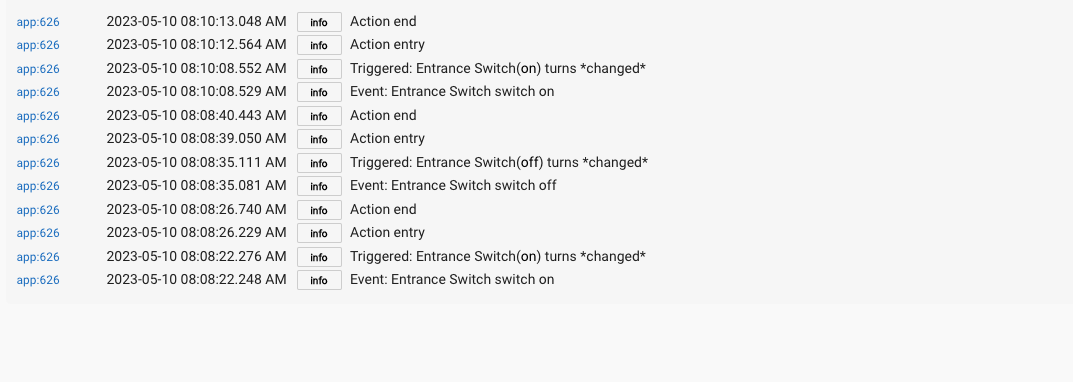
Then this one from now. Note how the latency is still increasing.
Thanks, we are investigating this. I think we can rule out RM logging. In fact, I don't think this is actually caused directly by RM, but rather something in the platform.
2 Likes
I updated the firmware to 2.3.5.138. The problem still exists.
Are you able to see the issue in one of your hubs?
No, so far we are not able to replicate this.
2.3.5.140 is out with a likely fix for this issue.
I'm saying "likely" until it's confirmed.
7 Likes
Fixed! The latency has remained low since I updated the firmware last night.
Thank you for pursuing this and finding a fix, even though you could not replicate the problem. I’m curious, what was the root cause of this issue?
5 Likes
Side effects of some unnecessary optimization.
In RM specifically, or the platform in general?
Can confirm it seems fixed in the .140 release.
2 Likes

