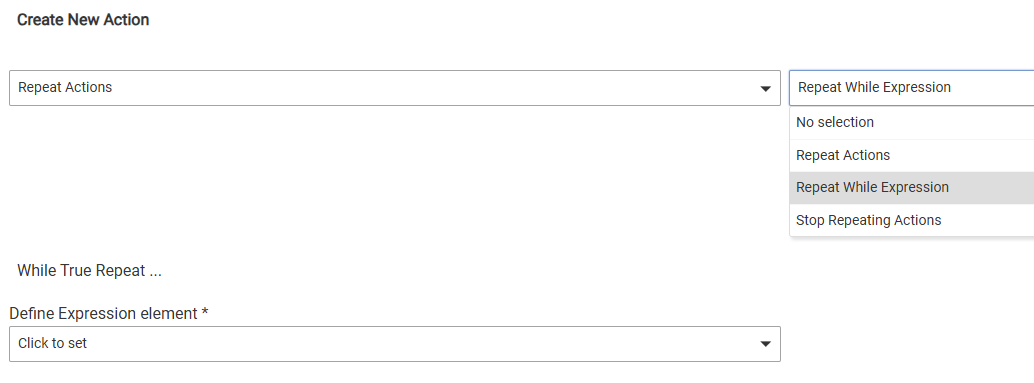
Anyone know where the Rule Machine 'Repeat While' expression has gone to?? It was part of Repeat
That is where is should be. Have you tried updating your rule and or clicking done, then go back into it?
It's still there. I used it the other day and just tried, and was able to select it, in a new rule.
Wonder why mine isn't. I also have an existing one within a rule that keeps repeating every 5 minutes even though I've changed it many times to 30 min. I've rebooted, done all the updates??
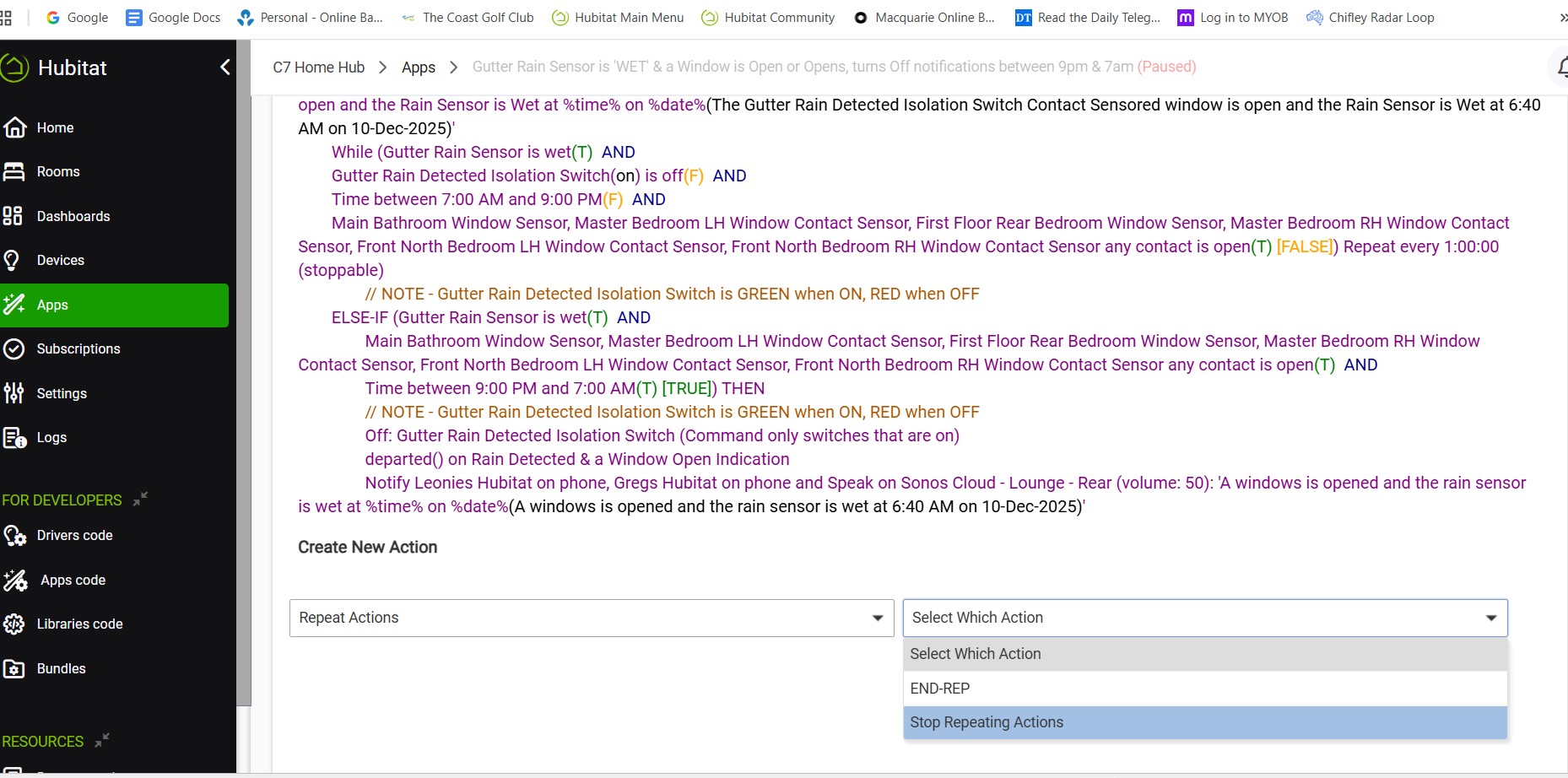
utes??
Is this an old rule, written under rule 5.0?
I can I find that out? I think so It's not grouped with the rules I did with Rule Machine Legacy?? There is a Repeat While in it already, but the length of time between notifications won't change?
I just created a new rule & it's showing Repeat While option. Yet if I open another rule that I have it doesn't appear there??
Are you looking at inserting a repeat within an existing repeat loop? It looks like you already have a repeat and it is asking you to choose between End Repeat or Stop Repeating
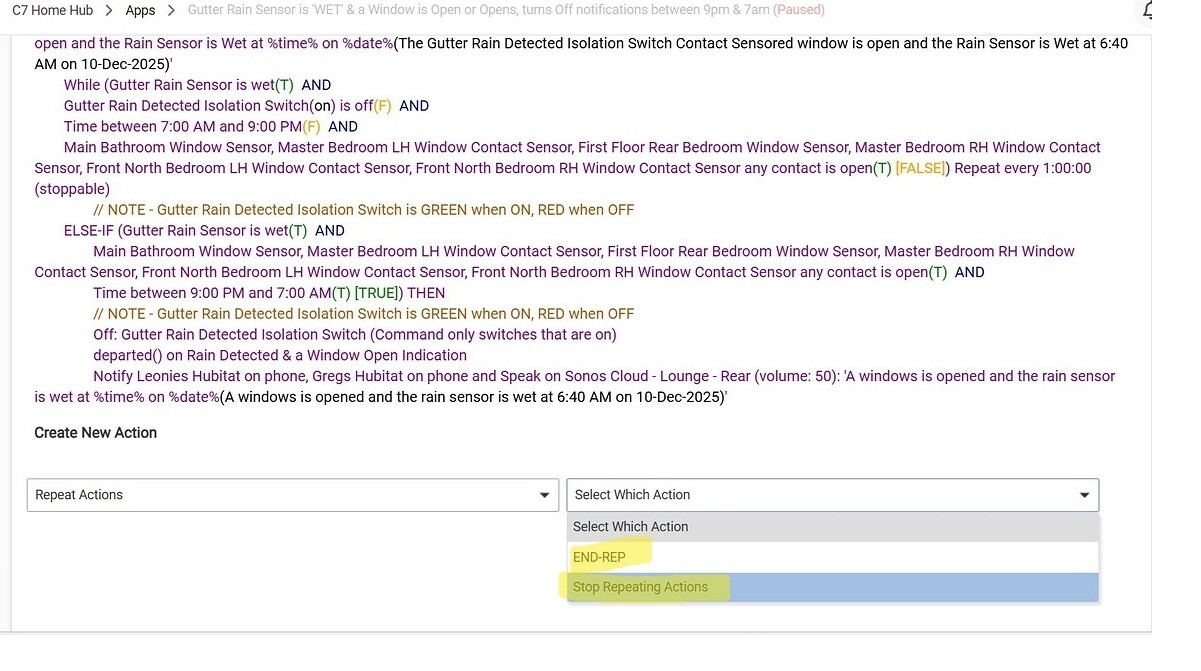
I've tried all optios. All I really want to do is change the existing repeat from 5 minutes to 1 hour. While it allows the change to be made & saved, it keeps repeating evry 5 minutes?
So I've tried to add an extra Action to the end of the rule which is the the same thing, and if I can enter it I would delete the one that won't chnage to 1 hour
It doesn't look like you have from that screenshot, although it's possible you've tried more since then. What does it look like after you enter an END-REP (at a syntactically valid spot -- I'd be careful since it looks like you'd risk splitting things across a conditional, depending on what the whole rule looks like).
Adding End Rep has fixed it. I wonder if that'll fix the problem with changing the time between reminders? I'll find out next time the rule triggers? Thanks for your help.
Repeat hasn't been fixed, still every 5 minutes even though it's now been changed from 60 minutes to 10 minutrs and the hub has been rebooted?
Can you show a screenshot of the WHOLE rule, triggers, required expressions, all actions, and the table at the bottom with %device%, Private Boolean, and all?

Are there any scheduled jobs when you click the "i" in the top right of the rule? Wondering if there is a background activity preventing the rule from being run.
Have you tried pausing the rule, then making the edit?
Also, I do see an issue where you have two "else if" conditions that are true at the same time.
My understanding it that when using an IF-THEN-ELSE-IF-ELSE structure, only the actions associated with the first condition that evaluates to true will be executed. Subsequent ELSE-IF statements, even if their conditions are also true, will be skipped.
This is because the ELSE-IF structure is designed to evaluate conditions sequentially and execute actions for the first matching condition, then exit the conditional block. It does not re-evaluate conditions or execute multiple branches within the same IF-THEN-ELSE-IF-ELSE block.
Not sure if that is relavent to your issue, but you may need to fix that.
I made another modification yesterday as suggeted, however it rained overnight & the notifications where still occuring every 5 minutes. So I'm recreating the rule from scratch, not cloning it again. Do you think after each ELSE IF I should put an Exit Rule?? Then if that group of triggers any are true it will then Exit or or one of them isn't it will skip to the next ELSE IF??
That will not fix the issue of having two Else-If conditions that can be true at the same time. If there are two that can be true at the same time, only the first will actually happen. It will exit the If statement once it does whatever actions are in the first Else If statement that matches.
You need to have each "If" condition such that only one in the whole chain can be true at any given time.
If you are wanting to exit the whole process completely when you turn the switch on, then you could use a required expression. But as busy as that rule is, I did not take the time to try and figure out everything you are trying to accomplish.
I'm ensuring none of them are the same. The only thing I just thought of is that the time frames are different but, Being 7am till 9pm and the other 9m till 7am. Therefore if the trigger is 7am or 9pm it will trigger both want it??
I just found the culprit APP-5325 is doing the repeating. But I can't find it. This is what I have found. But where do I update the links??
Nope, see this:
I don't think you can update the links. Do you know what app or rule 5325 was? What is telling you it is still running? The logs?
You might try a reboot with advanced options to rebuild database.