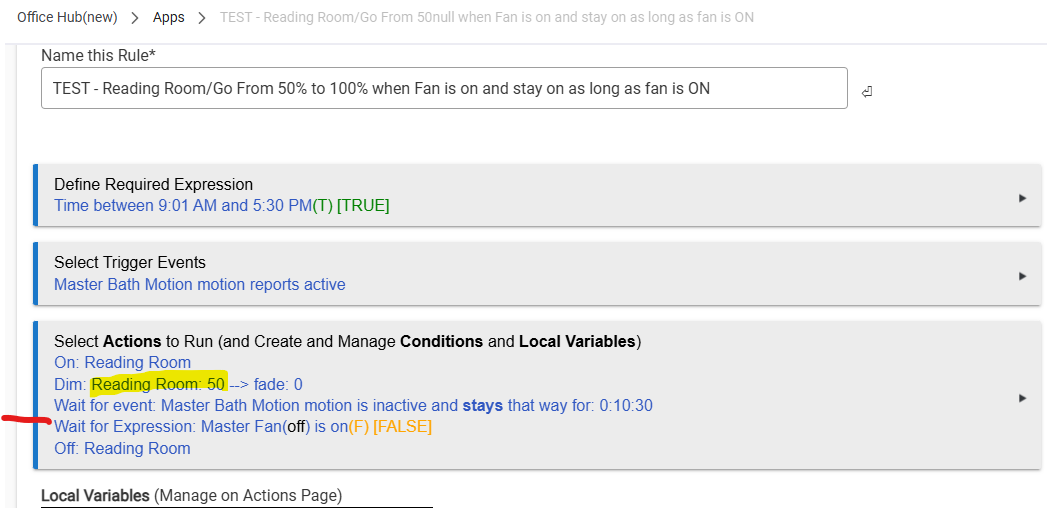
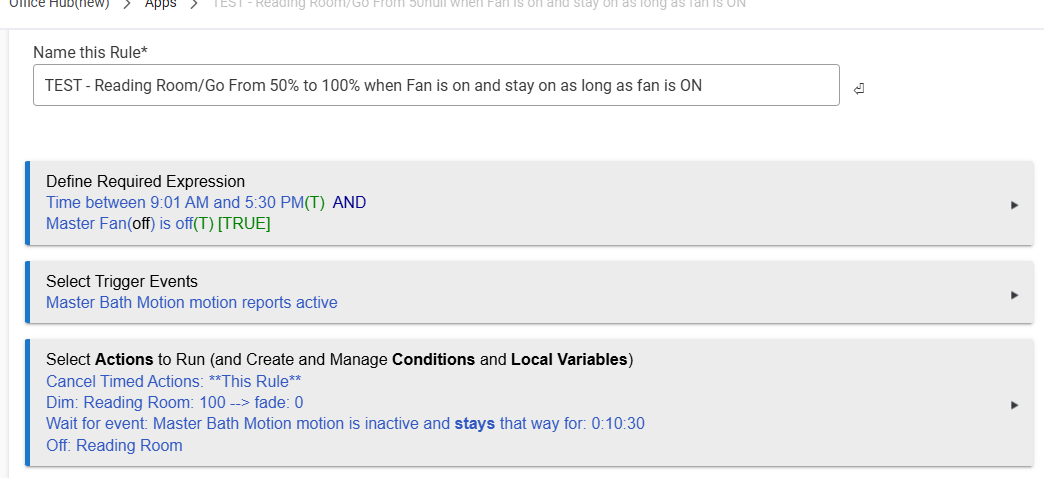
Not sure how smart Rule Machine is? I have a light is my master bathroom set at 50% when tripped by the master motion. And only stays on for 7 minutes.
Is there a way to have this rule override by another rule (master bath fan) when it is turned on it
Sets my master bathroom light (reading room light ) to 100%
And runs for what ever the duration of the fan time is? Like if the fan is set to 15 minutes the reading light will stay on for 15 minutes at 100%
It's not clear exactly what you're asking or if it's different from what you wrote, but the first step for troubleshooting a rule is going to be to enable all logging, then examine that output (or share it here so others can do the same; screenshots avoid copy/paste formatting problems, as a tip).
You can pause and resume one rule from another, or you can use a hub variable or device state as a condition in your actions, to name a few possible ways that you could do something like what you're asking. (Have you looked at the docs yet?)
it sounds like you are wanting to disable this rule when the master bath fan rule becomes active. There are a few ways to do this. I would set up a virtual switch and use that switch as a required expression for the rule you want to disable.
First step of the master bath fan controlling rule would be to turn off that virtual switch. Last step would be to turn it on.
In the rule you want to enable/disable (motion lighting rule), you then make a required expression that the vitual switch must be on.
If you aren't using a rule for the master bath fan already, you could just add "master bath fan switch is off" as a required expression. This would prevent the rule from running anytime the master bath switch is on. (I do the opposite for controlling my master bath switch unless the standalone light is off)
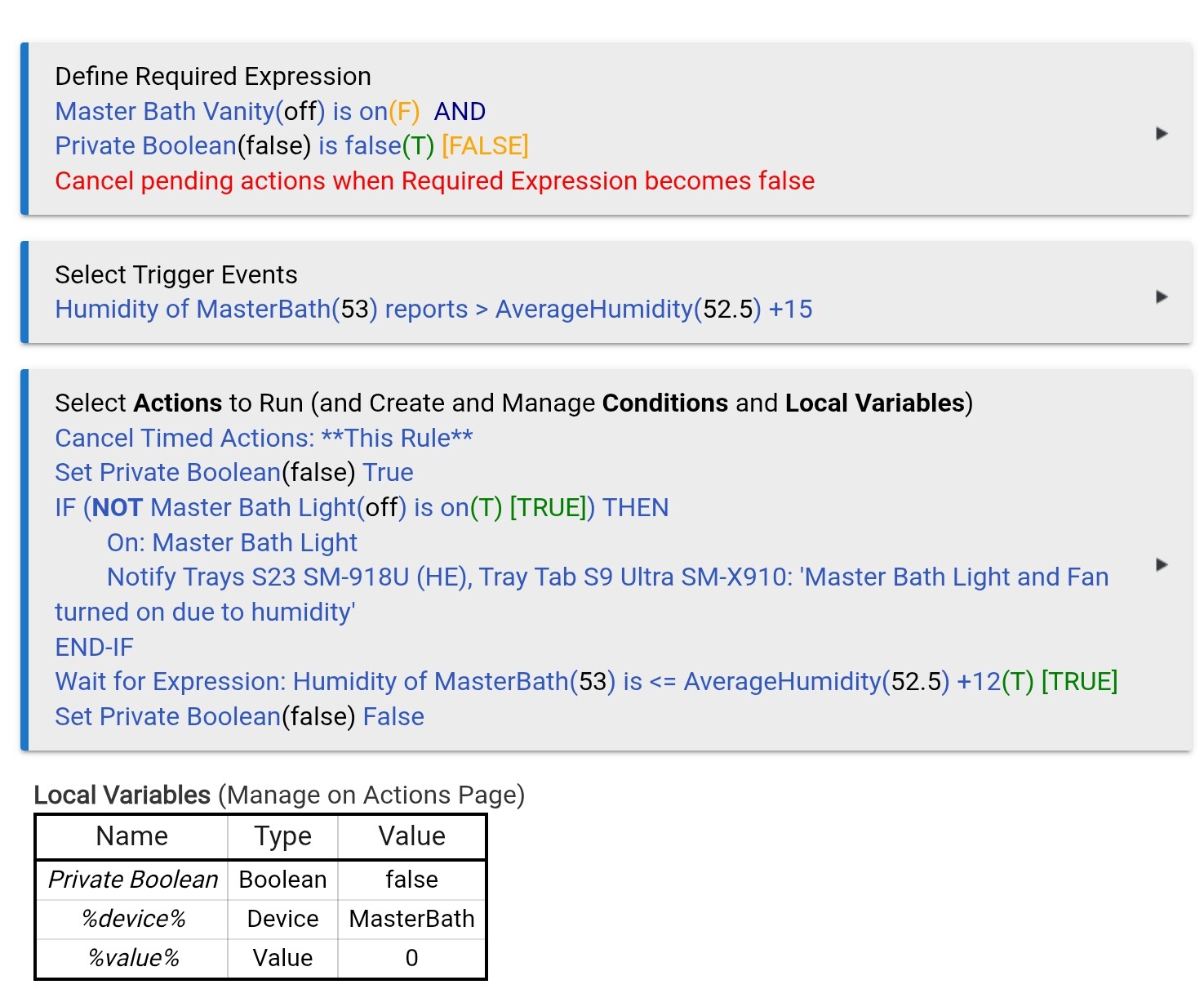
In either case, the way you are triggering it now, you are likely to have multiple instances of the device running. I would highly recommend having timed actions canceled as one of the actions so that it restarts whenever motion is detected. Also, in the required expressions action, you are going to want to check the "Cancel Pending Actions when required expression becomes false" Otherwise, regardless of whether the fan is turned on, the lights will turn off at the end of the wait on the last motion trigger.
*** Edited to add - IGNORE the private boolean stuff in my rule. I use that to keep the trigger from restarting until after it has completely run. For motion lighting, this is the opposite of what you want to do.
I'd use 2 instances of Room Lighting, which IMO should be the default app for most motion/contact/switch based light automations. You can pause/disable the turning off of the 1st rule based on the power state of the fan. Make sure to set up the switches that determine the lights are off section in both instances.
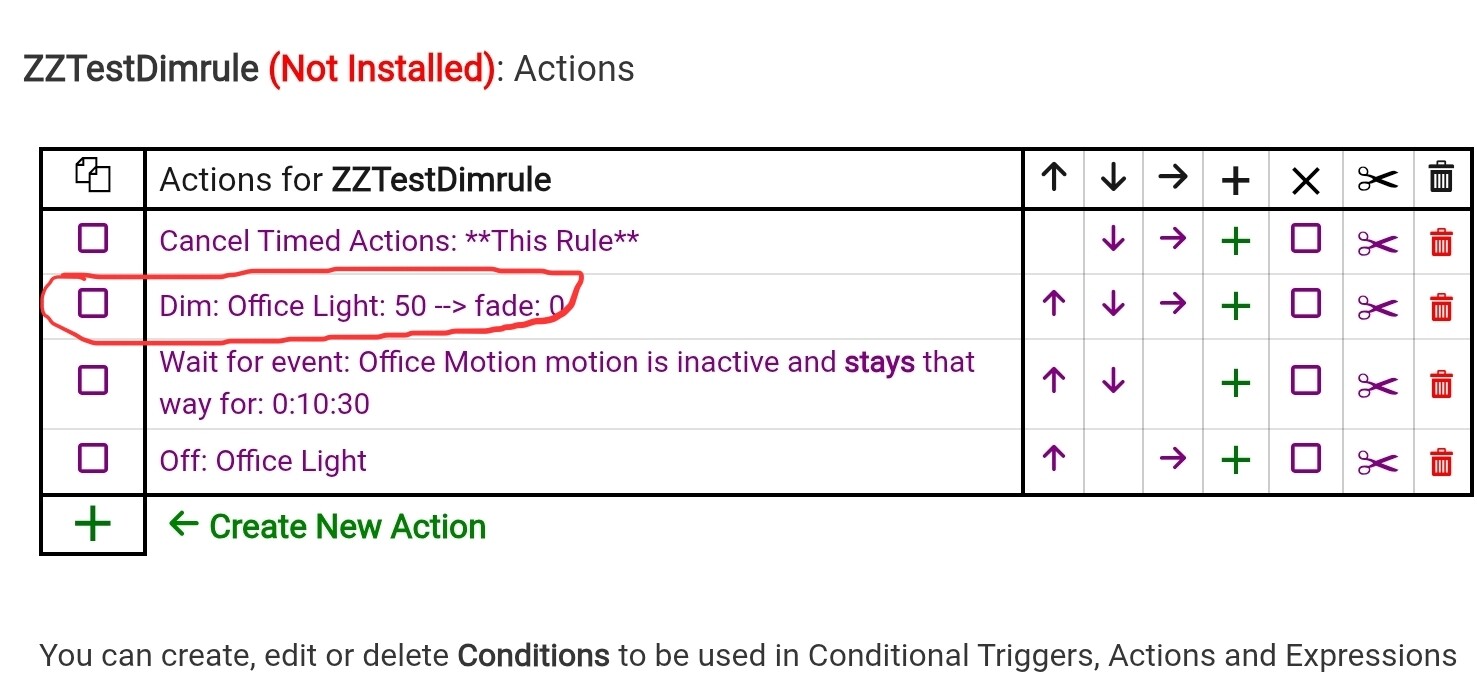
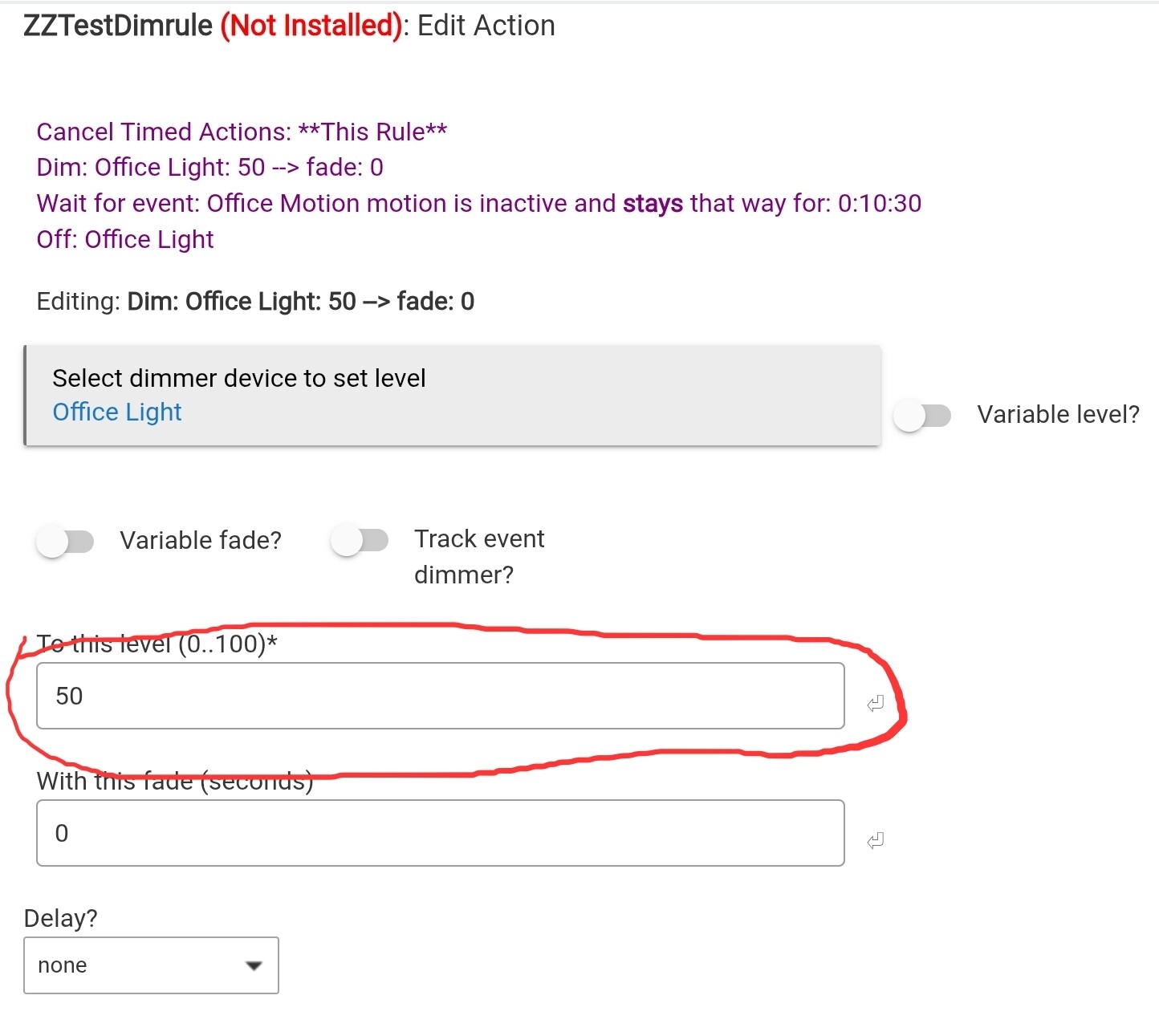
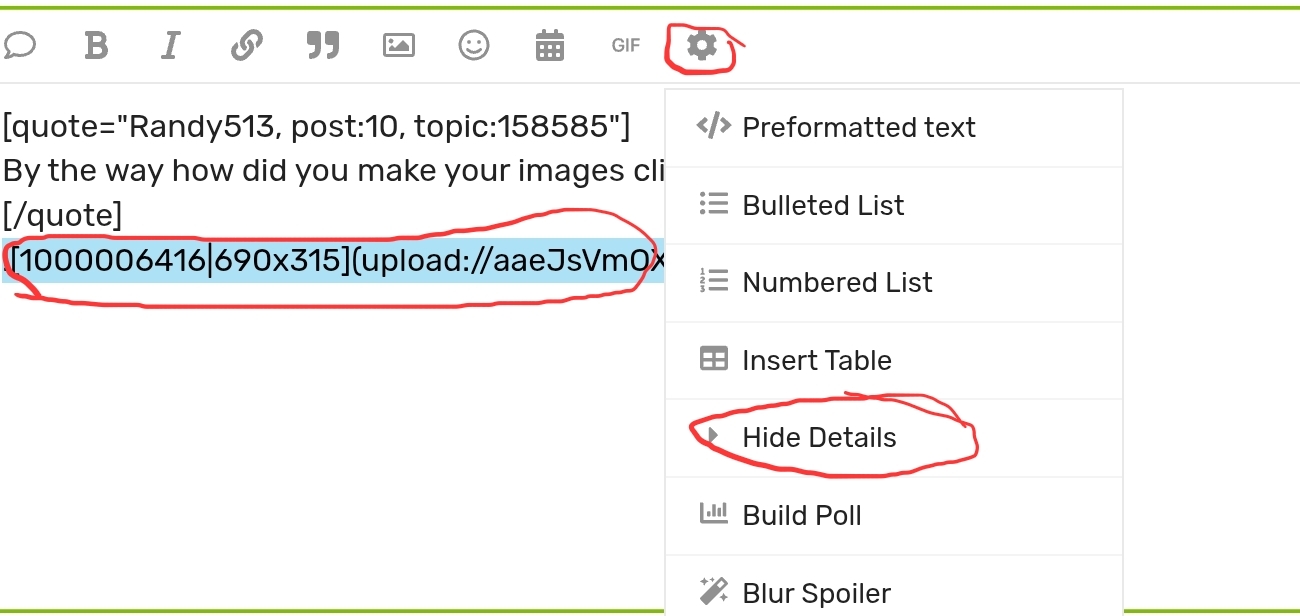
I feel like I am missing something. How do I change the dim level to 100% ?
This is not a must rule - it would just be nice to have.
One more question: I have lots & lots of basic rules. Learning Rule Machine and having lots of those is it a bad thing? Should you limit the amount Rules in Rule Machine?
I know some have said I should use Room Lighting, right now I am trying to rap my head just using Rule Machine.
What is not working? (details of what you did, and what the logs said, and what actually occured.)
The way that particular rule is written. If you walk in and the fan is off, the light will come on. If you leave, it should go out 10:30 second after the first time it reports inactive (which could be a little longer depending on how long it takes to first report inactive).
If you then turn the fan on, this should make the required expression false, and cancel any actions on timers. If you turn the fan back off, it should re-enable the motion. It should catch your motion leaving as a trigger to turn the light off again 10:30 after the first inactive report.
You are going to want to look at your logs and see if it:
Sees the motion activity
Sees the fan on correctly
Reports on whether the conditionals were met
) to 100%