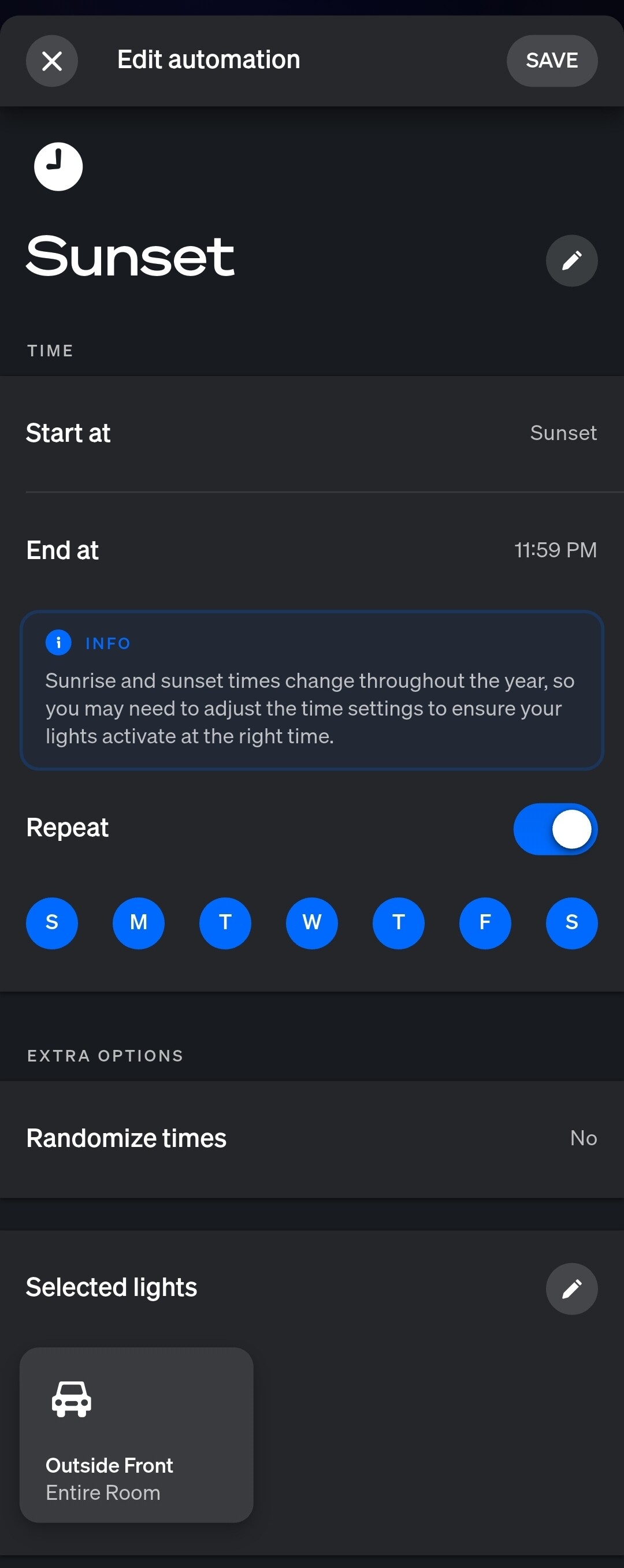
I have Hue Bulbs on my front porch and driveway sconces, connected to two separate smart switches. They're all grouped in Hue as "outdoor front" as a room, and then separately as Hue zones called "front porch" and "driveway".
I have a Hue automation that turns them on at sunset with a color scheme using the "outdoor front" Hue room.
I had a problem where they'd turn on but just white, not the color I had set in the Hue Automation. I resolved that by changing them from CT to RGB in Room Lighting.
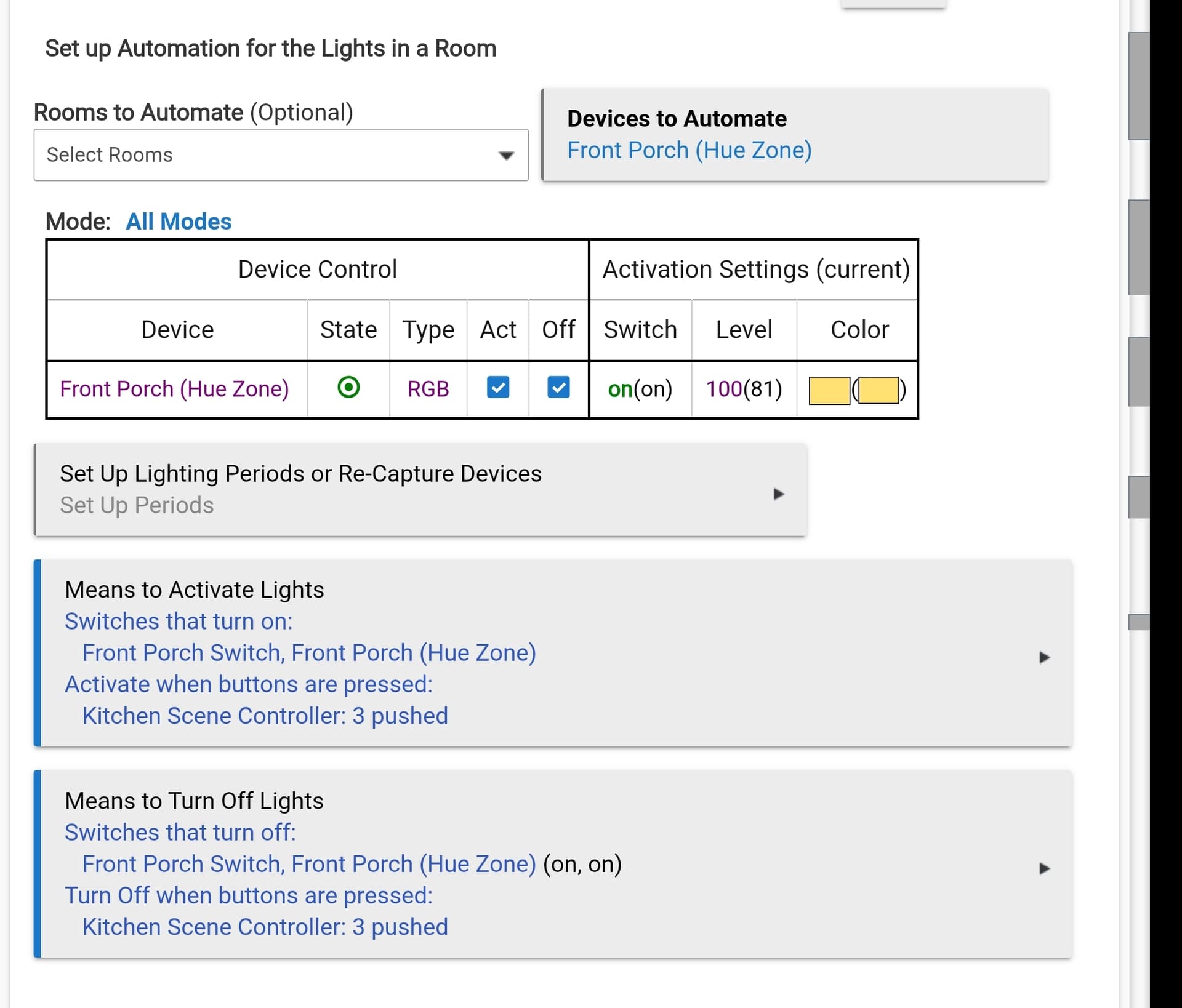
But the other problem is when the Hue scene has turned them on, if I go into the Hue app and turn them off, the smart switches don't work right. I have to click the smart switch off then on again. I think it's because Room Lighting isn't recognizing that Hue turned them off? Not sure how to fix this. Here's how RL is setup for the front porch.
What is your overall goal with Room Lighting and the Hue automation? I also run overlay automation in Hubitat with some also on the Hue Bridge.
To fix this, change the type to Switch rather than CT or RGB. This way, Room Lighting will just turn the Hue Zone "on", which should just take them back to their previous state.
What type of switch are you using? Does it have a Smart Bulb Mode? This current Room Lighting instance does not turn off the switch when Room Lighting turns off. To solve this, you will most likely need to create an automation that turns of the switch when the Hue Zone turns off. When I have switches like this, I use [RELEASE] Switch Bindings 2.0 to mirror my Hue Groups/Zones with Smart Switches.
I don't want Hubitat to turn them on to their previous state when the switch is pushed on. I want Hubitat to turn them on white with the switch, while allowing Hue to turn them on to a color decided by Hue.
I thought I had that second part fixed but I was wrong. When the Hue Automation ran today, the lights came on but they came on white.
Do I need to do separate RL rules? One for the switch activating and deactivating (set to make them white), and a second one for the bulbs activating and deactivating (while not controlling the color so Hue can?
That’s expected behavior and your logs would show this. When Hue turns on the Group, it also turns on the Zones. So, your Hue automation sets the color, but almost immediately, Room Lighting activates changing the color. Take the Zone out of a Means to Activate. This way your Room Lighting only activates via the switch or scene controller.
As for keeping the switch in sync, what type of switch are you using. One thing to try is to create a rule that when the Hue zone turns off, it also sends an off command to the switch.
I made two changes: as you suggested I changed the RL settings to "switch" instead of CT/RGB, and I also added the switches themselves under "devices to automate." Now the on/off works properly - if Hue is what turned the bulbs on, the switch also gets set to on and now works properly (I don't have to press the switch on then off to turn the lights off)
But now it does exactly what you predicted - the lights turn on from the switch in whatever color they were last on. I wonder if a simple rule "when switch button pressed set bulbs to white" is all I need - I'm hoping RL turning the switch on is seen differently than "button press."
With Zooz switches you have two options for control when they are in Smart Bulb Mode. See How to control smart bulbs with Zooz switch smart bulb mode enabled - #2 by bertabcd1234. Have you tried setting up the Room Lighting instance so that it is activated and turned off by the button presses of the switch rather than the "relay"? Try the following setup:
Means to Activate
Button press from Kitchen Scene Controller or Front Porch Switch
Means to Turn Off
Switches Turn Off - Front Porch Zone
Buttons press from Kitchen Scene Controller or Front Porch Switch
The above setup should fix all your issues. You can reset the Type for the Front Porch Zone to be CT or RGB depending on what color you want displayed when the buttons are pressed
I ended up creating a couple button rules, one for each Zooz switch. Each one has button 1 press sets color to soft white level 100. Button 2 press dims to 0.
After thinking about it some more, I realized I was forcing them to conflict by using Room Lighting. I just created a couple button rules, one for each switch. On and white, or off. And disabled the Room Lighting rules. Now it doesn't matter what Hue does, pressing the switch buttons always does what I want.