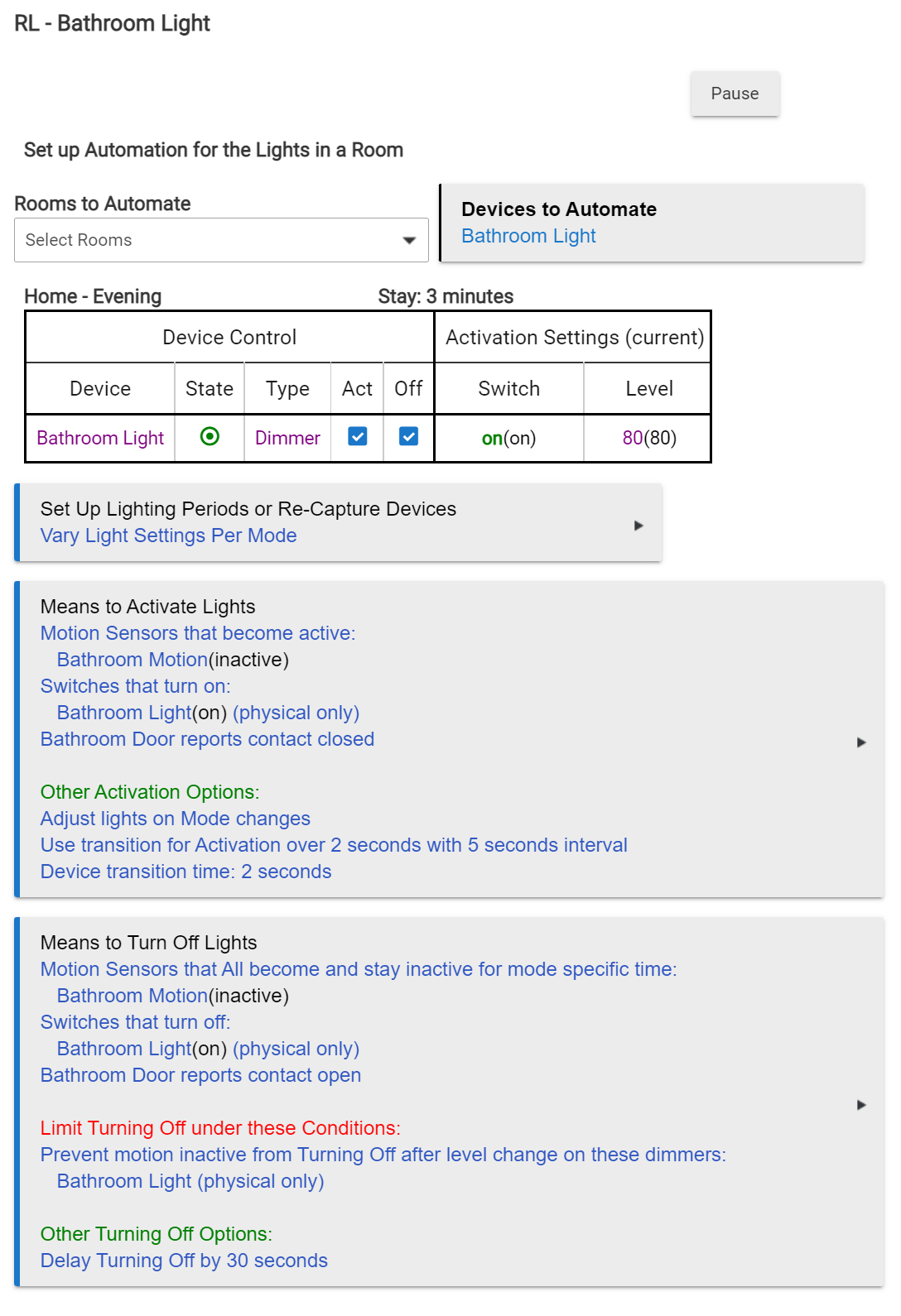
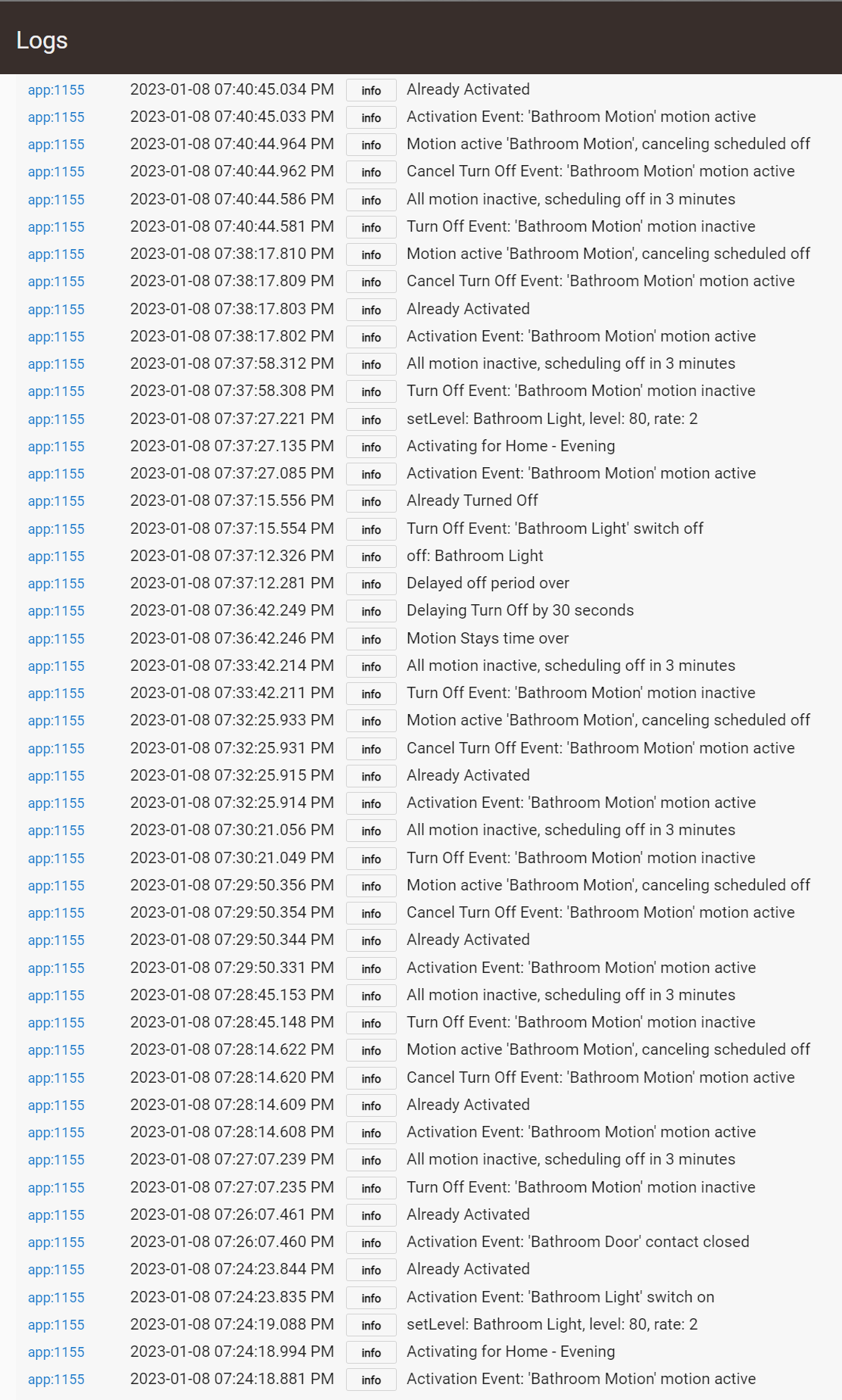
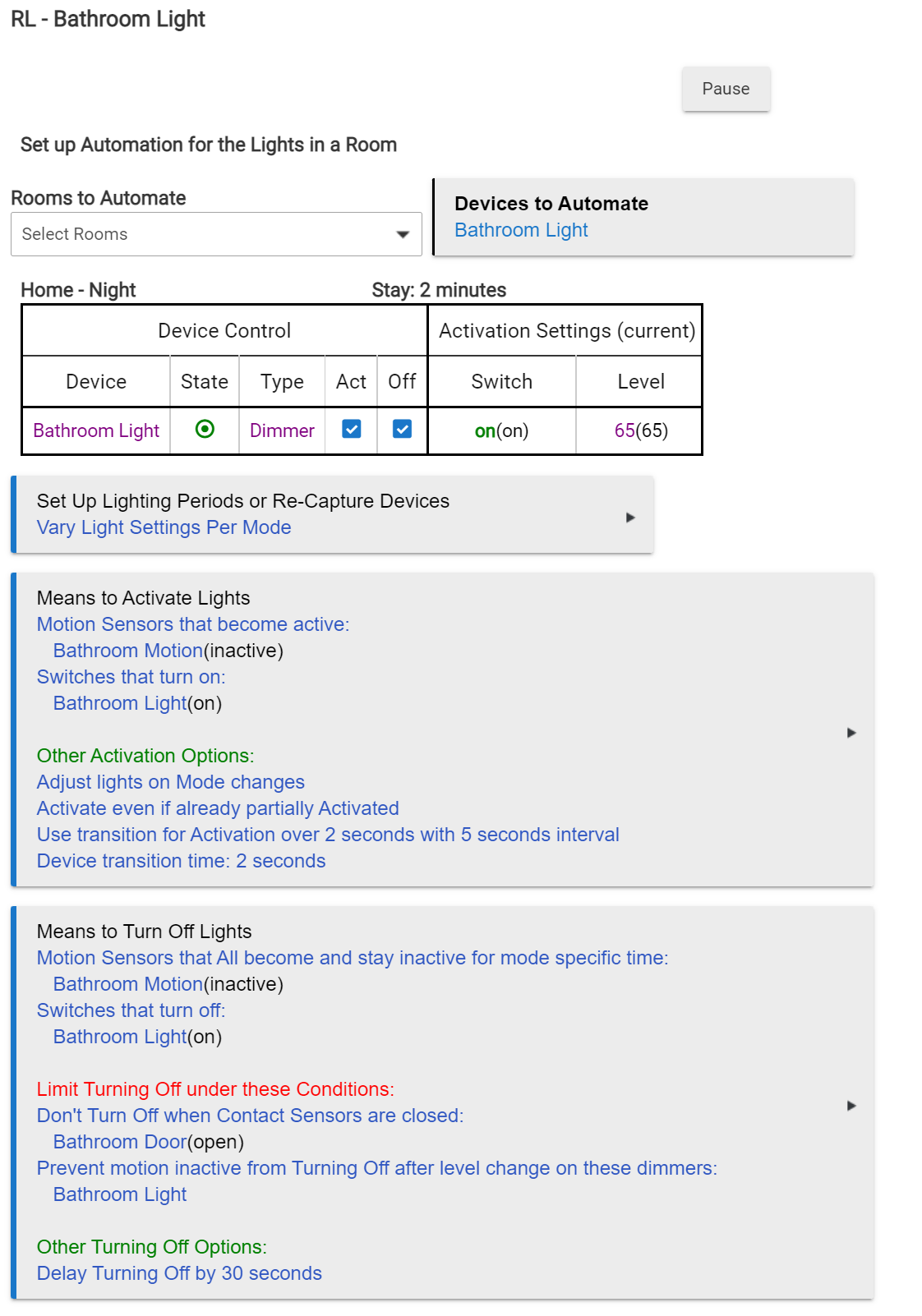
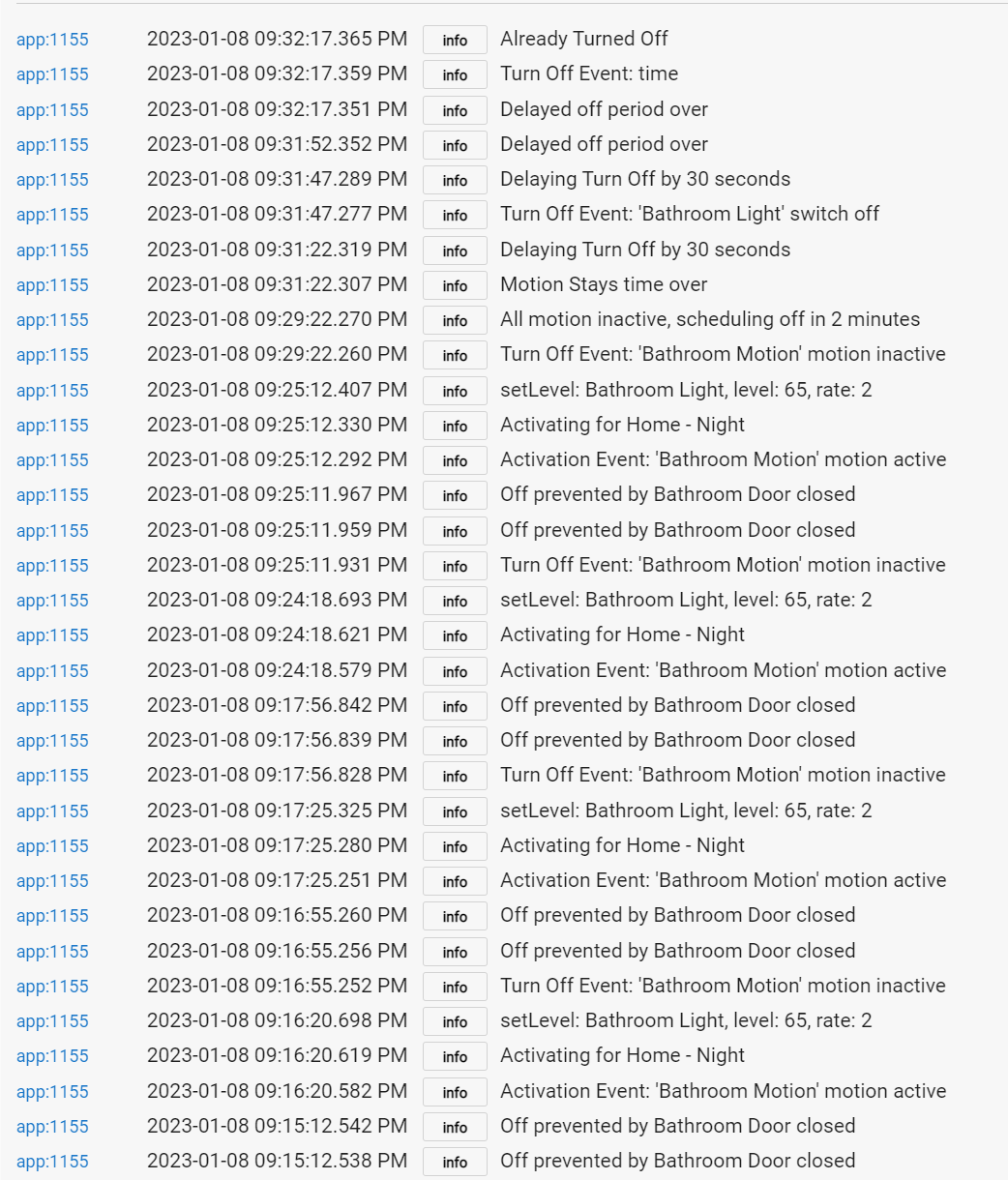
Having an issue I could use some assistance on. Working on migrating a bunch of Webcore Piston's for lighting over to room lighting and I have one in particular that isn't working correctly at all.
Here over the past 2 days it will not adhere at all to the motion sensor, before it would so not sure what changed.
Also having issues with the automation in the following scenario. Someone enters the bathroom and the door is shut (in the shower, motion sensor can't see them). Another individual comes in and opens the door to get something then leaves closing the door behind them, the light will always go off 30 seconds after the door opening, instead of cancelling the 30 second timer when the door re-closes. This one really has me stumped.
You maybe getting bitten by what got me a few years ago when I started. Change the Physical Switch to Switch. Otherwise I'm assuming it's only going to work if you physically turn on the switch in which case the rule doesn't matter anyway.
Here is the one I have a contact sensor, just no motion but similar concept. Mine is opposite since when you go in the closet you leave the door open then close it when done.
I think the "stays" option will fix yours, might want to even do a minute instead of only 30 seconds.
But I also like the "Activate if partially activated" since it will let it reset the activation from a new event even if its already active.
He means to make it more like mine, where you trigger on any state change of the switch not only physical changes. Not all drivers even support "physical" state changes so it may not even be working correctly.
Ah thats a bummer. I think there is some custom app or driver someone made that you can link up to a contact sensor and it will reverse the state on the virtual device. That would allow you to use open for the on trigger and closed for the off trigger.
Although, just setting the "Activate even if partially activated" may fix it.
I have one further idea, if this would work for your setup. Add a limit for the means to turn off, such that it wont turn off if the contact is closed. If you never want the automation to turn the light off with the door closed (I would assume so?).
Then when someone does open the door again it will re-trigger the means to turn off and it should go off in 30 seconds.
Side thought, you must always leave your doors open when no one is in there. I have certain guests that always close the door when done so that's why I have mine on motion and a timer. When they close the door and leave the light on it will turn itself back off eventually!
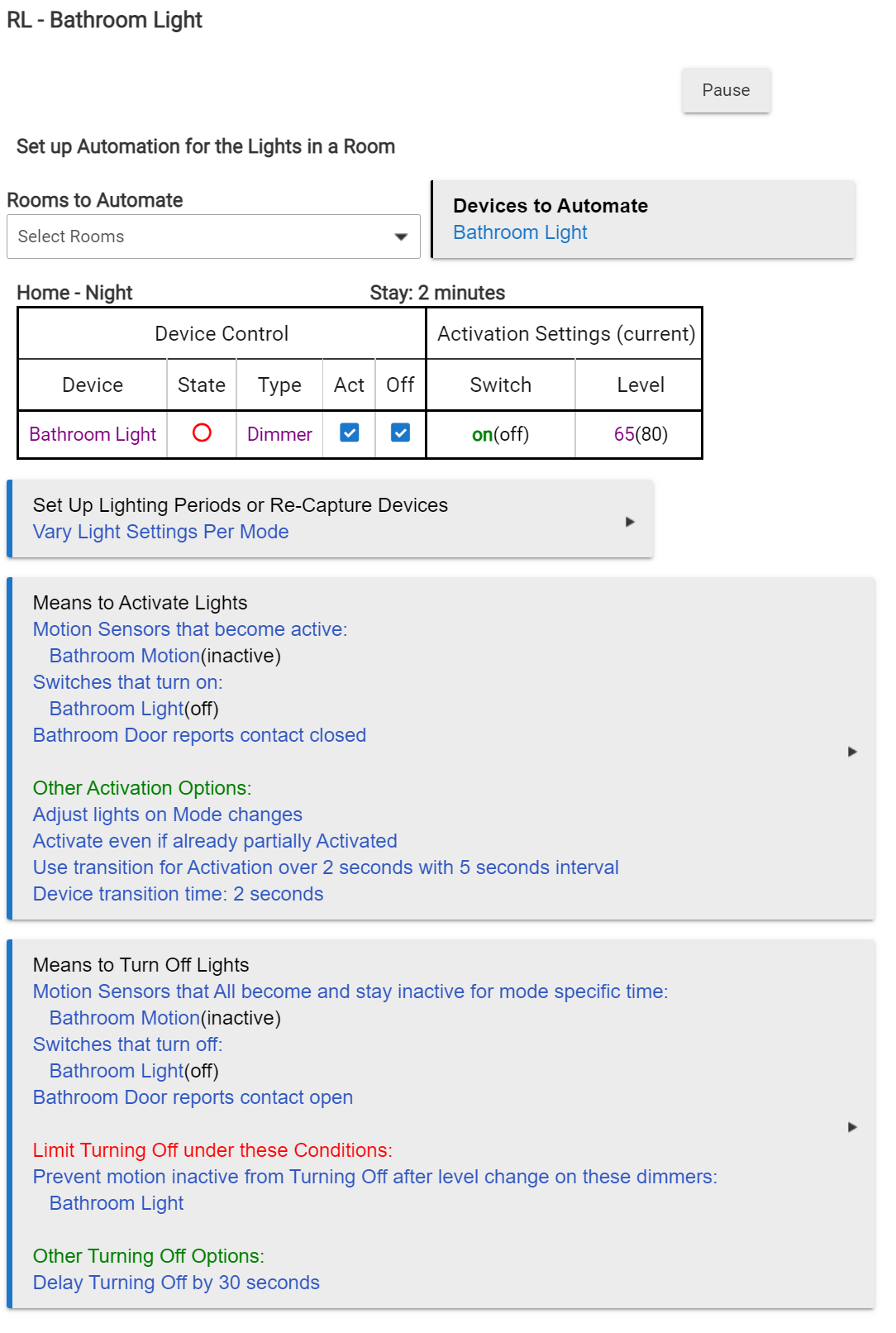
Under Means to Activate Lights the Bathroom Door reports Contact Closed is probably not needed. The motion going in will turn it on. So turning it on because the door got closed will probably never happen.
Also with Bathroom Door reports contact open on the Means to Turn Off it will turn the light off as soon as the door is open. You may not want that. The 30 seconds will probably cover it. You can fine tune from here but you should be close.
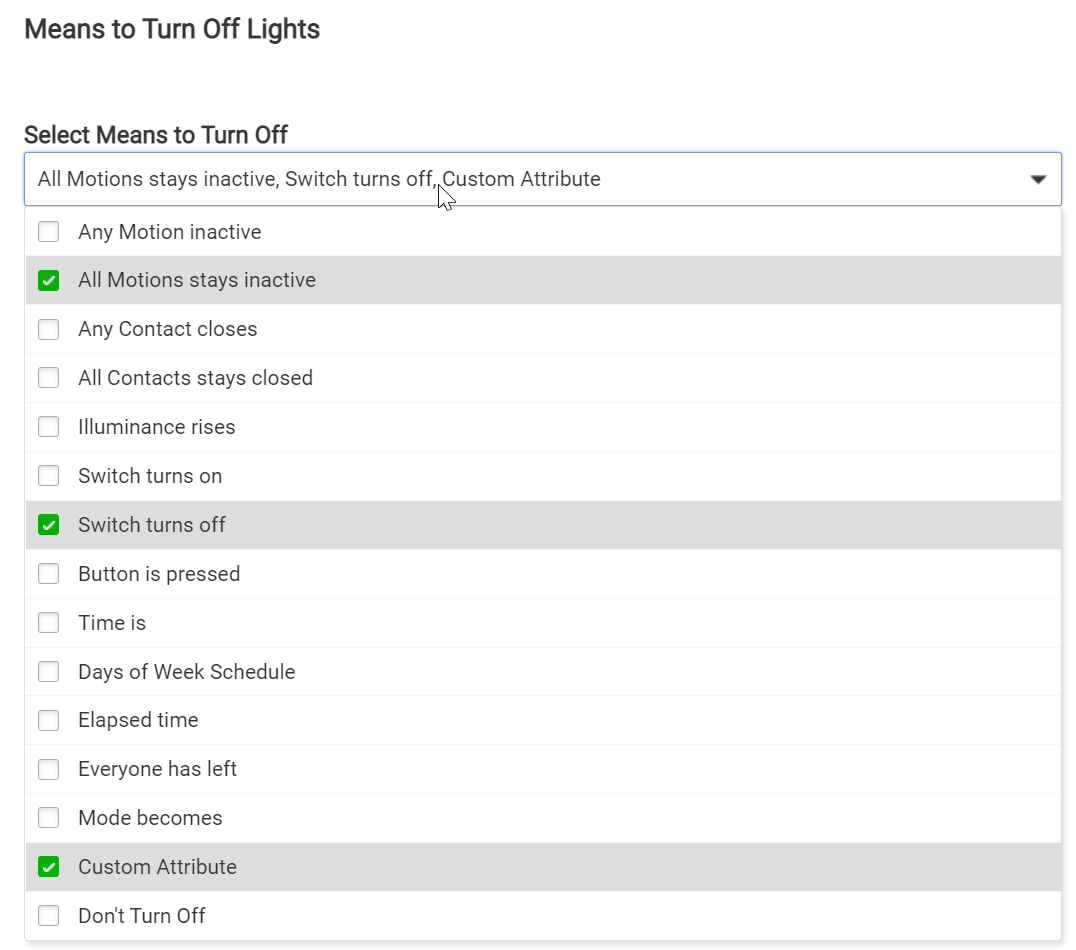
Thanks to the input of @tivomaniac & @jtp10181, I have re-written this rule as follows. Will know here soon if this works as the wife is about to get a shower. if WAF is high, it's a win!