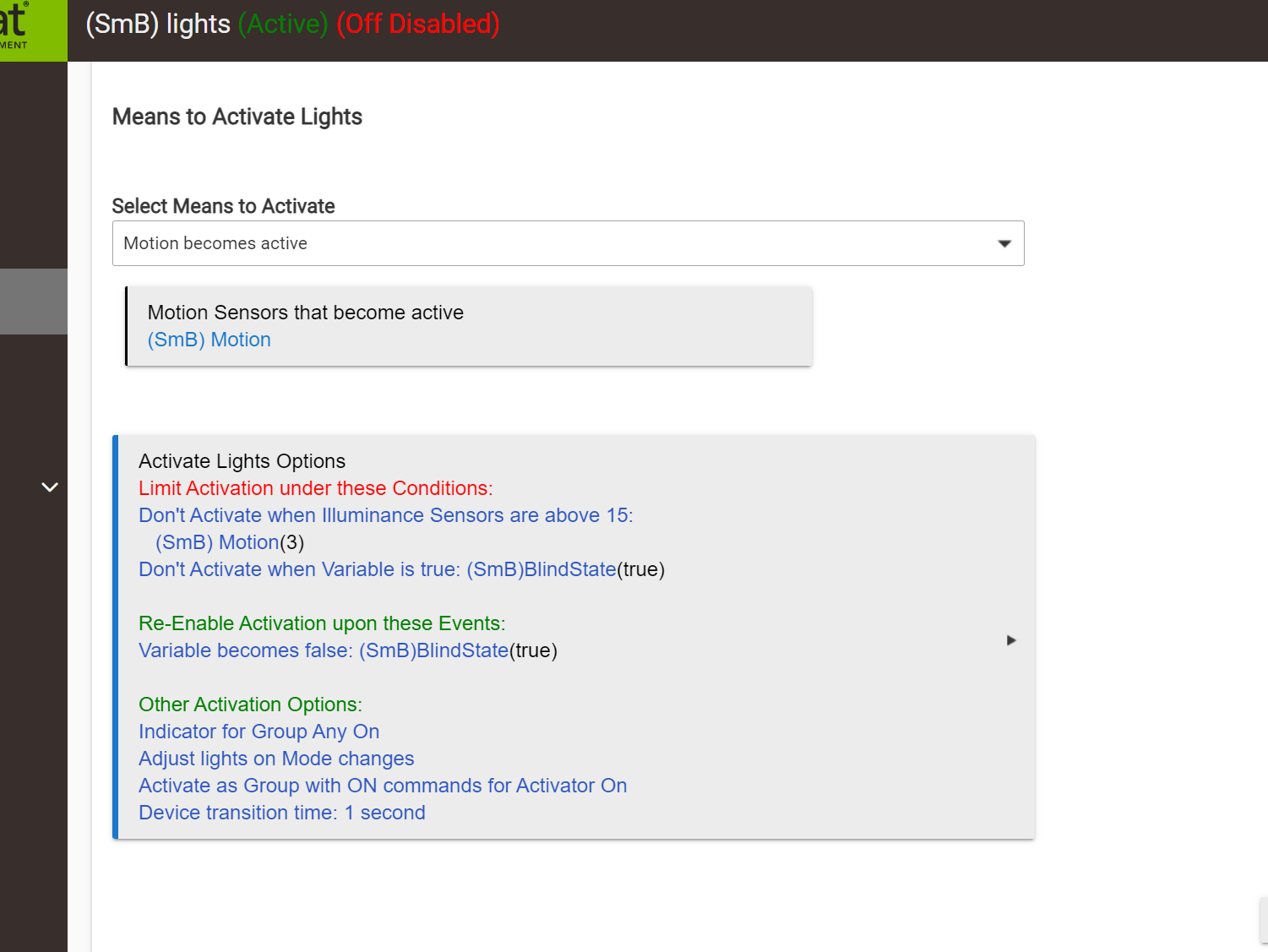
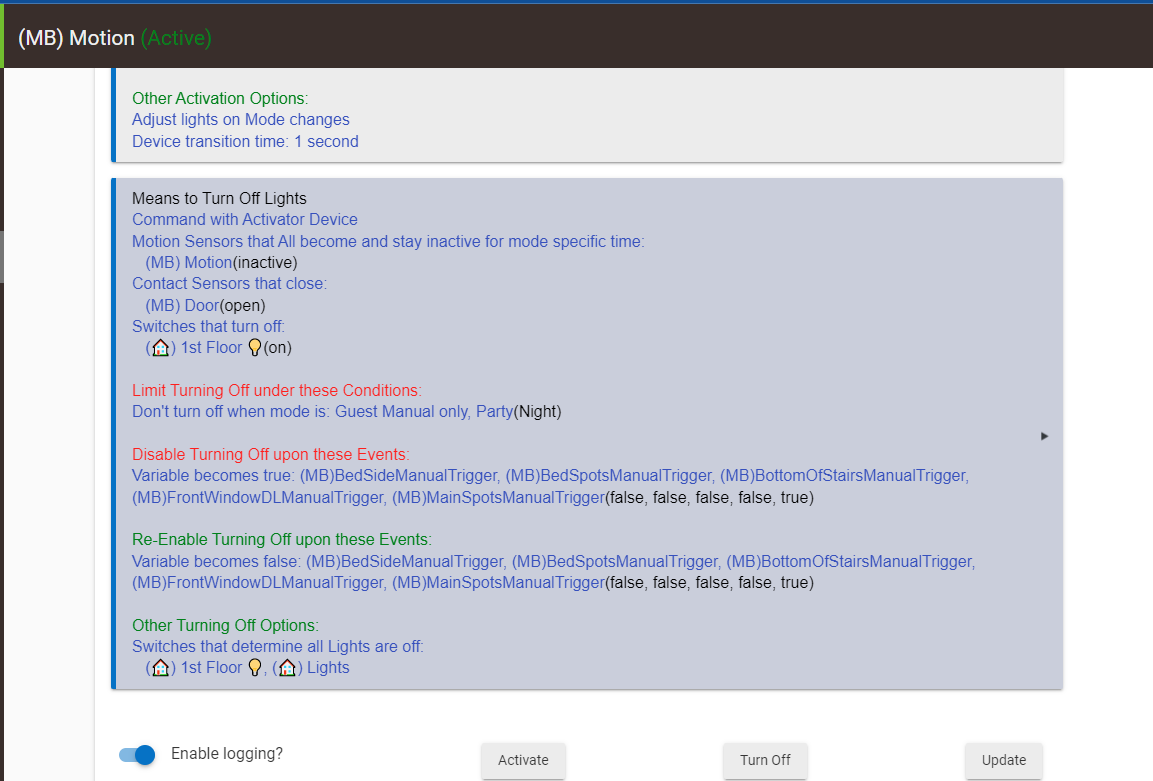
As you can see the off should be disabled.
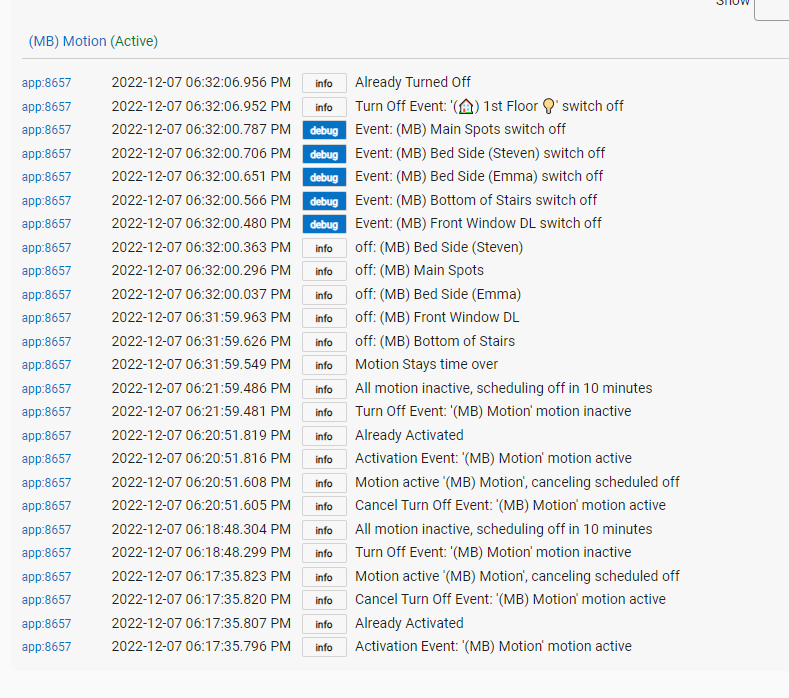
and yet you see this in the logs and the lights keep turning off?
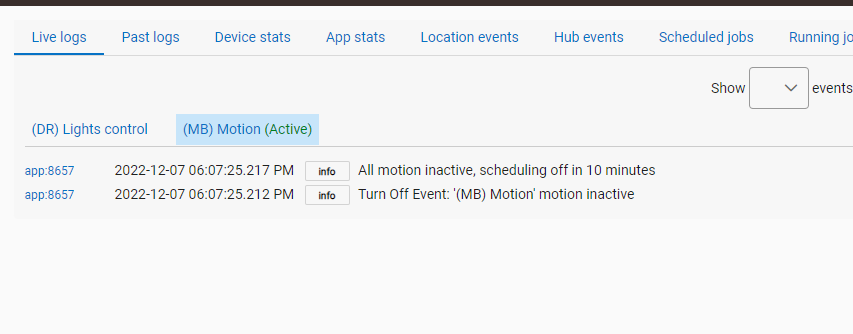
full logs
As you can see the off should be disabled.
and yet you see this in the logs and the lights keep turning off?
full logs
I have a similar issue, my turn off lights is not doing anything:
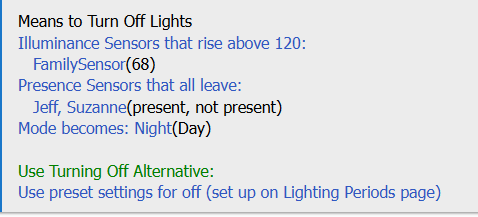
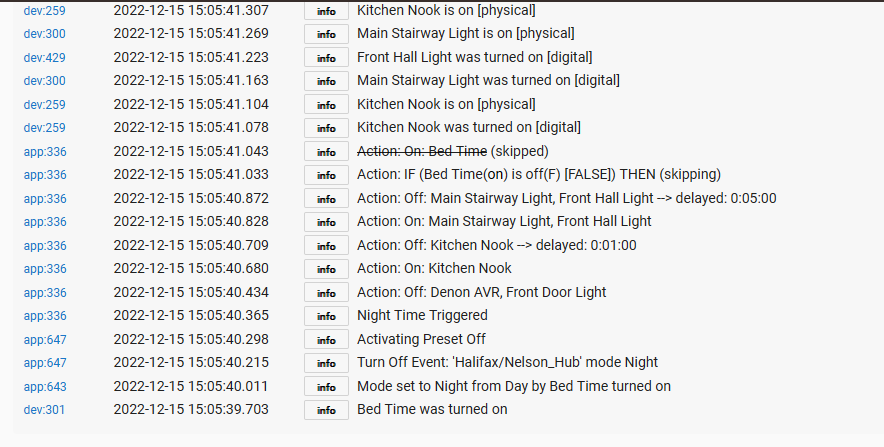
When mode becomes Night, nothing happens...The lights should be turned off.
I do have a problem in that my lights are not reporting that they are on, when they are so wondering if The room lighting is checking that the lights are reporting off and choosing not to turn them off....or something else is wrong. Seems like checking if a light is on/off 1st isn't optimal as some devices don't report properly...Leviton
Can't actually tell from what you've posted. Since you are using variables for both disable and re-enable, its disabled state would depend on the sequence of those events. Disabled is not state based, it's event based.
If you want state based, then use Conditions to Limit Activation or Turning Off, not disablement.
Actually, this is not similar in any way other than being about Room Lights. You will need to post a screenshot of the app logs.
It may well be that the devices' failure to reliably report is throwing off Room Lights understanding of the current state. You could overcome this problem with the option to Turn Off Even If Partially Off.
Here's the logs:
Here's preset off:
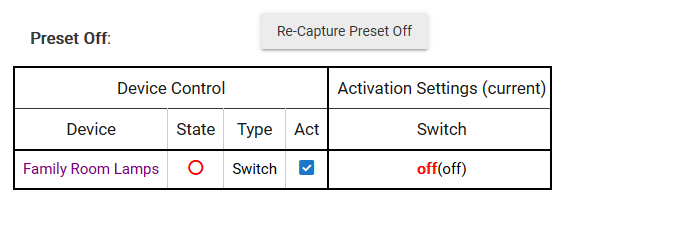
This was where it put them when i imported it from motion lighting, that worked correctly like a condition. Are you saying that the disabled just follows the last event like a OR rather than a AND? (BTW i asked you this exact question in the early beta of RL and at the point you told me AND so its changed if its now event?)
It's been a while, so I'd have to go look, but I think Motion Lighting used disablement, and that would explain why it would be imported that way. I'm not 100% certain how ML actually treated this, and haven't taken the time to look it up.
Irrespective, Room Lights definitely uses events for disablement/re-enablement, not any state information. So it is not AND, it depends only on the sequence of events.
Meanwhile, I was looking at the code for this, noticing that RL is showing the state for things in disable/re-enable, where it really should not show the state. While looking at that I found a sort of nasty bug, where there is an ambiguity between Limit Conditions and Disable Activation for variables. Fixing that may break every RL instance that uses Disable with a variable. Not good, but unavoidable (hopefully I can get a path around this problem). This bug does not affect you currently.
If you change this to Conditions to Limit Activation it should work the way you apparently expect it to. For that test, any of the variables being wrong state would prevent Activation --> ALL would have to be in the correct state.
Make sense?
perfect that's what i need. just going through and changing them all now.
perfect but just to be sure
Not required for Conditions, only for Disable.
Hub variables are not all available in these Limit Activation menus.
After adding a new hub variable for use in a Room Lighting, the variable is not present in the menu after selecting limit under these conditions with either 'variable true' or 'variable false'. I've tried various attempts to solve and none have helped. (reboot hub, add usage of variable in Rules) In looking closer only 11 of 14 of my boolean hub variables are present in Limit Activation menu. I can find no correlation as to why some and not others.
Try hitting Update button in the app, see if that clears it up. Are the 3 missing ones recently created?
Update fixed it! Only one variable was new.
I assumed the Update was a push (write) operation not a pull (read) operation. Do you have to do Update in each Room instance?
Not necessarily. When you create an instance of Room Lights it gets the list of Hub Variables. After that, if you have added new variables and want to add them to an existing instance you need to hit Update to refresh the list.
Yes, just verified Update required for each instance.
Also, I rechecked the variables and I do think the missing ones were all created after app instance. I forgot that this room app instance was initially created when room lighting app first came out.
I'm going to fix this so that it refreshes the list whenever you open the app, instead of having to hit Update.
This topic was automatically closed 365 days after the last reply. New replies are no longer allowed.
Download the Hubitat app