I do something similar with "Holiday Lighting" app for some outdoor smart bulbs.
2 Likes
So if you change the color Rudolph to green and do re-capture Night. Then go back and change Rudolph to Whith and do re-capture on Morning, Morning and Night both change to the same color for Rudolph?
yes 
That is not how it should work either, something is very odd there. Have you tried rebooting the hub?
Or as @bbrannon stated above try the holiday app.
I did it yesterday, but I will do it again now
This is what it should do. I went into bust device page and changed it to "Rose", went into RL and recaptured Early Monring. Bust is now Rose and the other 2 are off (didn't have them on when captured).
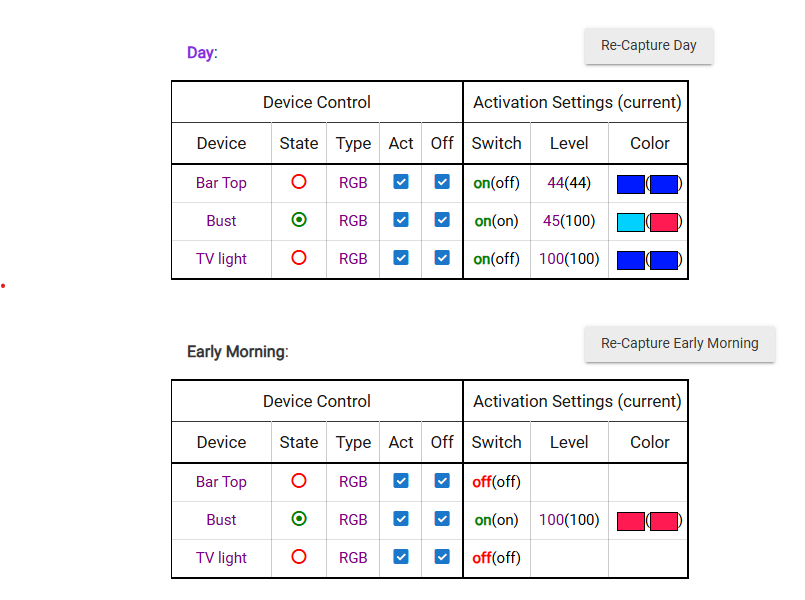
Then went back into bust change to yellow, went into Bar Top and changed it to green, went back to RL and recaptured again.
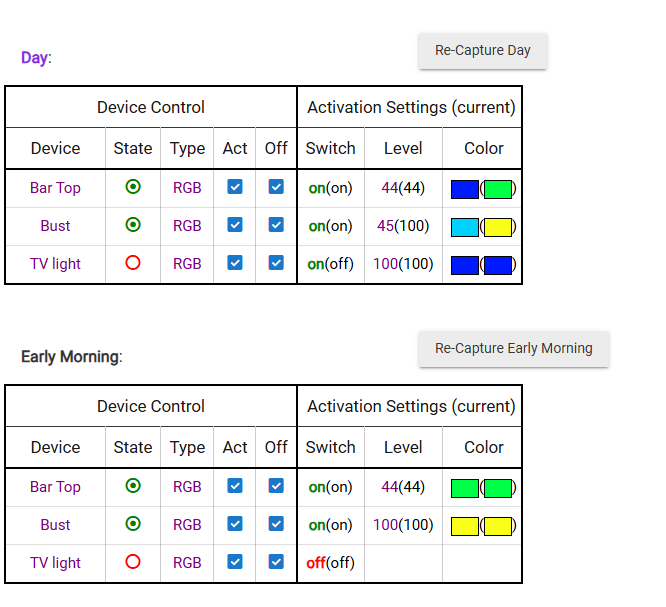
But still should be able to simply click on the color and change it RL as well.
Not sure if I have some type of glitch? I did a hard re-set and a soft re-set on the hub. Also tried another browser.
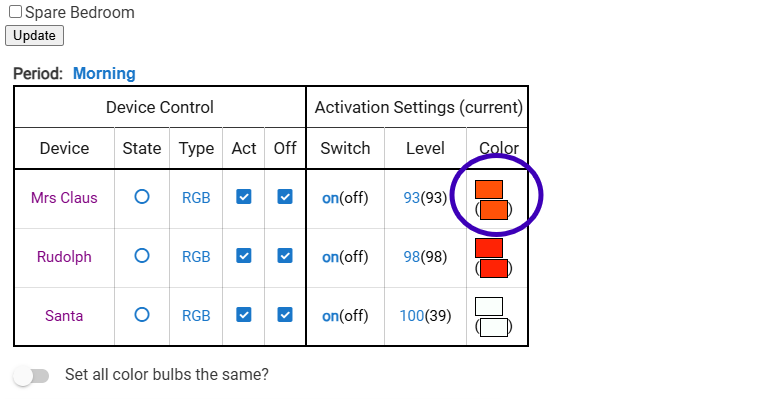
I noticed you Color blocks are side by side and mine are not. Not sure if that is a thing?
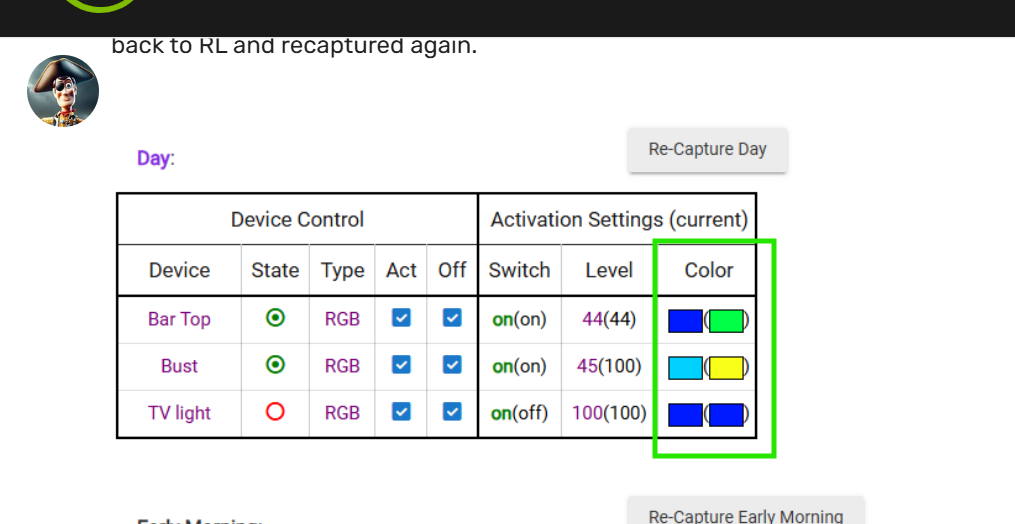
Where is the Holiday app? I tried to install but it does not come up in my search.
What you have circled looks ok (other than them not next to each other). That just says that the bulb is currently set to orange and the Morning setting is orange. If you chang the bulb to green it should show green as current and orange as the Morning setting.
Holiday Lighting is in HPM.
Hubitat Package Manager, install, Holiday Lighting.
Does turning off screen reader mode in Settings (as I've suggested in a couple of your previous posts) help with the color block problem?
2 Likes
Got it and turned it off
WOW you are GOOD!!!
That fixed it!!
Thanks
1 Like
Never would have thought of that and would have lost sleep without the answer 

1 Like
I am sure glad he step in and figured it out. I do have another question for you.
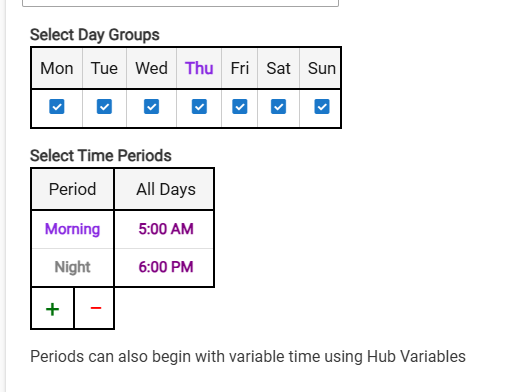
Morning -> If I want the lights to White at 5:00 am
Night -> And Green and Red at Night after 6:00 pm
is this correct?
Day -> Let's say starting at 11:00 am (do not have this set up yet)
So it would say in the Morning mode until 11:00 am and change to Day mode and stay that way until Night at 6:00 pm?
1 Like
You got it

