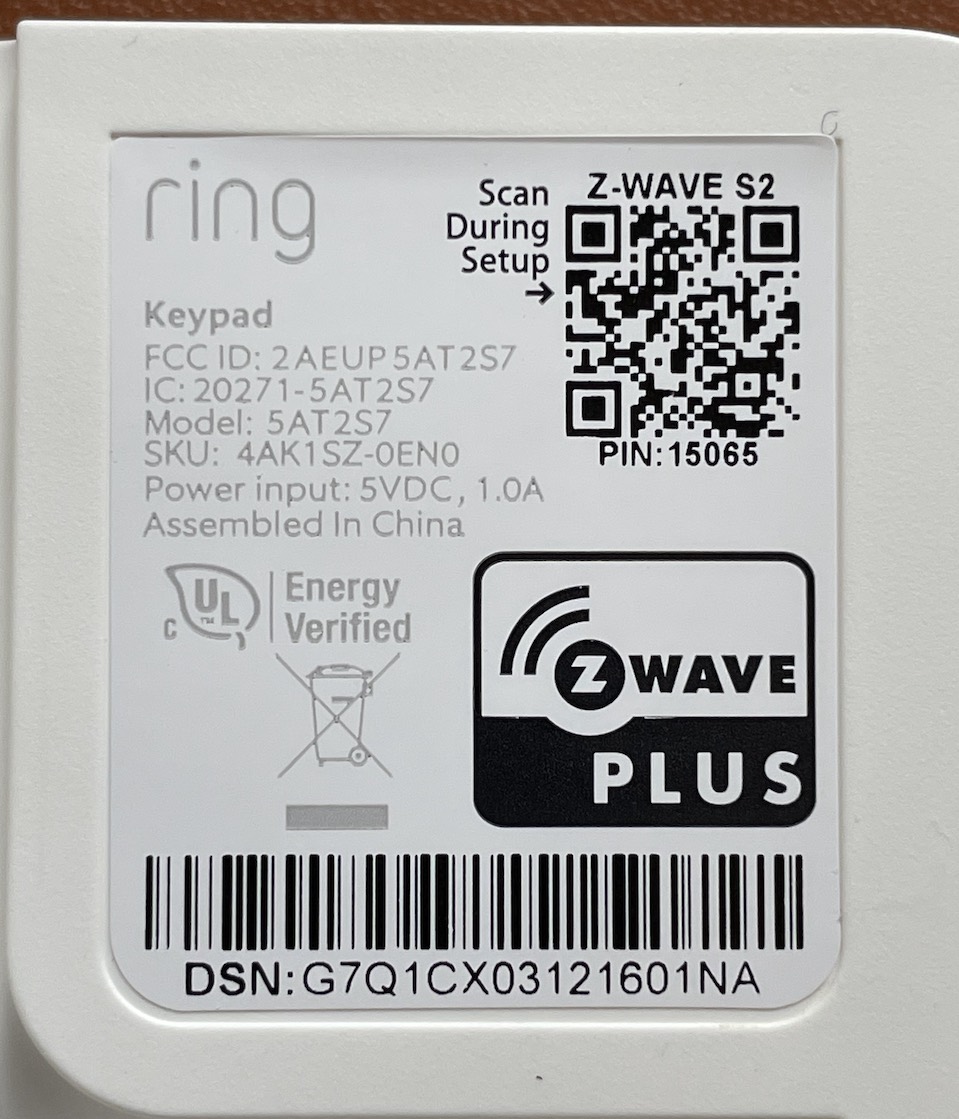
I have a new Ring Keypad v2. The V2 uses Zwave S2 and the ring zwave documentation and other docs all reference a "DSK" code as the 5 digit code to enter when pairing. Unfortunately I am not having any luck (see attached screenshot of zwave logs) - apparently I'm entering the wrong code (15065)
I have two of these. I had a bit of trouble getting mine to pair as well. If the exclusion process doesn't work you can remove it from the zwave details page as you tried. The key to getting it removed is that it has to be unreachable from the hub, and may be a bit tricky here. With most devices, as @rlithgow1 suggests, you need to remove power from the device. To the best of my knowledge the ring keypad does not have a power switch, and it has a rechargeable (non-removable) battery. You could try to get it out of range of the hub... maybe wrap it in a few layers of aluminum foil and stick it in a metal box or something? Or drive to down the street to a neighbor's house? Sounds a little silly, I know... but it might be easier than waiting for the battery to die.
I'm also wondering if the exclusion process might work if it were closer to the hub. Perhaps if it does not have a solid connection where it is and can't successfully exclude. A little bit of a shot in the dark there but maybe worth a try.
Once you've successfully removed or excluded it I would strongly suggest doing a factory reset and then using the SmartStart method to re-include it. That's the thing that worked for me in the end.