I realize that this topic has been covered before, but I don't see a definitive solution. So far I have tried the following (at least 4 times):
- Factory Reset
- Exclude
- Include with S2
The device communicating with the hub. Battery level and tamper report immediately, but no motion sensing.
I have two and both have these issues.
Just an update, these two sensors randomly began sensing motion midway through this morning. Aside from the motion sensor unpredictably not detecting motion, there are other strange, inconsistent behavior these sensors are currently showing:
- The led status lights do not provide any feedback. They are always off. Despite the device settings in the preference tab.
- The tamper reporting disappeared from one of the sensors. It will no longer report tamper AND "Tamper" attribute is no longer a reported as a "Current State" or available as an option for "Default Current State" on that same sensor
- On one sensor, under the Device Commands tab, nothing is listed under "State Variables"
I'm unsure if these forums are even monitored anymore as this is the at least my fifth post in a row where no one has replied.
Have you tried bringing the device close to the hub and including it? Also, for sleepy devices like this, you need to wake it up at the same time as you are saving preferences or hitting configure. I have a few of the older gen 1 ring motion sensors in my garage, and I had to keep hitting the button that activates the tamper when the cover is removed in order for them to configure properly.
Thank you for the reply. The inclusion and exclusion process worked relatively seamlessly. I make it a habit of standing right in front of the hub while I'm doing it. There were a few nuances that may be worth mentioning.
-
The motion sensor would only exclude if it was already part of the Z-Wave network.
- On most devices, before I include them for the first time, I do a factory reset, then I exclude, then I include. This process was not possible with this sensor.
-
To include, it was a requirement to do a factory reset of the device each time prior to running Inclusion. It would not include if that was NOT done.
-
I had to restart the hub after exclusion before I could Include the same device again (this is not necessarily an anomaly, but noteworthy that it was a requirement)
-
I saw no immediate functionality differences between pairing without S2 and with S2. I ended up pairing with S2 and eventually (many hours later and for no apparent reason), the sensor began to detect motion.
I will try waking up the sensor while configuring to see if that could help.
Yes. This is a must. I think it queues it for later on zigbee, not sure about z-wave. I have seen zigbee devices (that I didn't need an immediate preference change to show up for) finally show the changed parameters many hours later. Did the "tamper" attribute finally show back up on your sensors? You may need to pop the cover and toggle it a couple times, but it should be there. If you are still having trouble with these, @bcopeland created ring drivers years ago that I still use on my Gen 1 motions, so I would imagine that he has better ideas than I do for finding a solution.
The sensor that was missing the tamper attribute seems to have fixed itself. Not only did the attribute come back, but now under Device -> Command -> State Variable -> Initialized = True (nothing was there before). Also, the LED now flashes with motion.
Unfortunately, the sensor that WAS working stopped detecting motion or tamper. I pressed the button on the front of the device ~10 times in a row before I received any feedback. Eventually, the light flashed red, and the device reported an active motion event. For now, the sensor seems to be working again.
I think, all I can do for now is hope that these continue to get better as time passes. I have experience with multiple Ecolink, Zooz and Jasco/GE Z-Wave motion sensors. They setup and worked (and continue to work) without issue. Anything that inexplicably "fixes" itself is not confidence-inspiring. Maybe @bcopeland could share some wisdom on why these have behaved the way they have.
Thank you again for your feedback. If anything else transpires with these devices, I will continue to document on this thread.
1 Like
Have you tried fresh batteries. I have noticed on mine the cause of erratic behavior is as simple as weak batteries.
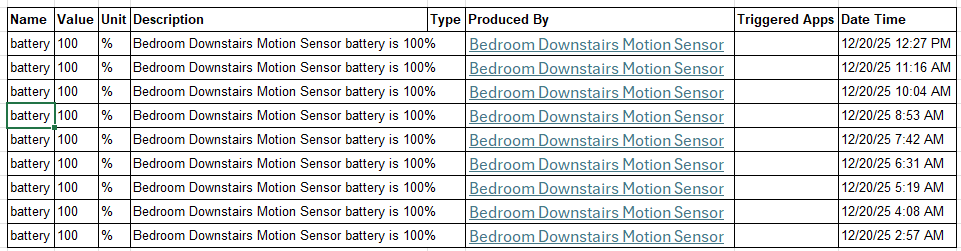
Thank you for the suggestion. Fortunately, the battery event reporting is VERY frequent and reliable.
Update: I have four of these sensors on my network. All four are now working fine. Ultimately, the following process worked:
-
Factory reset the device
- Use a pin to press and hold the reset button in the battery compartment for ~10 seconds
-
Power off the device by removing a battery
-
Wait ~10 seconds. Power on the device by inserting batteries
-
IMPORTANT: do not exclude the device from the hub
-
Put the Hub in Inclusion mode
-
Press and hold the button on the front of the sensor for ~3 seconds to put the sensor into inclusion mode
- LED will flash green 3 times repeatedly while in inclusion mode
- Inclusion mode lasts ~45 seconds. When inclusion times out, LED will flash red
-
When the hub finds the sensor, pair WITH security
-
Enter the 6-digit security code
-
The sensor is now paired with the hub
-
Lastly, and this is counterintuitive for me - It took ~48 hours for all of the device attributes to appear and the attributes to report reliably. Don’t know why and I hate that. However, after being patient for the first couple of days, they have been working reliably for 60-75 days.