Haven't heard back from the support folks, so I'll ask the massmind. (Though I have a suspicion it's a back-end thing.)
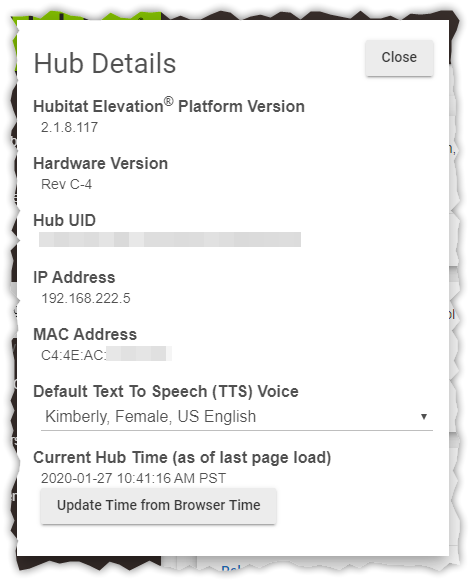
I have had my Hubitat C-4 installed for about 48 hours, and it continues to say "Cloud connection is unavailable."
It appears to be correctly joined to my portal login.
It was able to receive and apply the 2.1.8 upgrade.
[Forum will not let me include image -- take my word for it.]
I have rebooted the Hubitat a couple of times, both via power cycle and reboot button in local UI.
It does have a DHCP reserved address on the local subnet, and reliably is issued that address. Displayed time is within moments of correct.
I am able to browse to portal. hubitat. com; Portal Find Hubs detects and displays it promptly (screenshot below); Portal My Hubs lists it properly though no dashboard link is presented. Portal My Hubs info screen shows successful checkin.
[Forum will not let me include image -- take my word for it.]
[Forum will not let me include image -- take my word for it.]
Local UI, dashboards, etc. are served as expected. Cloud dashboard links eventually return a 504 containing "No response from hub".
No other devices/services/websites are exhibiting issues. No outbound ports/protocols are blocked. Subnet router is an Asus; boundary router is a Motrola cablemodem; ISP is TimeWarner.
I wouldn't suggest power cycling the hub, it can easily corrupt the DB, on that note I'd suggest you get in the habit of backing up the DB to your computer anytime you make significant changes in case that happens. Rebooting with the system-reboot option is the best method.
Many forums restricts images until you have posted, read, or interacted with a certain number of posts to try to prevent spam from bots that might make it on the community site, I don't remember if that is the case with this one.
I've not seen where a reboot wouldn't clear that message, and with your cloud dashboard links not working but your local ones working it sounds like something is being blacked coming into your network somehow.
it sounds like something is being blacked coming into your network somehow.
Likely, or it's being rejected by the cloud -- perhaps due to being pre-owned. There's no mention that I have found of inbound port requirements; I would think it should be doing bi-directional over the 8883 connection which is what makes me think it's being rejected at the cloud end.
Okay -- support got back to me and suggested a soft reset. I did a soft reset and proceeded as new (rather than restore from backup) and it appears to be better now. (I've lost all my devices -- but that's fix-able.)