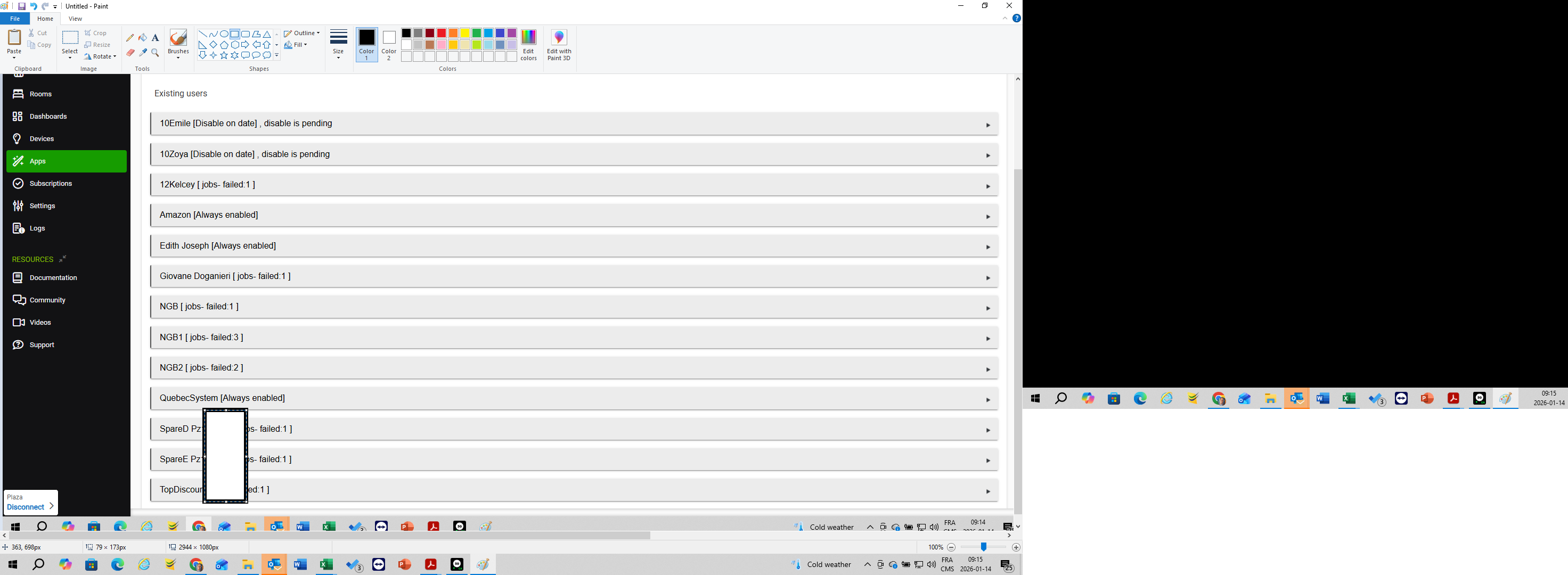
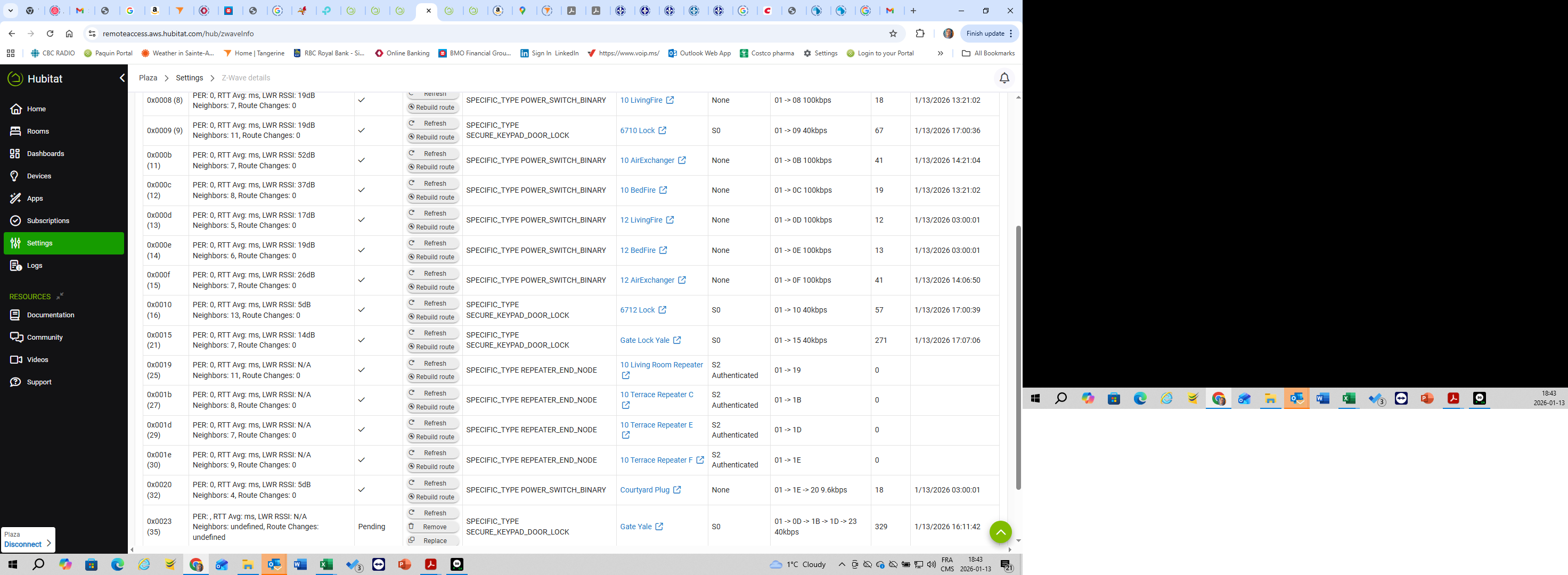
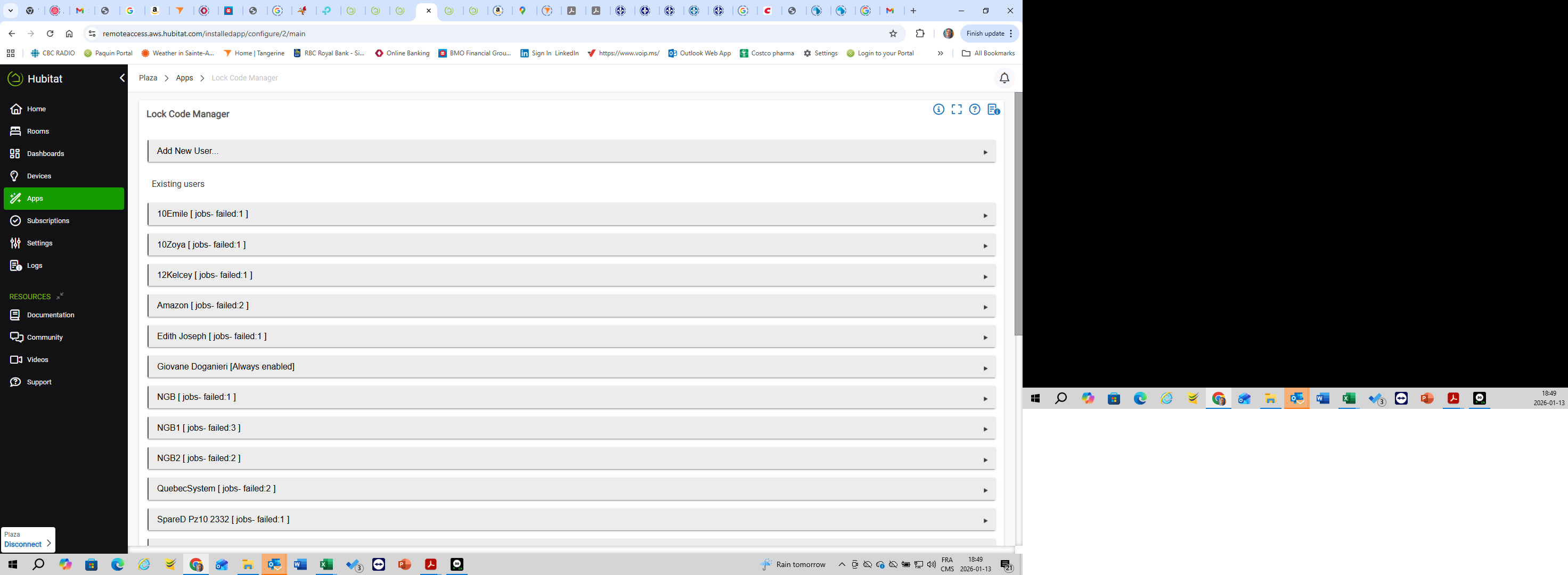
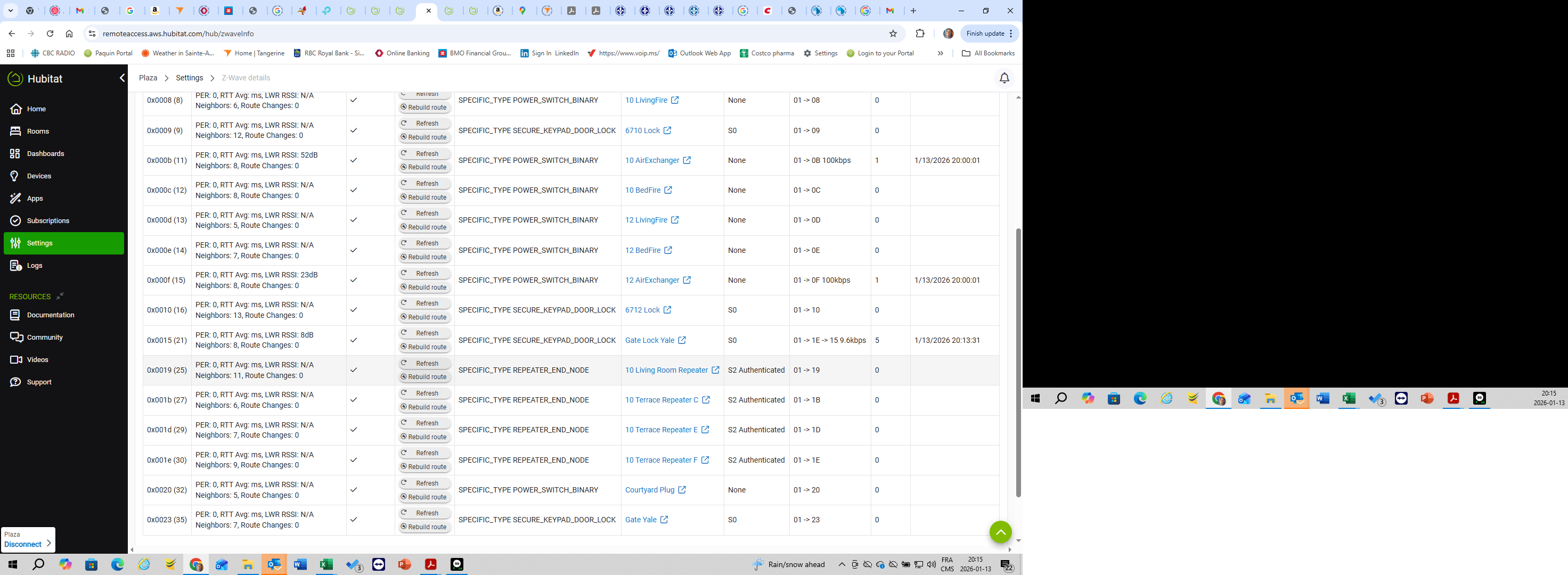
Hello Support Team, I have a C-8 running 2.4.3.176. Due to mechanical failure I had to replace my Yale YRD226 lock with the same make and model lock. I managed to include the new lock in the zwave. I then went to settings / swap devices where I replaced the old lock with the new lock. In the lock manager, both locks now appear (I haven't yet excluded the old lock). Although the new lock is checked off on the same lock codes as the old lock, I do not see the codes on the device page of the new lock. Also the new lock does not appear in the zwave device graph, it is however present in the topology. I tried unchecking the new lock in the applicable codes, then checking them again but I'm getting failed messages. The new lock has much more hops than the old lock 01 -> 0D -> 1B -> 1D -> 23 40kbps and the stats say the following PER: , RTT Avg: ms, LWR RSSI: N/A Neighbors: undefined, Route Changes: undefined.
Seems like zwave is partially active but not fully active. What can I do to rectify this situation. Norman
Did it pair with security? I think Yale is still using S0 if you have the ZW2 module. Or if you have the newer ZW3 module then it would have used S2 with the pairing code.
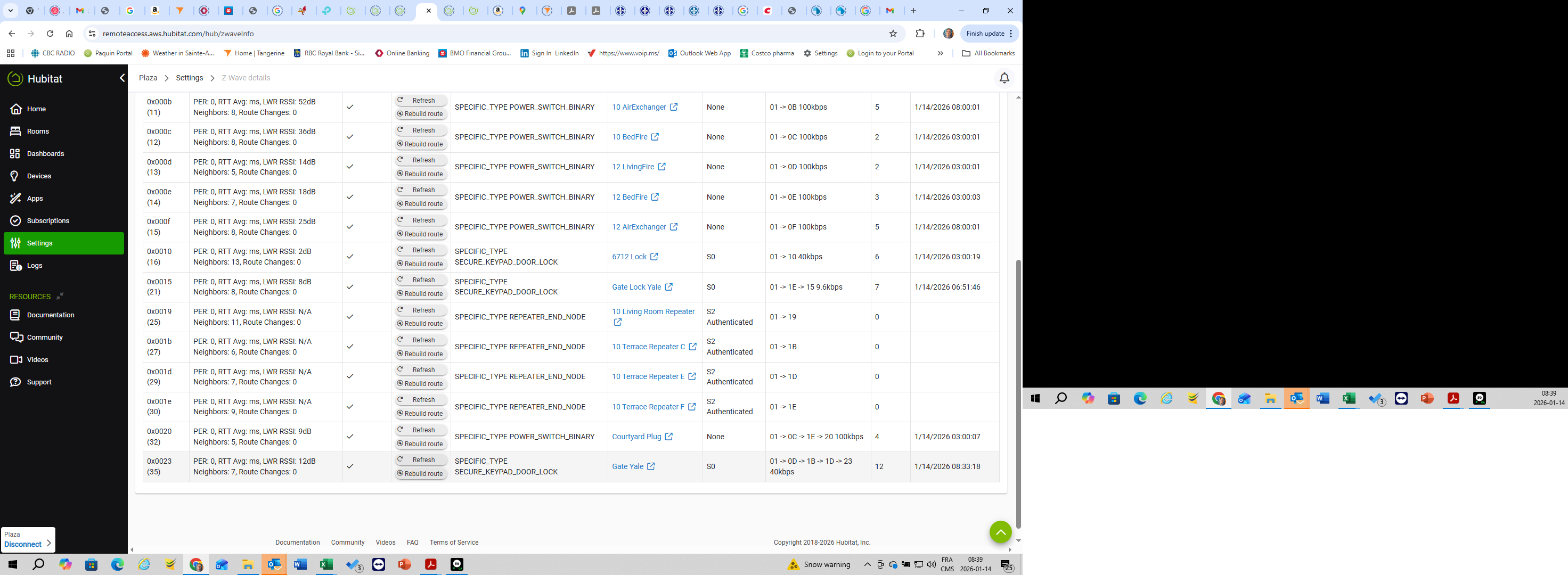
Click the refresh stats button on the zwave details page, wait a few seconds and refresh the page. We need to see a screenshot of the Zwave details, it least the locks in question.
Between the tortured hop path to the lock and the Pending state in the list it seems your lock isn't happy.
I would delete it, factory reset the lock, and redo the pairing procedure. Since you had one before you probably remember locks must be paired with security enabled. Get the lock working before you go setup up all the codes and mirroring the older one. Just get it working, confirm you can lock/unlock via device page and perhaps set/add a new code from Hubitat. I did find with Schlage the set code length feature in the driver doesn't work, you have to set code length at the lock keypad (if you are changing from default code length), but maybe that is just a Schlage thing.
Also what is proximity of hub to the new lock? You might want to get a long ethernet cord (or put Hubitat in wifi mode) and move the hub withing a few feet of the lock while it pairs. Some folks say this isn't necessary and overkill but it solved a problem I had with a Schlage lock that wouldn't pair. It should result in a direct connection instead of the hop route you show today.
Thank you for the information, I used to have 3 Schlage locks and it's in this community that I was steered to Yale which I must acknowledge works way better than Schlage. I believe I have the distance issue solved, this gate lock is 60 feet from the hub on the lower level but the repeaters do the trick as long as a include into zwave 4 feet away from the hub. I don't know if this is also necessary with Yale, but this was the only way to get the lock to work with Schlage.
If you look at the last screen, the kinks have worked out, the new lock now appears in the topology, the security shows SO like the other still connected and functional lock.
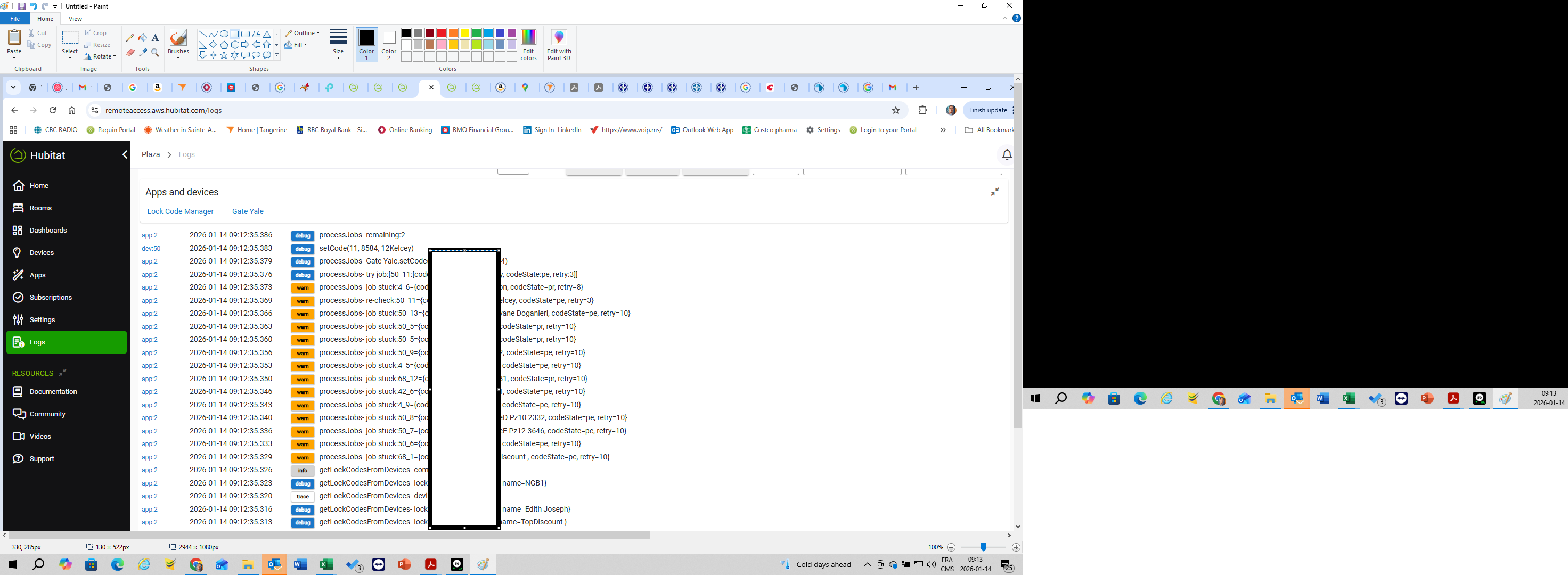
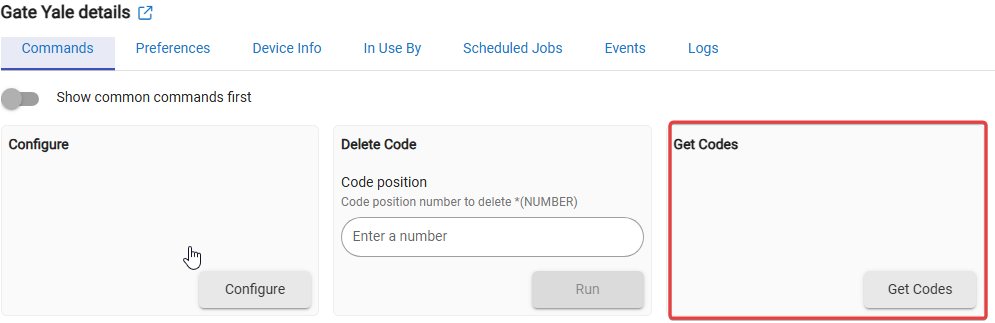
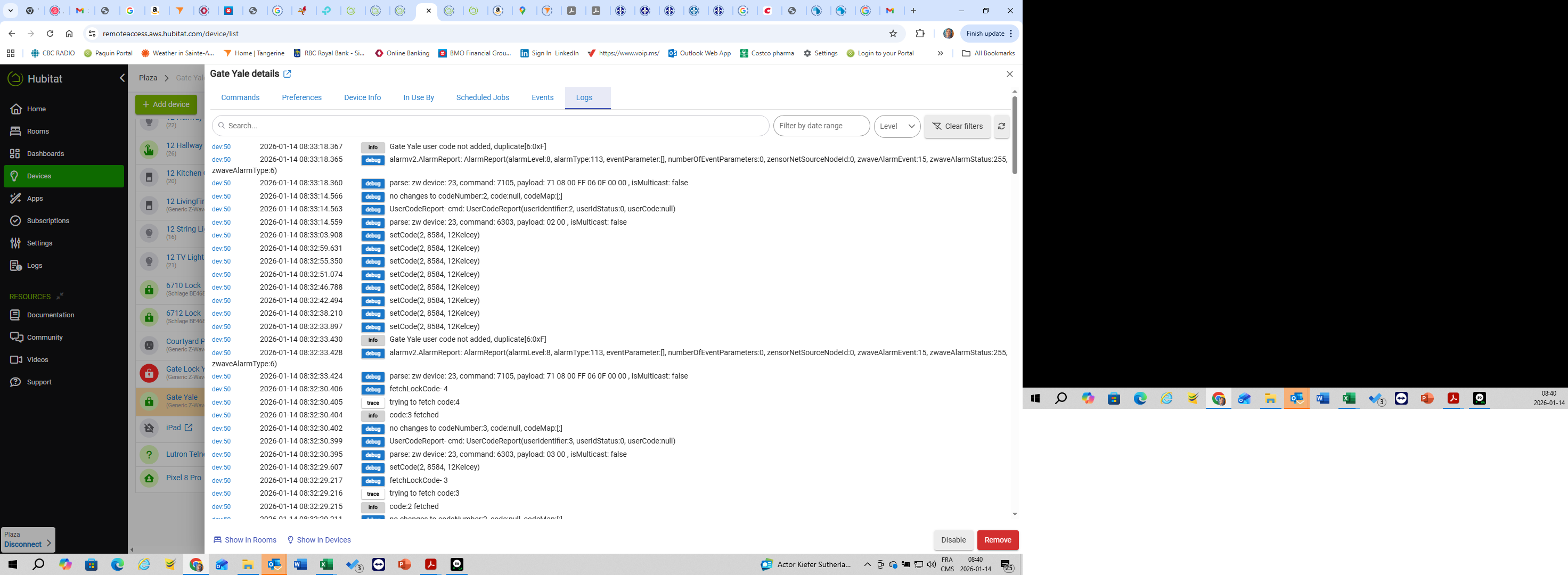
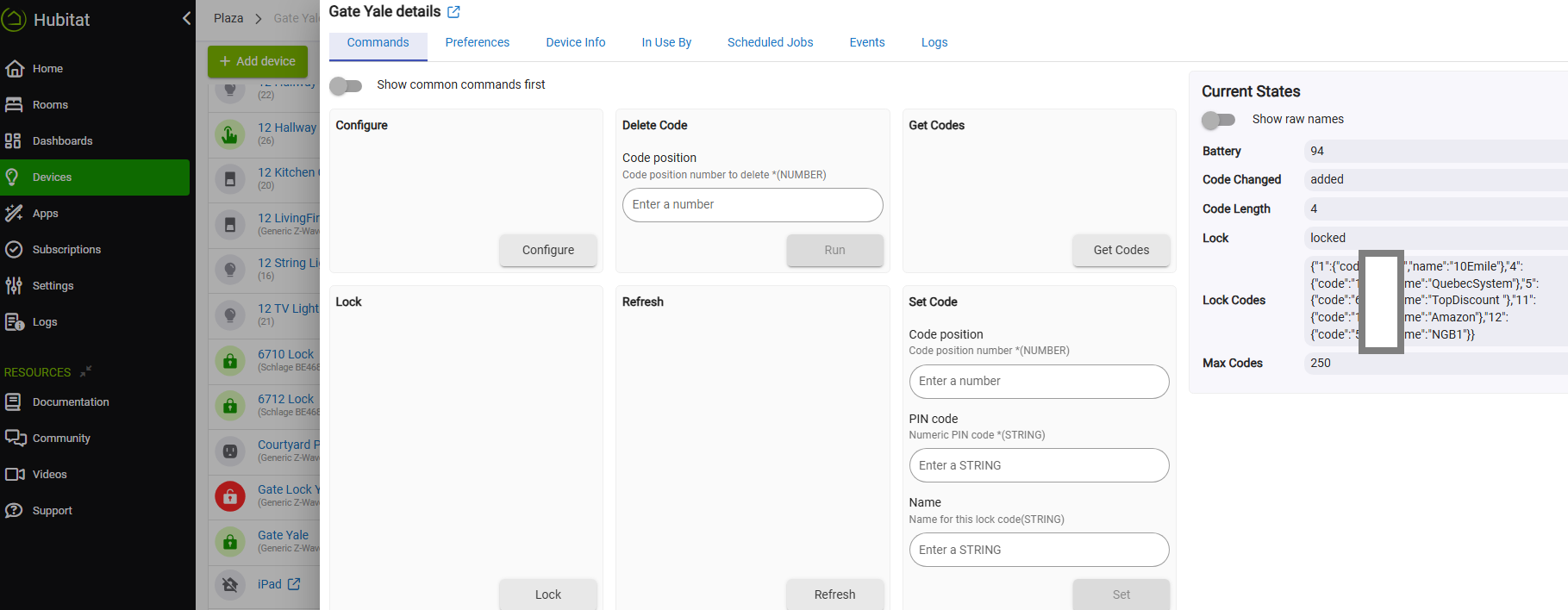
Now that the lock is routing correctly, you probably need to run a fetch codes command on the lock page, or possibly configure if it has that. I would turn on debug and have the logs open. You should see commands flying while it tries to verify the codes in every slot, they should all be empty for a new lock.
I believe LCM gives "job" info at the bottom, and logs? Or you may need to enable logging, I forget.
Need to see the current states of the lock device page, redact any lock codes you don't want to expose, if any are showing.
Once the fetch codes is completed, then LCM should be able to et the codes on it.
I could be mistaken, but I’m pretty sure “swap apps device” will not transfer lock codes to your new Yale device. It will replace the device in use by other automations like basic rules and rule machine.
But you need to use LCM to manually add the codes to your new lock (i.e. the same way you originally added them to the lock that failed).
Since both locks are the same make and model, can you just swap the old Z-Wave module into the new lock? I know this is possible on the Kwikset locks, however I have never used a Yale lock. Just an idea that might make this process a little simpler, assuming the old lock is still paired with the hub.
I'll check if they can be swapped. Although they both bear the same model number the face is now a touch screen rather than buttons so I don't know if the internals are the same.
One more code arrived on the lock after repeatedly deleting and adding the code to the lock.
In my experience (and I mean mine anecdotally) when I have had to replace a lock (all mine are schlage and work great usually) I have had to use LCM to put the codes into the lock manually. Any changes after that I just tag the lock(s) that need changed. I've never had a lock that just auto loaded codes.
 .
.