Glad to be of help. 
I found that straightening and bending and straightening again seems to help the cause. 
Glad to be of help.
I found that straightening and bending and straightening again seems to help the cause.
Isn't that a great feeling. I felt the same and even better when the camera worked. It was so much cheaper than buying a new camera.
Just a note. Those connectors come targeted for different wire gauges. The cat6 I ran was all 23awg so had to get the appropriate ends.
Soapbox mode on… 
Solid core Cat5/6/n Cable should be terminated with a punch down block. It is very difficult to get a good RJ45 connector crimped on solid core cable. Patch cables should always be purchased as premade, pre terminated cables. Premade patch cables are made with stranded core wire for improved flexibility/bendability/reliability. This is really the only way to get reliable connections that last for years without any issues.
Soapbox mode off… 
I am jealous you have the connectors that allow you to push the wires through! I have 20 plus year old connectors that don’t so you not only have to get the wires in order but also the right length. PIA
I agree in theory, but if the patch is going to be permanent set, like in my upstairs closet I have a patch from the wall keystone to the starlink modem, I opted to make my own using my solid core. I do the same for my unifi access points. In my rack I am using all premade.
Something that helped me was after I untwisted each of the four bundles I would place the wire against the shank of a screw driver and pull the screw driver up the wire. The wire being between my thumb and the screw driver. It would straighten them. Then I would put them in the order I wanted and kinda wiggle the group in a zig zag fashion to further straighten the group. Finally I would cut the wires using really sharp cutters about a quarter inch longer than the connector. Doing my best hold them together while sliding the connector on. I had some problems starting out but after the first 15 or so I got pretty good at it.
Seriously... I have my wife do it. She's 11 years younger, and her eyes and motor skills are much better than mine at this point.

Great skill(s) until they realize they don't want to be in this business...
@danabw
I was going to suggest a tool similar to what others have (the feedthru cat crimper). For me, I find that it takes about 4 cables to master the process... but since I only crimp said cables every 6 -12 months; and then I have to relearn it.
But for technique, I have found that cutting the wires on an angle helps a lot.
First you have to master holding the wires in their proper order with one hand(...and fingers
), aligned so they generally stay in place. Then you cut the wires on angle so the 'first' wire (position 1) goes in first... second next.. etc.
I found this helps lead the witness in most cases. the brand of crimper and crimps I use had subtle molding for the wires so the angled cut lets you get each wire 'started' in position more easily. YMMV.
That sounds interesting...I'll give that a try the next time I "run the gauntlet." Does seem like it might help to not have to get them all in the exact right spot all at once...
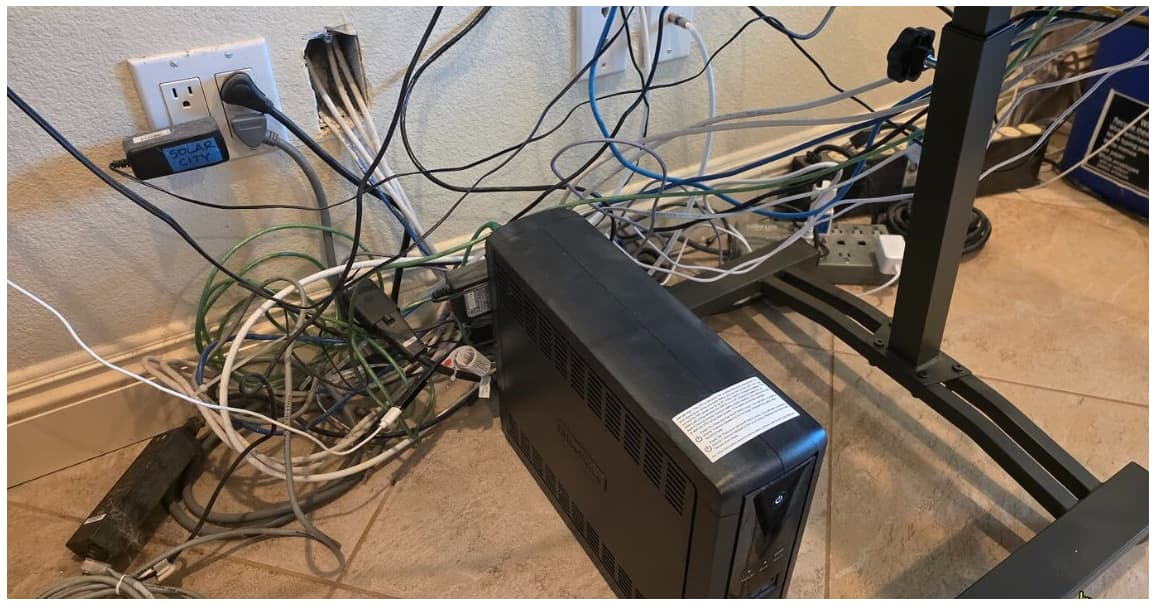
From the looks of it, I'd say it's going to be easier to build a new house with a proper place for tech equipment 
LOLs all over...well said. 
OK, big talker, I took your advice and look what you've done...
Actually, it's how I took your advice that might be an issue. I found a spare Flex Mini and connected it to the four ethernet runs coming out of the wall (which feed my entire network), and then the Mini is connected to the UCG Max. So it's the root switch of my network.
So now my entire network is downstream from a Flex Mini. That just seems a little odd to me, and maybe not the best idea? I don't have any throughput issues, my current plan is only around 600 down/25 up, and am not doing anything internally that is demanding - we use streaming services and browse the internet. I have Synology NAS but we aren't moving any big files around.
One specific thing I did notice some time back was that the Flex Minis don't provide an option to set RSTP priorities, so was wondering if that limitation might be an issue when it's the root switch.
The other model switch I use is the Lite 8 POE, and I could switch one of the Lite 8 POEs w/the Flex Mini. I have the Lite 8 in a location where I may need to have POE in the future, but don't need it right now so I could get away w/swapping the Lite 8 POE and Flex so that the Lite 8 POE is the root.
Am I just looking for things to worry about?
Maybe, maybe not. The Flex mini is certainly a more basic switch then pretty much every other switch Unifi offers. So with that there are potential use cases that could create bottlenecks or capability issues. That is why in my post i mention the Flex 2.5 5. It seems to be a more capable switch.
That said it all depends on your use case. Do you make use of different VLANS on your network? Did you power the flex mini over POE or is it power from a usb power adapter. Using VLANs is one potential case of a bottleneck that stands out to me the most.
The Flex Mini 2.5g would two two things for you if you wanted to take the steps.
Where's that button....?
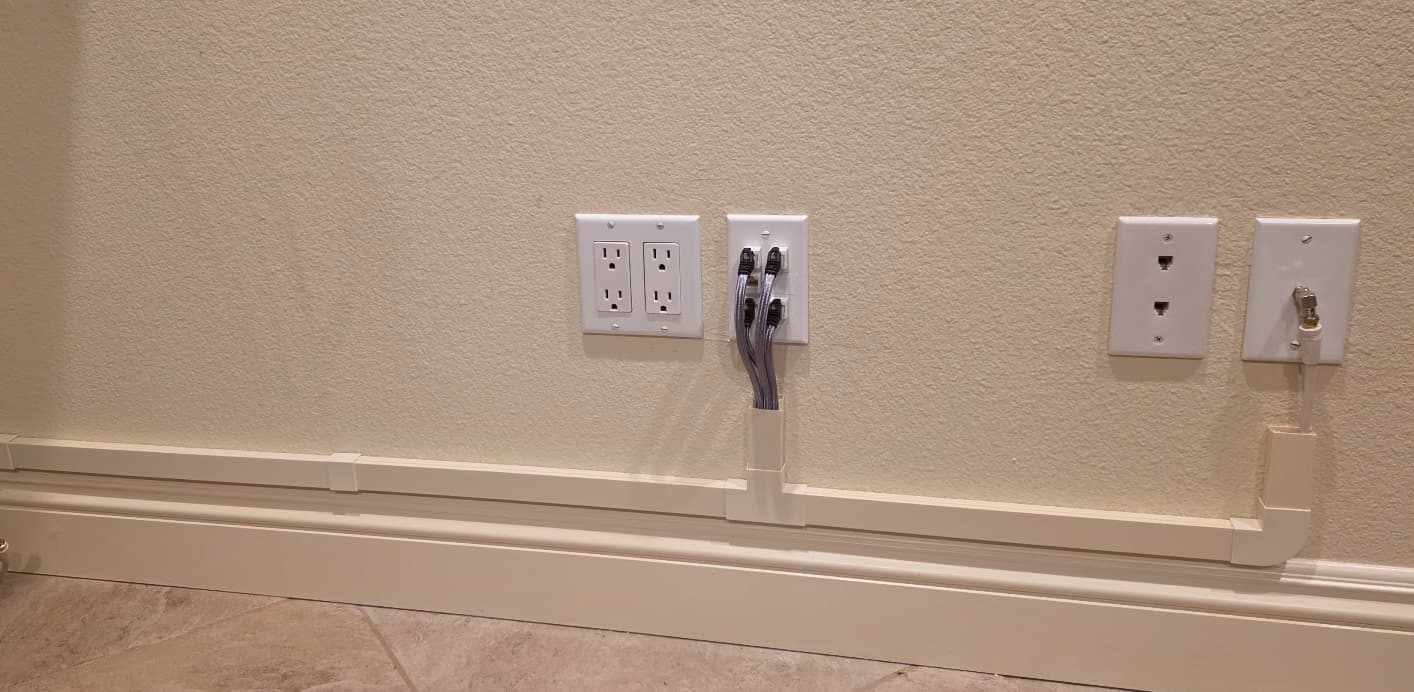
Milestone today...got initial run of the cable raceway (is the marketing team made up of 8 year olds - raceway!?) completed. Wife is happy, etc., etc.
One unexpected bit of luck was that their "beige" matches our paint in the office perfectly. It's like we painted them.
Pretty pleased w/the quality and ease of use w/the raceways.
Very nice !!
Yes.... but you conspicuously omitted the other end of these runs...... what is lurking there??? 
LOL...
Wife was so excited to get her furniture in place that everything was covered up before I knew it and didn't get pics of the run down the wall and turn up to the cabinet.
The funny part is that the way the furniture ended up there's only about 5" of my cable work visible. Oh well, at least in my mind I know it's well organized. 
Download the Hubitat app