I used to be mental for wire loom (slit plastic tubing saved from my Radio Shack™ days), but I've never once not regretted using it the moment I later decided to change out equipment. Might look fantastic on Instagram, but it's a nightmare to undo. If anything, I recommend only using very short lengths (i.e. nothing over about 4-6"), but even then, Velco cable ties are simpler to deploy.
1 Like
Honestly velcro is normally my choice.
3 Likes
For a surface conduit type product I've used a dual channel version of this stuff in the past and it does work very good.
Can't find a dual channel atm, might be discontinued. 
1 Like
I think I'm going to try using the keystone couplers...skip the terminating. I ordered a 6-port wall plate (I'll cover the two unused w/blanks as you noted), CAT-6 couplers, the mounting bracket. Assuming this all goes well I'm likely going to extend this to other spots in the house where I have cables coming out of the wall.
My current slim cat 6 cables are too short for the current location. I need to measure and buy some slim cables that will play more nicely with the angles I'll be using to run the wiring via the cable raceway. Going to use the new slim cables w/all the devices involved to keep things easy to fit/manage.
Kind of spooky...my wife just said something similar... "I'm fine if you zip tie the cables every few feet..." My jaw dropped as she generally hates seeing cables/plug lines. I reminded her that part of the run will be vertical in the corner to get the ethernet/power up to the devices on the table and she backed off quickly on that part, but reiterated that zip ties along the floor part of the run are OK. Color me surprised. 
Interesting...I may have another spare Flex Mini around, have to check.
Maybe. I moved some things around and currently wasn't using POE on it. That could change in the future, as part of simplifying power wires was going to look into using POE to power a small comm device that's part of my solar panel setup via POE from the Lite 8, which would get rid of the need for dedicated power supply for that.
I put my cablemodem/router and a LAN switch up near the ceiling on a small metal shelf. I terminate all the CAT5e/6 cables to keystone jacks and then purchase short RJ45 patch cords to connect everything. This is in a closet so not in normal view and up out of the way so it isn;t bothering anyone.
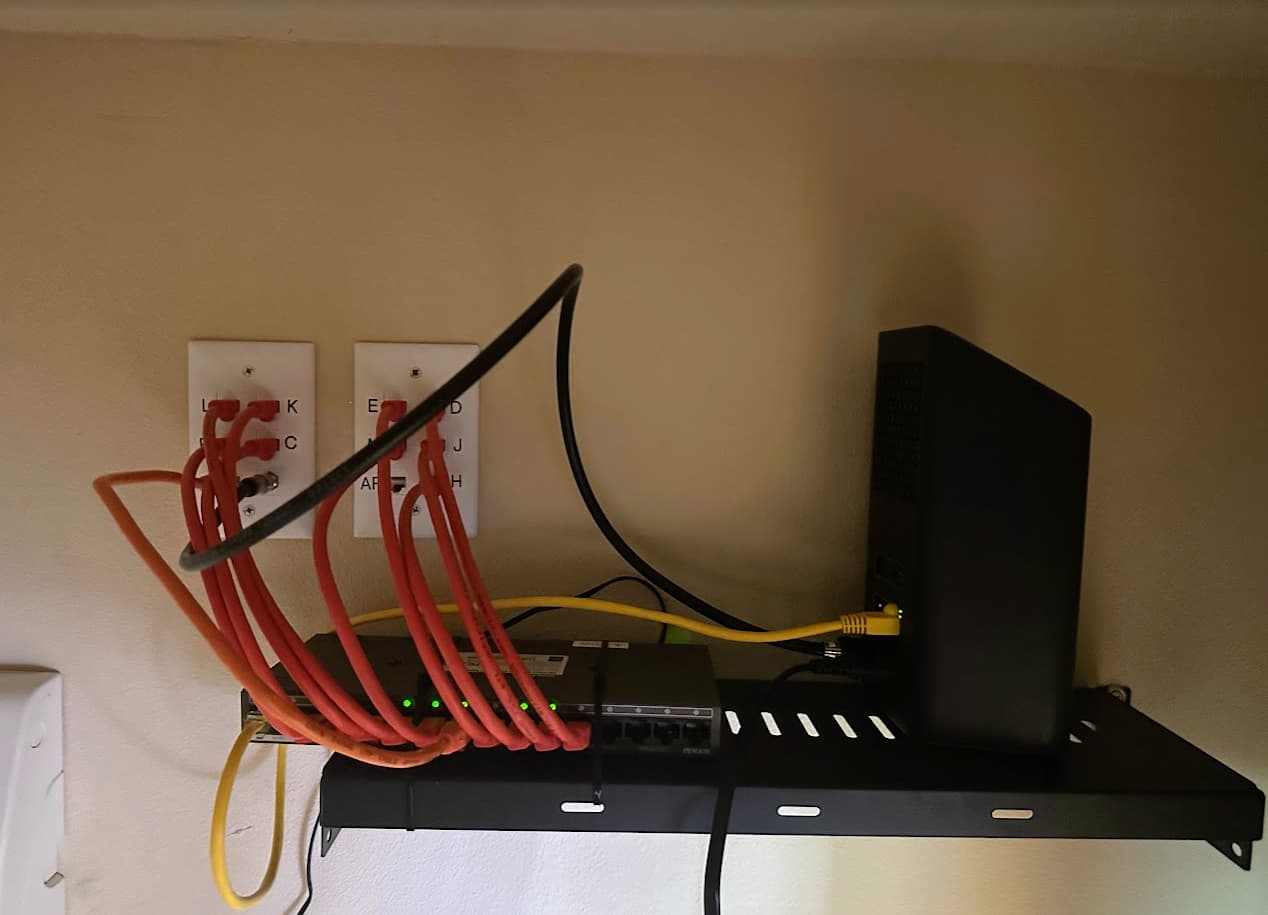
I was looking at something very similar.
I think given my wife's new-found flexibilty I may end up w/velcro along the floor, and a vertical channel up the wall. Keep it as simple where I can and meet her aesthetic requirements where needed.
1 Like
There's no shame in that... well a little shame in not using the opportunity to acquire a new set of tools. 

1 Like
Nice that you're able to use a closet. Those keystone jacks/short runs really keep things tight.
LOL...given my wife's "I NEED THIS NOW!!" feelings (getting this re-do done is holding up some major reshuffling of furniture, and ultimately long-needed big clean out of our garage) I'll have to take the shame/loss of tools on this one.
But who knows what the future will bring...
1 Like
Found one of my spare Flex Minis so definitely going to follow this advice. Reduces ethernet cables having to travel from out of the wall to the new location from 4 to 1. Really nice idea.
1 Like
I think that one can be powered over POE so don't even need to worry about that if you dont want to.
If you get really fancy maybe make that whole a bit bigger and find something you can recess in the wall that the cables can come in and the flex can sit in.
1 Like
Yup, that's what I'll be doing. One run to provide power to and connect data w/the Flex Mini. Noice!
2 Likes
Don’t judge me - this is still under construction - but along the top I used these plastic wire channels I got off Amazon. I don’t have the covers snapped on yet but I like them because you can exit wires every inch or so. I used them under my desk as well for routing channels.
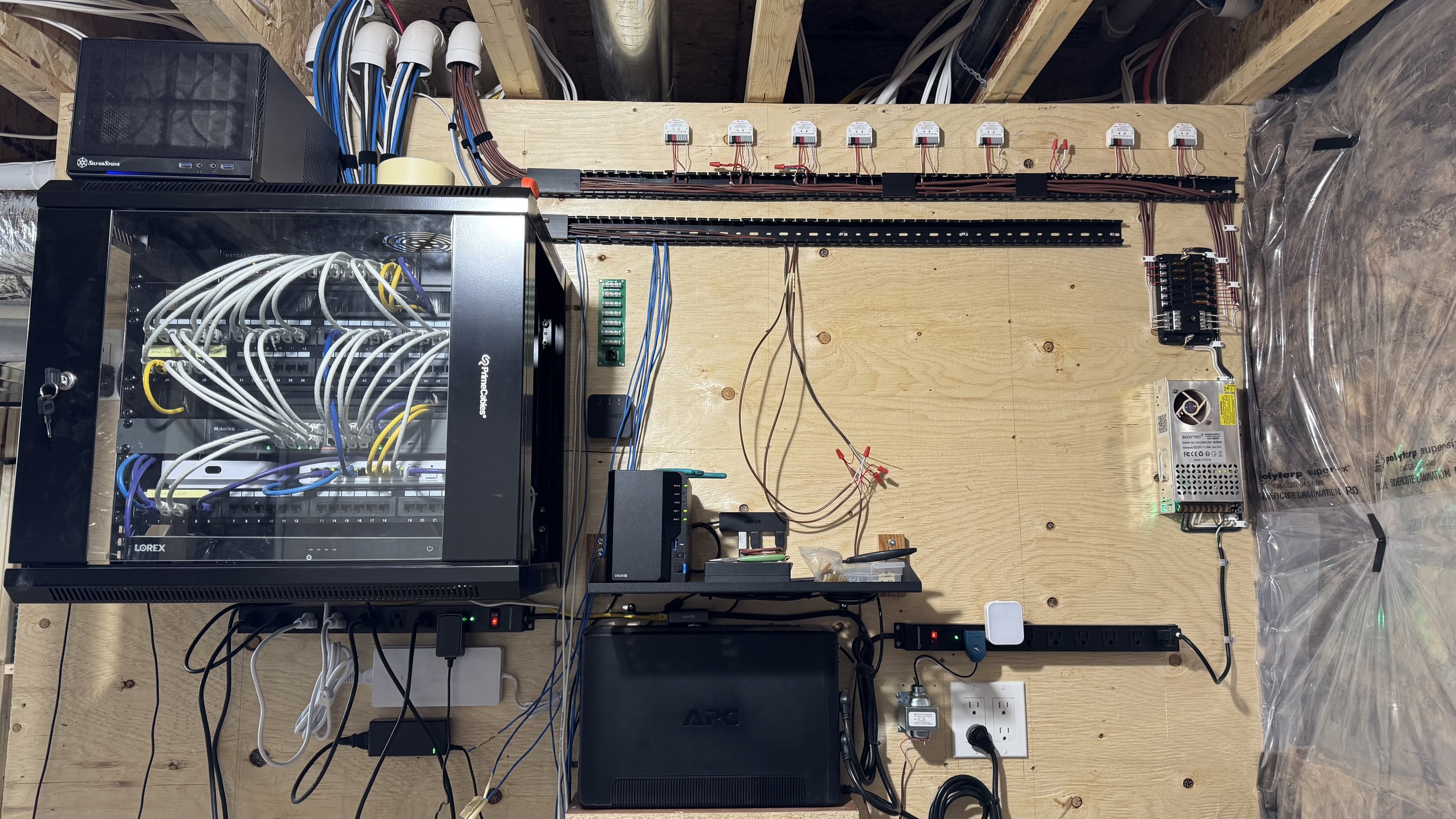
Found the link. Sorry it is .ca
4 Likes
Yes, I've been looking at that one, and liked the flexibility you noted with the option to have cables exit the raceway at almost any point. Good design.
1 Like
I've been looking at those too. I'm also going to have my son in law print some equipment stands for me.
I have had to temporarily move all of my equipment to accommodate Christmas decorations and have decided it is time to finally move everything into a nearby closet. I'm tired of doing this yearly dance but like you, don't relish the thought of crawling around in a confined space to move cables so have been putting it off for years now.
3 Likes
I'll do yours if you do mine.
Yours actually sounds a bit worse. I would imagine the attic is probably still pretty warm in the California sunshine and the skylight issue sounds awful. I have to crawl under our house to move the cables. It's a dirt crawl with Florida insects and such. It's mostly open but there are large ducts for the AC that you have to go all the around to get to the other side. The space is about 18" so it's a tight crawl for this old body. I'm making my list as there are a couple of other things I need to do down there so I'm going to make a day of it.
1 Like
OK, offer to trade wiring jobs officially revoked! Florida insects...you guys have cockroaches as big as cats!! I'm out! Our family cottage has a crawl space below...I've never been more than a few feet into it and that's all I need. Dank, dark, and dirty are not my idea of fun. Our attic is currently pretty good, days have been mid-70s. I'm going to go up tomorrow to refresh my memory of the horror. I do really want another ethernet run to the front corner of my house, so we'll see. One of my sons is living w/us temporarily so maybe I'll volunteer him. 
Completed step one of the equipment move. Hubitat hubs are both co-located in the same area and both on POE w/approved HW. Good! Also moved storage devices (two Synology NAS and the WD external) across from one side of the room to another. All the wiring is hidden by a very long desk and hutch, so thankfully no cables to hide as I will have to on the wall across from the desk.
I do have a question...my Synology power connections aren't long enough - I need an extension of the power cable to make things usable long-term. The extension has to be on the end that connects to the NAS due to physical the location the NAS are in (can't get the power brick any closer).
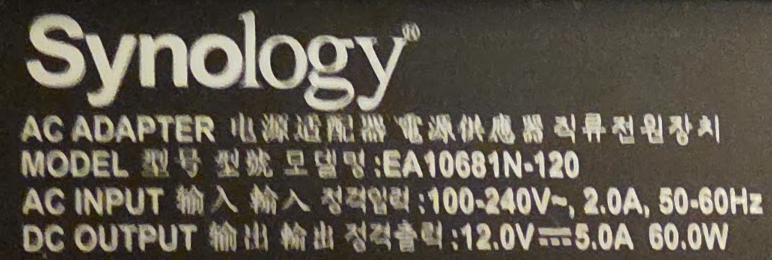
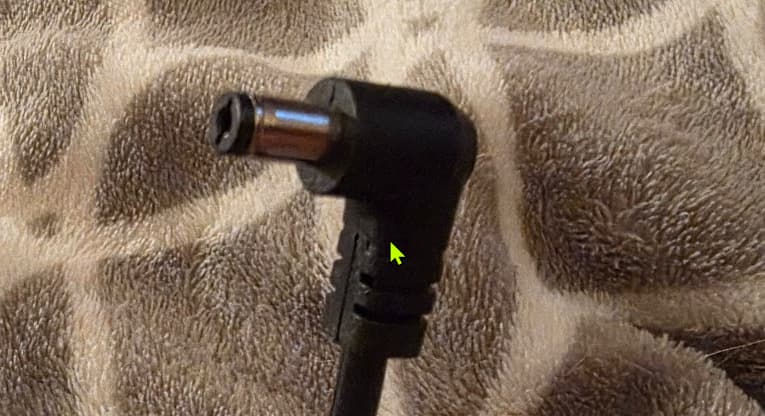
Would something like this (original is 12V / 5A output) work?
That's pretty much what I was gonna recommend you try.
1 Like
This isn't exactly the configuration you need, but it does have an advertised 10A power rating.
1 Like

