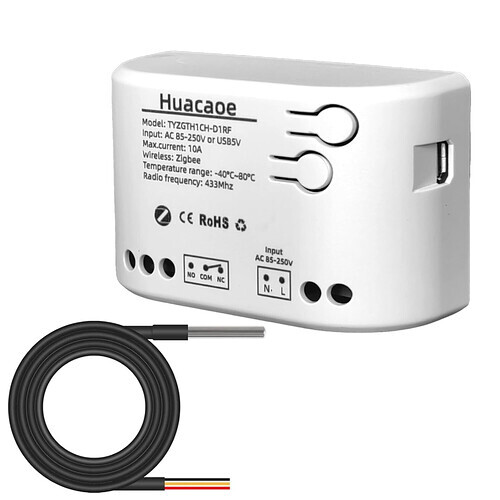
Yes, that’s the latest version. And don’t feel daft at all — this one is on me. I need to update the first post with clearer instructions on what to do when a device is not automatically recognized (shows up as “model group UNKNOWN”), and add direct links explaining how to identify an unknown device and how to update to the latest development-branch version.
kkossev, thank you so much for your help, it really is appreciated. I don't think its on you at all :).
I have swapped over the driver, initialised it, and run a rule to set the thermostat on, and a heat temp, and it seems to be asking for 1 or 0 instead of on or off: here are the logs:
dev:4432026-01-23 06:20:14.254 AM
debug
Bedroom shower floor sending event [name:thermostatSetpoint, value:27.0, unit:°C, type:digital, descriptionText:heatingSetpoint is 27.0 [digital], isStateChange:true]
dev:4432026-01-23 06:20:14.252 AM
info
Bedroom shower floor heatingSetpoint is 27.0 [digital]
dev:4432026-01-23 06:20:14.247 AM
debug
Bedroom shower floor standardParseTuyaCluster: command=02 dp_id=2 dp=50 (0x32) fncmd=270 fncmd_len=4 (index=0)
dev:4432026-01-23 06:20:14.245 AM
debug
Bedroom shower floor parse: descMap = [raw:catchall: 0104 EF00 01 01 0040 00 8CA1 01 00 0000 02 01 00A0320200040000010E, profileId:0104, clusterId:EF00, clusterInt:61184, sourceEndpoint:01, destinationEndpoint:01, options:0040, messageType:00, dni:8CA1, isClusterSpecific:true, isManufacturerSpecific:false, manufacturerId:0000, command:02, direction:01, data:[00, A0, 32, 02, 00, 04, 00, 00, 01, 0E]] description=catchall: 0104 EF00 01 01 0040 00 8CA1 01 00 0000 02 01 00A0320200040000010E
dev:4432026-01-23 06:20:14.235 AM
debug
Bedroom shower floor zigbee private cluster 0xEF00 command 0x00 response: Success
dev:4432026-01-23 06:20:14.233 AM
debug
Bedroom shower floor parse: descMap = [raw:catchall: 0104 EF00 01 01 0040 00 8CA1 00 00 0000 0B 01 0000, profileId:0104, clusterId:EF00, clusterInt:61184, sourceEndpoint:01, destinationEndpoint:01, options:0040, messageType:00, dni:8CA1, isClusterSpecific:false, isManufacturerSpecific:false, manufacturerId:0000, command:0B, direction:01, data:[00, 00]] description=catchall: 0104 EF00 01 01 0040 00 8CA1 00 00 0000 0B 01 0000
dev:4432026-01-23 06:20:14.178 AM
debug
Bedroom shower floor sendZigbeeCommands: sent cmd=[he cmd 0x8CA1 0x01 0xEF00 0x00 {B5CE320200040000010E} {}, delay 201]
dev:4432026-01-23 06:20:14.176 AM
debug
Bedroom shower floor sendAttribute: successfluly executed sendAttribute customSetHeatingSetpoint(27.0 (scaledValue=270))
dev:4432026-01-23 06:20:14.174 AM
debug
Bedroom shower floor Bedroom shower floor getTuyaCommand (dp=32 fncmd=0000010E dp_type=02) = [he cmd 0x8CA1 0x01 0xEF00 0x00 {B5CE320200040000010E} {}, delay 201]
dev:4432026-01-23 06:20:14.172 AM
debug
Bedroom shower floor sendTuyaParameter: sending parameter heatingSetpoint dpValHex 0000010E (raw=270) Tuya dp=32 dpType=02
dev:4432026-01-23 06:20:14.170 AM
debug
Bedroom shower floor sendAttribute: not a virtual device (device.controllerType = ZGB), continue
dev:4432026-01-23 06:20:14.168 AM
debug
Bedroom shower floor sendAttribute: SKIPPED customSetFunction customSetHeatingSetpoint, continue with the default processing
dev:4432026-01-23 06:20:14.166 AM
debug
Bedroom shower floor sendAttribute: parameter heatingSetpoint value 27.0, type decimal validated and scaled to 270 type=decimal
dev:4432026-01-23 06:20:14.164 AM
debug
Bedroom shower floor sendAttribute(heatingSetpoint, 27.0)
dev:4432026-01-23 06:20:14.163 AM
debug
Bedroom shower floor setHeatingSetpoint: calling sendAttribute heatingSetpoint 27.0
dev:4432026-01-23 06:20:13.653 AM
warn
Bedroom shower floor sendAttribute: map not found for parameter thermostatMode
dev:4432026-01-23 06:20:13.651 AM
debug
Bedroom shower floor sendAttribute(thermostatMode, heat)
dev:4432026-01-23 06:20:13.649 AM
warn
Bedroom shower floor sendAttribute: invalid parameter value on. Must be in the range null to null
dev:4432026-01-23 06:20:13.647 AM
info
Bedroom shower floor invalid enum parameter on. value must be one of [0:off, 1:heat]
dev:4432026-01-23 06:20:13.645 AM
debug
Bedroom shower floor sendAttribute(systemMode, on)
dev:4432026-01-23 06:20:13.643 AM
debug
Bedroom shower floor setThermostatMode: pre-processing: switching first the systemMode on
dev:4432026-01-23 06:20:13.588 AM
debug
Bedroom shower floor setThermostatMode: currentMode = heat, switching to heat ...
dev:4432026-01-23 06:20:13.573 AM
debug
Bedroom shower floor setThermostatMode: sending setThermostatMode(heat). Natively supported:
app:2072026-01-23 06:20:13.552 AM
info
Action: Thermostats: Bedroom shower floor --> Mode: heat --> Heat: 27.0
dev:4432026-01-23 06:20:06.433 AM
debug
Bedroom shower floor floorTemperature is 8.5 °C (raw:85) (no change)
Any more suggestions please? The temp is not going up 
I have turned the thermostat on manually, and the logs are showing 2 different temps, the actual one, that is up to 14 degrees as it warms, and the second, I assume is the air temp, but its warmer than that:
2026-01-23 07:21:41.925 AM debug Bedroom shower floor floorTemperature is 10.0 °C (raw:100) (no change)
2026-01-23 07:23:33.854 AM debug Bedroom shower floor temperature is 14.5 °C (raw:145) (no change)
You should use the ''heat' command to turn this device on.
These should be the readings from the two different temperature sensors - the external probe (floorTemperature ) and the temperature sensor built into the thermostat cabinet (the temperature) .
Are these readings correct? It seems rather cold there…
i think they are... If I click "heat"
I get:
dev:162026-01-23 08:14:39.130 AM
info Sending temperature event (Temperature: 24.0 °C)
dev:4432026-01-23 08:14:33.059 AM
warn
Bedroom shower floor sendAttribute: map not found for parameter thermostatMode
Off to work now I am afraid
1 Like
Hi kkossev,
I have four thermostat units, all four are the same, but device info is different (2 versions).
It is a MOES brand, maybe ZWT02, Battery model. I tried every profiles in the driver, and now I'm on Avatto ZWT07, but it is not perfect. I cannot set hysteresis (device is capable of 0.1..10 °C hyteresis and I can set it physically on device), and I cannot set reporting threshold. It is stuck on 0.5 °C and I need 0.2 °C.
| Application | 4A |
|---|---|
| Endpoint Id | 01 |
| Last Running Mode | heat |
| Manufacturer | _TZE204_zxkwaztm |
| Model | TS0601 |
| Tuya Version | 1.0.10 |
| Application | 4A |
|---|---|
| Endpoint Id | 01 |
| In Clusters | 0000,0004,0005,EF00 |
| Last Running Mode | heat |
| Manufacturer | _TZE204_zxkwaztm |
| Model | TS0601 |
| Out Clusters | 0019,000A |
| Software Build | null |
| Tuya Version | 1.0.10 |
Can you help me what to do?
Thank you!
temes33
welcome temes33
kkossev, I think it is working. Thank you so much for your help. I have been messing about with it and, I hope, now have it heating in the morning. Yes the temps are right, I am in the UK, I think you are in Bulgaria ??? and so I know it gets very cold over there at this time of year. I have had too many weeks skiing in past years in Borovets.
1 Like
I need to find the time to investigate what could be wrong in the implementation of this driver. The thermostats are rather complex devices, and what is worse is that every new model (the 'manufacturer' in Tuya's reverted specifications logic) is different. (GitHub issue link for my reference)
I will double-check when I have the chance, but keep in mind that often not all parameters are supported via the Zigbee channel. Additionally, the resolution for the heating setpoint may differ. You can adjust it by 0.5 degrees using the device keys, but the step change through Zigbee is limited to 1 degree. (ref)
Hi kkossev,
Thank you for all.
Resolution of heating setpoint and hysteresis are not the same in my mind. Heating setpoint resolution in the driver does not matter for me, because I use a Virtual Thermostat with a custom made driver (I have a wall thermostat and two TRVs in a room, so the I manage the room temperature and heating in the Virtual Thermostat), and because of this, it works as I need. The wall termostat is only for reporting temperature, setpoint, and setting heating setpoint. I just need the hysteresis (the switching threshold - at 22 °C witn 0.3 °C hysteresis it starts heating at 21.7 °C and return to idle at 22.3 °C), becasue the reporting threshold is too large (0.5 °C), and I cannot force the thermostat in any way to report the temperature more often. The only solution is to set the hysteresis exactly the same as in Virtual Thermostat (I made it physically on the device), so the wall thermostat is forced to report the temperature when switching between heating and idle, and the Virtual Thermostat can do the rest. But in this case the switching sound of the relay inside the thermostat can wake me up at night. Now, I will try to cut out the relay from the thermostat (physically) so it will be silent forever 
But one more parameter, if the driver could report the battery level of the thermostat, it would be very useful 
I have published 'Tuya Zigbee TRVs and Thermostats' ver. 3.6.1 2026-02-01 '2026/02/01 8:19 PM'
There are a lot of changes in this Beta version related to 'BOT_R15W_ZB_THERMOSTAT' device profile (the profile name was changed as well!), so it may be a good idea to preserve a copy of your previously working driver (change the driver name and save it), before updating.
To be tested :
- BOT mode switching: setThermostatMode(heat/cool/off) and verify the mode changes accordingly
- BOT cooling setpoint: setCoolingSetpoint(22.5) and confirm the coolding setpoint changes on the thermostat
- Setpoint sync in cool: while in cool, try both setCoolingSetpoint() and setHeatingSetpoint() - will both the heatingSetpoint and the coolingSetpoint change in HE ?
- Operating state translation: in cool mode, does the thermostatOperatingState show cooling (not “heating”) ?
- Are the new preferences " Temperature Delta" and " Sound" working OK?
- anything else that was working before, should continue to work .. : )
Thank you for the tests, Gnat! You were right; the limitations of this Tuya device make it not very useful. My expectation was that this would be a bi-directional protocol, but it isn't...
The driver has reached a Hubitat limitation regarding the maximum size of a static code structure.  To free up space for potentially the last Tuya thermostat that can be added to this driver, I will comment out the STEEDSMT_VRF_VRV_THERMOSTAT device profile. The next step to allow for more device definitions is quite complex; it involves dynamically loading JSON profiles, similar to what has been implemented in the Tuya mmWave sensors driver. Therefore, I will postpone this task for the time being and address it in the future.
Please update the driver manually to version 3.6.1 , timeStamp '2026/02/01 9:35 PM'
I have added a new device profile "MOES_ZHT_S03_THERMOSTAT", let me know if it works.
Hi kkossev,
Thank you for the new driver profile, it is way better for my devices than the Avatto Battery profile i used until now.
I could set Temperature Delta (hysteresis) from driver, and it changes on the device as it should. But the problem is that every time I push Save button on Preferences page, it sets the hysteresis to 1.0. I can set it back on the Commands page via setPar command to 0.3 (0.2 for floor heating), but maybe it could be a slolution if you could use a 10x scale factor in the driver so it could accept 0.1..10 range. Power source is 'ac' and because of this there is no battery level reporting. I don't know what is 'e1' falultAlarm code, but I think it means everything is ok (just a bit confusing). And a little advice, I think for preset mode, 'manual' is better for default value, because most of the users use Hubitat for program sceduling and not the physical device.
Current States
Show raw names
| status | clear |
|---|---|
| antiFreeze | off |
| childLock | off |
| faultAlarm | e1 |
| healthStatus | online |
| heatingSetpoint | 23.5 |
| hysteresis | 0.2 |
| maxHeatingSetpoint | 50.0 |
| minHeatingSetpoint | 5.0 |
| powerSource | ac |
| preset | manual |
| rtt | 1547 |
| systemMode | on |
| temperature | 23.9 |
| thermostatMode | heat |
| thermostatOperatingState | idle |
| thermostatSetpoint | 23.5 |
State Variables
| deviceProfile | MOES_ZHT_S03_THERMOSTAT |
|---|---|
| deviceType | Thermostat |
| driverVersion | 3.6.1 2026/02/01 9:35 PM (TS0601 _TZE204_zxkwaztm) (C-8 Pro 2.4.3.177) |
| health | {"checkCtr3":0,"offlineCtr":0} |
| lastRx | {"timeStamp":"2026-02-02 08:40:06.690","tempTime":1770018006700,"setPoint":23.5,"checkInTime":1770016774846} |
| lastThermostatMode | heat |
| lastThermostatOperatingState | unknown |
| lastTx | {"mode":"heat","setBrightness":-1,"setPoint":-1,"cmdTime":1770017952318,"pingTime":1770016238152,"setPointRetries":1,"isSetBrightnessReq":false,"isModeSetReq":false,"setModeRetries":0,"isSetPointReq":false} |
| states | {"isRefresh":false,"isDigital":false,"isPing":false,"isTimeoutCheck":false} |
| stats | {"cfgCtr":3,"pingsMax":3508,"rxCtr":2912,"pingsAvg":1238,"pingsMin":114,"txCtr":2802,"pingsOK":120,"txFailCtr":5,"tempCtr":104,"rejoinCtr":2} |
If you need any other informaton or log please let me know.
Br,
temes33
1 Like
Please update the driver, same version '3.6.1' , new timeStamp '2026/02/04 7:27 AM' :
- Temperature Delta (hysteresis) settings should be working now
- preset mode default is 'manual'
- power source is now battery (you may need to load all defaults to see it changed, but the battery reporting should not depend on this attribute).
Let me know if it works.
1 Like
Hi kkossev,
I had thought I had it sorted without your help, but then realised the floor was not coming on to the commands from hubitat, but for some other reason. As you can probably tell, I am not a coder, but can generally work my way round habitat.
I have now updated to your beta version of the driver, and I can set the heat point. Everything else seems to fail. Can you help some more please? I suspect it will be something obvious I have missed.
dev:4432026-02-04 06:09:00.142 AM
warn Bedroom shower floor sendAttribute: map not found for parameter thermostatMode
dev:4432026-02-04 06:09:00.140 AM
debugBedroom shower floor sendAttribute(thermostatMode, heat)
dev:4432026-02-04 06:09:00.139 AM
warn Bedroom shower floor sendAttribute: invalid parameter value on. Must be in the range null to null
dev:4432026-02-04 06:09:00.138 AM
info Bedroom shower floor invalid enum parameter on. value must be one of [0:off, 1:heat]
These are the logs when I try to get the Hub to turn it on. When I try using the commands buttons on the device page, I get similar answers. EG for on and heat I get:
invalid parameter value on. Must be in the range null to null
map not found for parameter thermostatMode
Ideas please?
1 Like
@rupert.bowling1 @temes33 please wait for the next update.
2 Likes
Hi, this may have been answered elsewhere. I'm keen to see if this is me or a broader issue. The driver works great with these temp sensors. however I get the occasional Temperature decoded → 10.1°C reading as Temperature decoded → 1E+1°C. I assume it is Not broken and Just math notation. however it regularly reads this notation on the dashboard. is there a way to stop this?
@rupert.bowling1 @temes33 I have updated the driver, same version '3.6.1' , timeStamp is '2026/02/08 11:47 PM'.
There are a lot of changes to the MOES_ZHT_S03_THERMOSTAT and BOT_R15W_ZB_THERMOSTAT device profiles (again..). Please let me know how it works.
@user309, I will check the issue with scientific notation in the next update. The temperature event is generated by a library function that is used across many other drivers, so I need to make changes very carefully.... What is the model/manufacturer of your thermostat?
1 Like
Team, Model of Thermomostat below. kkossev I will try your updated driver and see if thatmakes changes.
Thank you for checking the issue with scientific notation. hopefully not too tricky.