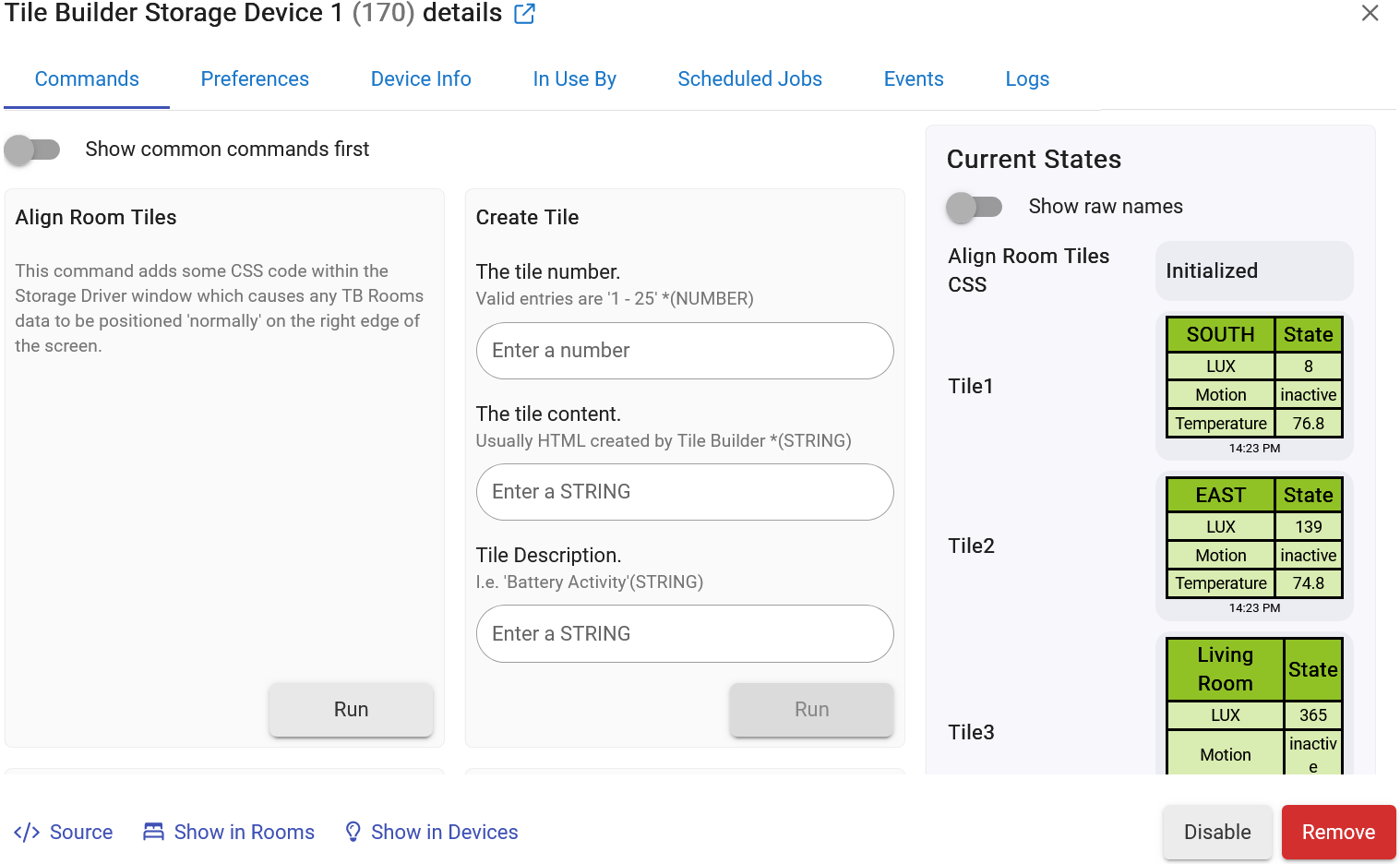
Tile Builder Storage Device 1 (170) details
Show common commands first
Align Room Tiles
This command adds some CSS code within the Storage Driver window which causes any TB Rooms data to be positioned 'normally' on the right edge of the screen.
Create Tile
The tile number.
Valid entries are '1 - 25' *(NUMBER)
The tile content.
Usually HTML created by Tile Builder *(STRING)
Tile Description.
I.e. 'Battery Activity'(STRING)
Delete Tile
The tile number.
Valid entries are '1 - 25' *(NUMBER)
Initialize
Load Rooms CSS
Here you can load the CSS classes generated by Tile Builder Rooms to allow the Rooms to render fully with the exception of room proportion.
Paste the CSS from the Tile Builder App here. *(STRING)
Refresh
Set Tile Description
The tile number.
Valid entries are '1 - 25' *(NUMBER)
Tile Description.
I.e. 'Battery Activity'(STRING)
Current States
Show raw names
| Align Room Tiles CSS | Initialized |
|---|---|
| Tile1 |
| SOUTH | State |
|---|---|
| LUX | 8 |
|---|---|
| Motion | inactive |
| Temperature | 76.8 |
14:23 PM
| Tile2 | |
|---|---|
| EAST | State |
|---|---|
| LUX | 139 |
|---|---|
| Motion | inactive |
| Temperature | 74.8 |
14:23 PM
| Tile3 | |
|---|---|
| Living Room | State |
|---|---|
| LUX | 365 |
|---|---|
| Motion | inactive |
| Temperature | 75.5 |
14:03 PM
| Tile4 | |
|---|---|
| West Lux | State |
|---|---|
| LUX | 113 |
|---|---|
| Motion | inactive |
| Temperature | 75.7 |
14:32 PM
State Variables
| Last Update | {"tile2":"Mon Jul 20 14:23:30 MDT 2026","tile3":"Mon Jul 20 14:03:10 MDT 2026","tile4":"Mon Jul 20 14:32:44 MDT 2026","tile1":"Mon Jul 20 14:23:27 MDT 2026"} |
|---|---|
| Tile1 | [head][style] table.Aa{border-collapse:Collapse;width:100%;margin:Auto;background:#D9ECB1}.Aa tr{color:#000;text-align:Center}.Aa td{font-size:80%}.Aa th,.Aa td{border:Solid 2px #000}.Aa th{background:#90C226;color:#000;text-align:Center}ftAa{display:block;text-align:Center;font-size:60%;color:#000000}[/style][/head][body][table class=Aa][tr][th]SOUTH[/th][th]State[/th][/tr][tbody][tr][td]LUX[/td][td]8[/td][/tr][tr][td]Motion[/td][td]inactive[/td][/tr][tr][td]Temperature[/td][td]76.8[/td][/tr][/tbody][/table][ftAa]14:23 PM[/ftAa][/body] |
| Tile2 | [head][style] table.Ab{border-collapse:Collapse;width:100%;margin:Auto;background:#D9ECB1}.Ab tr{color:#000;text-align:Center}.Ab td{font-size:80%}.Ab th,.Ab td{border:Solid 2px #000}.Ab th{background:#90C226;color:#000;text-align:Center}ftAb{display:block;text-align:Center;font-size:60%;color:#000000}[/style][/head][body][table class=Ab][tr][th]EAST[/th][th]State[/th][/tr][tbody][tr][td]LUX[/td][td]139[/td][/tr][tr][td]Motion[/td][td]inactive[/td][/tr][tr][td]Temperature[/td][td]74.8[/td][/tr][/tbody][/table][ftAb]14:23 PM[/ftAb][/body] |
| Tile3 | [head][style] table.Ac{border-collapse:Collapse;width:100%;margin:Auto;background:#D9ECB1}.Ac tr{color:#000;text-align:Center}.Ac td{font-size:80%}.Ac th,.Ac td{border:Solid 2px #000}.Ac th{background:#90C226;color:#000;text-align:Center}ftAc{display:block;text-align:Center;font-size:60%;color:#000000}[/style][/head][body][table class=Ac][tr][th]Living Room[/th][th]State[/th][/tr][tbody][tr][td]LUX[/td][td]365[/td][/tr][tr][td]Motion[/td][td]inactive[/td][/tr][tr][td]Temperature[/td][td]75.5[/td][/tr][/tbody][/table][ftAc]14:03 PM[/ftAc][/body] |
| Tile4 | [head][style] table.Ad{border-collapse:Collapse;width:100%;margin:Auto;background:#D9ECB1}.Ad tr{color:#000;text-align:Center}.Ad td{font-size:80%}.Ad th,.Ad td{border:Solid 2px #000}.Ad th{background:#90C226;color:#000;text-align:Center}ftAd{display:block;text-align:Center;font-size:60%;color:#000000}[/style][/head][body][table class=Ad][tr][th]West Lux[/th][th]State[/th][/tr][tbody][tr][td]LUX[/td][td]113[/td][/tr][tr][td]Motion[/td][td]inactive[/td][/tr][tr][td]Temperature[/td][td]75.7[/td][/tr][/tbody][/table][ftAd]14:32 PM[/ftAd][/body] |
| Tile Descriptions | {"tile2":"East LUX","tile3":"Living Room Lux","tile4":"West LUX","tile1":"South LUX"} |
Capabilities
Refresh
It all looks okay everywhere. I am using the MAM. The very first tile I create in the dashboard shows all tiles. Is there something that doesn’t allow more than one Attribute tiles on a dashboard? I can select any of the four for the FIRST dashboard tile only. After that all others can not be added to the dashboard.
I’d try deauthorizing the storage device from the Dashboard and reauthorizing it.
It does work under normal conditions.
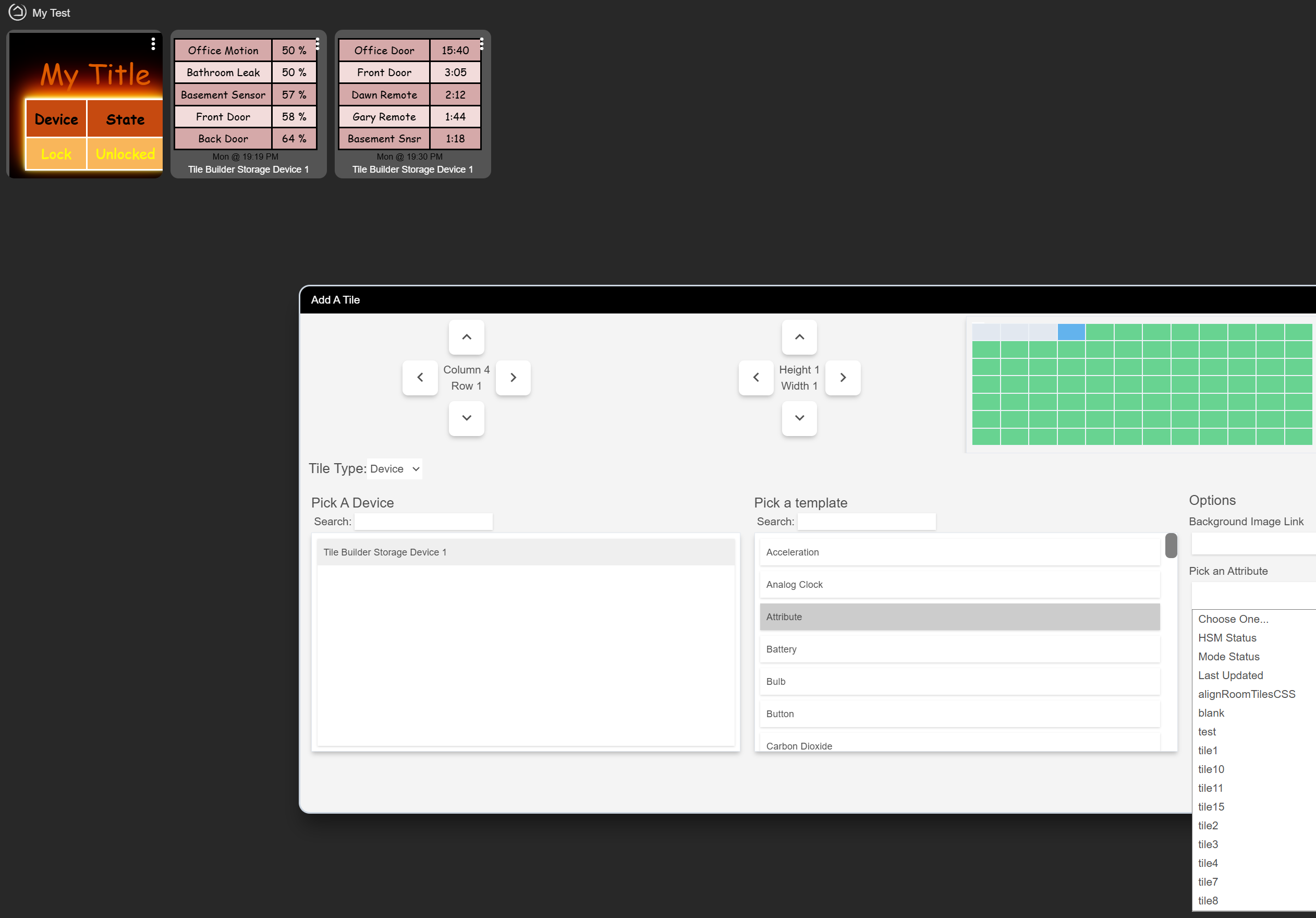
You could also use Tile Builder Grid to put all of those results into a single table if you preferred (– just means no info as in attribute not supported). It has a ton of configuration options too for how you highlight and format information.

Promise not to laugh…… I have never been able to find the “Look for the Authorized Devices or Choose Devices section.” I can pick a device (Tile Builder Storage Device 1) but I can’t delete it by itself on the dashboard. I can only pick the Storage once when I create the dashboard. I am using C8 and Windows 64 bit 11 P/C. I even tried editing the JSON manually to add the other tile attributes.
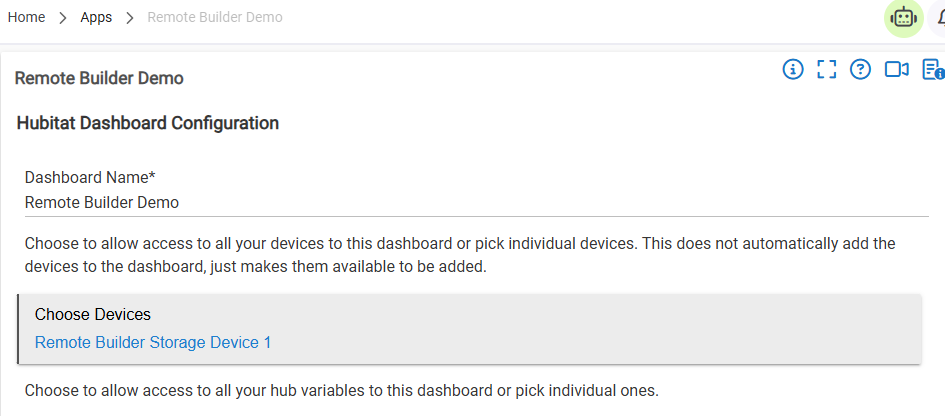
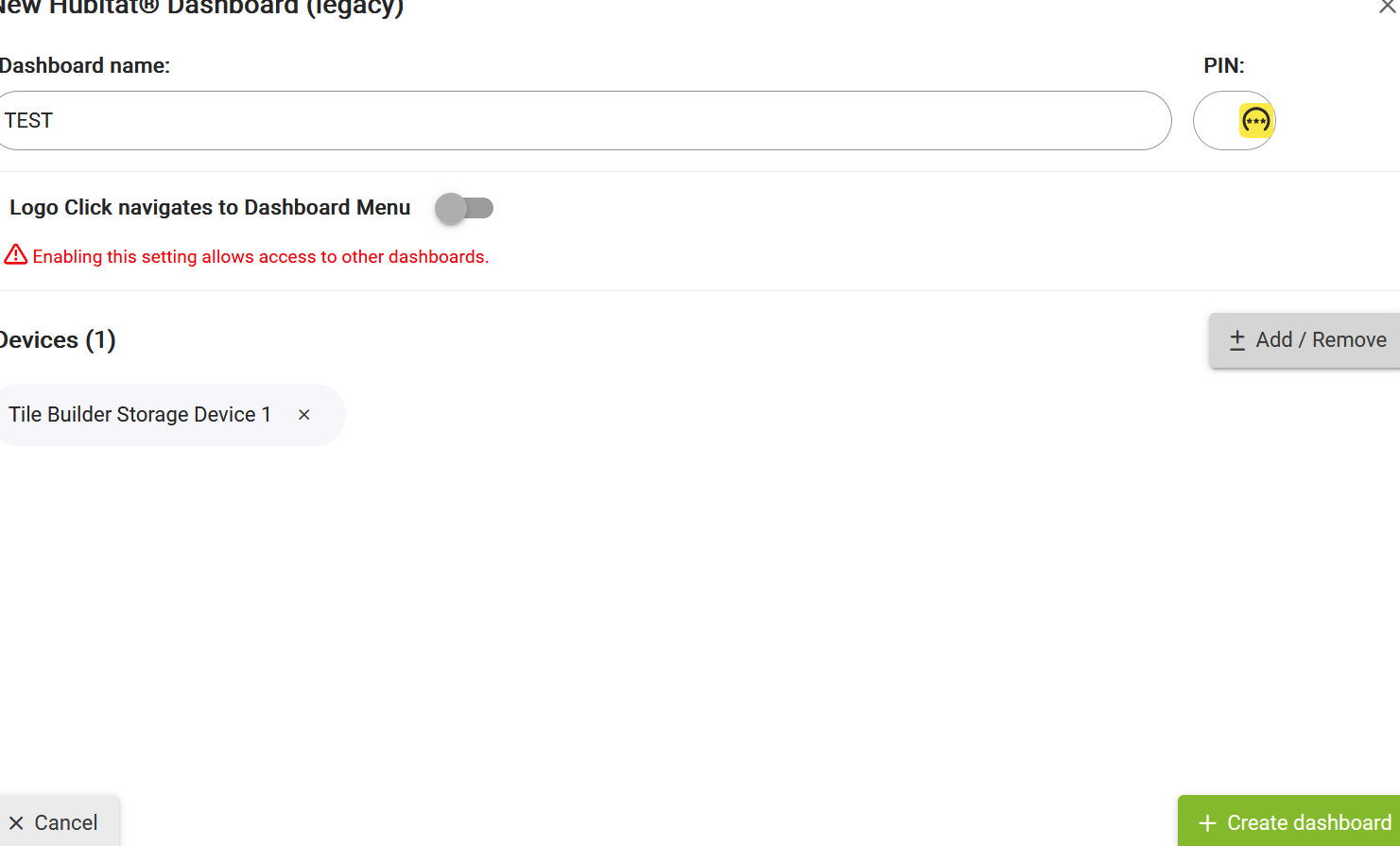
One more piece of the puzzle. After the dashboard is created and I open it for the first time I get the option to AUTO FILL GRID 6x1 and it creates the first tile. But if I say add the tiles manually none of the tiles within the storage 1 show up under the attributes listings!
Just looks different between create and edit. Try removing it and re-adding it to the dashboard, or just create a whole new test dashboard. No, you don’t need Remote Builder installed although you could do something similar using variables.
Tried that. Didn’t work. Seems like if I o the auto it will create the first one but is I create the dashboard first the try to add a tile then none of the children of the storage 1 show up at all.
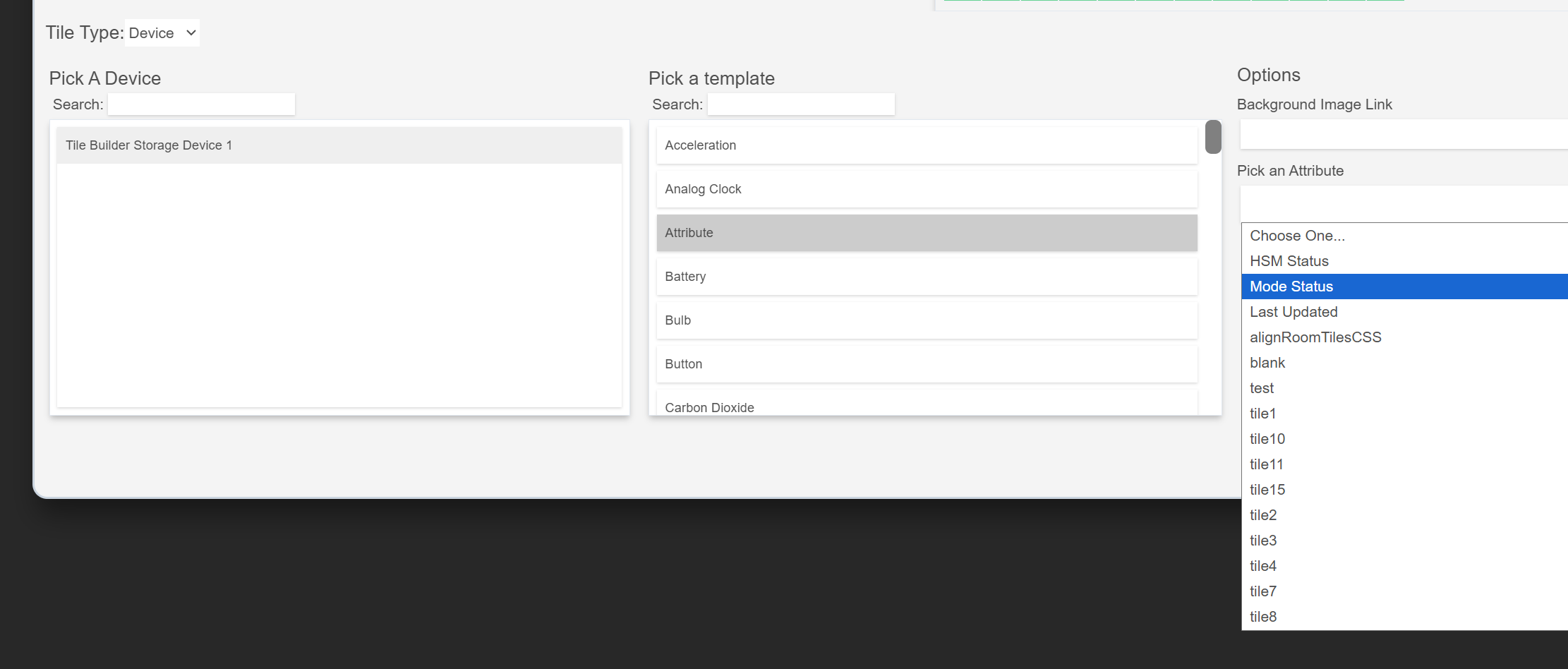
This is how I ended up getting it to work! I created the dashboard, deleted the automatic created tile, selected add tile and instead of getting out and back in I just kept adding the tiles instead of getting out and back into the dashboard. Due to your hard work and time I am sending you $100.00 more. If you would like more just let me know.
Updated Tile Builder to version 2.2.4.
Two additional Rules for formatting under the Highlights tab.
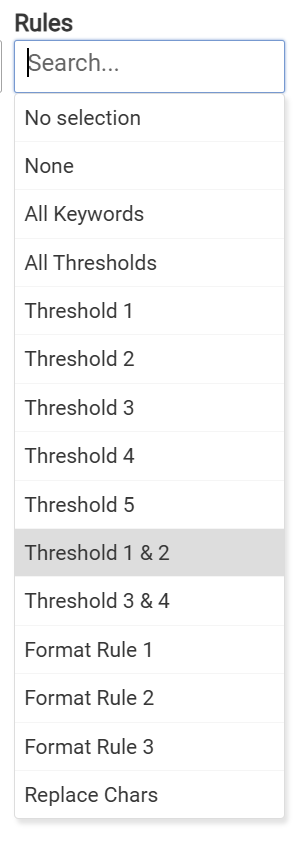
Threshold 1 & 2 and Threshold 3 & 4 allows to configure separate high and low ranges for values that have similar values. For example you may have a table with battery and temperature. For batteries you might want to format anything over 70 as good and anything less than 50 is bad (51 - 69 would get default formatting). However, with household temperature anything above 78 could be bad and 68-78 is probably the best range.
This addition lets you process the temperatures and batteries using two different Threshold value that format them accordingly.

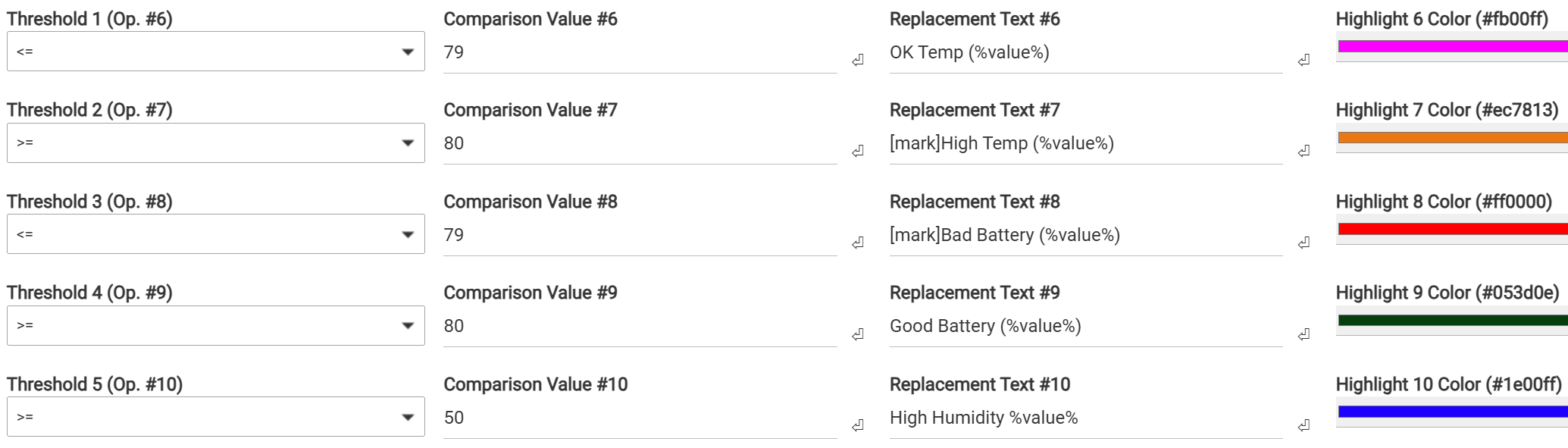
I know this table is UGLY but its just for illustrative purposes.
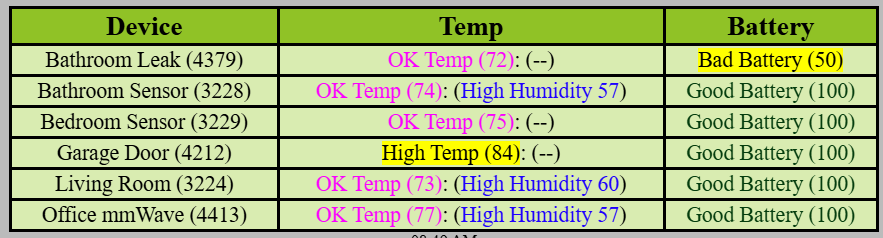
Thanks to @jweller for pointing out this limitation.
Let me know if you have any questions.
Can this be added to the Multi Attribute Monitor?
Grid is really the next generation evolution of Multi-Attribute Monitor so I’m really just leaving MAM out there for those that have already developed tables in it. MAM has a lower learning curve but Grid is far superior in flexibility and power.
My current development areas are primarily TB Grid and RB SmartGrid.
I guess another sticky note, migrate MAM tiles to Grid. 
You’ll be able to shrink them in half or so and have access to more info. Be sure to check out the help file link.
I am getting this error while trying to create a TB-Grid.
2026-08-04 11:37:56.959 am error groovy.lang.MissingMethodException: No signature of method: java.util.ArrayList.entrySet() is applicable for argument types: () values: []
Possible solutions: toSet(), toSet(), intersect(java.lang.Iterable), intersect(java.util.Collection), intersect(java.lang.Iterable), every() on line 972 (method mainPage)
I did a HPM repair with your current version but same results
Looks like that error might occur with a mode change. I'm trying that out but I don't get the error so it may depend on some particular actions.
Line 1766 should be like this with the : included.
state.vars = [:]
It may not fix the current Grid that is erroring because state.vars is already created but I think that will fix any subsequent ones.
If you continue to get the error let me know and if possible any particular steps you might have take leading up to it.
Changing Line 1766 fixed it. I had to add the colon.
This is what I had:
Line 1766
state.vars = [ ]