James is absolutely correct. The pipe symbol "|" is the separator between advanced commands. I'll usually put each command on a newline for readability but the | is required in either case.
You will probably save yourself some aggravation if you take a look at the help.
It's about 60 pages long so it goes into a fair amount of detail on overrides.
I've been wanting to create a mini "Patient Portal" dashboard for one of my kids, and think Tile Builder provides me that opportunity. Namely, with only a button device, one hub variable, a single instance of Button Controller, plus TB: Rooms - along with some custom CSS - I was able to cobble this together in short order:
Ben can just tap on either Arrow icon, and BC will add or subtract 1 from the underlying var (here == 6), with appropriate input validation. From there, it's easy to activate a rule or send a message, etc.
I plan to add more controls, but thought you might like to see the rudiments, especially if someone else was considering TB for similar off-label solutions.
Very interesting. A great way to get kids to share when they have a hard time expressing themselves.
Clive's beer consumption today is 4 out of 12.
It might be fun for Ben if you added a few other eMoji's of different size in the blank areas of the tile, butterflies and fighter jets for example. You can use the rotation method and size so they don't look like they are on a grid.
I was thinking, for wifey, I could display "Daily Steps" from her fitness tracker, and for me, "Last Weigh-In" from Withings scale. Gonna take some thinking through, but basically one central tile per household member, with TB handling the updates while HE DB overlays basic controls and computes any heavy lifting in the background.
It's a very interesting notion. You will be a bit of a pioneer in that regard so let me know if you hit any walls (no pun intended) and I'll see what I can do.
FYI that I'm working on something at the moment that won't help you in this regard, but the next project I have in mind is gauges. Things like this:
Could be quite versatile and compact, and of course you would have full control of all the various components to make it as you see fit.
Hi @garyjmilne, FYI... I just came across an issue with the rooms app. In the IconBar, if you select 'no selection' for the number of devices the app crashes. I was removing an icon bar and selected that instead of 0 and the page wouldn't load anymore (couldn't invoke toInteger() on null). Fortunately I was able to temporarily add a line in your code to set the device count to 0 and get the page back but it was frightening to almost lose a lot of work.
Hi Mark, thanks for reporting this issue. I have corrected the code to handle a null value which is what happens when No Selection is picked. This will be released by the end of the day.
On reflection I think I prefer this method as it's more intuitive. #Class1#=td:nth-child(1){text-align:left;width:60%} | #Class2#=td:nth-child(2){text-align:center;width:40%};
Tile Builder Rooms Update to Version 1.1.2
This has been pushed to Github and is available for install.
It is a small update that improves the handling for null conditions that can arise if "No Selection" is picked accidentally.
Upgrade quirk. If the Background Opacity is detected as null value it will be set to 1.
If you notice the background color of the room looks different from what was intended then this is the cause an you may need to reset your room Opacity.
I have looked through the thread and sorry if I missed it, it's kind of long, but I can't find an example of what I am trying to do.
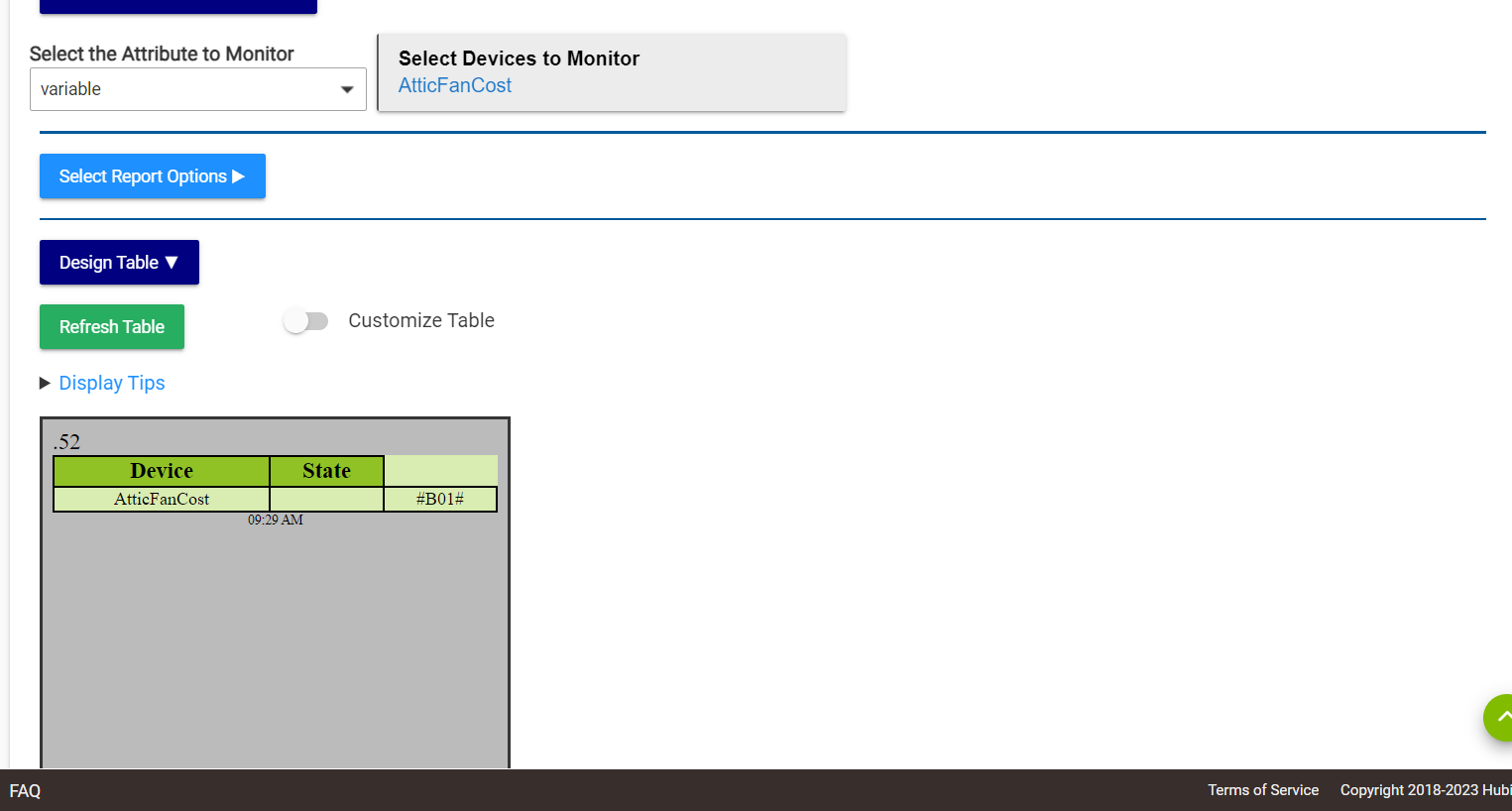
I want to display a group of string variables in a attribute monitor tile. I created a connector with a hub variable. The attribute monitor has variable as an option but when I select the variable connector the display is not correct. See below. Something I am missing?
The dollar $ symbol is an important character in groovy string operations and it's affecting the program causing the weird results you see. I'd suggest you take a look at Multi-Attribute monitor as it has a lot of prepend\append capabilities. So you could leave the units off of the hub variable and then prepend them in the program. You can use dollar equivalent symbols like or $
You just can't use the "normal" dollar sign.
I can't say what they are used for, perhaps looking at the data content or creation date might give you a clue. But I can categorically state that they were not created by Tile Builder and their removal would have no effect on Tile Builder.
So I used Tilebuilder and made a dashboard with several different tiles. 6 tiles are Attribute tiles and 1 is a multi attribute tile.
The Attribute tiles all update in the dashboard fine. However the multi attribute tile (my weather tile) will never update. The weather device itself updates every 1 minute and is working. The tile itself will only update if I force refresh the dashboard.
What can I do so it updates like the rest of the tiles?
I just found and fixed this bug a couple of days ago but have not yet released the update. It'll be out this weekend.
The issue only occurs with tiles > 1,024 and I think most people try and stay below this limit so it has gone unnoticed. You could try setting the HTML Scrub Level to Aggressive if you are not already using that. It may bring your tile down to < 1,024.
But if not don't worry, the fix will be out in a day or two.
Feature suggestion: direct support of hub variables. Currently, it looks like I have to use connectors to use hub variables in tile builder. It would be nice to have access to hub variables directly. See Hub Variable API | Hubitat Documentation , particularly the last section on future movement away from connectors.



 or $
or $


