Synology SRM Router Integration — presence tracking, router health & parental controls
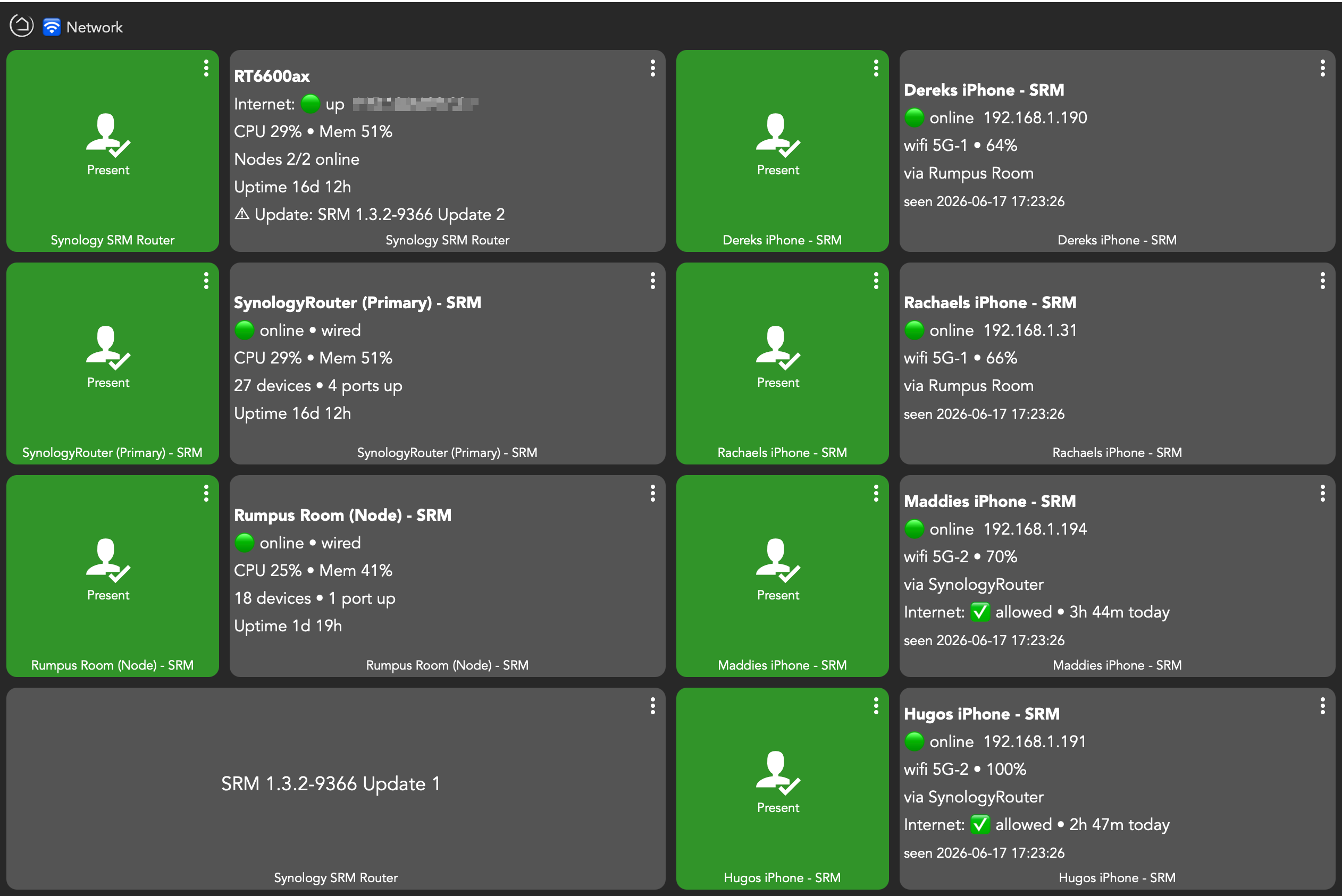
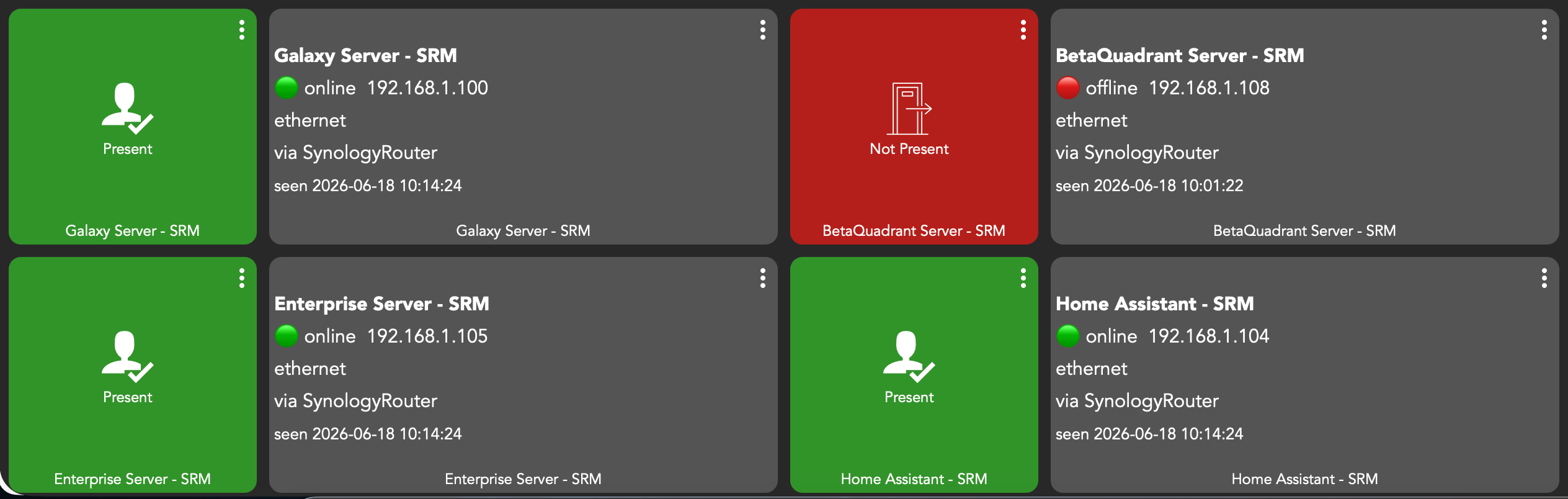
Hi all, I'd like to share a new integration for Synology routers (SRM). It tracks devices on your WiFi/network as presence + switch devices, surfaces router and mesh-node health, reports internet (WAN) status, and exposes Safe Access parental controls right inside Hubitat.
Built and tested against an RT6600ax + RT2600ac mesh (SRM 1.3.2). It talks to the router's local API over HTTPS — no cloud, no extra hardware.
Features
-
Device presence tracking — pick any device on your network; each becomes a child device with PresenceSensor + Switch (on/present = connected, off/not-present = disconnected) for maximum automation compatibility.
-
Discovery picker split into Currently online / Offline, offline sorted by last-seen.
-
Randomised (private) MACs flagged
 so you select the stable one.
 -
Configurable grace period to debounce phones whose WiFi sleeps.
-
-
Router & mesh health — optional Router device plus one child per mesh node:
-
Per-node CPU, memory, uptime, model, firmware, connection type (wired/wireless), connected-device count, node status, ethernet ports up.
-
Internet/WAN up/down + public IP.
-
Firmware update available indicator.
-
Reboot (whole router or single node) — opt-in.
-
-
Parental controls (Safe Access) — mark a tracked device as a Child, link it to a Safe Access profile, and:
-
Pause/resume that person's internet from the device.
-
See screen time today (minutes online).
-
Requirements
-
A Synology router running SRM (developed on 1.3.2; other versions likely work, may vary).
-
An admin account (SRM has no read-only API role).
-
If you use 2FA, set it to external access only so local logins from Hubitat aren't challenged.
-
Tip: for reliable phone/tablet tracking, set Private Wi-Fi Address to Off/Fixed for your home network on those devices so their MAC stays stable.
Automation ideas
-
Internet down alert: trigger on Router
internet = down→ flash a light. -
Bedtime: at 9pm on school nights,
pauseInterneton a child's device; resume at 7am. -
Screen-time cap: if
screenTimeMinutes > 120,pauseInternet. -
Presence automations: use the device
presence/switchlike any other presence sensor. -
Firmware reminder: notify when Router
updateAvailable = yes.
Installation (HPM )
Search for “Synology”, click on the “Synology SRM Router Integration” to begin the install.

Installation (manual )
Install the drivers first, then the app. The links are raw URLs — in Hubitat, hit Import, paste the URL, and Save.
1. Drivers Code → New Driver → Import → paste each URL → Save:
- Synology SRM Device — `https://raw.githubusercontent.com/dJOS1475/Synology-SRM-Integration/refs/heads/main/drivers/SynologySRMDevice.groovy\`
- Synology SRM Router — `https://raw.githubusercontent.com/dJOS1475/Synology-SRM-Integration/refs/heads/main/drivers/SynologySRMRouter.groovy\`
- Synology SRM Node — `https://raw.githubusercontent.com/dJOS1475/Synology-SRM-Integration/refs/heads/main/drivers/SynologySRMNode.groovy\`
2. Apps Code → New App → Import → paste URL → Save:
- Synology SRM Integration — `https://raw.githubusercontent.com/dJOS1475/Synology-SRM-Integration/refs/heads/main/app/SynologySRMIntegration.groovy\`
3. Apps → Add User App → Synology SRM Integration.
4. Enter your router host, port (default 8001), and admin credentials.
5. Open Select devices to track and pick your devices.
6. (Optional) Enable the Router health device and Safe Access controls; on a Child's device, turn on *This is a Child* and choose their Safe Access profile.
That's it — devices update on the poll interval (default 5 minutes).
Notes & limitations
-
Polling-based (the router can't push), so presence latency ≈ poll interval.
-
Safe Access pause is per profile (per person) — it covers all of that person's devices at once.
-
Cumulative per-device bandwidth isn't exposed by SRM, so it's not included.
-
Reboot commands are opt-in; test them deliberately.
General
- GitHub repo: `https://github.com/dJOS1475/Synology-SRM-Integration\`
Feedback, bug reports, and tested-on-your-model reports very welcome. Enjoy!