I have a question or perhaps a request.
I LOVE that play text drops the volume of any playing music, plays the text and resumes. YAY, have been wanting that for years.
The only caveat I have is in my heavy use of HSM. In particular for water leaks I'd love for the music to not continue playing as that alert if someone is in the house is critical and music playing could easily be ignored by my family - kids in particular.
Would there be a way to set that up here, or recommendations? Perhaps I can just increase the HSM audio playback to be very loud and put on repeat... but curious on people's thoughts here.
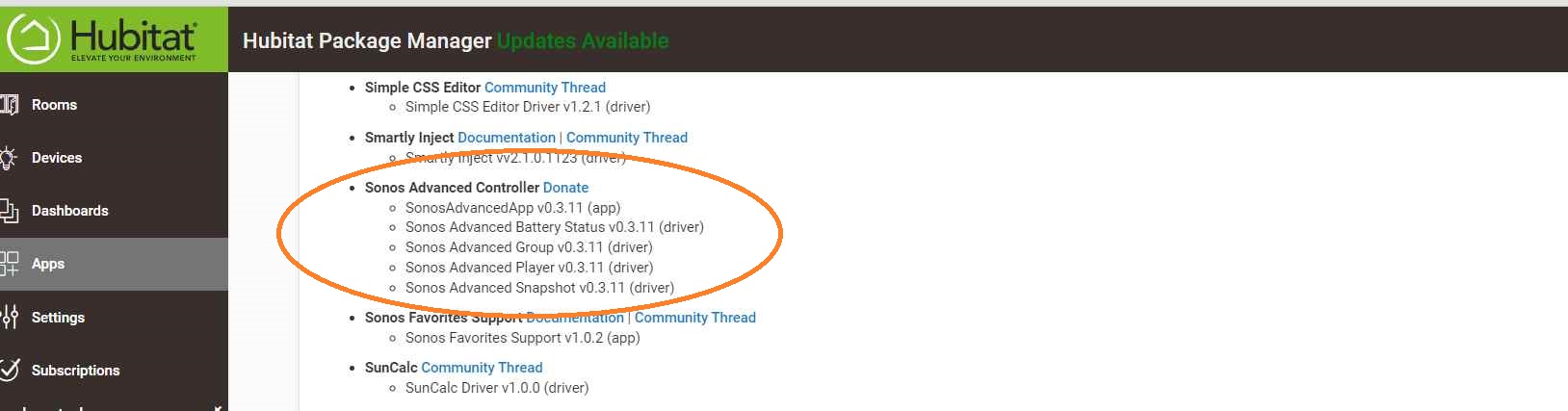
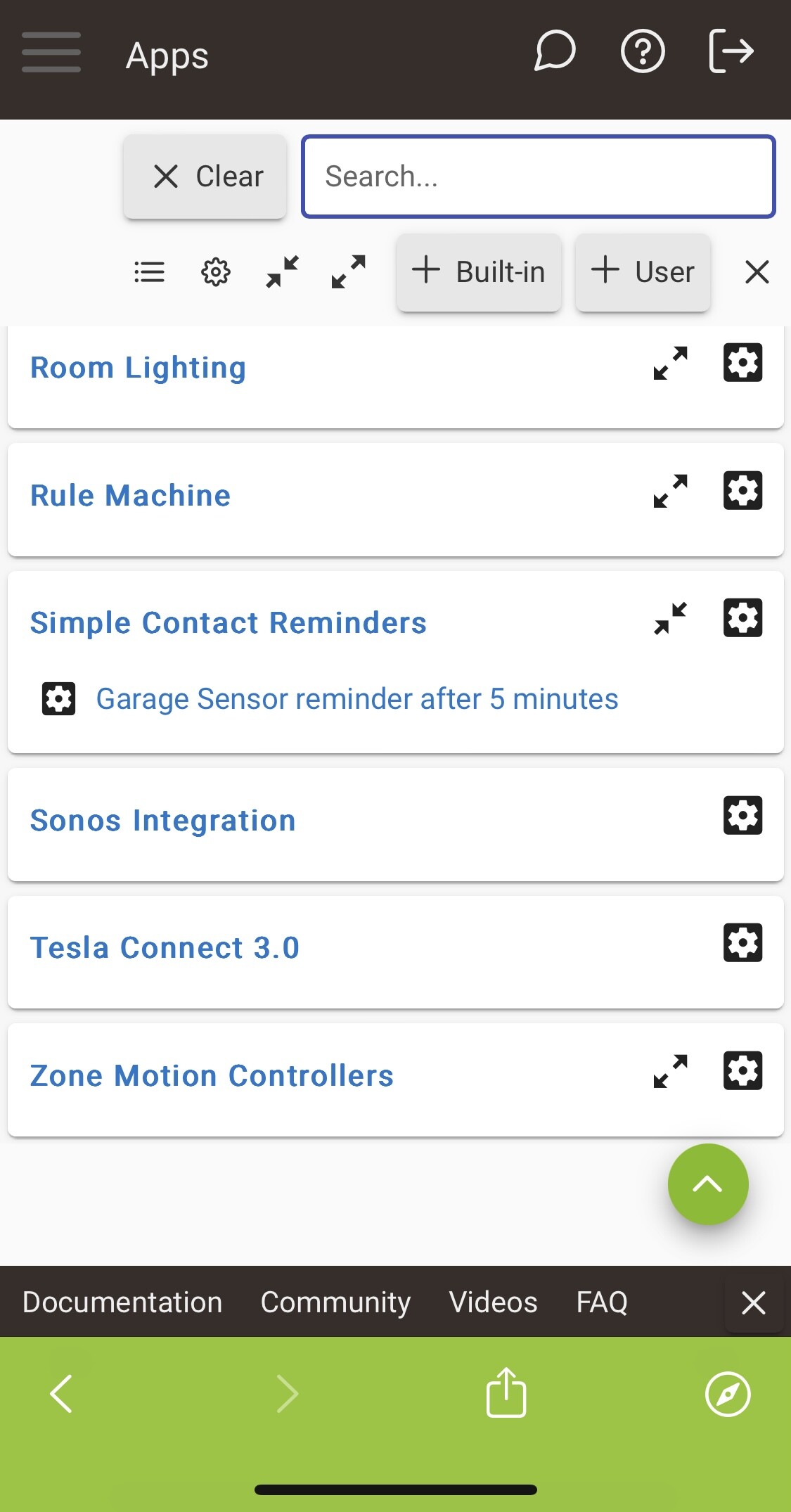
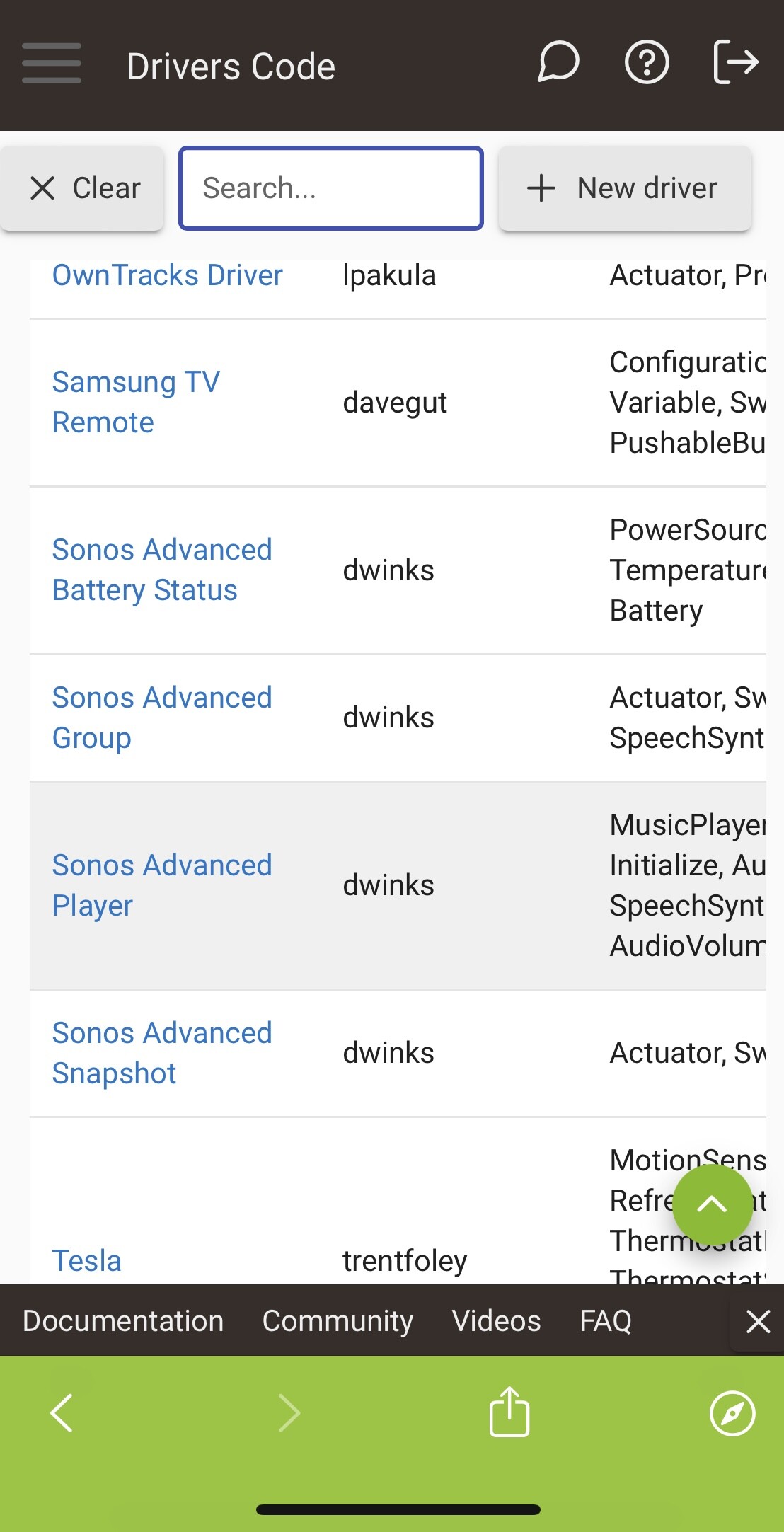
I have installed Sonos advanced controller using HPM and I can see the drivers listed but I can not see and Sonos advanced controller in App list. I have also tried uninstalling and reinstalling but still no app
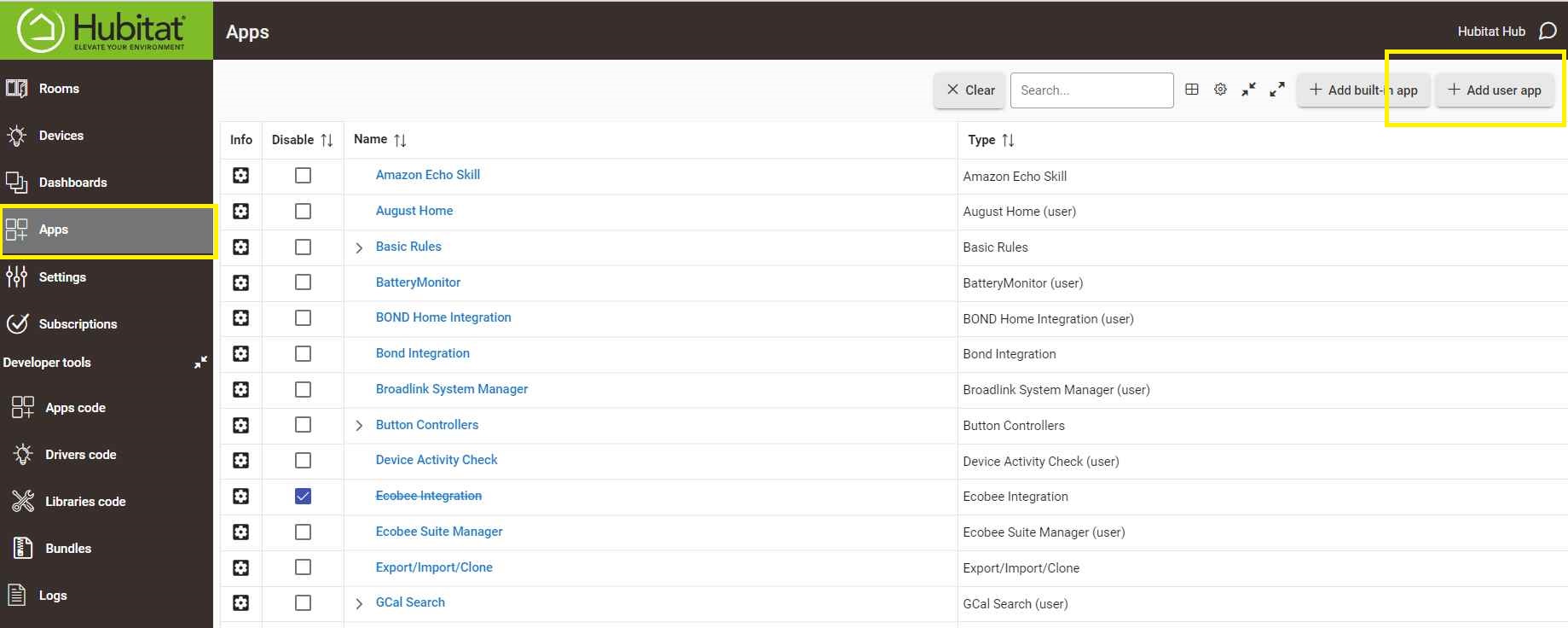
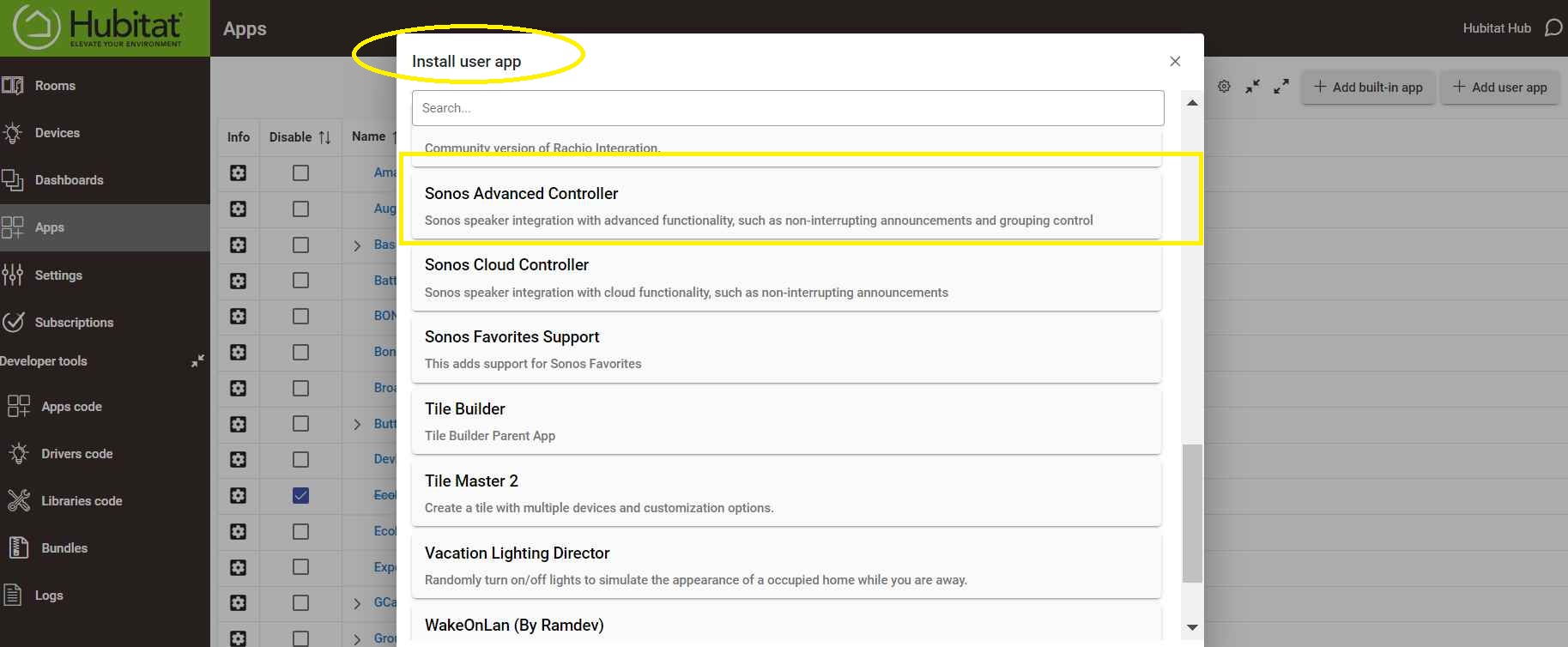
Did you follow Step 2 from the post by @DGBQ above? Sounds like you're seeing what's described in Step 1 and won't be able to continue until you do this (install an instance of the app, not just add the code to make this possible in the first place--the main function of HPM).
You could. I'm not suggesting you do. just brainstorming as that change would prevent continuing music for other people with systems like HSM. More wanting conversation, brainstorming on recommendations, other ways around that.
Fantastic to hear you're exploring the Sonos Advanced Controller! I've been actively involved in testing the app with @daniel.winks and must say, it's quite impressive. Let's troubleshoot this together.
Did you installed the Sonos Advanced Controller via user app install? As per
Ensure you've cleared the search bar in the Apps section – sometimes, it's the small things that can cause hiccups. Refer to my previous screenshot for clarity.
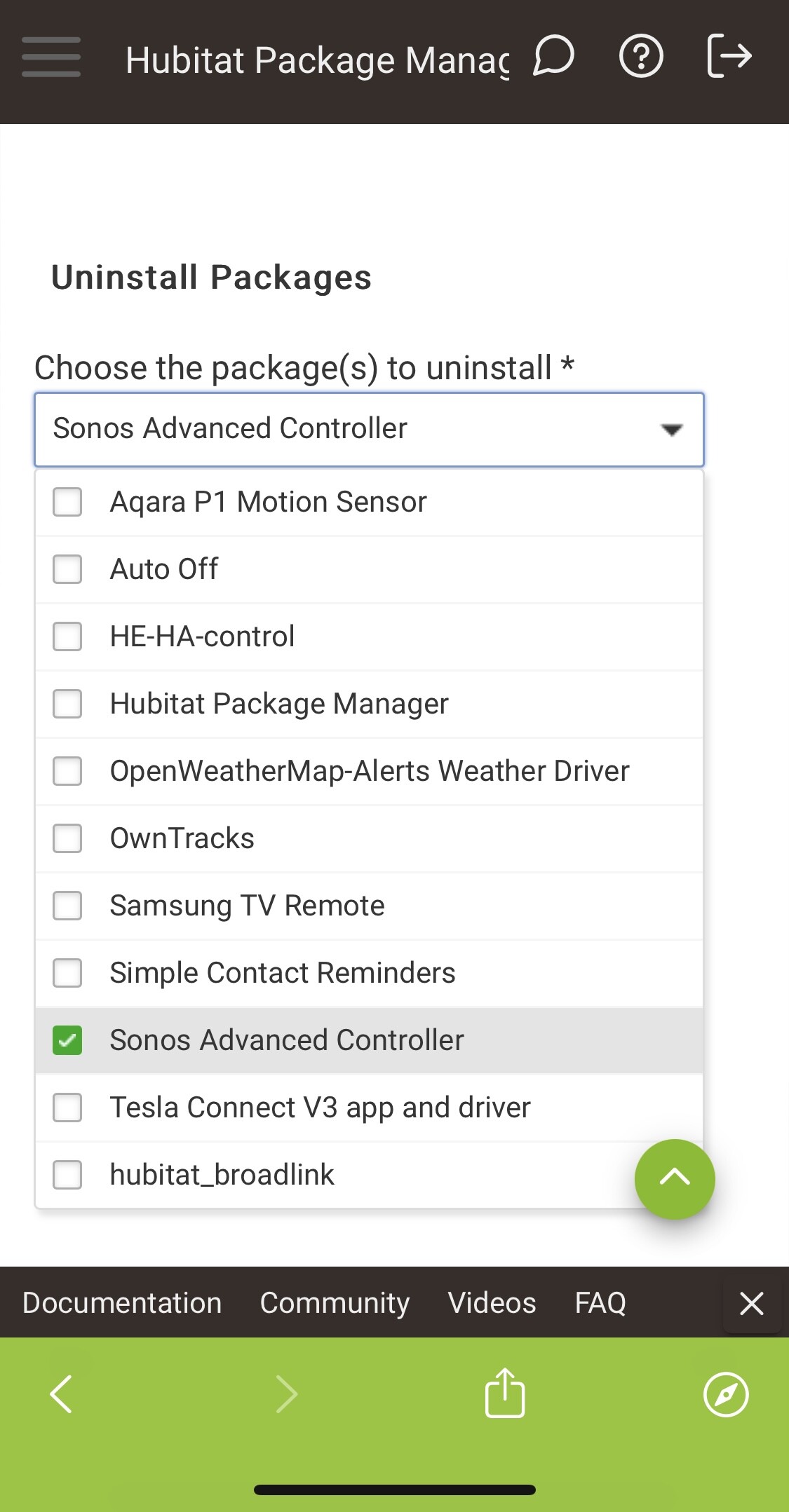
If the Sonos Advanced Controller is still elusive, let's investigate in HPM. Navigate to HPM and open the View Apps and Drivers sections.
Hi David,
As you can see from the screenshots below the app is installed in HPM and drivers are listed but no app is listed. Originally I did manually add the repo from the first post to HPM but soon realised it wasn’t needed. Could of this pulled an older version?
Still seems like you're missing the steps inside Step 2 above that we both mentioned. Specifically, what happens when you click "+ Add User App"? That's the tl;dr version.
Thanks for the advice,
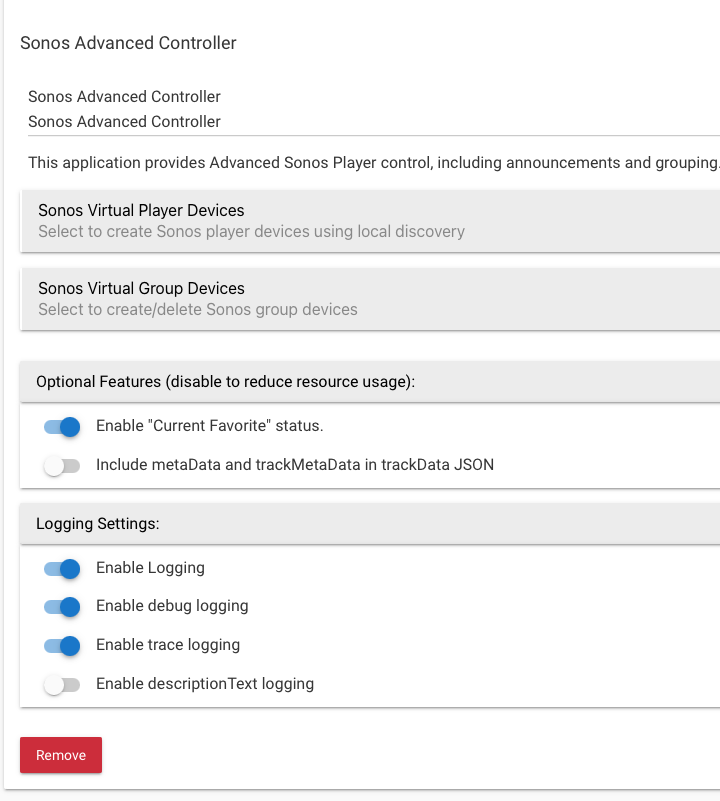
I indeed have to remember that in Hubitat you have to install the package and then install the app or device. I now have the app but when I perform discover and add my sono virtual device, no device in created in devices and I also have not option in virtual groups to select any device’s:
Edit:
I see the issue, after selecting the virtual sonos device you have to go back to the app main screen and click “done” before it will create the virtual device
Great to hear that you're making progress with your Hubitat setup! Teamwork makes the dream work, right? I'm thrilled we could figure this out together, and shoutout to @bertabcd1234 for the assistance too. Kudos to you for your persistence!
You've absolutely nailed it with the tip about going back to the app main screen and clicking "done" – those little details make all the difference. Your Sonos virtual device should be all good now.
Don't forget to review all the steps in my post to ensure you have a seamless experience
Keep up the fantastic work, and bask in the sweet sounds of success through your Sonos system. If you have any more questions or need assistance with the Advance Sonos Controller, feel free to post them in the forum.
My Sonos app only seems to ever create 1 x virtual sonos device,
I have 3
Living room
Entrance
Sonos roam
Only the first device selected is created as a virtual device and subsequent virtual device are not created.
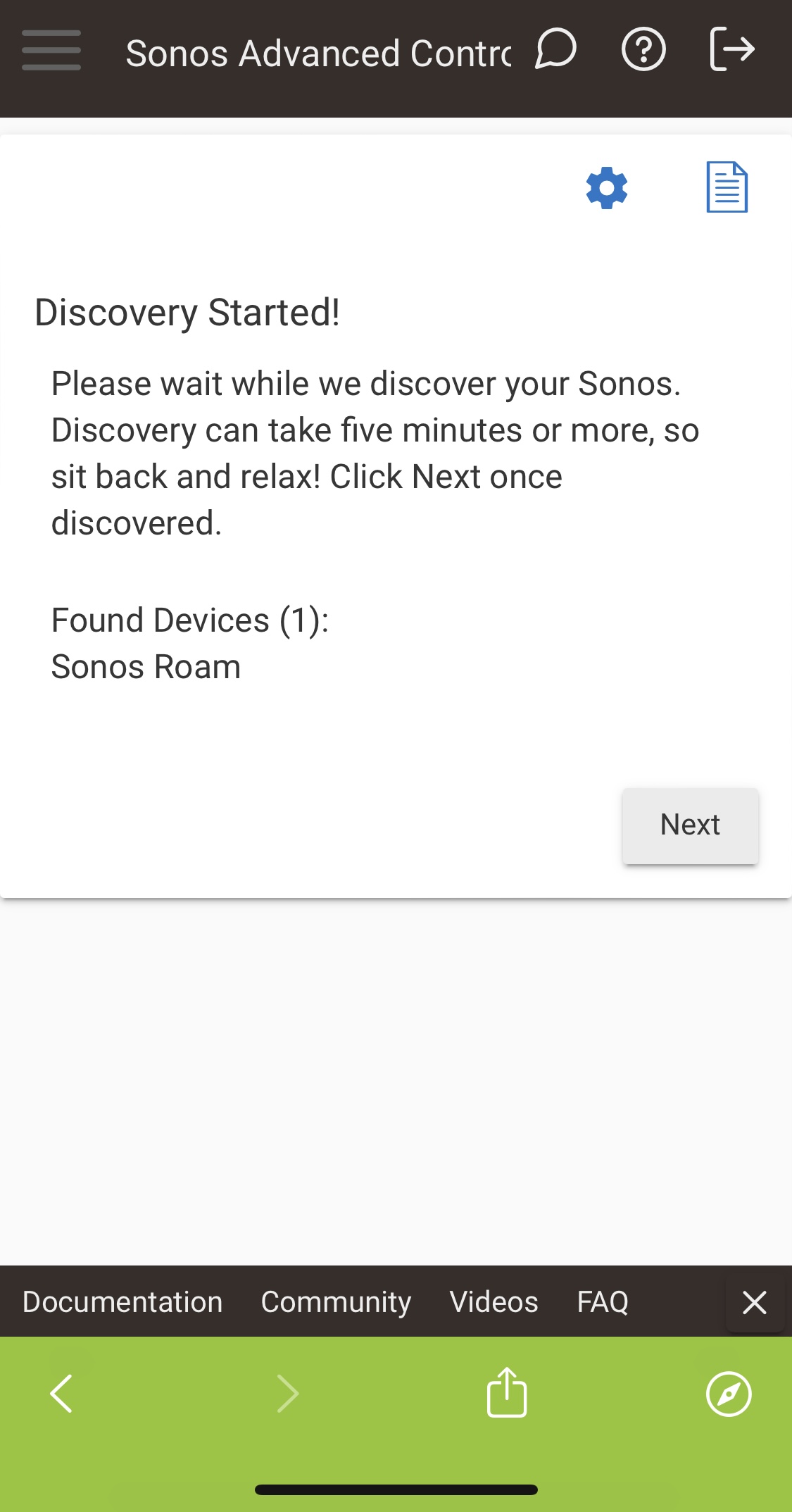
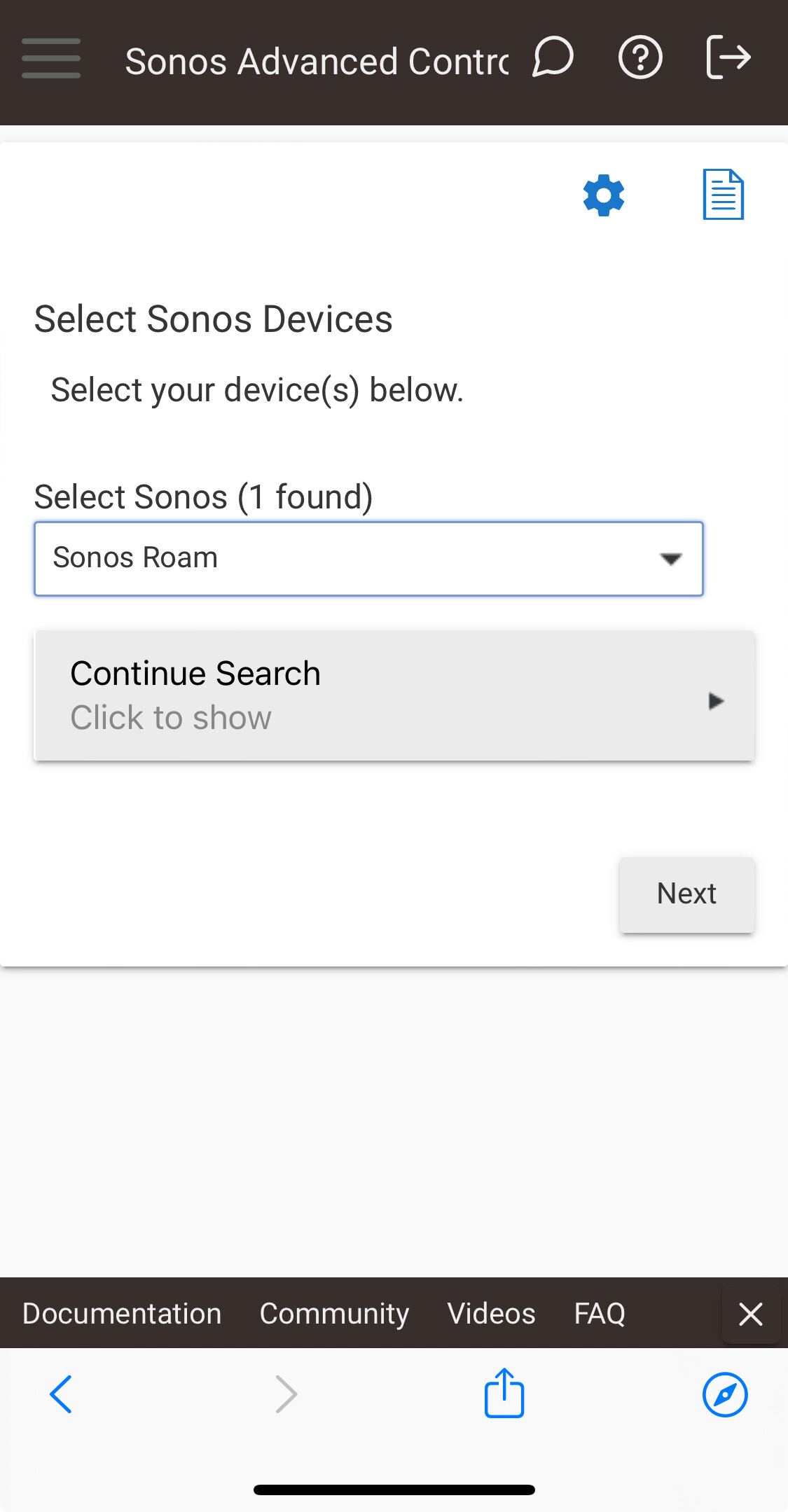
The discovery also only ever lists 1x device even though it does seem to find all 3 it will only display one at a time during discover and will just change names.
I also went to perform an uninstall using HPM and it stated fatal error rolling back during the uninstall process
I have observed that once the first virtual sonos device is created and I go back to discovery to add second virtual device, the device selection screen doesn’t state that “a virtual device named xyz will be created “
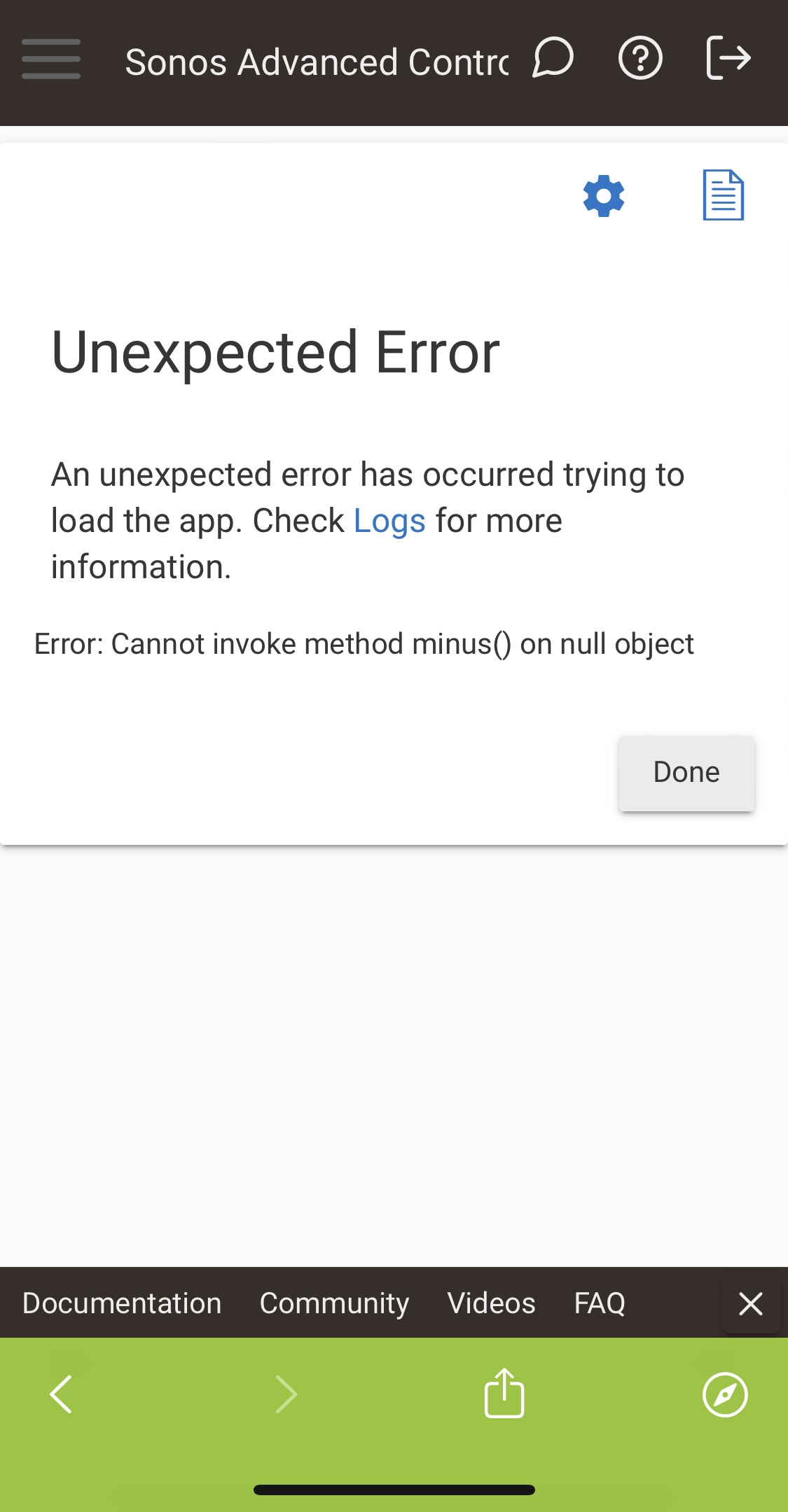
Then redo whatever ever steps you took that encountered the error and send me a PM with the error message and any messages in the log at that same time, so like 20 messages or so before and after the error. A screenshot of an error doesn't give me anything to go on.
Also, make sure you're staying on the discovery page until all 3 of your players are discovered, and don't use the forward/back buttons on your browser, or refresh the page. Just use the "Next" button to move through the pages.
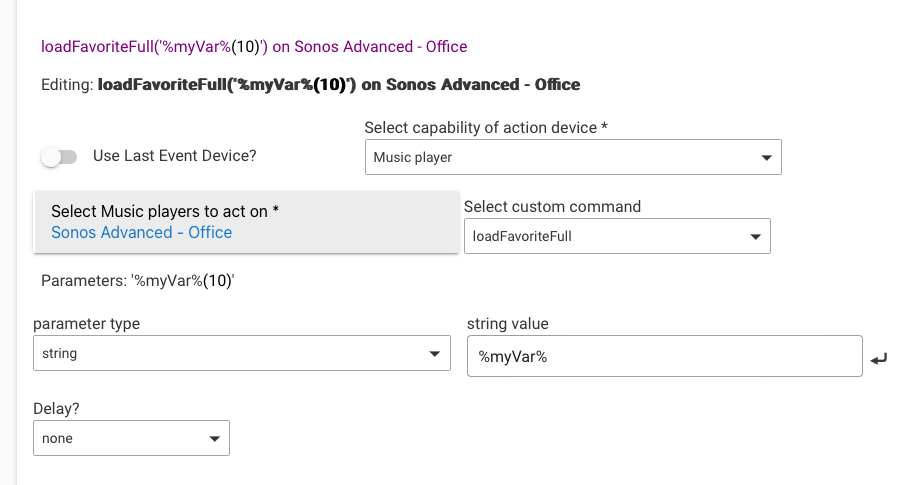
In the no doubt neverending list of future enhancements, would you consider adding the option to feed load favorite with a variable?
I'd like to set a chanel selection in a switch and let my play rule read that and use it. Now that i think of it, a volume level variable would be useful as well.
In this image I've set myVar to 10, so it shows (10) next to %myVar%.
Everything is a string type, even if it's number. Keeps things simple, plus I don't have to convert them before sending it to the API, which also expects string types.
 I've been actively involved in testing the app with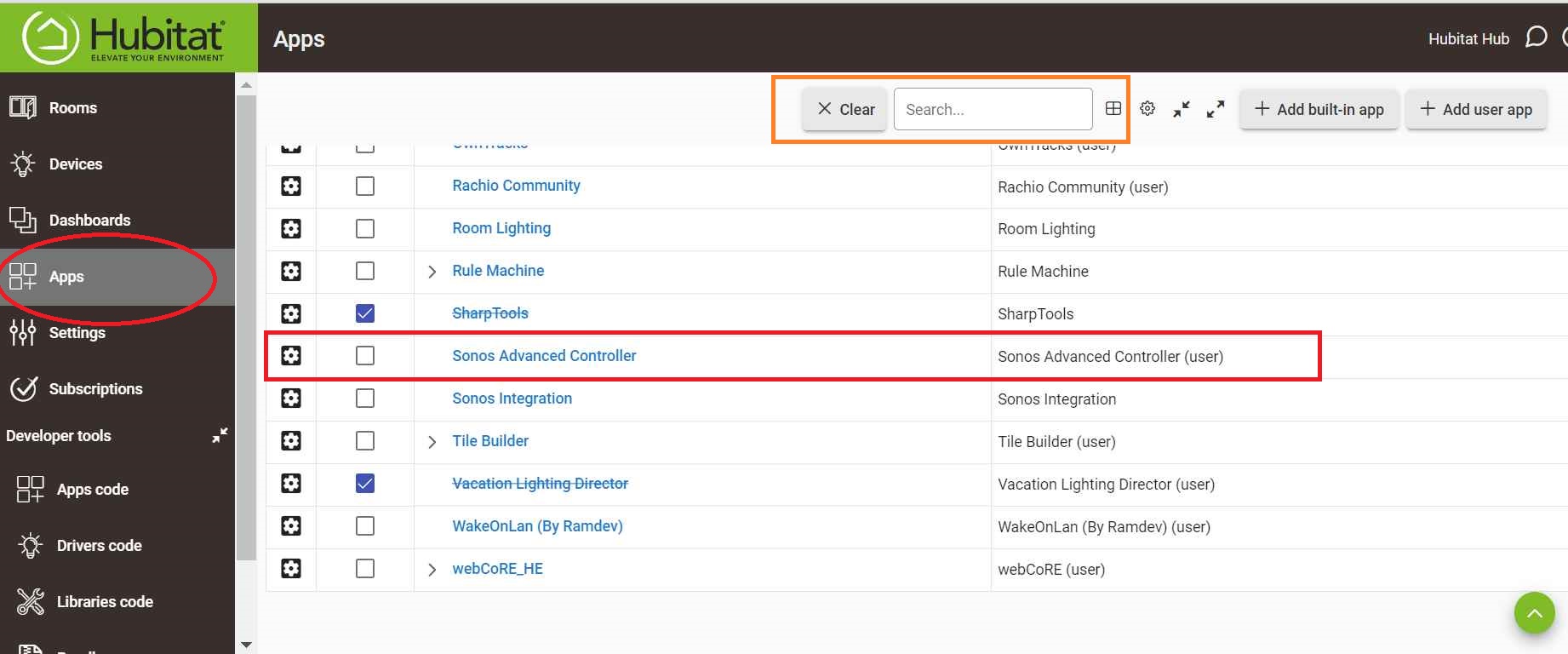


 I'm thrilled we could figure this out together, and shoutout to