The app definitely won’t show what s/n shows without a refresh since it’s lazy about that. But that won’t stop it from issuing the command you made (in this case, setting the sleep number to 30). It should refresh the state after issuing the command though (in most cases, I think this is one but not at a computer to verify) but either way it sends the command first.
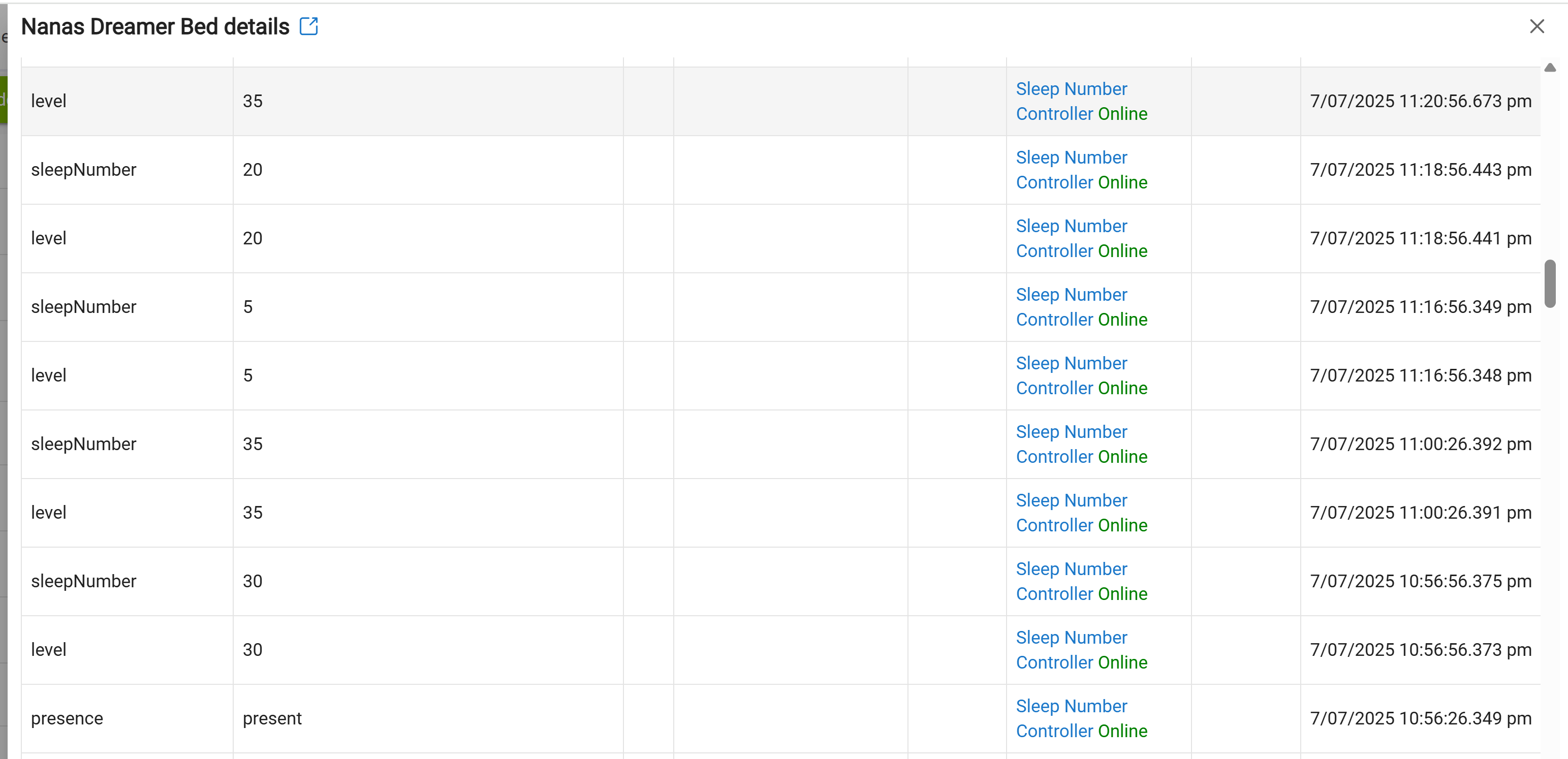
And again last night, don't even know where these levels/set levels are coming from
I have 1 rule posted above
Rick
I noticed I wasn't able to poll the FootWarmingTemp so I am trying to update the app to see if that allows me to pull in that data, but I'm getting this error on the update.
Try running the repair in HPM instead, sometimes that will force in an update.
Just tried the repair and I get an error saying failed to install app.
I think its might be because the library file (bundle) is listed last in the manifest, so it is trying to do the other files first which fail because the library needs to be updated?
Try either going to bundles > import zip, then import: https://raw.githubusercontent.com/rvrolyk/SleepNumberController/master/SleepNumber_Library.zip
Or You could also go to Libraries code > open SleepNumberLibrary > click ..., Import, and import this url to update: https://github.com/rvrolyk/SleepNumberController/raw/refs/heads/master/SleepNumber_Library.groovy
Then you could try the update/repair from HPM again.
Thanks!
Importing the bundle allowed the update to work.
Much appreciated!
@rvrolyk Just a hunch but I think putting the library/bundle first in the manifest may prevent this issue above.
So the whole reason I was trying to update was because I'm not getting the footWarmingTemp as an attribute that I can check. Updating didn't change that. Any idea why?
I didn't realize order matters but just to be safe I just changed the manifest so the bundle is first.
Sorry @jason.o.brown, I don't know what would be causing the foot warmer issues. If you're able to update and still see the issues, can you enable debug logging and then try again and PM me the logs?
PM Sent
I've been trying to use influxdb, grafana and AI to help me narrow down some of my sleep issues. However, I'm unable to get the sleeping/not sleeping events from my sleep number bed into influxdb for some reason. It reports presence perfectly though, so I'm not sure what the difference is. The only thing I noticed is that presence shows up on the commands page where as sleeping/not sleeping doesn't. The first screenshot is the events of my sleep number bed where you can see it creates an event for sleeping/not sleeping. The second screenshot is the logs from influxdb logger showing that it's suppressed the sleeping/not sleeping action for some reason unknown to me. The last screenshot is just my output in Grafana for some context and anyone who may be interested. Any help getting the sleeping/not sleeping data to send to influxdb would be greatly appreciated!
@rvrolyk any ideas?
I just installed the package and I see in the documentation:
"You can optionally enable sleep data collection (only works in the presence device) so that you can track statistics from your last sleep session."
What/where is the Presence Device. I don't see it in the device list.
Its the main device for the bed, it also indicates the presence on it. That's where the stats will show up.
I must have screwed something up, I see no main device. In devices, I show the Right Bed and the Left Bed, but no other devices.
Under Apps, I show:
Sleep Number Controller Online
What have I done wrong?
you should get presence per side. Clicking the bed device to see the details you should see current states and in there is presence. If you want to enable sleep data collection, click preferences at the top and then turn on Enable sleep data collection.
Got it! Thanks much. Now that I can see the information, I want to use it. What I want to do is at 10:00 am, send last night's Restful Sleep Time and SleepIQ Score in a message to my cell phone. Is this possible?
The data is a custom attribute of the device so you can put that string in a variable and send it. How you send it is a bit tricky, as there is no direct way to send it as a SMS message. I use pushover to send messages to my phone. You can send a notification to the habitat app as well.
Pushover is probably your best bet. It has a built in driver for Hubitat, you just need to set up an account. It's been awhile since i did it but it's like a one time fee of like $4.99. Money well spent in my opinion.
In case someone reads this thread in the future, I'm documenting the things I needed to learn in order to accomplish getting data from the bed. These pieces of information may seem obvious to long time HE users, but I can assure you, they are not for a newbie.
-
You don't get data specifics unless you go to the installed bed device under "Preferences" and turn on:
"Enable sleep data collection". -
To access specific data items, you need to create Global or Local variables to hold the data, and then set the variables to the specific bed attributes.
To do this, Set Variable (your variable name) -> Select Operation -> device attribute -> Select Device (your bed device) -> Select Attribute -> (The data item you are looking for).
- Here is the tricky part. When you created the variable, you had to specify its data type (String,Number,Date...). When you get to "Select Attribute", it will only show you a list with matching data types to the variable you are trying to load.
In other words, if your variable is defined as a "String", you will not be shown any attributes that are defined as numbers.
If you don't know what variable type an attribute is, you can do trial and error, or look in the driver code for something like this:
attribute 'sleepScore', sNUM
The "sNUM" indicates its a numeric value.
My thanks to the forum users who helped me get to this understanding, and I hope this post will save others time in the future.
2 posts were merged into an existing topic: HousePanel 2 Node Version