Unfortunately, I cannot guarantee it will work, but I can tell you the API is standard for all Roku devices, so there is no reason it wouldn’t work. It’s so standard, that all Roku players and TVs use the exact same API.
I would not hesitate to buy one personally.
3 Likes
I have a couple of tcl roku tv's, it works fine.
1 Like
Yes. All my Roku’s are TCL except two players.
1 Like
Sadly TCL is phasing out the roku built in tv's in favor of Google TV. I mean google TV is ok but much prefer Roku. (Yeah I could hang a roku off of it but still...)
Yup. I won’t be buying any more TCL until they return to Roku. I have no interest in letting Google into my smart home.
1 Like
The solution is just disagree with everything on setup and it becomes a dumb tv, then hook the roku up and let that control things via arc...
1 Like
I had no idea this was happening 
Well, I guess I have to find another brand of Roku TV's to recommend to friends and family now. I have 2 TCL 65" TV's, my sister has a 55", and my parents have a 65" as well. Parents used to have a 55" TCL, but it eventually died after a few years and the deal at the time was $400 for a 65" so they jumped on it for a bit larger TV.
I've had my oldest 65" since 2018, and aside from the menu sometimes being a little slow for me, it has been rock solid. Roku is just so easy for people to use, its super convenient to have it baked into the TV.
Like I said, you can just hand a roku off the back and disagree with the terms and conditions on google tv and it will make it a dumb tv.
1 Like
Rokue moved to their own branded TV's 
2 Likes
Has anyone noticed a recent change with how "on" is reported?
As of a few days ago (maybe today?) a lot of my automations have broken that have relied on looking at the switch state of this driver (on vs off).
I didn't change anything, but do have my tv in fast startup mode, so the solution for now is to replace that condition to checking if power=PowerOn instead, as now my TV is reporting to always be on.
New firmware update perhaps?
I am going n version 12.5.0 Build 4176 (which is latest) and the power state is still reporting correctly. I do have to use refresh as i have a refresh interval of 5 minutes, but all the schedule does is call the refresh command, so it should be the same.
The power state reporting only report off on televisions — it cannot report off for the media players. Is this a television?
Some models, which I dont own, report a different value for on/off. Maybe I need to change the code again to support a new state?
At the bottom of the device page you will see links. Use the url for query/device-info and post the status of PowerOn when the TV is both on and off. Also look for other values that may change between on and off state of TV.
It is a TCL TV with Roku integrated.
At a high-level I see <power-mode>Ready</power-mode> in my current off state with the device switch now as 'on'.
I'll take snap when I actually have it on and will do a diff then will report back (or DM you) with the details
Please do the following:
Turn TV off
On HE device page, press refresh button.
Capture state of PowerMode
Turn TV on
On HE device page, press refresh button
Capture state of PowerMode
DM me results.
1 Like
Hello, I was delighted to find the Roku integration, as I have transitioned away from cable and will be using Roku devices on my TVs.
I used HPM to install the integration. After installing the package, I specified to go ahead and configure the app. It launched the discovery app and eventually found the single Roku device (Roku 4k stick) that was powered on (I neglected to turn it on at first and then realized I should probably do so). It gave an error message despite creating the Roku device saying that the device had not been created.
My assumption is that something is wrong after looking at the log files. I've posted the device and app logs, as well as screenshots of the device page.
I poked some buttons, including Initialize, Refresh, Poll, On and Off. I considered starting over, but figured it would be a good idea to ask for help first.
Any advice as to what to do next would be appreciated. I may have missed some steps after the HPM package installation. I read through this post quickly.
The bottom of the device page (no screenshot) shows pending queries for MediaPlayer and ActiveApp. At the scheduled time, nothing seemed to happen nor were there additional log entries.
Not sure if I should have started a new topic...
Thanks!
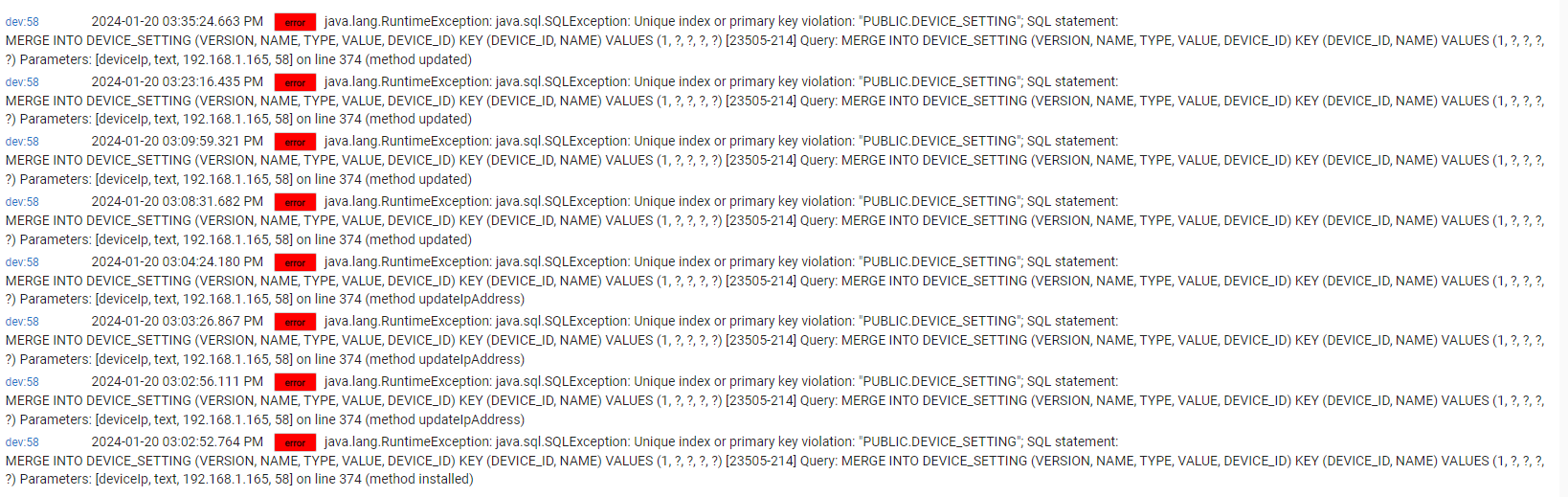
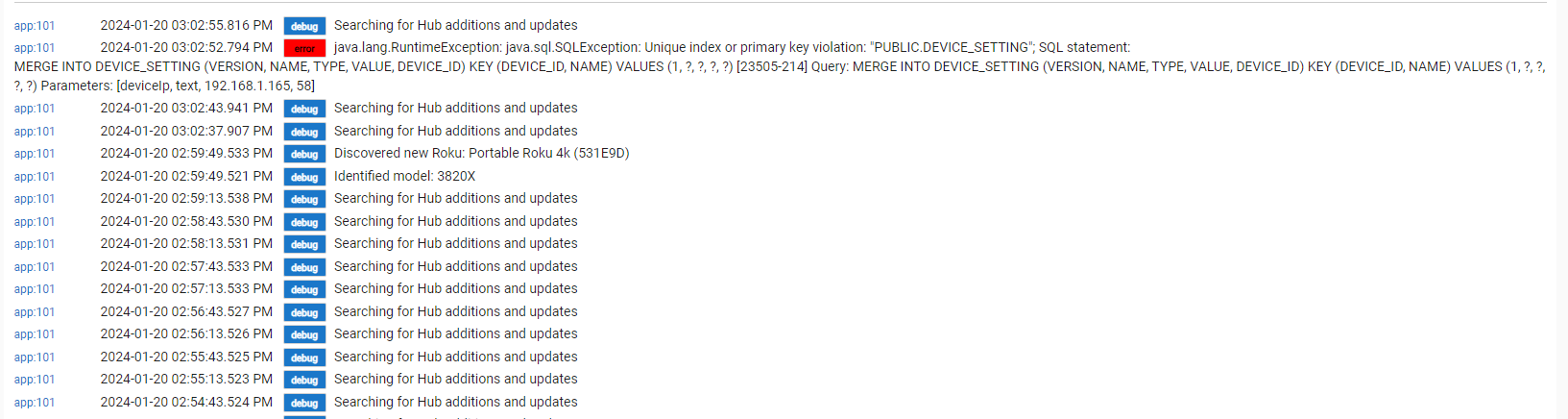
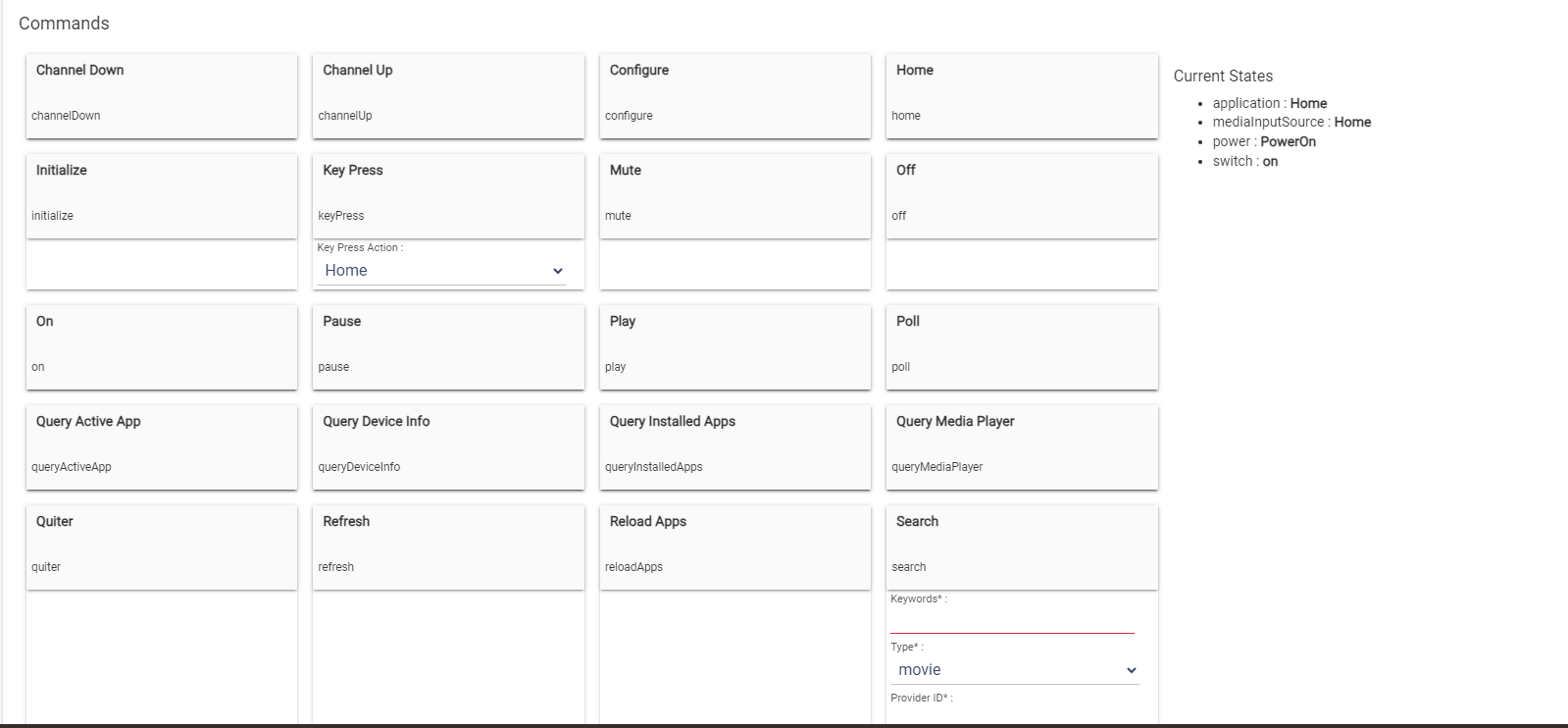
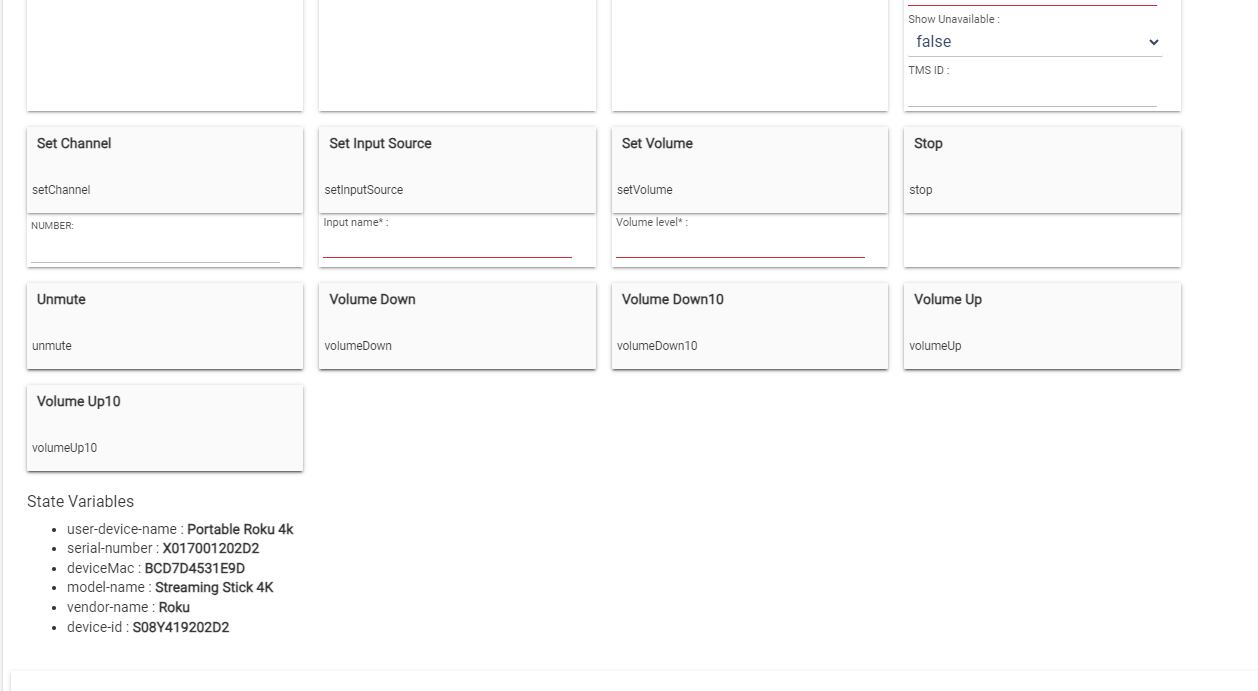
Please delete the device and retry adding it.
The error is not my code, it’s a database error, and I don’t have a database. It would appear something related to the hub’s framework.
Just as a follow-up, I ended up doing a restore and specifying to rebuild the database prior to recreating the device. I let it sit there for a while and it seems to be working. The child app devices were all created.
I wrote a simple rule to turn off a light after the Roku device is turned off. The rule works, but it seems to take quite a while for the hub to get the message that the Roku is turned off. I have the Device Info refresh interval set to 30 seconds, but it takes way longer than that - 10 minutes or so.
Is there another setting or something that could potentially speed things up a bit? It would be great to have the rule execute in a couple of minutes from when the device is physically turned off from the Roku remote.
Thanks again!
That is very odd. Seems your hub could be overloaded. I would turn the TV off, and watch the device screen to see when it reports the atV as off versus when the file fires. You can also issue a refresh T anytime to see how long the refresh takes and to report the device’s status change versus when the rule fires.
There is no messaging built into Roku. What I do is request the device information page from the TV, which is an XML format document. Then parse the XML and set internal properties of my driver to the values reported in the XML document. This whole process should take just a fraction of a second. Then for any value changes, I publish those change events on the event bus to be picked up by rules and apps listening for events from the Roku.
As such, the only places for delays should be reachability of the Rokus, and the hubitat’s event bus. Even my XML parser is provided by Hubitat’s libraries, so I am at a loss here.
The best next step is to isolate where the delay is. One possibility is if you have more than one Roku, if any one is offline (powered off) or the IP address is not reachable, then that will impose about a 10 second delay trying to reach the device, if the system tries to send a ping packet.
All http (web) calls to the Roku go through the Hubitat’s http client, and I have suspected this may be a possible hanging spot if one http call is hung, I suspect others may be waiting. So make sure your LAN/WiFi devices that anre integrated with Hubitat are all functioning properly.
My wife turned the Roku on, and it reported "switch on" and "poweron" almost immediately on the device page. Transport Status reported as "stopped."
I've received warning messages regarding the hub being overloaded in the past, but not recently. Lights and other devices respond immediately. If I look at the Device Stats log, it looks like cameras represent the biggest % of busy, the Roku is about 7%. Although YouTubeTV is playing, the metrics seem very low.
I only have one Roku at this location.
Not sure what you mean by a "Refresh T," unless the T was a typo. However, after hitting the "Refresh" button on the device page, the status updated to "playing" immediately, although I didn't hit it until a few minutes from when my wife turned the Roku on. I'll try it again when turning the TV off later on and try the refresh right away.
To get faster responses once the Roku is on, you can enable the advanced refresh controls.
I set the active app. Refresh interval to five seconds. Said the media player refreshable to two seconds. I set the find installed apps refresh editable to 30 minutes.
In my configuration, I no longer have any automations that trigger based off of the televisions status, so I set my device info. Refresh interval, to five minutes, however, in your situation, I would leave it at around 20 or 30 seconds
What does does, is when the TV is in the off State according to the device info page only the device info refresh is used to determine when the TV gets turned on. However, while the TV is in the on State additional timers are activated based on the payload weight, and how that would impact processing. When it detect that an app has been launched, it will start the media player timers to monitor the state of the media player when the media player to return a valid state it assumes it went back to the homepage and will start the active app timer.
So give this a try and see how that works out for you.
Thanks for the advice. I set the parameters as you advised and 've been fooling around with a bunch of settings.
One thing I failed to mention is that the device in question is a Roku Stick 4k. It is plugged into the usb port on the back of an LG TV. I did some digging, and as it turns out power is always supplied to the USB port on LG TVs even if the TV is turned off. From what I can tell, there is no way to turn off the port short of unplugging the TV. Also, the newer Stick devices cannot be turned off, they are low power and are designed to boot very quickly by always being in a powered up ready state. Hence, the power button on the Roku remote only turns the TV on and off.
Also, the power settings on my LG TV only allow for a timeout of 20 minutes to turn the TV to standby mode. The only other option is to disable that feature so the TV is basically always on from what I can tell, even if the monitor is off. Regardless, there does not seem to be a way to disable power to the usb port vis a vis the power button on the LG or Roku remotes.
This might explain why none of the power related controls work on the device page - specifically, the On and Off buttons as well as the Power, PowerOn and PowerOff commands under the Key Press menu. Pause does work, however. After turning off the TV from the Roku Stick, eventually the "switch" and "power" status fields turn to off in the event log. At that point, the rule kicks in, but it is a long time after the power button is pressed on the Roku Stick.
That said, I do have a few questions: On the device page under current states, what does the "power" state refer to? Is it the Roku device or the TV? Same question for the "switch" state. Is that the on/off switch on the Roku Stick or something else? What is odd to me is that if the Roku device is always on, why would the device page show the power and switch status as being off?
I did update my rule to turn off a light if the "transportStatus : stopped" is activated. If I select the Home key on the remote and then turn off the TV from the Roku remote, the transport status is updated almost immediately to stopped. If I leave an Roku app open on the TV (for example, YouTubeTV) and press the power button to turn off the TV, the transportStatus field still shows playing, which sort of makes sense.
I just turned the verbose and Informational logging on and will fool around with it some more... I have a feeling that my simple use case is not doable with my setup. It probably would work fine with a different Roku device or a Roku TV.

