Sorry, I changed my message to 1% battery 'change' and not just drop.
There are real time messages (like battery) that are coded as numbers that decode back to event names. After I see those, I schedule a device refresh.

...
Sorry, I changed my message to 1% battery 'change' and not just drop.
There are real time messages (like battery) that are coded as numbers that decode back to event names. After I see those, I schedule a device refresh.
I tried testing that, but that 1% rise doesn't happen as quickly as I hoped. I started a room clean and after a few minutes I hit refresh to see if the battery changed, and it was down to 98%.
I let it finish and waited several minutes without a refresh happening. When I hit refresh manually it was charging at 97%.
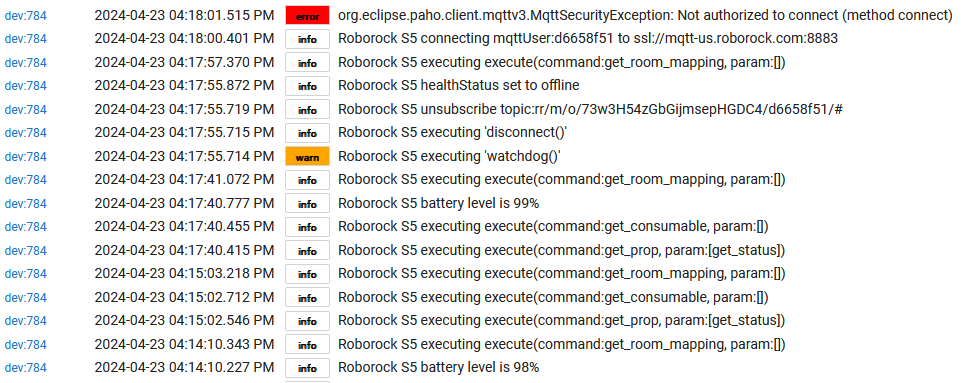
While watching the logs to see it refresh on a battery rise, I hit refresh and it said it was now at 99%, but then the log reported "Roborock S5 battery level is 99%", Then it executed watchdog(), it went offline, and I got that error that requires removing the device to fix. Debug logging had turned off at that point, unfortunately.
Is this the S5 or the Q7? Maybe the S5 doesn't have real time eventing, but would expect the Q7 to be close enough to my S8 to have.
In any case, the 'refresh' button is more impactful and acutally reloads the http post call to homeData and there probably is a) a limit per hour/min on that and b) I need to protect that area with semaphores if used in the fashion you are using.
With the debug you should see this with the real time messaging. The '121' and '128' are defined inside the homeData information, and I assume can vary.
'122' is battery on my S8:
Let me know if you see any message like that on the S5, but sounds like it doesn't happen.
That was with the S5. Still waiting to not annoy people to test the Q7+. Since I need a solution that works for both, I guess I cannot use that.
I am curious why the device lands in the failed state that requires setting up a whole new device. If there is a limit, my refresh each minute could add up quick on a longer cleaning. I have been testing with a small room for convenience of not waiting long for it to finish.
After watchdog ran is when I got the error. What is the need for watchdog? It seems to disconnect and reconnect, but the reconnect is where it appears Roborock ditched responding. Not all refreshes seem to call watchdog. getHomeData() seems to be called in many other places besides watchdog, but it seems to fail only after watchdog does the disconnect.
Is it a collision of watchdog getting called by the device timer, and me hitting refresh manually (or by my app) happening at the same time? That seems to be when the error happens.
The watchdog fires if you send an MQTT command and nothing returns within 15 seconds. Normally, this shouldn't ever happen when things are healthy, but the MQTT drops offline at least once a day, I have found. When that happens, I need to clear and refresh the MQTT connection and subscription.
If you notice, the 'scheduleRefresh' command sends as a 'type:2', and that doesn't invoke 'getHomeData()'. But using the normal refresh sends as a 'type:1', and that does invoke the command, which is a bigger refresh and obviously needs semaphore protection since the UI, HTTP, and MQTT are all running separate threading.
I'm not sure why your device requires a reset when that error happens. If you do a full login again, does it start working? Or does it require a delete/add in the mobile app?
My thinking at the moment, if I see a real time battery event to operate like it does today. If I don't see a real time battery event to schedule a 60 second 'soft' refresh when the state is not 'charged', which should do the same thing you are doing. (and protect that soft area with a semaphone)
I think I have tried everything to get it working again after the error. Initialize, Change driver to Device and back again. Change driver to Device and clear all states, and switch back again. I also Initialize after the driver is changed back.
I noticed the setting called "Authorize Account User Login" I tried enabling that but that does not help either (not sure what that even does).
So yes, I have to delete the device and create a new one, as that seems to be the only thing that works.
This will start over with username and password and wipes everything. There is a quick limit on number of times per minute (if even per minute) logging the first time. But you need to hit save preferences of course to try the login after you enable that setting.
I was able to duplicate your error, and did recover using a complete login. Pretty sure this is a limit on the number of times you can hit the https service. I am putting a limit in to only allow 'getHomeData()' once every two minutes, so your solution would/could work. Also put in a autoRefresh check and if I don't see the battery automatically dps refresh, will do a refresh every minute during certain states.
The code is checked in now, if you test when you can, please do. I am hoping you don't need external refresh requirements on your S5
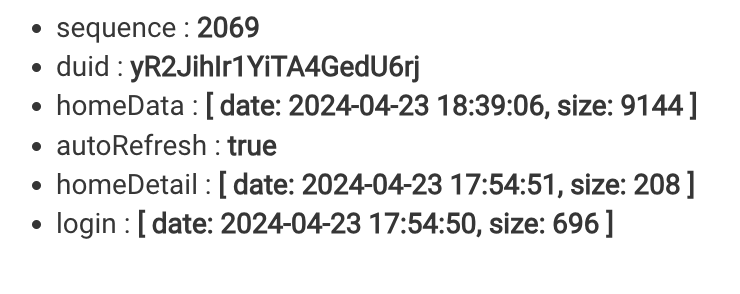
If you see 'autoRefresh' in the state section, the unit does see battery real time updates and I disable the 'workaround' refresh.
Wow, that is a huge improvement! I turned off my refreshing and I did a Q7+ room clean. The state updates are now almost instantaneous, or they were for my test run. Within a second or two after it started returning to dock, I got the returning dock state, and same when it got on the charger, said charging in like a second after dock complete.
I expected I would have to wait up to a minute to get the state update on the next refresh, Did you expect almost instant updates? I will have to test again, but it is looking better than good right now.
My Q8 is the same, it seems that the Q5 doesn't have the same real time reporting of units x6 and beyond.
I've also got an S8. I've got 3 floors set up, but am unsure on how to "set up same rooms again". Is that adding a new floor but remapping the one I want?
Just quoting from what I have read. You map a 'new floor' which is the 'same floor' and then set up the rooms with a different configuration. They should show as different numbers in the Hubitat UI for selection.
Region Australia - not supported?
I am in Oz and can run this using EU region. I have not done much testing though yet. I have a Q Revo.
I have a Q8 Revo and soon a Q8 Revo MaxV, and this is a VERY exciting driver to use!!!
Thank you for ALL your work on this!
So far, tested great on my Q8 Revo, and the execute command for emptying the dust bin. Worked great!
I have a S6 Plus and so far it seems to work fine with it. I will continue testing but so far this looks fantastic.
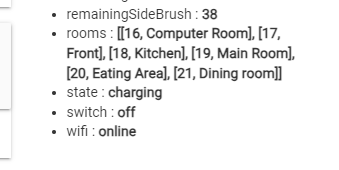
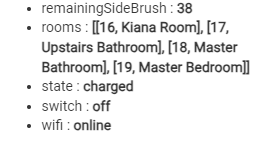
Well I don't know what I'm doing wrong but this seems odd. As suggested, I tried remaping my main floor as a new floor so I would have a copy of it to split and make new names to use as a vacuum only map to use with this device driver. One thing I noticed is when I switched floors in the app and refresh the device in Hubitat, the rooms have different names as expected, but the room numbers match the same numbers on my original main floor map. So out of curiosity I checked my 2nd floor map in the app, refreshed the device and it too has simpilar room numbers to my main floor map. I thought every floor (map) would assign a unique room number so they would all be different.
Original main floor map:
2nd floor room map:
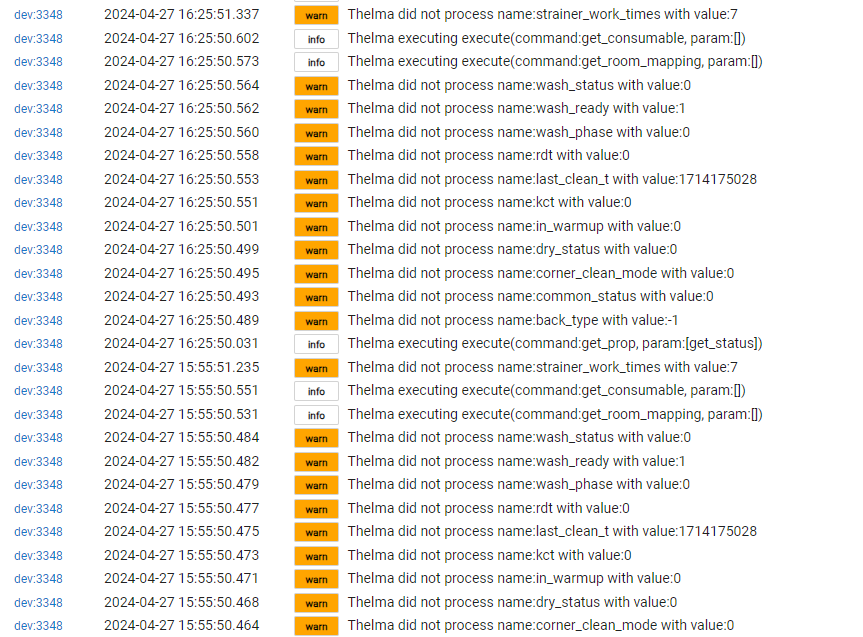
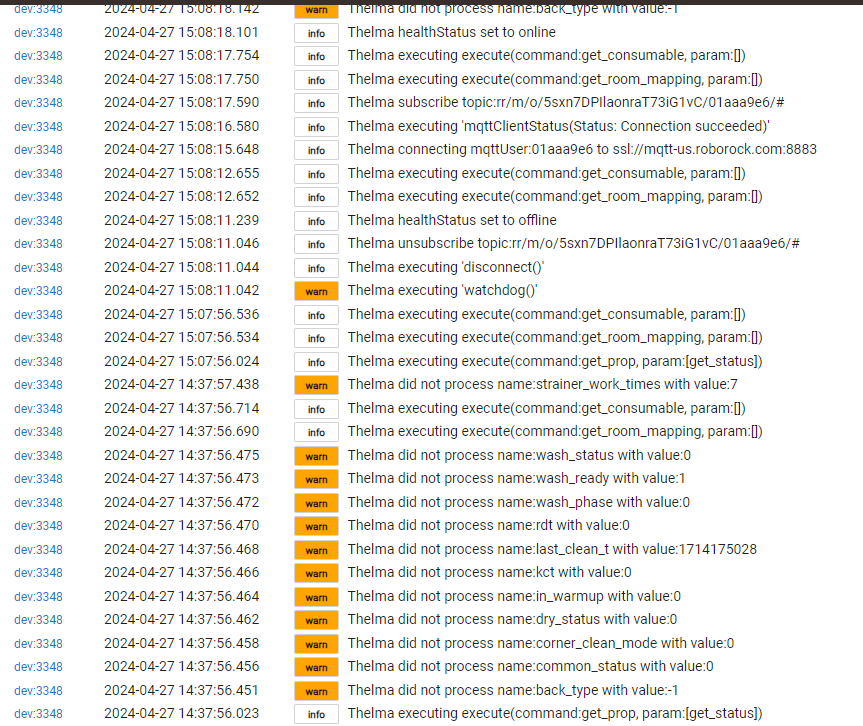
I have the Q Revo with the dock and I am getting these blocks of warnings:
Can these errors just be ignored?
The vacuum is just sitting in the dock "resting". Thelma is a lazy B and doesn't get out much... 
Try
command:set_water_box_custom_mode
params: [200]
before initiating the approomclean
That should vaccuum without mopping. (might want to add a slight delay between the 2 commands?)
Other options for configuring mop intensity (though custom and custom_water_flow could be a bit device dependent):
off = 200
low = 201
medium = 202
high = 203
custom = 204
custom_water_flow = 207
@Bloodtick_Jones Thanks for the great device driver!
Download the Hubitat app