[RELEASE] Roborock Robot Vacuum

Is this happening to anyone else?

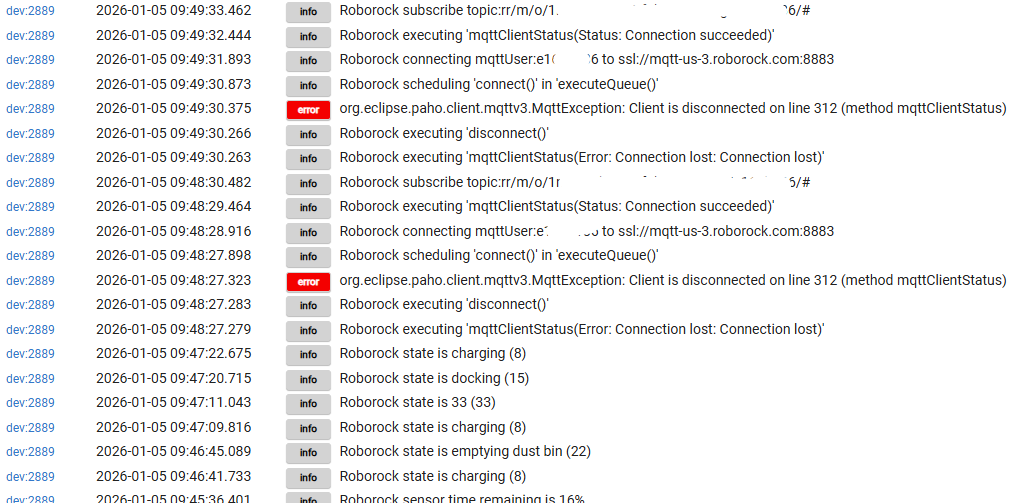
Sometime after I re-authenticated using 2FA, I find that the MQTT connection keeps getting dropped within a minute of the vac going idle. The driver then reconnects, but the connection repeatedly gets dropped thereafter.

My logs are just this repeated all day long:

This is right now after I ran the vacuum and told it to go back to the dock. You can see the MQTT connection dropped 1 minute after the vac went idle:

1 Like

:white_check_mark: Yes, me too. I thought it was only an issue with my Roborock CurvX model. The Roborock iOS app appears stable when I check it. I believe the iOS app resubscribes to their MQTT servers at mqtt-us-3.roborock.com:8883 when the Roborock iOS app is launched.

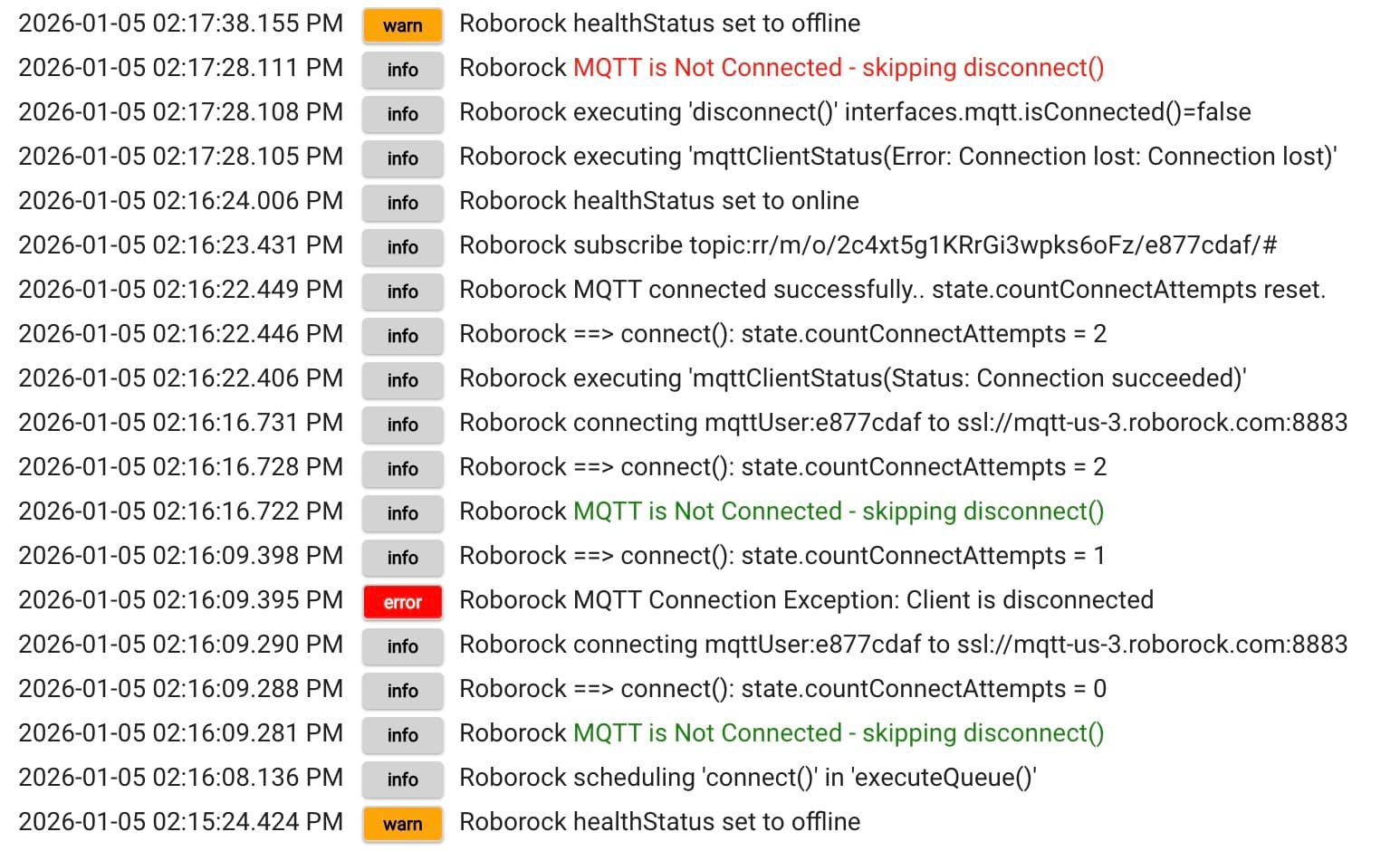
I modified the Roborock Robot Vacuum driver to auto-retry connecting twice after an MQTT disconnect. After two connection attempts, the driver exits and waits for the scheduled job to refresh.

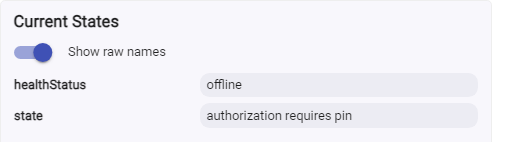
One could achieve this same reconnect logic using an HE Rule to detect when the driver's health status attribute is offline and then command the driver to Refresh. It would be wise in the Rule to check how many times the Rule retries to avoid creating an endless/runaway loop.

I have not been able to determine why the disconnect occurs, as other HE MQTT-based app connections are very stable.

My driver workaround is a temporary fix until the Roborock Robot Vacuum developer can investigate and recommend a more permanent solution.

warn Roborock healthStatus set to offline
info Roborock MQTT is Not Connected - skipping disconnect()
info Roborock executing 'disconnect()' interfaces.mqtt.isConnected()=false
info Roborock executing 'mqttClientStatus(Error: Connection lost: Connection lost)'
info Roborock healthStatus set to online
info Roborock subscribe topic:rr/m/o/2c4xt5g1KRrGi3wpks6oFz/e877cdaf/#
info Roborock MQTT connected successfully.. state.countConnectAttempts reset.
info Roborock ==> connect(): state.countConnectAttempts = 2
info Roborock executing 'mqttClientStatus(Status: Connection succeeded)'
info Roborock connecting mqttUser:e877cdaf to ssl://mqtt-us-3.roborock.com:8883
info Roborock ==> connect(): state.countConnectAttempts = 2
info Roborock MQTT is Not Connected - skipping disconnect()
info Roborock ==> connect(): state.countConnectAttempts = 1
error Roborock MQTT Connection Exception: Client is disconnected
info Roborock connecting mqttUser:e877cdaf to ssl://mqtt-us-3.roborock.com:8883
info Roborock ==> connect(): state.countConnectAttempts = 0
info Roborock MQTT is Not Connected - skipping disconnect()
warn Roborock healthStatus set to offline
info Roborock MQTT is Not Connected - skipping disconnect()
info Roborock executing 'disconnect()' interfaces.mqtt.isConnected()=false
1 Like

I’m not seeing any errors at all. My logs are actually weirdly clean since the last reconnect on Jan 1.

Hate to give the cheap troubleshooting answer, but can you reboot your Hubitat hub(s) and see if it helps? When I was building the driver, I ran into some odd MQTT behavior and a reboot fixed it for me.

LMK if that changes anything. Also curious if anyone else is seeing this.

To note:

This connection is actually given from your user/pass login. The system passes the app the proper connection points. If you turn on debug and reauthorize, you should see these values.

1 Like

Rebooted the C8 hub, but still seeing disconnects after 1-2 min...

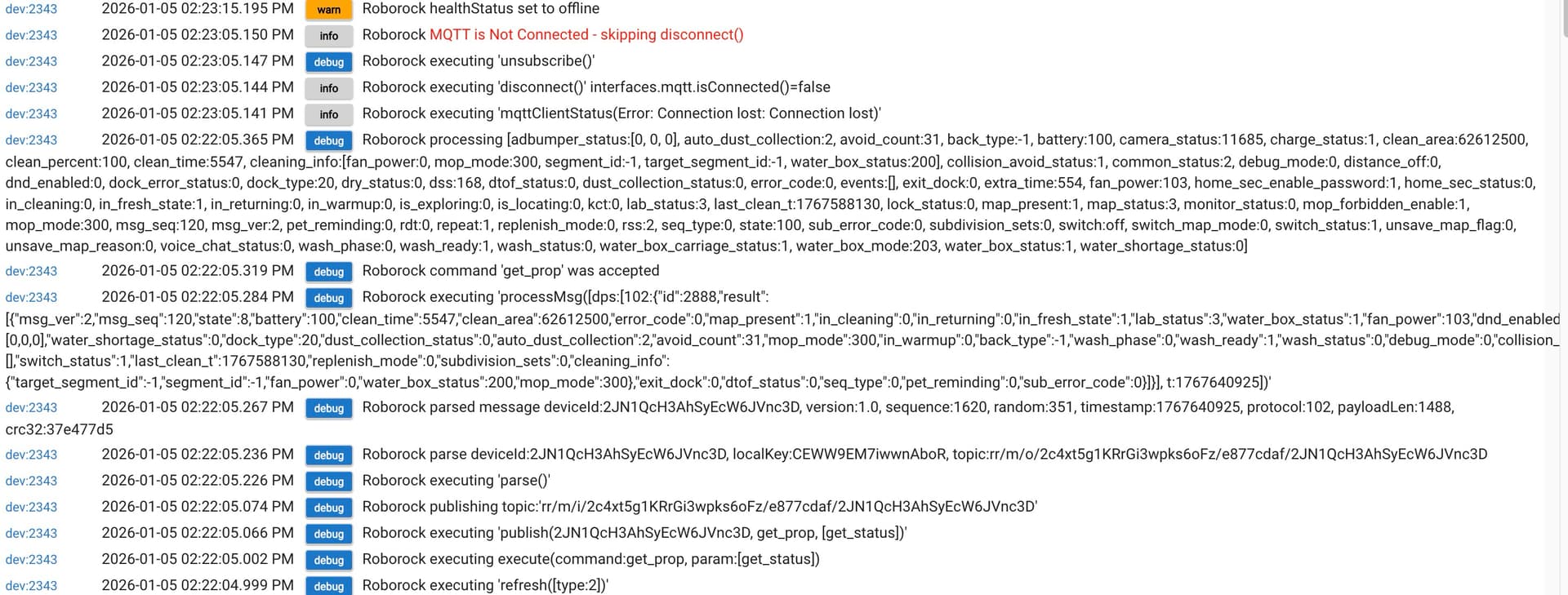
I have highlighted the log lines showing MQTT disconnects. It looks like the Roborock MQTT is getting a "Client is disconnected" message when trying to re-connect?

Here is more log info from debug

I did just update my hub (C-7) to the latest beta release, and these disconnects were still happening afterwards.

(my vac is a Saros 10R)

1 Like

Folks still see issues? My single unit continues to look good in the logs.

Yes.

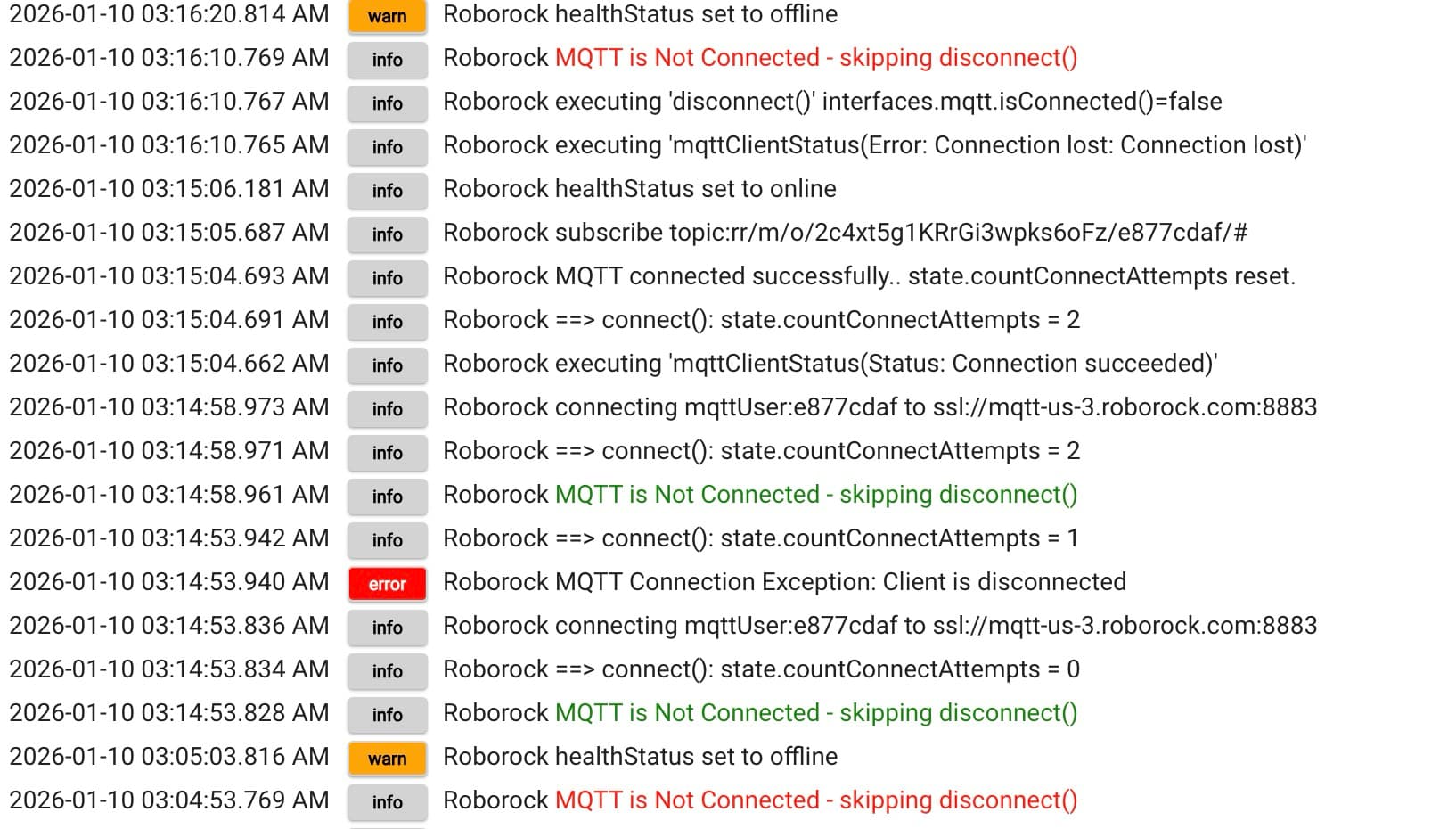
Yes. It looks like the MQTT connection is getting dropped after a minute:

Hi, does this driver work for account regions outside US, EU, CN, RU? I cannot seem to get past the authorisation part.

image

The driver will auto search for the correct region. Right now it is asking for the 2FA code to authorize. Check your email and input the code into the UI.

that's odd. my username and password are correct. but there is no email prompt on 2FA or what not.

Did you request via the UI? There are instructions above and then check your logs. To note, I didn’t test this a lot. So YMMV.

ahhh this was it. thanks!

1 Like

Hi, I'm in the uk and I've been trying to get my Roborock Q10 S5 working with this driver and hitting a wall. Authentication works fine (including the email code flow), but I can't get the vacuum to show as online despite it being visible and controllable in the Roborock app.

I've been trying to work through this with claude.ai and apparently this is the relevant debug line. Can post more if needed.

getHomeDataCallback() [devices:[], geoName:null, id:11622476, lat:null, lon:null, name:My Home, products:[], receivedDevices:[], rooms:[]]

error wifi offline
healthStatus offline
name unknown
numberOfButtons 1
scenes {}
state authorized

State Variables

duid null
homeData [ date: 2026-03-01 10:31:19, size: 276 ]
homeDetail [ date: 2026-03-01 10:26:47, size: 204 ]
login [ date: 2026-03-01 10:26:46, size: 724 ]
sequence 204

Things I've tried:

  • Multiple accounts (including a brand new one)
  • Factory reset of the vacuum and re-adding to the app
  • EU region setting
  • Both password login and email code login
  • Have tried various ssids on my network with complicated characters and far more simple ones. The most simple was just numbers and letters.

The vacuum shows as online and charging in the Roborock app throughout. The driver authenticates successfully (state 503) but device id remains null because devices is always empty.

Is this a known issue with the Q10 S5 model or a recent API change? Has anyone else seen this?

Thanks
Tim

Update to my original post - with additional information and fuller logs:

  • App: Roborock official app (Android)
  • Authorization type: Email verification code + password
  • Device model: Roborock Q10 S5 (roborock.vacuum.ss07)
  • Region: EU (UK)
  • Previously authorized: No, this is a new account and first time setup
  • Logs with debug enabled:

dev:26112026-03-01 11:20:53.256

debug

Dorris executing 'asyncHttpCallback()' status: 200 method: getDeviceScenes

dev:26112026-03-01 11:20:53.179

debug

Dorris device id is null

dev:26112026-03-01 11:20:53.178

debug

Dorris executing 'getHomeDataCallback()' [devices:, geoName:null, id:11622476, lat:null, lon:null, name:My Home, products:, receivedDevices:, rooms:]

dev:26112026-03-01 11:20:53.174

debug

Dorris executing 'asyncHttpCallback()' status: 200 method: getHomeData

dev:26112026-03-01 11:20:52.097

debug

Dorris executing 'unsubscribe()'

dev:26112026-03-01 11:20:52.097

info

Dorris executing 'disconnect()'

dev:26112026-03-01 11:20:51.530

info

Dorris scheduling 'connect()' in 'executeQueue()'

dev:26112026-03-01 11:20:51.527

debug

Dorris executing execute(command:get_prop, param:[get_status])

dev:26112026-03-01 11:20:51.526

debug

Dorris executing 'refresh([type:1])'

dev:26112026-03-01 11:20:50.761

info

Dorris device id is null

dev:26112026-03-01 11:20:50.305

info

Dorris device id is null

dev:26112026-03-01 11:20:49.806

debug

Dorris executing 'asyncHttpCallback()' status: 200 method: getDeviceScenes

dev:26112026-03-01 11:20:49.692

debug

Dorris device id is null

dev:26112026-03-01 11:20:49.691

debug

Dorris executing 'getHomeDataCallback()' [devices:, geoName:null, id:11622476, lat:null, lon:null, name:My Home, products:, receivedDevices:, rooms:]

dev:26112026-03-01 11:20:49.687

debug

Dorris executing 'asyncHttpCallback()' status: 200 method: getHomeData

dev:26112026-03-01 11:20:49.482

info

Dorris scheduling 'connect()' in 'executeQueue()'

dev:26112026-03-01 11:20:49.477

debug

Dorris executing execute(command:get_prop, param:[get_status])

dev:26112026-03-01 11:20:49.471

debug

Dorris executing 'refresh([type:1])'

dev:26112026-03-01 11:20:48.758

debug

Dorris executing 'unsubscribe()'

dev:26112026-03-01 11:20:48.757

info

Dorris executing 'disconnect()'

dev:26112026-03-01 11:16:22.092

info

Dorris scenes set to [:]

dev:26112026-03-01 11:16:22.089

debug

Dorris executing 'asyncHttpCallback()' status: 200 method: getDeviceScenes

dev:26112026-03-01 11:16:22.027

warn

Dorris healthStatus set to offline

dev:26112026-03-01 11:16:22.013

warn

Dorris error is wifi offline (256)

dev:26112026-03-01 11:16:22.012

debug

Dorris device id is null

dev:26112026-03-01 11:16:22.011

debug

Dorris executing 'getHomeDataCallback()' [devices:, geoName:null, id:11622476, lat:null, lon:null, name:My Home, products:, receivedDevices:, rooms:]

dev:26112026-03-01 11:16:22.008

debug

Dorris executing 'asyncHttpCallback()' status: 200 method: getHomeData

dev:26112026-03-01 11:16:21.972

debug

Dorris executing 'asyncHttpCallback()' status: 200 method: getHomeDetail

dev:26112026-03-01 11:16:21.935

debug

Dorris executing 'getLoginData()' cache

I just did a few searches and it seems that model may have some API limitations and may not work with external systems very well.

It’s been a bear to integrate apparently. The only place it’s partially working is on Homey. Surprisingly even the Home Assistant guys don’t have it working yet.

Wonder what ia unique about that vacuum that ia making it so hard to get working. My old S6 has worked with this driver for a long time. A new qrevo curve 2 flow came right online as well.

Apparently, according to the devs working to get Q10 and Q7 integrated, Roborock completely changed the methods and formatting. The Q7 and Q10 don’t even share the same mapping format, so when the dev for Homey got it working for Q7, that work wasn’t valid for Q10. These are also both cloud only models. No offline mode like the other Roborock models. Explains why my Q10 S5 was less expensive I suppose.

It’s not open, so reverse engineering it is taking some time. I am quite surprised the devs working on the Home Assistant integration haven’t added these model at least in part, but maybe the fact that these are cloud only and that integration is designed to handle both is partly the reason. :man_shrugging:

Once HA has a solution, I will attempt to reverse engineer to HA. On vacation this week so don’t have cycles to review anyway.

1 Like

This must refer to newer models only? I've had my Q7 Max+ connected for over a year.