Anyone seeing random authorization errors and your device going offline the last few days?
I have now reset my S8 twice and have the HA driver disabled to determine root cause.
Anyone seeing random authorization errors and your device going offline the last few days?
I have now reset my S8 twice and have the HA driver disabled to determine root cause.
Mine is not yet connected to HE, but I haven’t seen any issues.
Yes. Both of my Roborocks went on strike and showed offline, even though both were docked and fully charged. I reset wi-fi on both and they went back online.
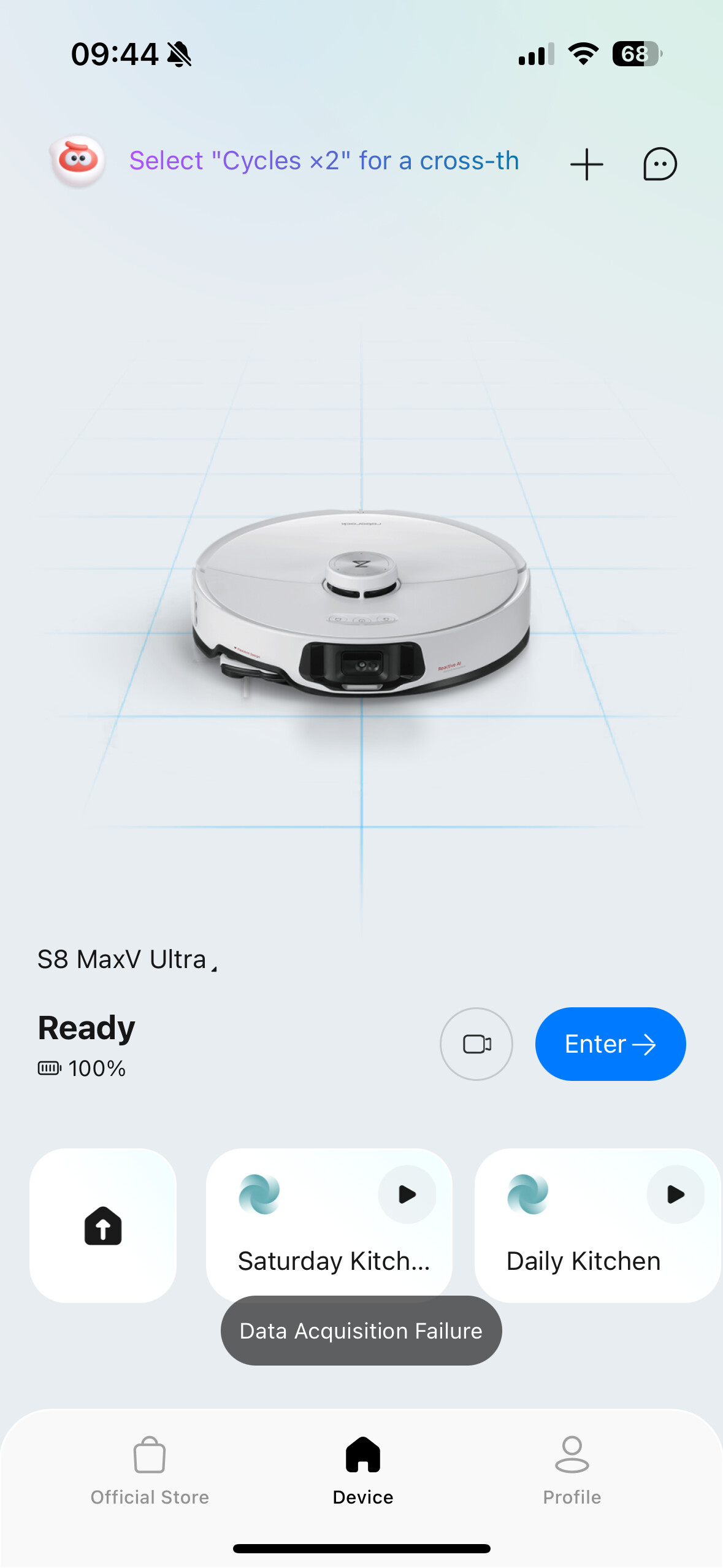
This morning, one of them is offline again. The other says it is online, but in the Roborock app, if I try to open it up, it says "Data Acquisition Failure".
I'll probably disable the integration for troubleshooting too.
I had thoughts it might be related to my router (which is eero for the sake of finding common elements).
Just looked and mine shows offline as well.
My arm chair thoughts are they have changed the mqtt server to monitor attachments and kick the device off it remains on net too long. The mobile apps only attach when you have the app open and active.
I reenabled my S8 this AM and will figure out a way to detach similar. It will cause a status delay if the device is triggered outside of the HE driver.
Ok, I take it back. My Roborock is offline too.
Oh wait. You don't have any Roborock integration with Hubitat, and you still are having the issue? Then that means this must be happening to everybody.
Oh, this does sounds like a good 'bad' thing then if @Sebastien is seeing the offline problem without HE device driver attached. I should have some cycles to work the code on Sunday if not.
I checked reddit/r/roborock and it was quieter than I expected it to be if this was affecting many people. Of three people posting this issue there, at least two were using Hubitat. Maybe even people in this thread.
I was getting this error (Data Acquisition Failure). After rebooting the Wifi Mesh and the robot, it is now saying offline. I’ll try to reconnect it later today.
Same error I was getting (twice now). You have to do the complete WiFi delete/connect to get it back, and then it was slow acting for a couple mins/attempts.
Mine also offline - what was weird though - I pulled it out of the dock to reset the wifi - and - in doing so it came back ON-LINE. I have subsequently had it do 1 room clean and one routine no problems. Let's see if it stays online - be interested If Bloodtick finds it somehow tied to the HE integration.
S4 online in both the app and the integration. I have not received any notification that it was offline since about a week or so ago when it went offline and I had to reset the WiFi to get it back online.
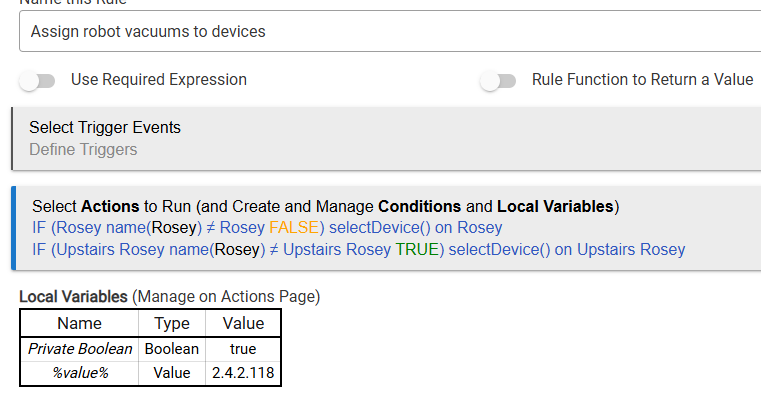
I noticed a few days ago that one robot had not been cleaning for five days, and I found that the device in Hubitat was showing offline without attributes listed. All I did was press Select Device and it went online and populated the device attributes with the correct robot.
It then went offline again a day or two later, and pressing Select Device again fixed it, but the first press brought up my other robot, so I pressed it again and it correctly changed to the correct robot as the command is supposed to do. Either way, it brought it back online. The other robot never when offline that I know of. The one that stayed connected is an S5, and the one that disconnected is a Q7 Max+.
My robots were not offline in the roborock app, or if they were, they reconnected as soon as I entered the app, but they did not show offline on the robot select page of the roborock app, so I don't think that they were ever offline in the app when the issue started.
I do the following at every hub startup. Upthread there was some discussion about not needing to do this, but as you can see by current values, they do get out of sync at times. I'm going to do this every 10 minutes now. If it doesn't need to be done, it doesn't do anything.
My s7 maxV is still connected in both the app and Hubitat.
Currently running 1.1.10 of the integration.
Might be good to know what region people are in...that AWS outage last week was mostly US...and this started about the same time. @darren3220 it looks like you might be UK and would be using the EU mqtt.
I am US, and see the problem, but haven't seen it yet today, its been over 12 hours.
That could be it. I'm in Australia.
Just went to the app to re-connect the vaccuum and found that it has reconnected itself. All good again.
Same here. Before it showed offline in the app and on the HE device. My dashboard attributes in HE were messed up as well. Now all is correct.
Download the Hubitat app