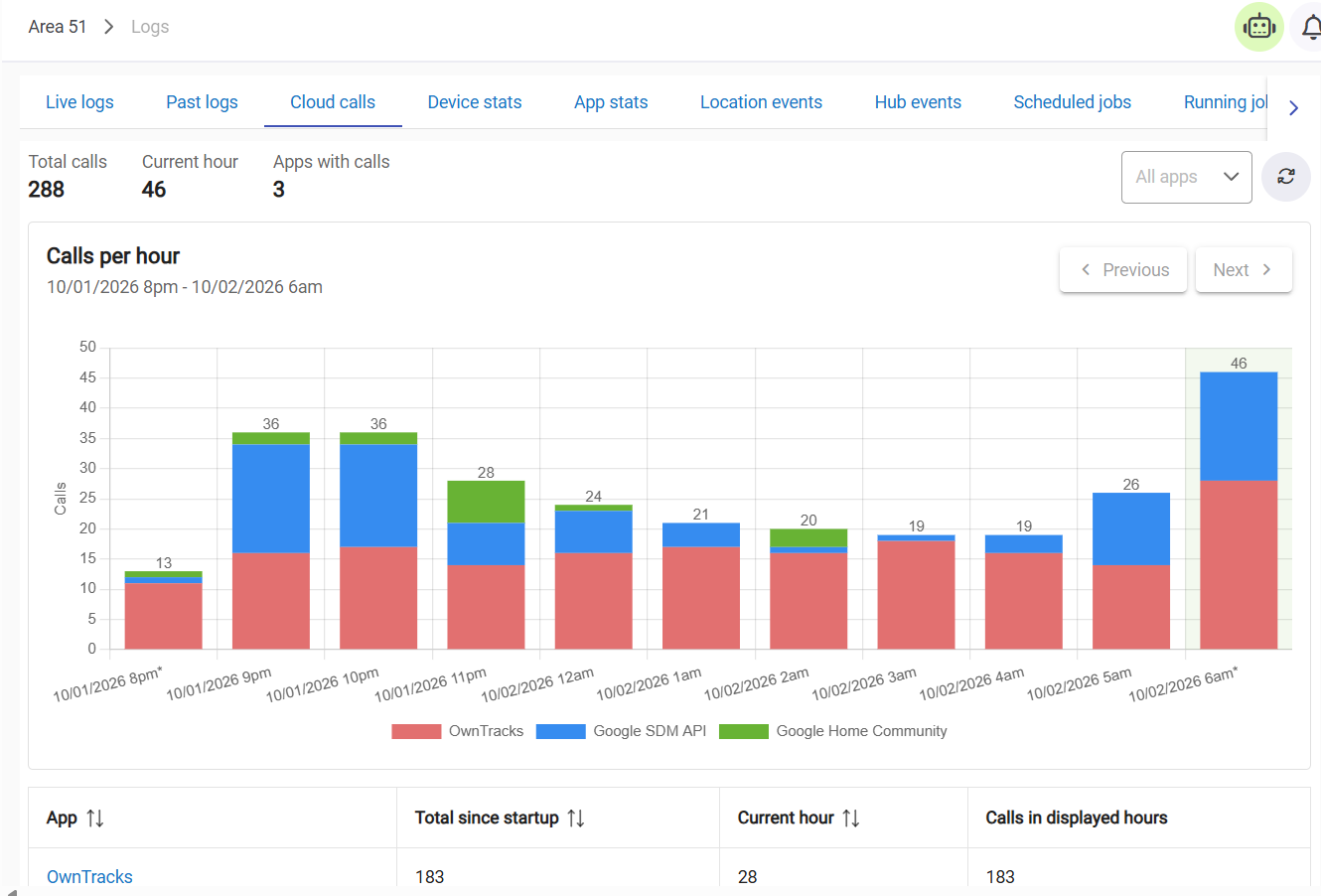
I just did that so we'll see.
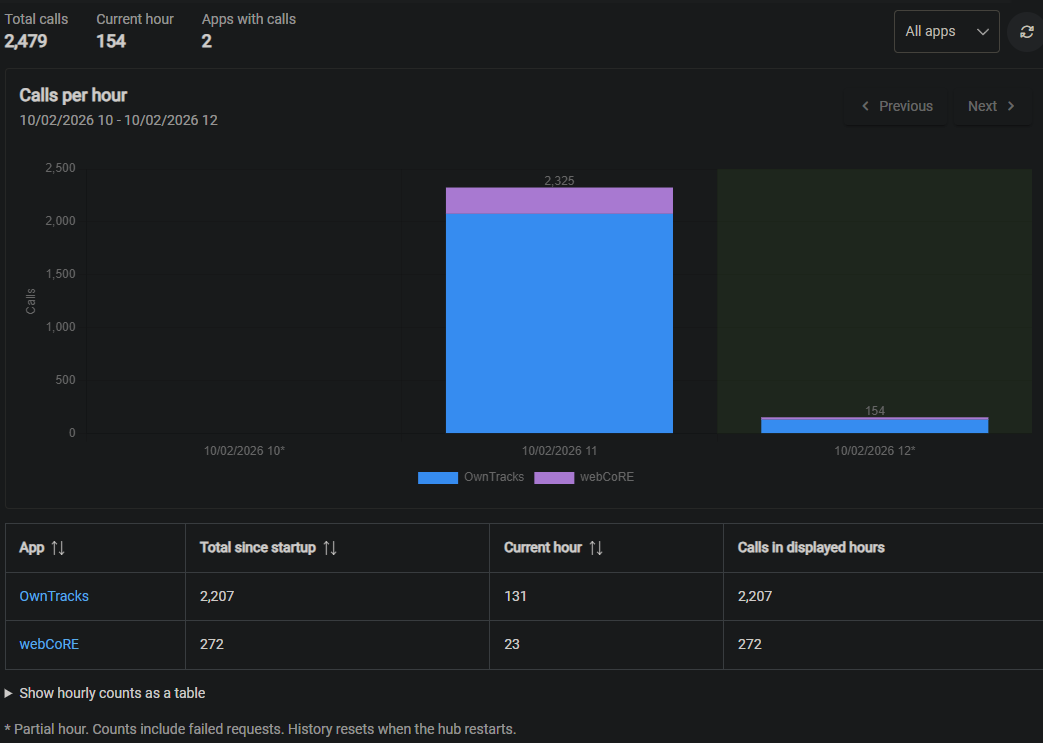
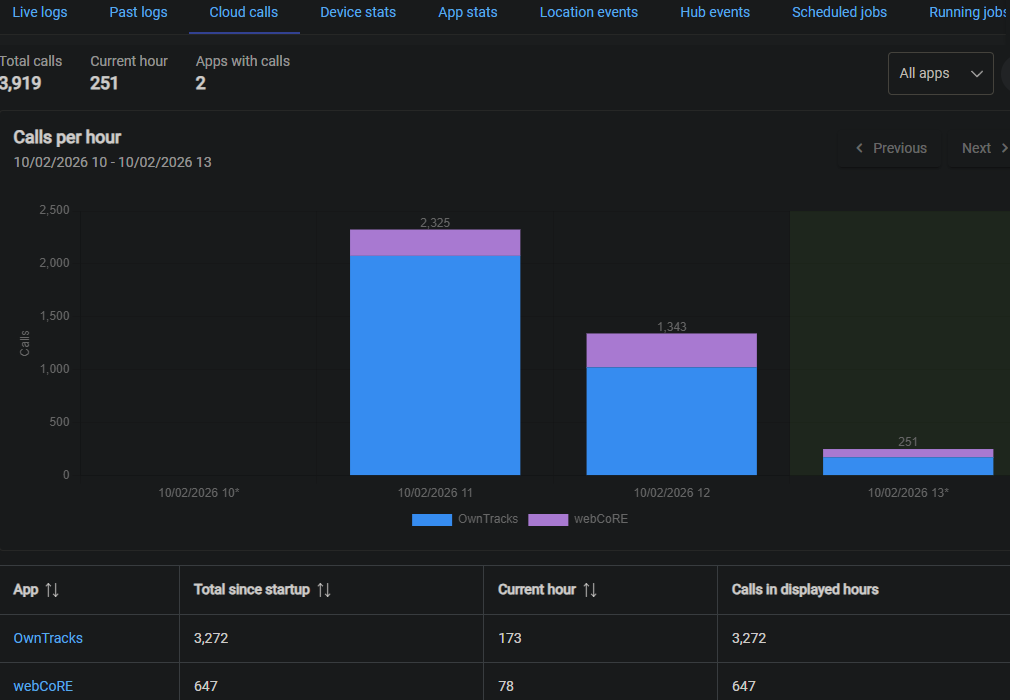
Doubled in the last 1:20
Testing tonight by turning off our phones and the numbers keep rising.
Is that just OT trying to call home and the phones don't answer?
I've had an issue a couple of times where when my phone 'wakes' up in the morning it changes my presence to away and then back home after a few seconds.
I thought I'd ask our 'friend' gemini if there was anything that could stop this. Apart from checking the usual, battery optimization, location settings etc, this is the answer.
Switch MAC address type from Randomized MAC to Phone/Device MAC.
When your Pixel sits stationary with the screen off for hours, Android enters a deep hibernation state called Doze. To save battery, it pauses GPS tracking and queues up background network tasks. The moment you physically pick up the phone, the motion sensors wake it up, causing Android to instantly dump all queued-up location requests and recalculate your position. Because the GPS radio is still warming up, the initial position estimate has a very wide, inaccurate margin of error—often placing a "ghost" coordinate hundreds of metres outside your actual home, which triggers the Hubitat "away" automation.
In the OT app go to locatorInterval and make sure it is set to at least 180 (seconds) to slow down aggressive polling right at boot/wake.
By changing it from 1 minute to 3 minutes, you are preventing the app from aggressively blasting your Hubitat with an inaccurate coordinate the exact moment you wake the phone up. It gives Android a chance to settle down its location estimation first.
Whether any of this will make a difference, who knows, but I'd just thought I'd post it here for information and/or comment should you wish to.
My morning question exactly.
Before I remove and re-do the whole ecosystem today I was going to ask if you think Dashboards have any involvement.
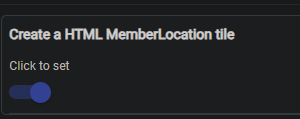
I have 2 tiles on 6 tablets that show my wife and overall family presence.
I didn't think the Dashboards would be doing cloud calls as I thought the data would be coming direct from the HE OT data.
My first step today was going to be the deletion of these tiles and monitor before I re-do the phones and app install.
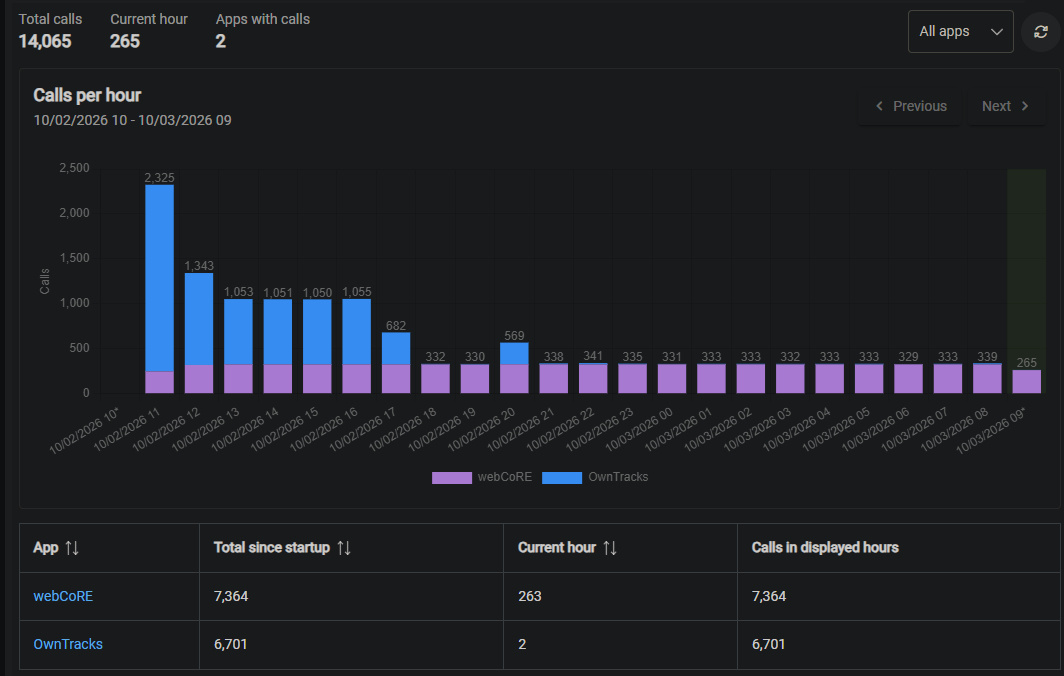
17 hours, 
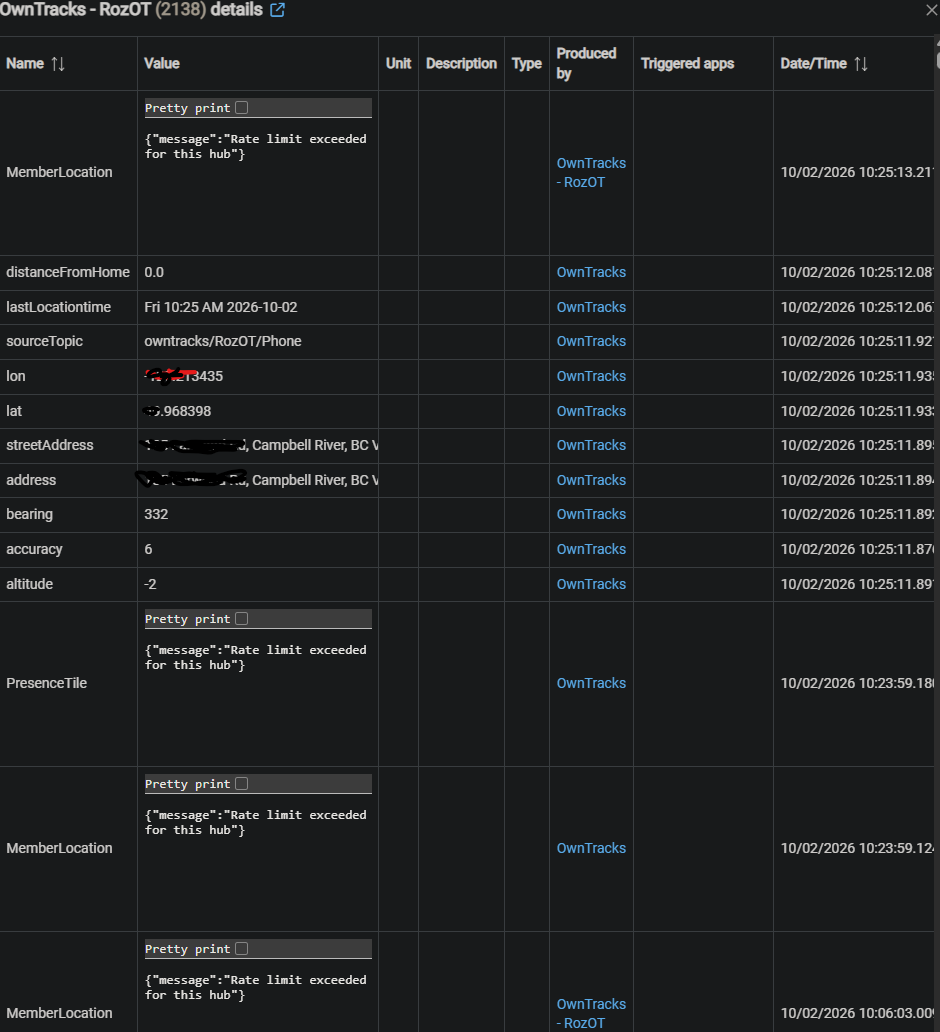
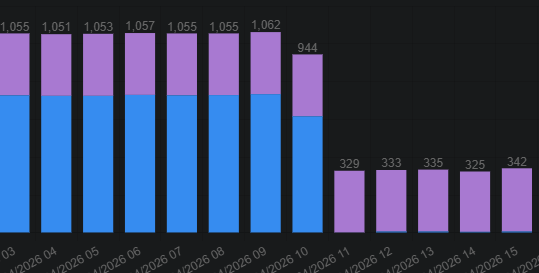
Lots of this:
The tiles will be refreshing locations on a period basis up to the cloud. You would be better off just using the local URL's for those vs the cloud ones. I only use the cloud dashboards on my phone when I'm away from home.
Right now my hubs are on 2.5.2.129 which got those graphs (it was new on this update).
That feels like something up with those tablets. Like they are perpetually refreshing the displayed page, or your phones are just hammering the hub which would force a refresh on each location..
I could reinstall the phones. Just the Play store version seems ok now?
Sure glad I retired so I could pss around all day with this stuff. 
Beats golf. 
A good walk spoiled.
The play store would be fine. That being said, nothing really has changed there in the phone side that should impact what you are seeing.
Crazy talk. My understanding it allows you to drink 'n' walk, while not being judged. Normal drinkin' and walkin' raises eyebrows. 
On that note, I did push 1.9.9 that gives you a toggle to switch between the cloud/local links for the mobile setup when you are in that screen or the dashboard links as well (just to make it cleaner).
There is a bug fix for a regression I added a while back around the address display (address = street address). Only noticed it when my kid was at a strip mall and the address displayed as "Bank Account Required/send Location Only, 4110 Brentwood Rd NW, Calgary, AB T2L 1K8, Canada". Not my monkey, not my circus, but someone there should address the reported address.
True. The great improvement is porta-potties between holes now.
It's not about your handicap for most of us.
In the prairies they even give you a shovel to play through.
What are you using as the dashboard where those tiles were displayed? Was that the native Hubitat one, or a different one? The each family map does a periodic refresh (every 5-seconds if no new updates occurred), and the dashboard might be doing something more aggressive on top of that. Let me know and I can see if there is something I can do on the map page for this.