These two Hubitat applications allow one to connect to a network-connected spa, which is equipped with a:
-
Balboa Water Group 50350-07 WI-FI Module with 7ft interface cable for BP Systems (Expensive/Disconnects Randomly/Cloud Access).
-
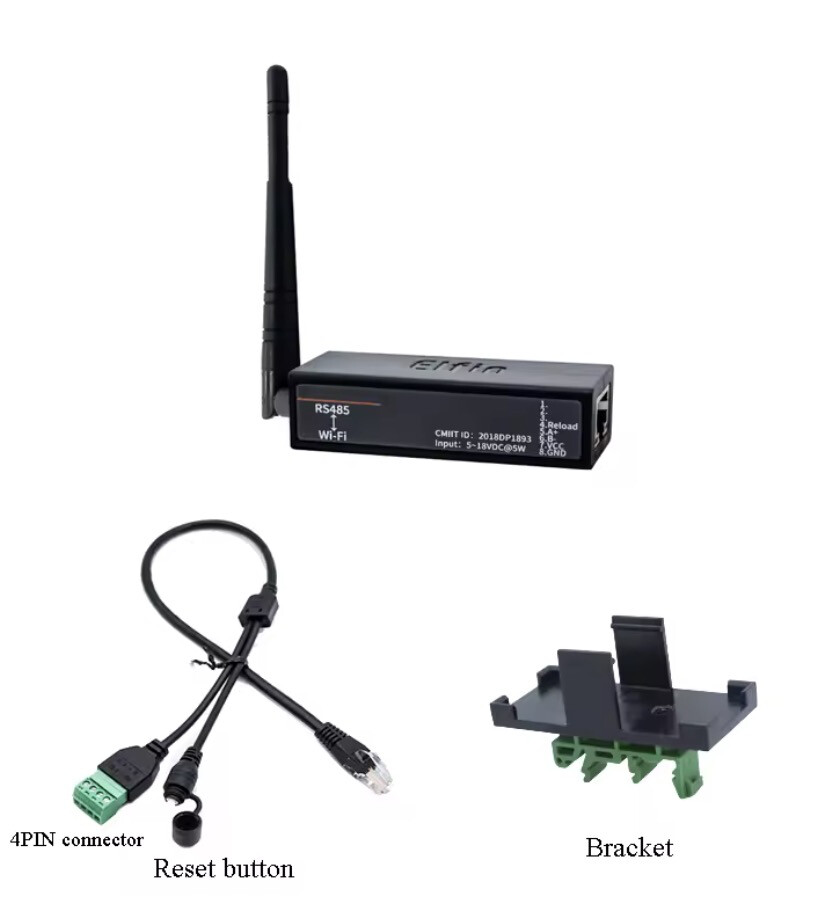
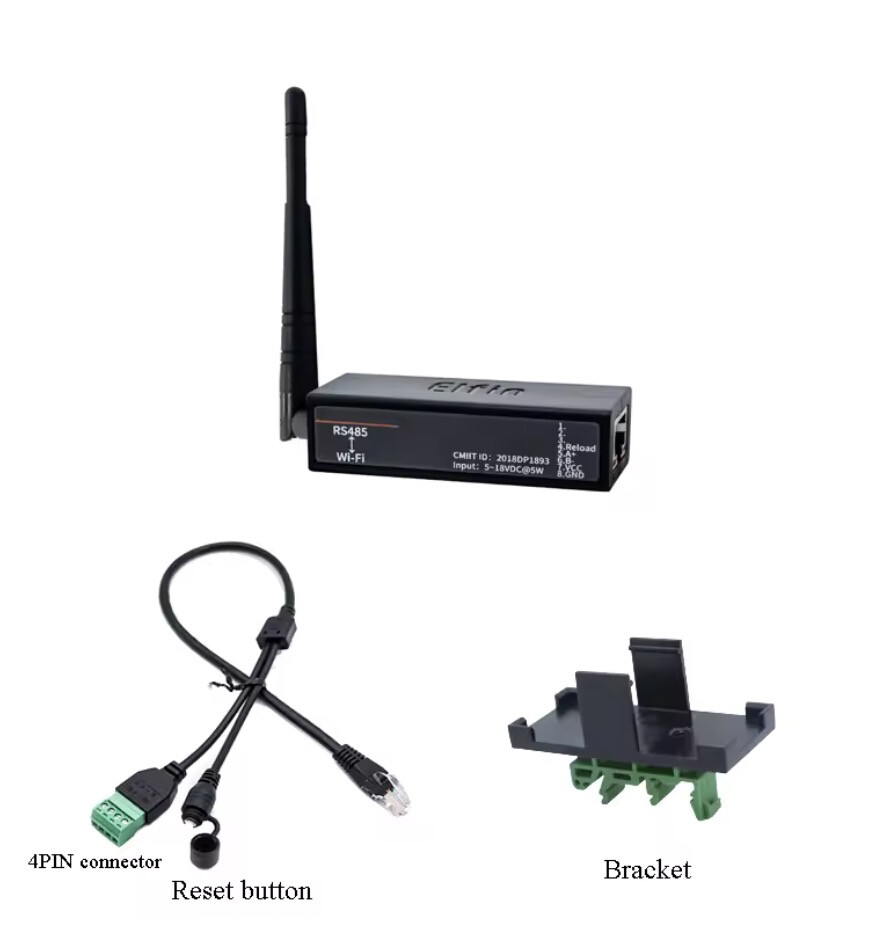
Serial Port RS485 to WiFi Serial Device Server Elfin-EW11 Support TCP/IP Telnet Modbus TCP Protocol IOT Data Transfer Converter (Best/Economical Option)
AliExpress Purchase Link
You'll need an ATX Molex Micro Fit Connector to connect to the communications port of the Balboa equipment. I also recommend:
-
Silicone-coated wire optional if you already have wire, but much easier to work with
-
Heat Shrink Tubing or Electrical Tape
-
Soldering Iron and solder
-
Good wire strippers/cutters
-
Multimeter
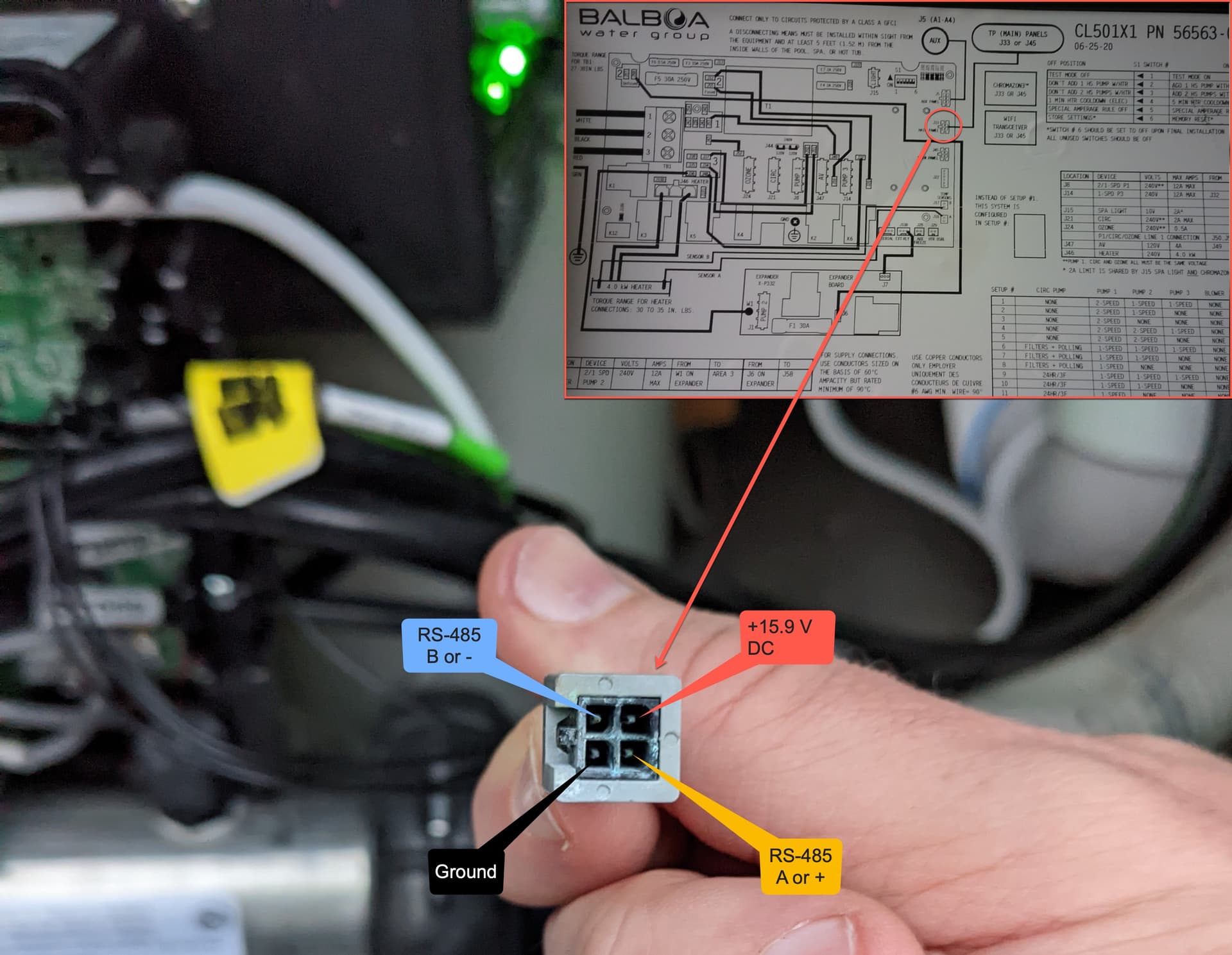
The hot tub had a small Y-Cable hanging outside the control box that you can plug into for power and to access the RS-485 communications of the tub. If you don't have this cable, you can likely plug into the main control board if it has the same outlet type. This should be the same type of connector used for your control panel.
The connection is an ATX Molex Micro Fit Connector 4Pin (no, not the same as your old ATX power supply, I know, I tried too). Cut the one you ordered in half since you'll be making your own cable. Strip the ends of the ATX Molex Micro Fit connector. Be careful not to short anything, and plug it into your tubs' Y-cable or J33/J45 port. Confirm and tag the wires for +V, ground, and RS-485 A/+ and B-, they should match the image.
Disconnect the cable and solder ~36 inches of Silicone-coated wire to each end, using the color that corresponds to the pin. Use some Heat Shrink Tubing or electrical tape to protect your soldered connections. I suggest crimping some 22AWG ferrules to the ends of those cables, or you can just tin them and be careful.
| Color |
Pin/Wire |
| Red |
DC + |
| Black |
Ground |
| Yellow |
RS-485 A/+ |
| Blue |
RS-485 B/- |
You can now connect the wires as shown in the image below to the screw block at the end of the EW11 interface cable.
NOTE: You can disconnect the terminal block to make it easier to work with.
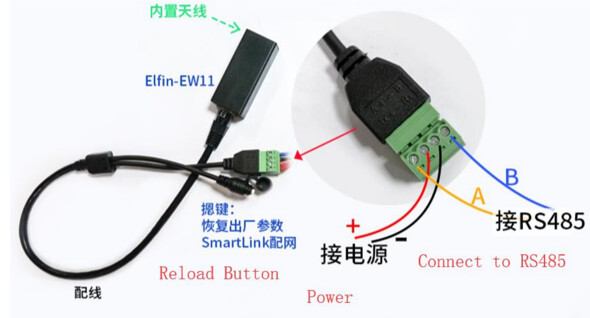
Plug everything in and confirm you can access the EW11's web interface.
I drilled a small hole in the bottom of the hot tub's plastic media device enclosure, routed the cable in, and stashed the EW11 in there. The media pocket has the added benefit of being unshielded, unlike the rest of the tub, which has foil insulation.
Integrate your spa Balboa BP Control System WiFi Module or Elfin EW11 to the Hubitat environment with the following features:
- View real-time temperature
- Set the spa's clock time to the same as the Hubitat Hub.
- Set heatingSetPoint temperature
- Turn on/off lights and pumps
- Set & automate High/Low & Rest/Ready modes to reduce energy usage
- Control spa using Hubitat's Rules/WebCore
- Set temperature scale (°F|°C)
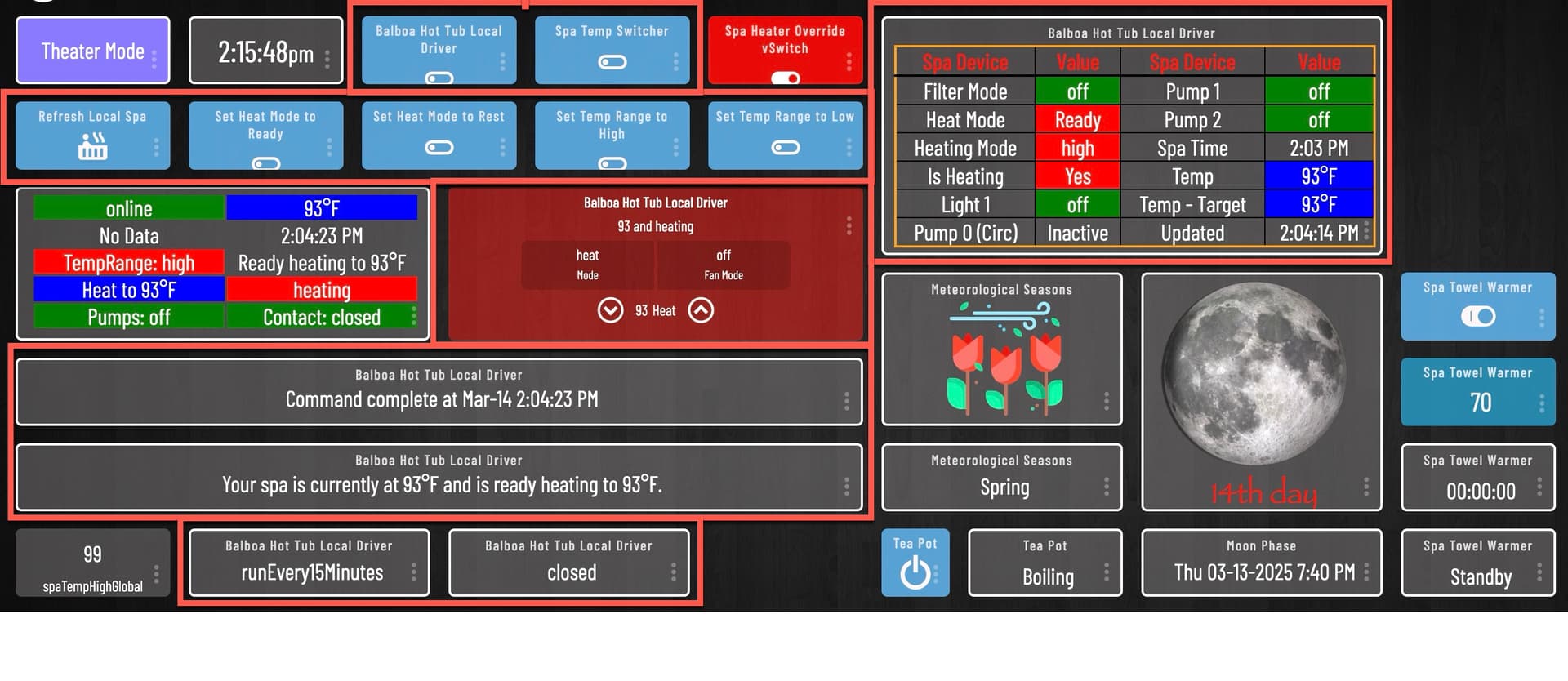
- Integrated HTML table showing spa status
Choose from one type of connection below for spa control:
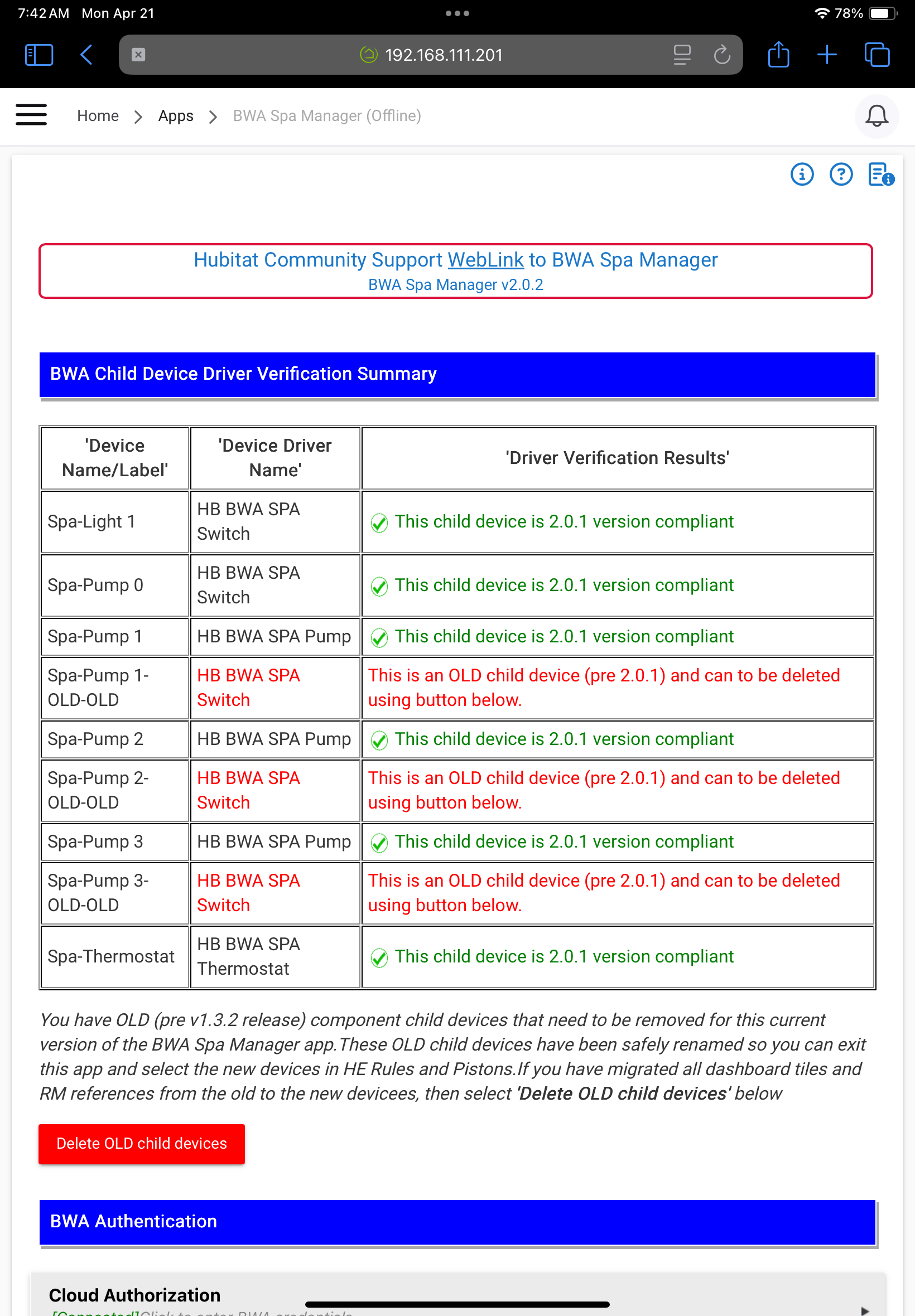
1. Cloud Control App & Drivers (Legacy)
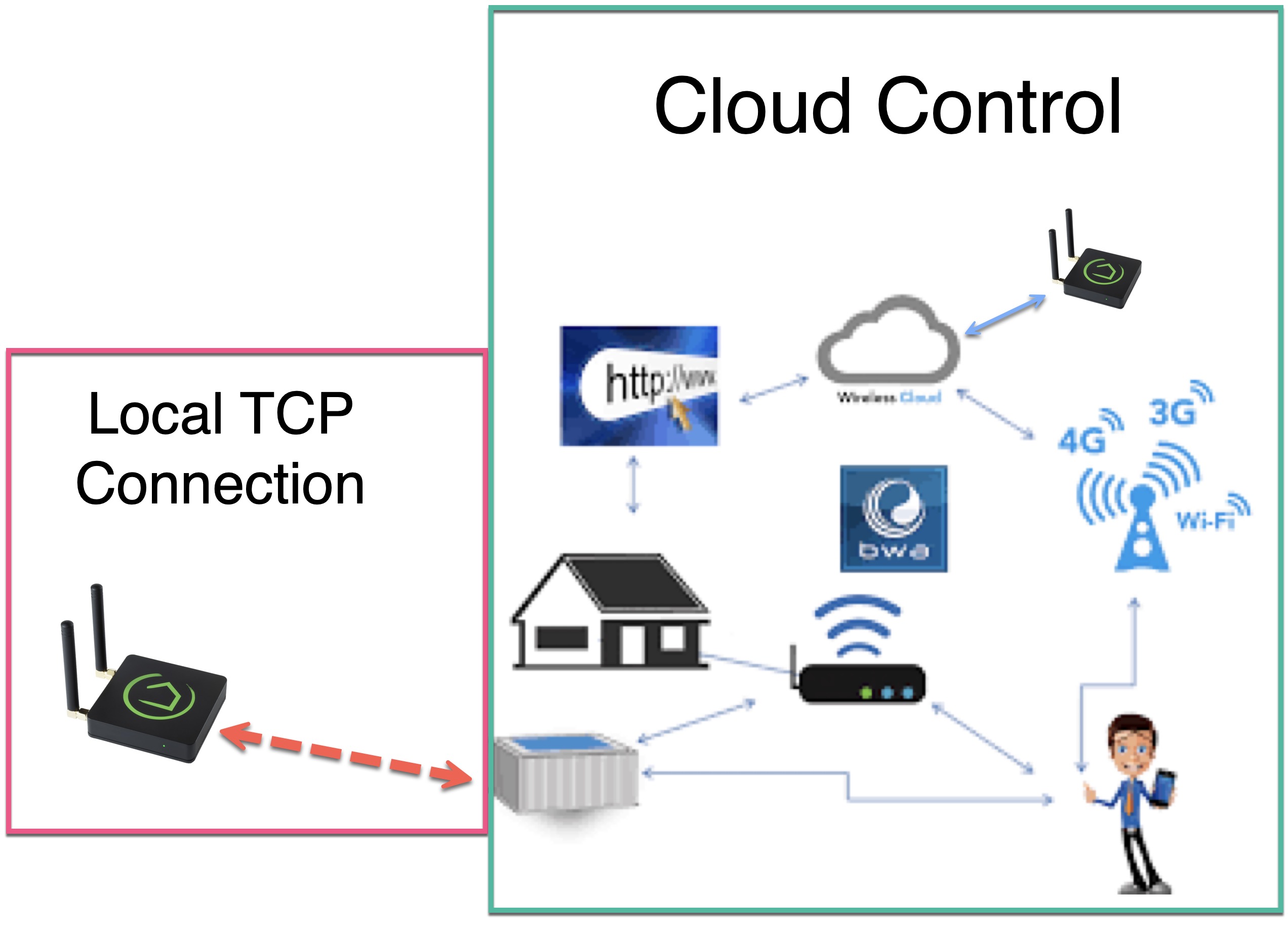
- The Hubitat Hub indirectly connects to the Control System WiFi Module via the internet BWA Cloud Server.
- The BWA Cloud server often loses connection to the Control System WiFi Module, which makes this app unreliable,
- Requires Spa Control - BWA mobile app for spa configuration and access.
- Download the app from Apple/Google app stores and create a username and password.
- Install app/drivers using HPM.
2. Direct Local TCP Drivers (New)
- The Hubitat Hub connects directly to either the Spa Control System WiFi Module or Elfin-ew11 RS-485 via the home network.
- Since the Hubitat Hub creates a raw TCP socket directly to the Spa Control System WiFi Module, this parent driver provides a fast & robust connection.
- The Spa's WiFi module must be on the same network as the Hubitat hub.
- Requires Spa Control - BWA mobile app for spa network configuration and access.
- Download the app from Apple/Google app stores and create a username and password.
- Install parent driver using HPM.
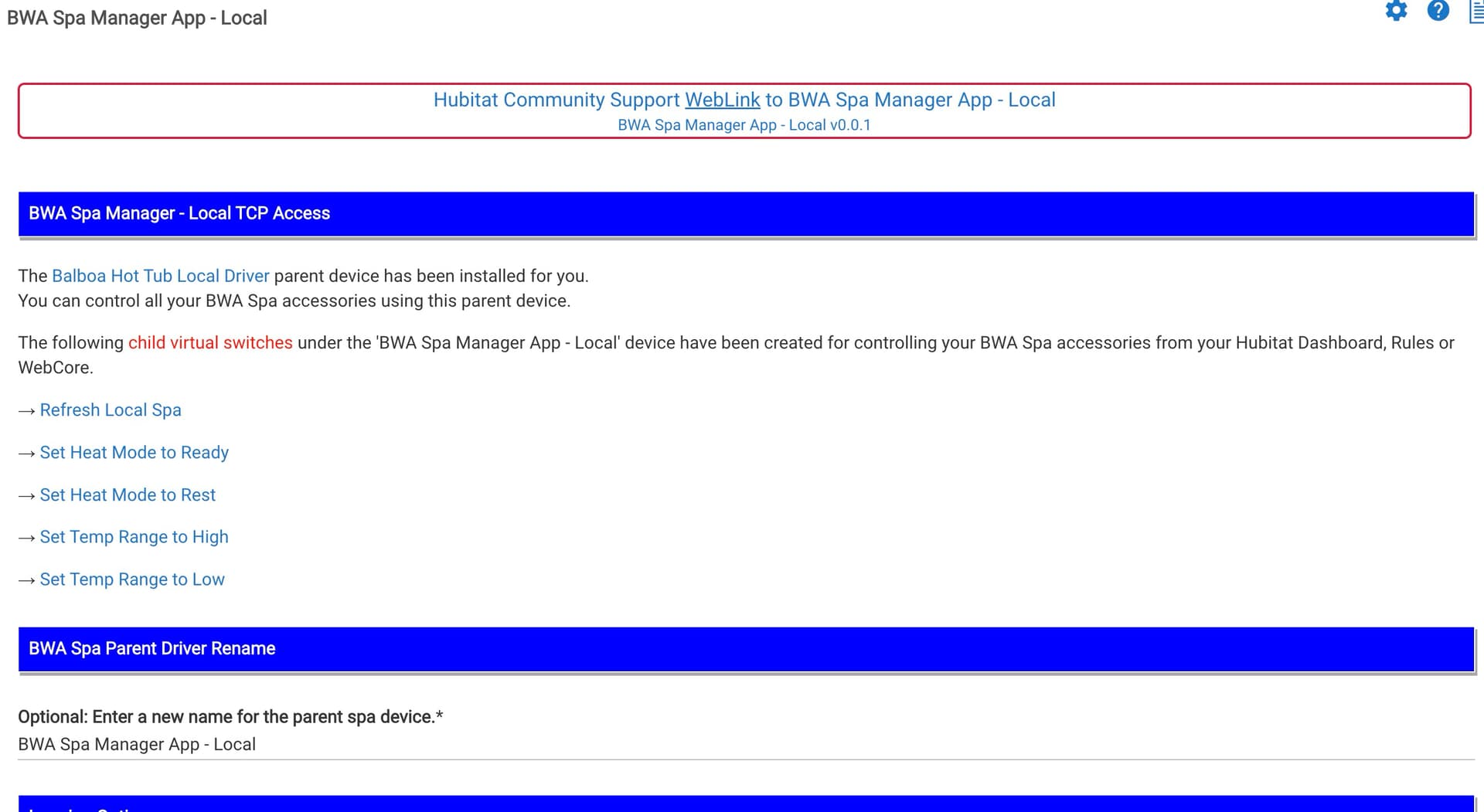
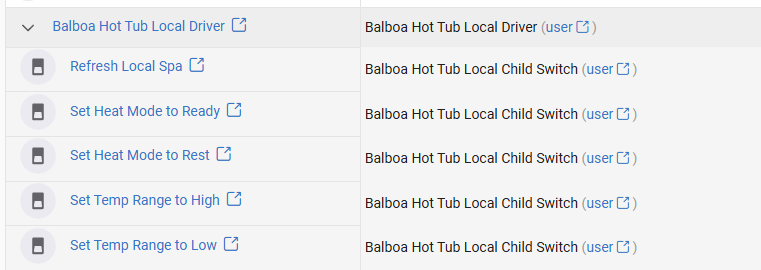
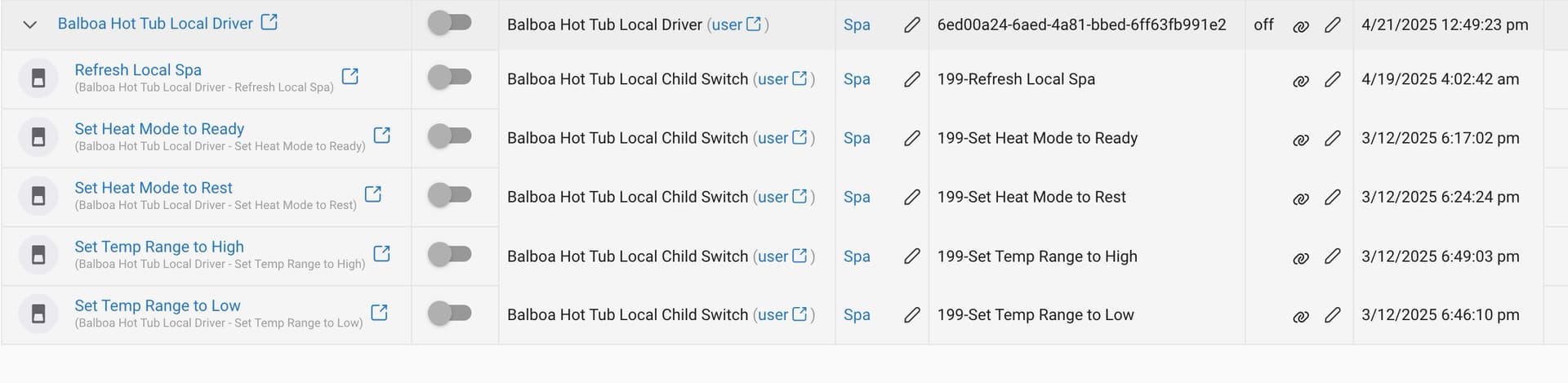
- Creates several child device virtual switches to refresh spa status & control the spa's pumps, lights, heat mode (Ready/Rest), and heat range (high/low).
| Connection Type |
Version |
Release Date |
| Cloud Version |
2.02 |
Mar-11-2025 |
| Local Version |
1.00 |
Nov-24-2025 |
Please be advised that this latest release, with all these new features, may introduce some unwanted bugs that we hope to identify and correct. Each spa has a different configuration (e.g., pumps, lights, blowers, misters, etc.), so I can only test on my BullFrog A7L model. If your current release of BWA Spa Manager is working and you are completely satisfied, I would suggest you not overwrite your working release and install this on a separate hub (if you have multiple hubs).
2 Likes
Hi Kurt - first, thank you for the work you put into this. I just got around to updating ~ not sure what version I was running previous but I'm now running into an issue with child devices and hoping you might be able to help. My pumps are single-speed only so they only respond to on/off... if I change them to binary switches they work fine but as soon polling runs they revert back. I also tried the local driver and pumps don't get discovered at all (the only child objects that show up are Heat Mode and Temp Range.
Oh, sorry to hear that. I'm guessing that the app is not checking for the pump speeds in the cloud based version of this app and assumes a Low, High, Off, like my Bullfrog A7.
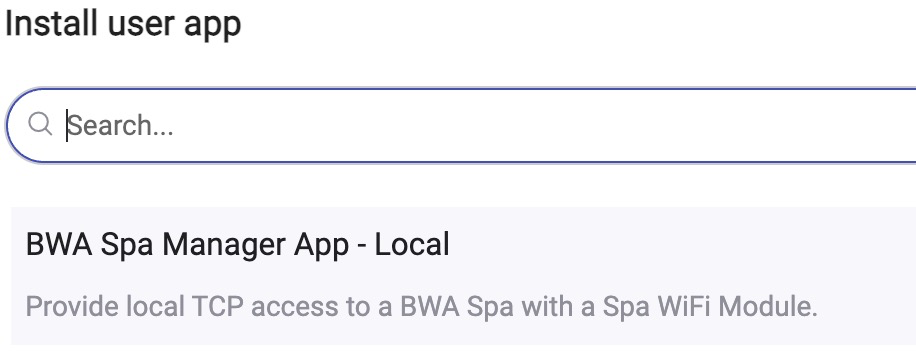
Just curious, is your Balboa controlled spa on the same home network as your hubitat hub? If so, have you tried the newer 'BWA Spa Manager - Local TCP Direct Connection' in HPM. It does not use the cloud for control and accesses the spa direct for control.
oh yes - I guess I didnt say that correctly, when I said I tried the local driver - I meant the new App with Local direct connection. When it discovers the child objects it doesn't see any pumps at all just finds
The new Balboa Hot Tub Local Parent Device Driver has an On/Off' switch attribute that when activated (for example via a dashboard, WebCore or Rule), will turn on all "detected" spa pumps and lights for you to prepare the spa for one's pleasure. The child device switches are for individual spa controls for the dashboard.
The Balboa Hot Tub Local Parent Device Driver also has some "commands" to cycle spa pumps through their speeds, set the spa's internal clock to the time on the hub, etc....
OK that is different than what I'm used to / was expecting - I did see where I could turn everything on from the parent.
1 Like
Let me know if this version works for you. I have been using this local version of the Balboa Spa app for sometime. It works better/faster than the original cloud control version.
I still get random WiFi Spa Module disconnects from my Netgear Orbi system. It appears that Balboa's WiFi controller is prone to these and re-connects after a small amount of time.
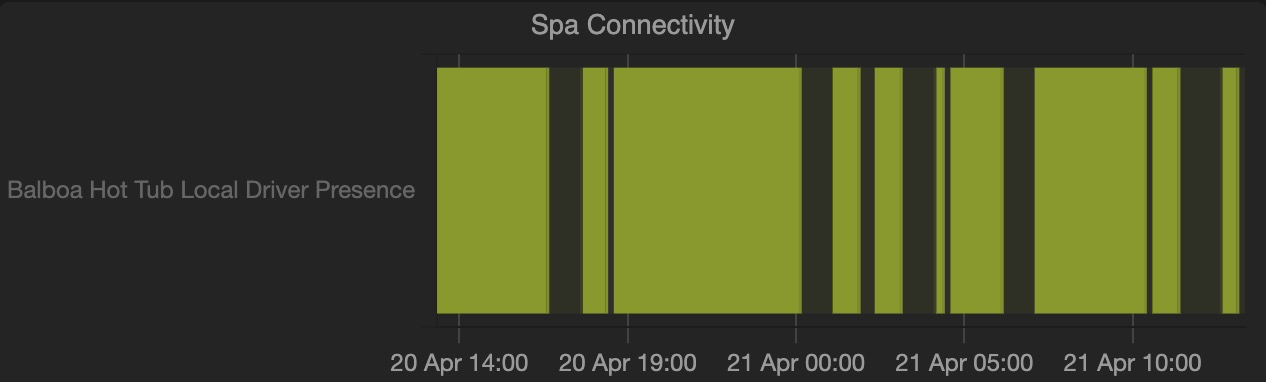
Here is a chart of the Spa WiFi's disconnects (black) and Online (Green) below:
The parent driver tracks Online/Offline as Present/Not Present attribute
I don't use any dashboards - so the real advantage to me was the Alexa integration - being able to say "Alexa, turn on spa pump 1" or "turn on spa lights" - I can't figure out how to do that with local integration - since when I added it just configures the parent with just one on/off... even if a rename it to something other than Balboa Hot Tub Local Driver  it just turns on all the pumps but not the lights
This parent and child devices will work with Alexa for voice control. You just need to add those devices and switches to Amazon Alexa Skill so that Alexa can gain access to them.
Suggestions:
- Create a virtual switch and use Hubitat Rules to turn on and off the pumps and lights you chose with the parent devices commands.
- Create Alexa Routines to automate several spa controls, like "Alex, turn on the Spa Lights" and/or "Alexa Turn on the spa pumps" and these can control the virtual switch which activates a Hubitat Rule to send commands to the parent driver.
The next version of this app , I will add child switches for control of pumps on/off and lights on/off. It will take a few days or more to add these. Thanks for the suggestions.
I was incorrect, the spa lights do not turn on with the parent On/Off switch, it only controls the pumps. I will add lights to this parent switch so that lights and pumps all turn on or off.
1 Like
Please clarify if this also works with balboa’s ControlMySpa controller. Is there another app that can bring it into Hubitat?
I cannot confirm since I do not have balboa’s ControlMySpa on my Bulfrog/Balboa spa. It will not hurt to add either the cloud or local control via HPM and see if it integrates to Hubitat. If not, simply remove the app from Hubitat.
I think I observed that Home Assistant (HA) can integrate balboa’s ControlMySpa. If you are technical, you could set up HA and integrate HA --> Hubitat.
the mobile app is all together different and not compatible with the Balboa Water Group 50350-07 WI-FI Module (the ControlMySpa has its own sort of gateway/hub vs just connecting to wifi directly) so I would say its very unlikely the integration will work
I set my tub settings to Celsius through the BWA Spa Control app, but it breaks this integration in a few places:
- the input validation seems hard coded to F:
Heating setpoint temperature from 55°F-104°F *(NUMBER)
- The
Temperature Scale variable is set/read as C correctly, but a lot of other vars (Heating Setpoint, Thermostat Setpoint, Temperature) get stuck at 80, even though others seem to be working correctly, e.g. TTSmessage: Your spa is currently at 40.0°C and is ready heating to 40.0°C.
Looking at the code, it seems like the temperatureScale variable is mostly just used for formatting? I don't see much logic for temperature conversion.
I haven't had anyone test the Celsius program's logic, and it clearly needs work on the support side. You've been so helpful in diagnosing the temperature-related issues.
It is true that I convert everything to °F or temperature control as described in the device's setting description. I was thinking that users who prefer Celsius could mentally convert to Fahrenheit when they enter temperature values.
@stefan2718
I have created an updated BWA Local Control version 1.0.0 that supports switching between Fahrenheit and Celsius temperature scales, as well as reflects the spa's temperature scale in the device attributes.
Note: The BWA cloud control app has not been updated and is no longer supported.