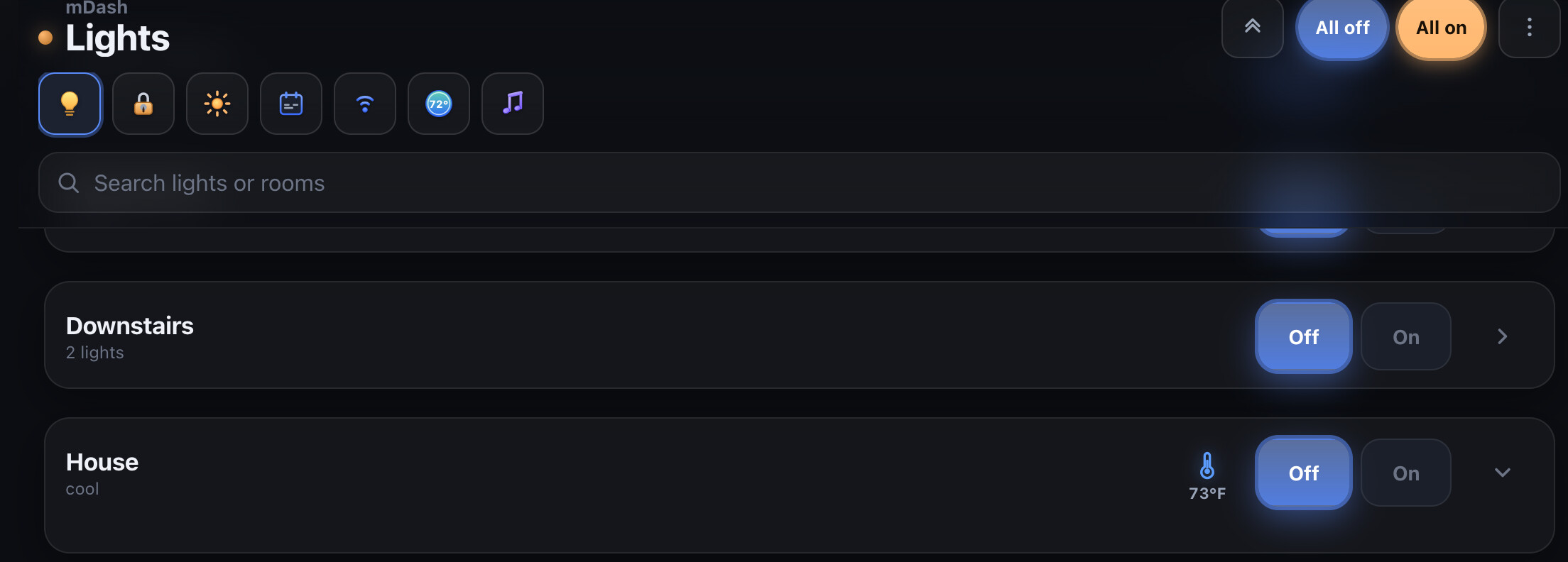
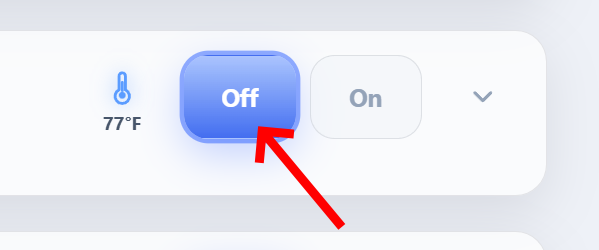
You can see the issue here too. I moved my 2 thermostats to a room named House as a test. In the Lights tab they show up with a dropdown arrow that does nothing. The section with the thermostats shows Cool, which makes sense if this were the Thermostat tab, but this is under Lights. These are Ecobee thermostats brought in by the HomeKit Controller Integration.
As mentioned above, the same occurs for a temp sensor. This is just a Zigbee sensor paired directly to the Hubitat hub. If I move this sensor to the room named House, it no longer shows under the Lights tab.
A request aside from the above, I'd love the option to be able to remove or hide the Hub Mode and Scheduling icons at the top. I don't use hub modes and don't plan on using scheduling.
One last thing. Filters should be cleared when switching tabs. If I search for something under the Thermostats tab, that filter carries over to other tabs when switching to them. You have to manually clear the filter.
Showing the thermostat temperature in the lights tab was actually part of the original design when I first started on this dashboard as a personal project. I just wanted a quick place to control my thermostats and lights, so having a little icon showing the current thermostat mode and current temperature in the room was a desired feature.
I understand it can be a little confusing that it's under the lights tab now, but I do think it serves a great purpose: people often go to a room wanting to adjust the devices in it, which are primarily the lights, the outlets, and the thermostat. If you actually click on that little icon in a room that has a thermostat, it will bring up the thermostat pop-up so you can fully adjust it.
Excellent work, thank you for your efforts. For thermostats, this may be on your to do list, but in case it isn’t…. Can you add support for only showing modes, or functionality that a given thermostat supports? For example, one of my thermostats only supports heat and off modes. It does not support fan modes, either. Also, the thermostat panel under lights doesn’t follow the current thermostat mode, it always shows off. I can open the full thermostat panel and turn on cooling and go back and it still shows off on the other panel.
If that is the desired use case, there is bug. Clicking the icon only brings up 1 thermostat even though I have 2 assigned to the room.
The issue is, I don't have lights in the rooms my thermostats are assigned to. Therefore, my thermostats showing up in rooms under the lights tab is actually counterintuitive for my setup.
Yeah, apparently those aren't for the thermostats. It's confusing. If you look a bit further above, you can see where I have issues with my thermostats depending on how I have them placed in various rooms. Apparently, showing thermostats the way they are shown under lights is by design. So those buttons are actually for any lights that may be in the same room, even if there are no lights in said room.
I have 2 rooms in Hubitat called Upstairs and Downstairs. They simply contain my upstairs and downstairs thermostats respectively. No lights in either. In mDash, they show up under the Lights tab with those Off/On toggles and the little icons to access the t-stats. Again, confusing for no reason.
I don't agree with the design/layout and it is unfortunately making me rethink using this dashboard. I want lights under lights, thermostats under thermostats, etc. It's just common sense to me.
Thanks for the clarification. I agree with you, it is confusing and doesn’t make sense to me. If 2 of us early adopters are confused, others may be as well. Perhaps @evbenev will be open to changing this.
I’ve done some more playing around with this app and I realize now that what was confusing was that I didn’t have any lights configured in the rooms with either of my thermostats. I just added in a dimmer to one of the thermostat rooms and it less confusing now because the panel says 1 light under the room name instead of saying thermostat.
Sensors: grouped by room with collapsible sections, type labels, search, and expand/collapse-all
Lights: room On/Off controls hidden when a room has no lights
Thermostats: mode and fan buttons match what each device actually supports (heat-only, cool-only, limited fan modes)
Thermostats: tap a unit in Favorites or Thermostats to open its controls; rooms with multiple thermostats use a target picker, and mode/fan apply to one unit at a time
Excellent! I am still seeing unsupported fan modes in my thermostat that doesn’t have an air handler. That driver does not have a state entry for supportedThermostatFanModes. My other thermostat does. I’ll keep testing; the improvements are great.
Ceiling fans — there’s a new Fans tab. Add your FanControl devices in the app settings, then tap the fan icon to turn on/off (it restores the last speed on the hub), and use + / − to step through whatever speeds your fan reports. Works with typical 3/4-speed AC fans and DC fans that expose their own speed list.