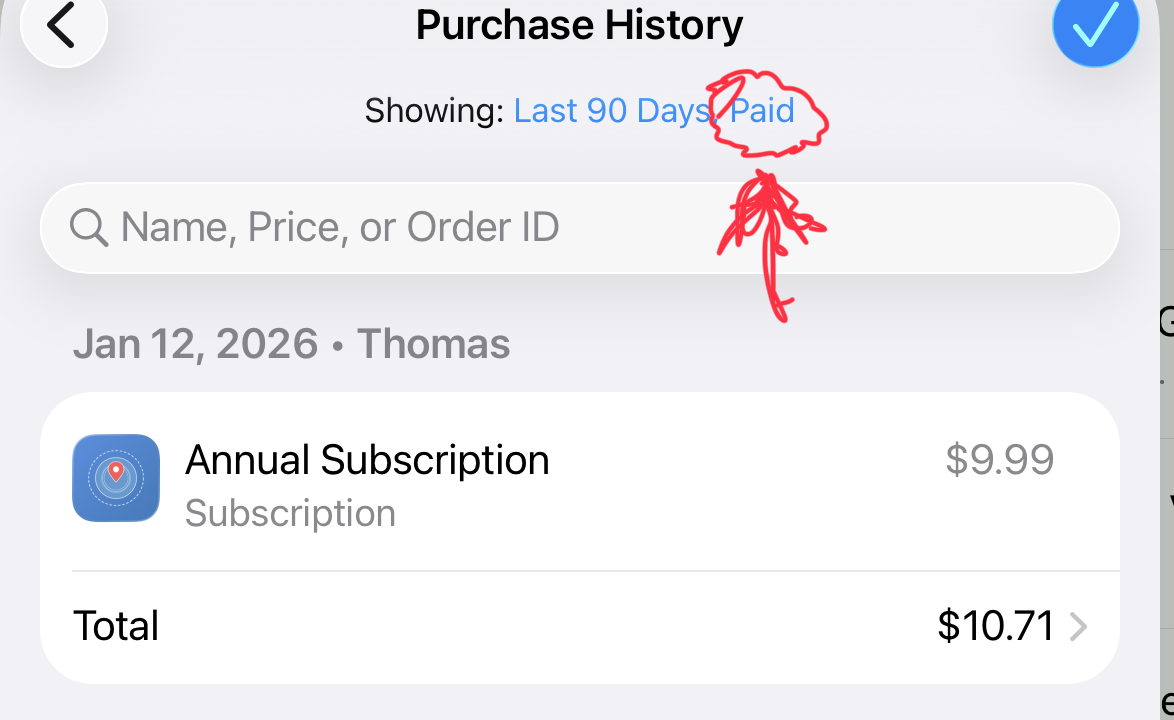
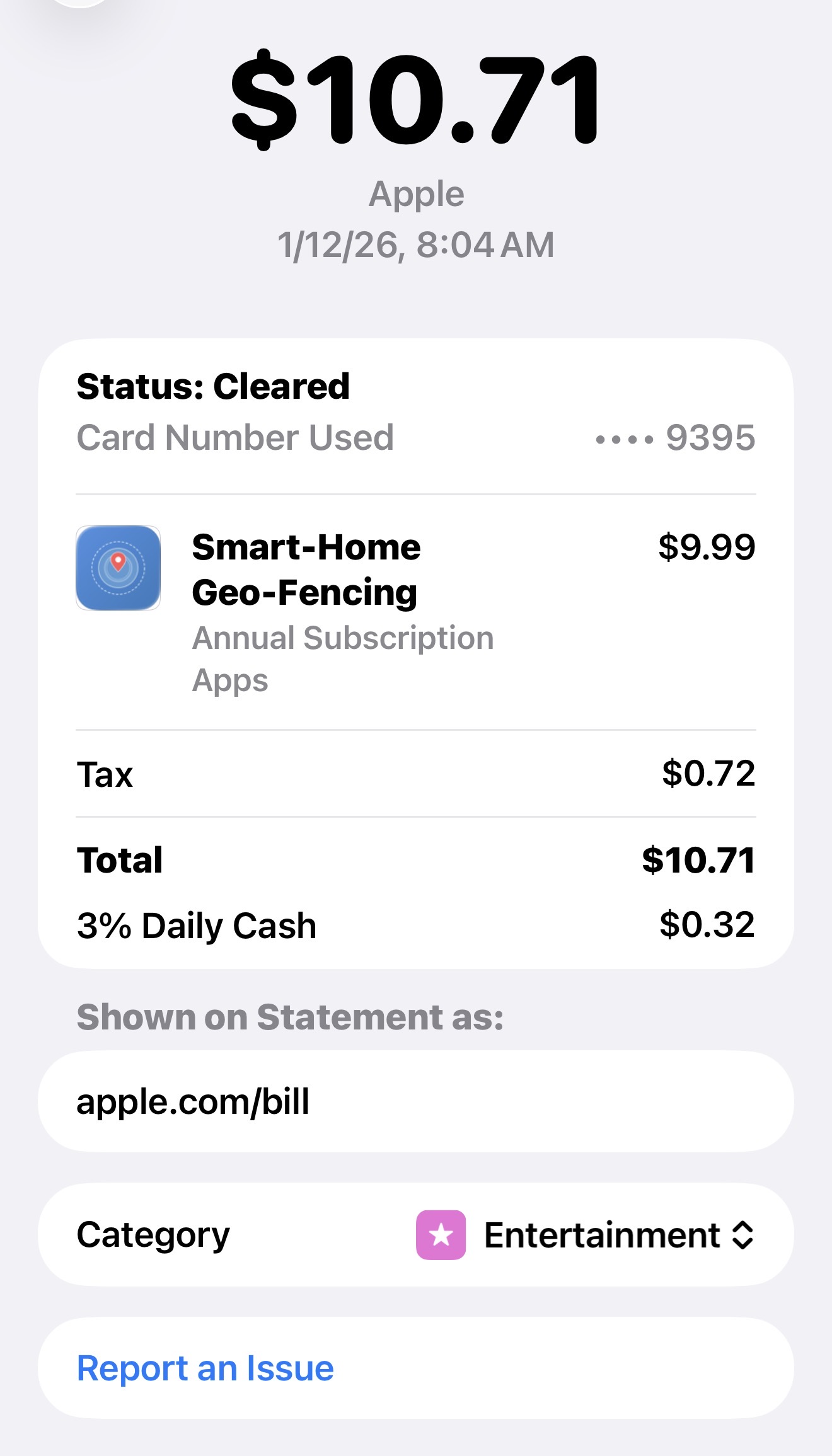
Oh that’s correct, you haven’t been charged anything yet. If you don’t cancel within 30 days you will be charged.
I don’t like the wording, but unfortunately I don’t have any control over that language.
Oh that’s correct, you haven’t been charged anything yet. If you don’t cancel within 30 days you will be charged.
I don’t like the wording, but unfortunately I don’t have any control over that language.
That’s interesting on the metadata from that link. That’s a link Apple Store gave me to share, I have no idea where the reference to games came from. That’s not in any description I have for the app.
Looks like I bought one year and the TRIAL is for January 12 of 2027!
Todd,
Are you fixing that? Refunding my $9.99?
That's what I'm saying I don't have anything to refund. There is nothing coming through to show anyone paid anything.
If I see it come up over the next couple business days I'll be sure to refund. But I have nothing on my side to refund at the moment. Zero transactions whatsoever.
Be sure to cancel the subscription, it should let you use it for 30 days, that was the period of the offer, then it will just cancel out.
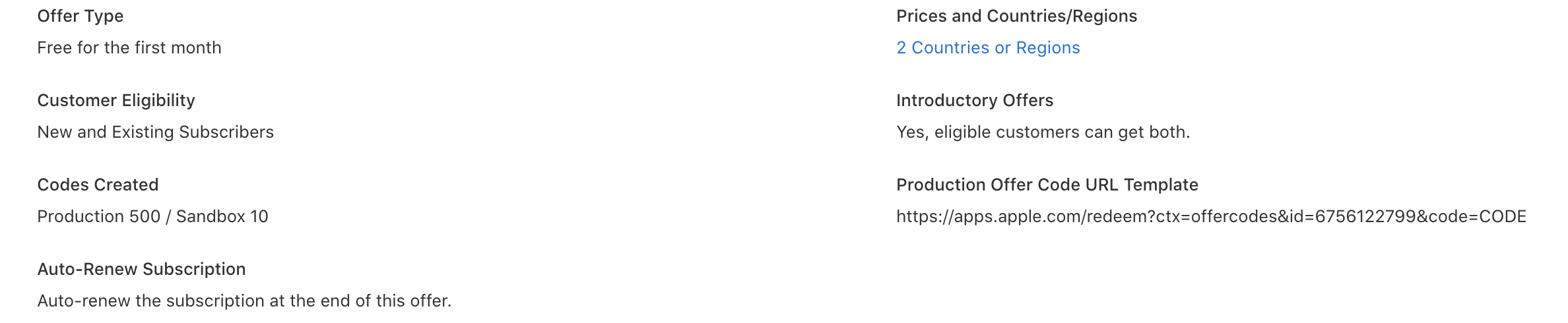
For further demonstration of how it is setup... You'll see in the screenshot below directly App Store Connect (Developer Setup Portal) I have it set as FIRST month free.
If it would make feel better and to verify, send my screenshot all of my explanation to Apple and request the refund based on you believing you have been charged.
They will either confirm I did it wrong or that what I say is correct.
The easy way to verify is to check your credit card. If it shows on there or not.
Have you used manage subscription in the app or via your subscription manager in settings to cancel it yet?
Like I said, if I see it come through I’ll refund it. But so far I have nothing showing. Could take a couple days.
You can always send a refund request to Apple as well, telling them you don’t think the offer code worked the way it was setup.
I double checked the process on giving a refund so I’d be ready if anything came though.
It turns out developers really aren’t supposed to be involved in the process.
You request the refund on your end per instructions below.
There is nothing the developer can do from anything I can find on the developer site.
User-Requested Refund Process (What the Customer Does)
Presumably Apple refunded the charge by now?
Nope, they refused the request. And again when I explained it was to be a one month trial.
Wow - didn’t anticipate that. Hope you get your money back soon.
Same here. I’ve always found them to be very customer centric with subscription related charges.
I’d keep escalating the dispute with Apple if possible.
Both responses stated that the decision was “final”.
That’s really surprising.
I have asked Apple for refunds on subscription charges a handful of times over the years.
Usually for no reason other than “I forgot to cancel before the free trial ended.”
Apple has always processed the refund without a fight.
Sorry to hear about how they handled the issue for you  .
.
That is really bizarre. I’ve been refunded for things before as well.
They never even contacted me about it.
I also haven’t seen the money come through, which is a whole different subject.
If you send me a private message I’ll just Venmo you the $10.
Thanks, but offer again AFTER Apple pays you.
Download the Hubitat app