Ok, my HPM is a little out of whack, it believes the old app is still installed, still fails to remove even after manually removing all the drivers and app. In any event, I'm on a C7, not a C8. I manually copied in the drivers and the app from your github.
I added the intellifire app and ran through the setup, as before, however the intellispace manager app never actually adds to my list of installed apps.
It did install the Fireplace device, however it did not create the child light object.
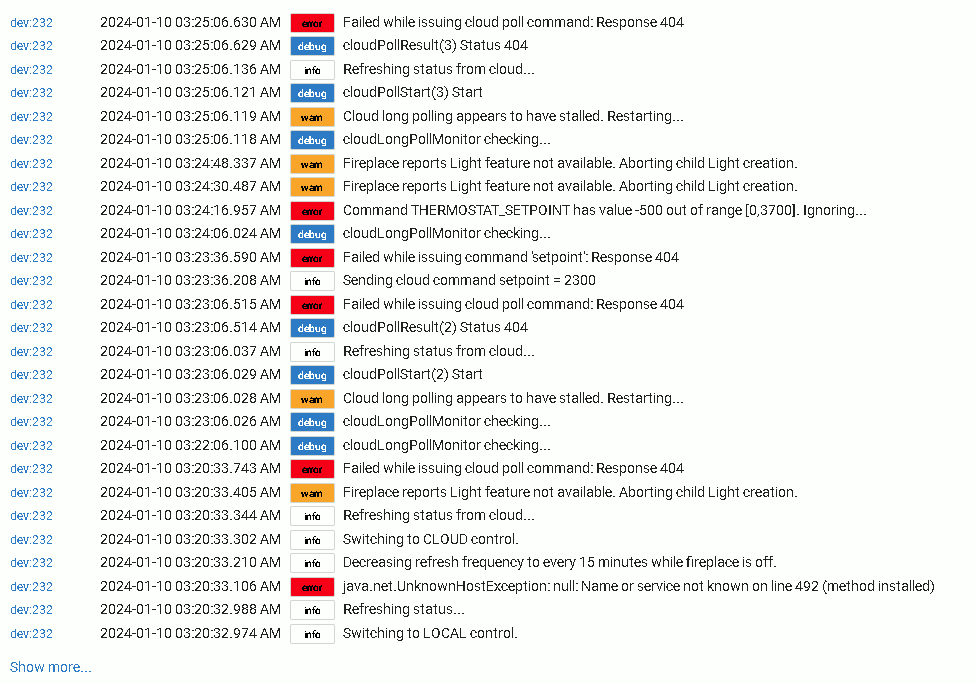
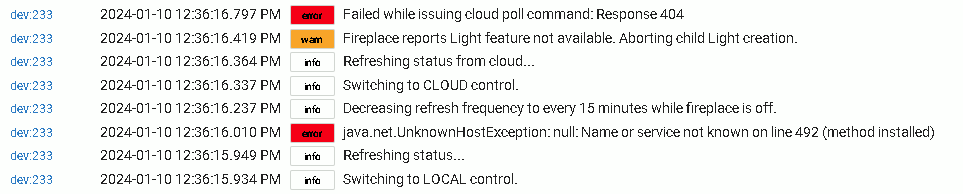
Logs of the new fireplace device:
I think what happened the first time when I tried to add the app, instead of hitting done to add the app, I actually clicked on add fireplace and ran through the setup. At the end of the setup it added the fireplace but never added the app. I went back and selected to add the app and just clicked Done. Now the manager is showing up in my list of apps.
I went back and deleted the fireplace device, and re-ran the intellifire manager app. Re-added teh fireplace, but no child device is being created for the light. Am I missing something with that?
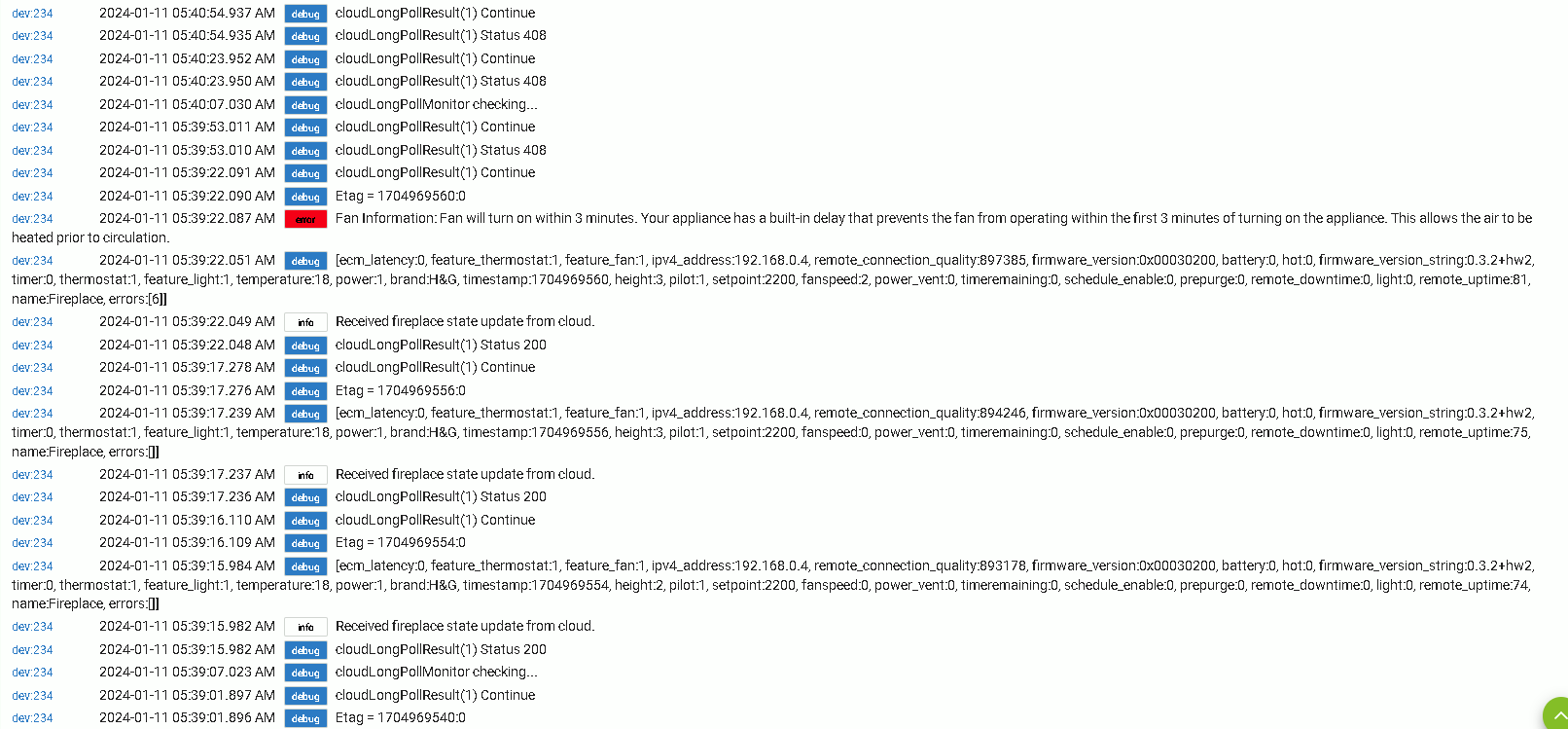
More logs for your pleasure... Doesn't appear to be talking to cloud for me for some reason?
I went to the HHT Web Wifi Module Interface - login website and logged in successfully with the same creds I used in the manager app so I know my username and password are correct.
Thanks for the info!
Did you try the beta.2 release that I pushed last night? (Check the comments at the top of the driver and app code.) Based on your comments timings, I think you might have just missed it. I did notice that the App's ability to create a new Fireplace device had broken along the way, and beta.2 should fix that issue.
I also have a C7. I don't know what HPM is doing to uninstall the module, but you should be able to uninstall manually without issue. You need to remove the devices (and possibly the app), and then you can delete the code files. That said, deleting the Code files should be unnecessary. You can manually update the files yourself. HPM doesn't own that, and it's just doing some internal hashing to try to figure out whether you have the published version or not. My advice would be to avoid HPM for now and just update the source manually. HPM will let you know you have a different version, but don't update the module in HPM and it'll be fine. Later, when this is published, an update from HPM will get you synced back to that released version.
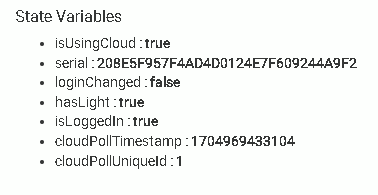
Also, cloud control requires that the device be created by the App. I think that's why it's not working when you created the device manually. I'll add something to try to detect that and give a useful message on how to fix it.
And I don't actually have a Light in my fireplace, so I've had to mock that in my testing. It should be fixed in beta.2, but if it isn't, let me know. It does require getting a successful poll from the fireplace before creation, so it knows whether you have a light, so I think that's why it wasn't created.
To get yourself back in a good state...
- Delete the fireplace device(s)
- Manually update the code for the App and Devices from github to latest version. (I might be making more updates tonight.)
- Use the App to try to create the fireplace again.
Also, I really appreciate that you're going through this effort. But if you want to go back to the older version for now, the steps above should also work for the older version if you pull from the main branch, (or replace the manual upgrade process with HPM).
I will try again tonight but I believe I was using the beta2.1 code that you had uploaded. The 1.x code had no issues creating the light child.
In case there is any confusion the fireplace device is ONLY being created by the app, I’ve not created it manually.
I had a few minutes, so I deleted the fireplace device, and removed the manager app from the app listing. I went back out to your github and manually copied back in the 2 drivers and 1 app from your latest code beta.2.
I installed the app first, then went into the app and had it add the fireplace itself. Still not connecting and the light isn't being created.
In the device preferences it does list the IP address of my fireplace wifi module on my local network if that makes a difference.
Interesting. Yeah, the driver thinks the IP isn't set at that moment in time, even though you said the preferences shows that it is set later. Will try the clean install again tonight and do a full pass on the never-installed and update-from-v1 flows. There might be a cache race condition during setup that I'm missing (which caused a lot of my login retry issues). That might also be affecting cloud setup.
Though if you have the IP set in the preferences of the driver, you should now be able to switch it back to Local control and run a Refresh without it hitting that UnknownHostException (since the cache is valid now).
If I can't figure it out tonight, I'll enable some more debug info so we can figure this out.
I’m ok with just using the remote right now while we / you are working this out. I’m not interested in going back to local control at the moment. Would rather help / keep testing the cloud control and provide logs.
Ok, I didn't want to leave you in a lurch. 
I just pushed out beta.3. Was able to reproduce all of the issues you were seeing and they should be fixed now.
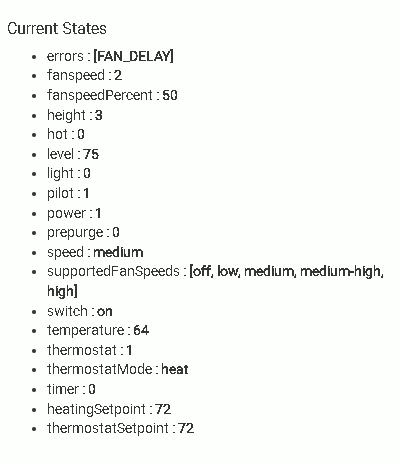
One thing I noticed was I set the heating set point to 76 degrees F but it changed it to 72?
I had to turn the light on with the child switch. No biggie. When I turned the fireplace off, the light also turned off and when I turned it back on the light automatically came back on which was good. So far it's back to the way it was with local control. The wife and I keep it turned on with temperature control turning it on and off.
I have enabled the fireplace to hub mesh and have added it to a homebridge - MakerAPI app to inject the device into Homekit. Then I can control the fireplace with Siri voice commands and setup automations to turn the device off when we leave the house and turn it back on when we return home as a safety precaution.
Since bumping the major version (1->2) allows for breaking changes, one of my other goals for this update was to remove anything that doesn't really need to be there. Trying to make it simpler for new users. If an attribute isn't uniquely useful to key off of, it probably shouldn't be there. Likewise for functionality that's duplicated.
I think the reset to 72F was because of the move of the 'last' values from attribute to internal state, and should only happen the very first time after installing 2.0 or later. I tried to migrate those, but once the attribute is removed from the device definition, it wasn't available internally either. So I settled on just cleaning up the history. That reset should only happen the very first time you turn on the thermostat (default 'on' behavior) after updating, and only if the fireplace wasn't already running in thermostat mode before that point (such as updating while the fireplace is on). Light and Fan 'last' values also have that quirk). I usually run with the thermostat set to 68 myself. But if you see the reset again, let me know.
I am interested in feedback on the Light though. It annoys me greatly that I can't add Hubitat 'Light' capability without conflicting with 'Switch', so the Virtual Light is required for full native light functionality, which means the light buttons on the main fireplace device are redundant. Removing them from the fireplace device removes 3 buttons, but it's trivial for me to add them back. (Just a few lines uncommented.). So I could restore them if needed.
I see there's some other new features being added to Intellifire (such as colored lights and ember lights), so those controls might have to be Virtual Devices anyways to avoid conflicting with each other.
Anyways, I'm interested in any other usability feedback you have, or why any of the bits I removed should be restored.
I am also considering removing the integer fan speed control (button + attribute) since the Hubitat 'Fan' capability does match 1-to-1, though uses names.
I think everything else isn't a perfect match, since they tend to be either Boolean (on/off) or percentage. Still a very noisy screen of buttons and no way for a dev to sort them on that screen. 
I agree with cleaning up duplicates would be beneficial and keeping the light control on the child device. I have no issue with the buttons either way outside of those things personally.
Interesting on the additional controls. My fireplace doesn’t have those additional level of controls so I wouldn’t be able to test them for you.
Yeah, mine doesn't either. I see them being reported in the status outputs though (and 'power_fan' too). Once I get 2.0 out, I'm also going to start advertising that I'm interested in adding support if someone has these features and is willing to help me test them. I doubt they'd be complicated to add, but I just don't have the details on the data formats or how exactly they behave.
Also, was it non-obvious to add the fireplace to Siri via MakerAPI? (I have zero Siri experience.) Is it worth providing instructions to users on how to add that, and if so, would you be interested in writing something up for me? I'll happily give you credit for that.
At some point, I want to figure out the Amazon instructions too, but I don't have experience there either (but at least I have a disabled Amazon device to play with).
It’s fairly easy but I use homebridge. I don’t use the HomeKit integration native to hubitat but that would probably be a better fit for the documentation so someone else who had that setup would be better suited to provide that detail. But the only use of Siri I have is telling Siri to turn the fireplace on or off.
Fair enough.
For Google integration, I've found changing the fan speed and temperature to be handy in addition to on and off, since the Google Home GUI is a bit easier for my wife to operate than Hubitat or the Intellifire remote (not to mention we can't risk the remote being moved into toddler-grabbing range, who will immediately destroy it by throwing across the room). Mostly it's to turn down the fan while we're watching TV, but restore it during the normal day chaos for better circulation.