Bummer. It works out that what I had been using this for has since been replaced with an HA instance and HADB to pull in devices I couldn't connect to HE.
Free API access seems to be going away for everything these days.
Bummer. It works out that what I had been using this for has since been replaced with an HA instance and HADB to pull in devices I couldn't connect to HE.
Free API access seems to be going away for everything these days.
Hi guys!
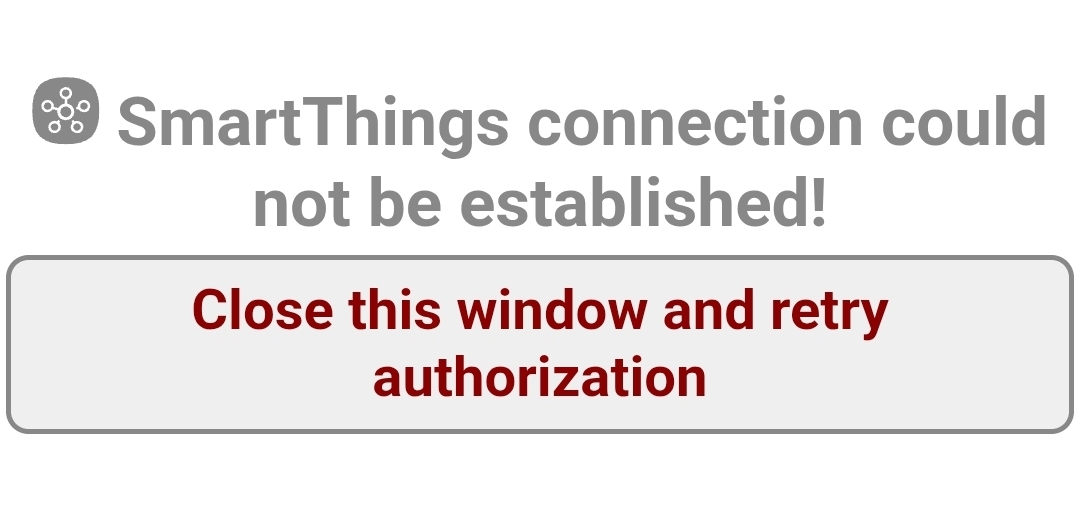
I'm facing problems with Hubithings today, I simply can't connect to SmartThings. I already tried to reauthorize OAUTH without success, deleted and created a new token, but nothing seems to work, i continue receiving the following message.
Some tip? Thanks in advance!
Are you going to pay Samsung $60/year come October for API access? This may be a good time to find other options if you are going to lose access in three months anyway.
I’m really thinking about it. I have 4 A/Cs, 3 TVs and a washer that I control with Hubithings Replica, with my home theater fully automated by Hubitat, so to pay may be interesting if it provides me a stable environment.
Mainly because Samsung TV Remote appears to be unsupported anymore and there isn't a solution to control the splits and the washer that doesn't use Samsung's API…
Any luck? I just attempted this morning a new OAuth and it worked as expected.
Nohting, @Bloodtick_Jones: I even tried to uninstall and reinstall the app without success.
Now all my climate and home theater automations are broken… 
Anything change with your network? The app needs to be able reach the internet and uses the external api that Hubitat provides. If the logs are not indicating anything or maybe turn on additional debug to help you. I haven’t done any testing with the current beta code either, so not sure what version you are running.
If nothing has changed and your PAT is valid (they only last a day now), maybe the old “hub reboot” may get some distance.
Nothing changed, I’m using the latest beta firmware version. I also rebooted the hub, made a soft reset, returned to a previous firmware version in which Replica worked and it didn’t solve too. I also rebooted the hub and made a soft reset before restore the database.
Maybe a human sacrifice now…
There have been reports of breaking changes to the http stack with the beta version. You might want to report any errors to the beta channel if you see anything in the logs. As a KTLO project, I really haven’t been early acting in the beta program.
It seems to be a problem with SmartThings server. I went through the logs with Gemini, and this was the response:
Based on the logs provided, the main failure is the ExecutorHttpResponseException during the oauthCallback() method. This error indicates that, although Hubitat is sending the authorization request to SmartThings, it is receiving an HTTP error response from the SmartThings server that Hubitat cannot process.
Here is what we can infer:
Invalid Authentication: The messages "does not have a valid authToken" indicate that the current token is expired, has been revoked, or was never stored correctly, which blocks methods such as getSmartLocationList and setSmartDeviceSubscriptions.
OAuth Handshake Failure: The fact that oauthCallback() fails repeatedly right after starting suggests that the handshake between your Hubitat and the SmartThings API is being interrupted or rejected.
Probable Cause:
OAuth Configuration: It is very likely that the Client ID or Client Secret configured in the HubiThings OAuth App are incorrect or do not have the correct permissions (scopes) in the SmartThings developer portal.
Expired/Corrupted Token: The current authToken is corrupted, and the renewal process is not completing successfully.
Recommended Action:
Regenerate Credentials: Access the SmartThings Developer Workspace, check your App's Client ID and Client Secret. If possible, generate new credentials and update them in the HubiThings OAuth code within your Hubitat.
Verify Scopes: Ensure that, when creating the App in the SmartThings portal, all necessary scopes (such as r:devices:*, r:locations:*, i:deviceprofiles:*) are duly selected.
Installation Reset: As the logs show that the app cannot even retrieve the location list (getSmartLocationList), a clean reinstallation of HubiThings OAuth (removing and installing it again) is usually the most efficient step to clear the invalid authToken and force a new authentication cycle.
Try reinstalling the application and, if the ExecutorHttpResponseException error persists, check for any firewall or network configuration (such as DNS blocking or outbound filtering) on your router that might be preventing communication between Hubitat and the api.smartthings.com servers.
Yup. Beta code problem.
@Bloodtick_Jones, you were right: the last beta update solved the problem.
Thank you for your help and interest!
I'm having Oauth failures for HubiThings on the recent betas.
I only have logs from the last week, but it's happening consistently.
The odd thing is the items I'm syncing back to Hubitat are still working 
HubiThings OAuth 0ae-1234 oauthCallback() error: com.hubitat.hub.executor.helpers.ExecutorHttpResponseException: status code: 500, reason phrase: Internal Server Error
I’ll have to go check that other thread out.
I assume this will impact our ability to integrate SmartThings devices into Hubitat without paying for the subscription?
And this why I absolutely hate clouds.
I just hope that the payment exigence don’t affect the HubiThings Replica support/development… I would consider to pay for it too.