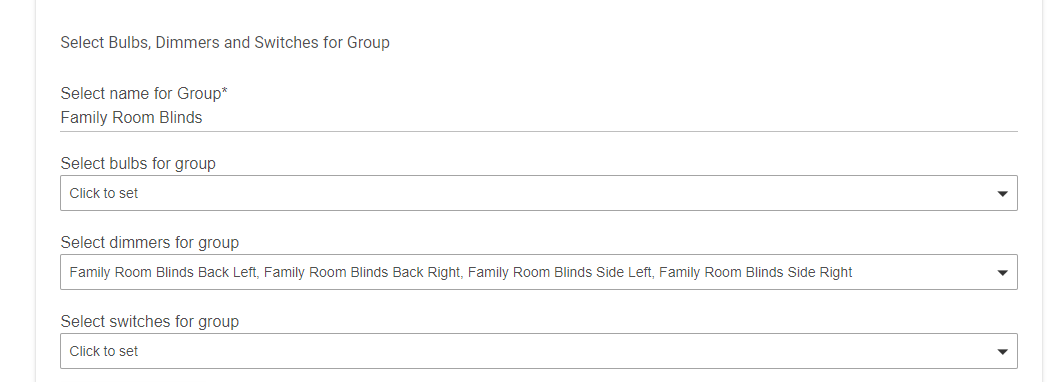
And this is the capture when changing level of the Group. Moves fast (and per the trace, rate is 1). Note that - per my posts of a few days ago, some servos are R mounted and other L mounted - which would explain why in the trace two servos move to 180, and the other to 0.
I don't believe there is an issue with Hubduino (servos) as I have various groups of blinds with 3000ms rates set and they all work correctly when controlled as a group from Alexa, Simple Lighting, Hubitat dashboards and button devices using the Advanced Button Controller hubitat app.
Thanks Dan, it works - both at individual and group level change.
This would be the 3rd change in the child driver I have made. Previously I had modified it to allow for L or R mounted servos, and later added in the Preference so the user can select R or L in the Device page.
In my case I will use Group to control 3 blinds next to each other, and a similar situation in a different room at a later point. I can live with my custom driver as is, but if you want to include all changes in a new official version could be helpful to another soul down the line . . .
Thanks @ogiewon for HubDuino! I have just purchased my very first Arduino UNO with the Ethernet shield and I've got it working using HubDuino.
I've got a question though. Since I'm using the Ethernet shield with the UNO, I only have 7 digital pins available to me (2,3,5,6,7,8,9 - please correct me if I'm wrong). I have an 8-channel relay module that I was going to control with the UNO, but I am one pin short of being able to control all 8 channels.
I did a quick google search and it looks like the analog pins also could be used as an output. In my case, I only need a high output for the relay so I thought outputting 5v on an analog pin might work for triggering the relay.
Is there already something built in to the Hubduino drivers to accomplish this? It would be great if the relay switch was also available on the analog pins, but I presume I can also use a switch.
Using an UNO may be a bit tight on memory (2K RAM). But if you're just using relays, it might all fit. I definitely recommend the MEGA (8K RAM) if you want to stay with the classic Arduino boards.
I believe on an UNO or MEGA you can use the Analog pins as if they were digital pins. Just use the names A0 - A5 instead of 0 - 13 and see what happens.
Please Private Message me a copy of your Child Servo Driver. I'll take a look at your changes while I have the hood open on all of the Child drivers.
All,
I am in the process of cleaning up all of the Hubitat child drivers to remove the old SmartThings 'tiles' section and the custom 'lastUpdated' attribute. The lastUpdated attribute is generating needless events which can only negatively impact the overall performance of the hub, and increase the size of your hub's database. It is simple enough to click on the EVENTS link on the device details page if one is curious about when the last time a new event was generated from a child device. This is the same method used for all Z-Wave and Zigbee devices, so I don't feel HubDuino needs to be special in this regard.
Also, the Parent device's 'Presence' Capability is what can easily be used to know whether or not the micro-controller has lost communication with the hub. It also makes it simple to create a notification using the Hubitat Notifications App or Rule Machine should your micro-controller go offline.
FYI - If anyone is interested in possibly automating your Keurig coffee machine, I wrote a sketch for a SmartThings user that you may find interesting.
NOTE: I do not have a Keurig machine, so I have no knowledge of any of the wiring required. The sketch uses 4 timed relay devices, to create a sequence of 'button presses' on the coffee maker to trick it into believing a person has turned it on, opened and closed the lid, pressed the brew button, and then turned the machine off 15 minutes later.
I have uncovered a small anomaly - unrelated to the driver. I am using 3 x servos on my ESP8266, connected to D5,6, &7. All three are in a group, and I use a reduced rate, as well as the new rate "override". What I noticed is that one of the servos would perform a last "twitch" of approx. 10 or so degrees at the end of movement. It is always the same servo, and the other two do not exhibit this behavior. Note that this was observed with the old driver as well.
In each of the servo sketch statements below, there are three "variables": "executorx" ; "servoy", and "PIN_SERVO_z". I played around with all possible combinations of x, y , and z, and found the "culprit" to be servo3 - regardless of Executor or PIN_SERVO numbering. The anomaly followed "servo3" regardless of PIN assignments, executor, or physical servo.
Now this could be a limitation of having 3 servos on the board, but wanted to see if you have any comments.
Like I wrote, it is not related to any of the physical servos/pins. It follows "servo3" wherever that goes in the sketch . . . .
I am using cheap MG995s. It is not a jitter per se. Rather, the servo stops for a fraction of a second +/- 10 degrees or so before reaching the target, and then proceeds to complete the movement. Almost like a brief interrupt . . .
It could be due to the ESP8266 sending WiFi data for the other servos that have finished their motion just prior to the last one. Since we’re running everything in a single thread, anything that is a blocking call will cause any servo that is in motion to stutter.
If you have attached other sensors to this same ESP8266, those could be preempting the last servo from being serviced by the CPU.
I did not see anywhere in the sketch or libraries where servo1/2 or 3 are defined, so I assume they are just "names", names propagated back to HE. The weird part is it is always "servo3". The stutter follows that "virtual" servo name, and not the physical servos or pins. It will stutter even if contained within the 1st executor, or the 2nd . . .
Having said that, I believe Dan is correct.
I gave physical servo3 (that now coincides with virtual server3) a slightly faster rate than the other two, and now it is one of the others that is stuttering. I can work around that.
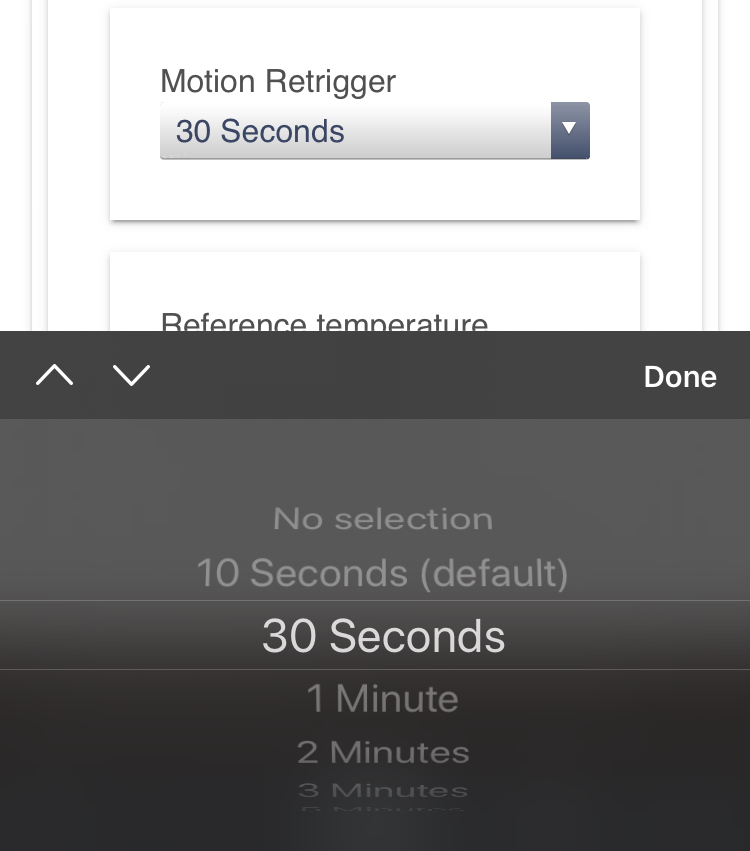
I’ve got a feature request. Would it be possible to add a “motion retrigger” threshold to the motion sensor driver like the one used for the Philips Hue sensor for example?
I’ve noticed that when my motion sensor is sensing motion the HE device is very jittery with many active/inactive triggers. I presume this behaviour is caused by the signal the sensor is sending rather than any issues with any HubDuino components. If there was a motion retrigger option, that would then be able to even out these signals.
I believe that setting for the Philips Hue Motion Sensor is actually sending that 30 second time to the device via a Zigbee configuration command. Thus, the device is actually responsible for respecting that setting, not the Driver.
What type of motion sensor are you using with HubDuino? Many PIR sensors have an adjustable timeout and a jumper which configures the output signal (either as a pulsing square wave, or a constant signal to indicate motion or lack thereof.) Perhaps you could simply adjust the physical sensor?