
Except I would have expected that data variables should be private as they were on SmartThings where you could not take a subscribed device and use getDataValue() against it.
It's under consideration, but will require someone to test and certify the proposed changes work and don't break other thermostats (which I don't think they will), before inclusion. That part won't be me as I don't get anywhere near Google's smart home ecosystem.
We'll need a volunteer for that. 
I've run into precisely the same issue with a string variable connector. It doesn't show up in the list of possible devices when I click GVOmniSensor. Feels like I'm missing something obvious. @AndyM, did you ever get it solved? Seems so simple, but I'm stumped.
No... sorry, I ended up doing things differently. The OmniSensor and RM Connector Variable are different - I don't think (but could be wrong) the HubConnect OmniSensor driver will help you.
Happy to be proven wrong, but I don't think there is a solution built into HubConnect right now - as I don't believe the RMConnector Variable reports itself as anything standard - so you can't find it in the lists / create a custom driver. But I also haven't looked into this since my original post as I found another way to do what I needed.
Bummer, but thanks. Anyone else have a suggestion? I can't imagine there aren't lots of others who have the same need. Is there a workaround I'm not seeing?
Edit: I also tried the OmniSensor, no go. Wonder if a custom driver would work for a connector?
@srwhite I got a question about HSM on the receiving hub does HSM have to be installed to work ? I can't get it to work with or without it to work. I am wondering if I have to setup HSM on the receiving hub just to make it work.
You need to have HSM installed on the receiving hub to my knowledge.
I found this from about 21 days back [quote="srwhite, post:2217, topic:12028"]
You have to have HSM installed on the remotes at the very least.. The server does not need it as it will passively send HSM events.. But the remotes absoutely need it in order for any apps to be able to integrate with its API.
[/quote]
Do we have a volunteer?  On a side note, I created a copy of the hubconnect thermostat driver and dropped a few groovy lines in the driver to add lastRunningMode. I'm sure I did not put the code in the right location, but at a min, I'm now able to change the temp with my voice. The only issue I have now is that the thermostat within the GH app does not accurately reflect the temperature if I update from Hubitat side. Oh well, it works for voice control which is all I care about since I do not use the GH app much. I use SharpTools for control...
You also need to have at least one physical (or virtual) device assigned to each HSM mode otherwise the HSM API will not accept any requests for that mode.
FWIW, the next release of my Ecobee Suite (version 1.8.00) will add this support for lastRunningMode, storing the value as both an attribute and a dataValue (just to cover all the bases). Ecobee Suite already supports the thermostatSetpoint.
I will also be releasing HubConnect Custom Drivers for Ecobee Suite Thermostats and Sensors, but I haven't figured out how to store the lastRunningMode as a dataValue in a custom driver...
That said, I think I can verify that adding native support for lastRunningMode to HubConnect won't break ES Thermostats...
I'm probably going to have to add a scheduled task within the HubConnect Thermostat driver to run the logic and update the lastRunningMode data value. SmartThings has a nice quirk in their driver model where a deviceType could actually subscribe to events.
No so here, so it looks like we'll have to resort to a periodic update.
Just a quick update for those waiting on 1.7 (like the beta team)...
I'm putting a few more UI touches on the device selection code... I have made it hierarchical so it's better organized, and not as cluttered as it was before.
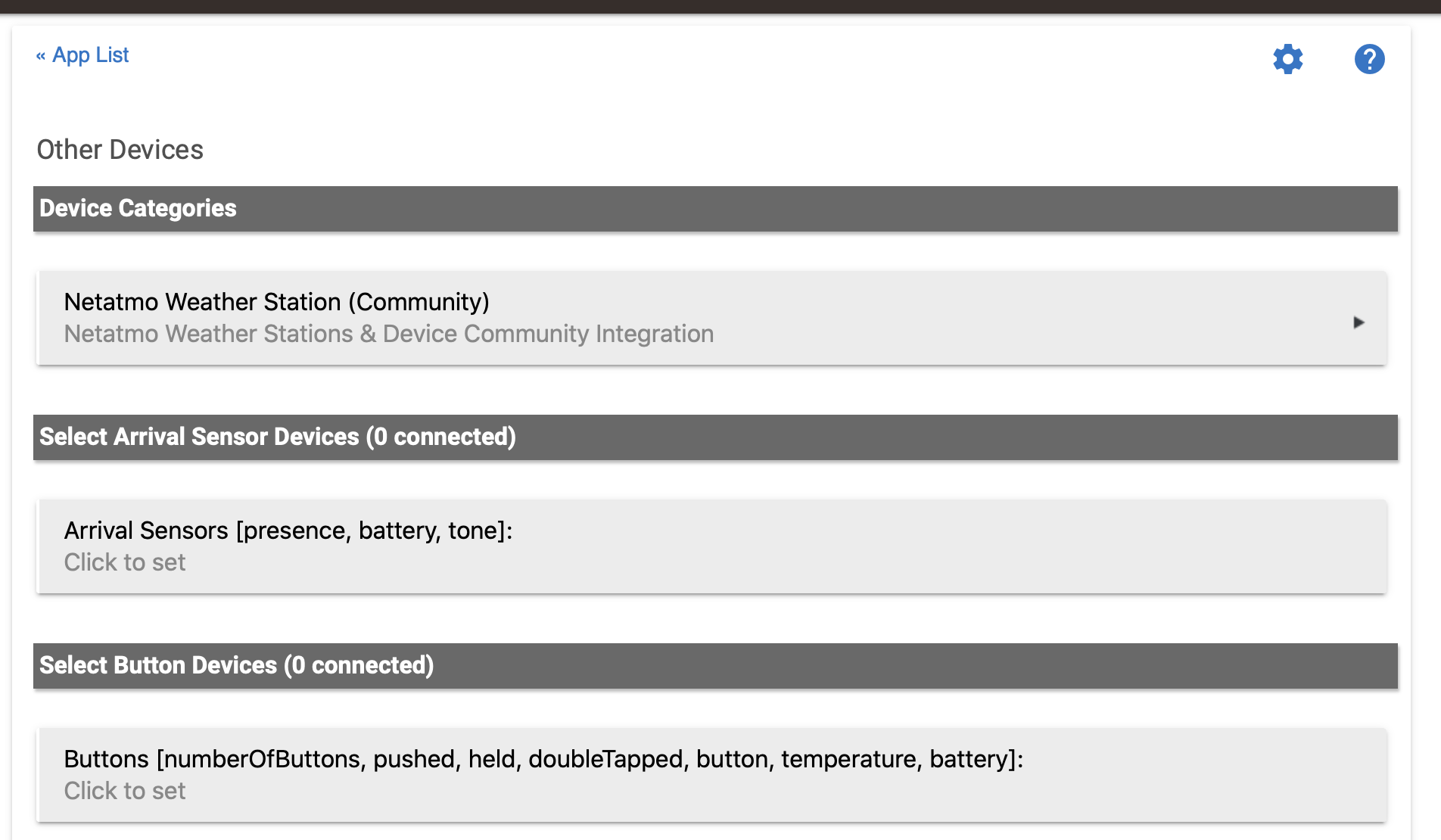
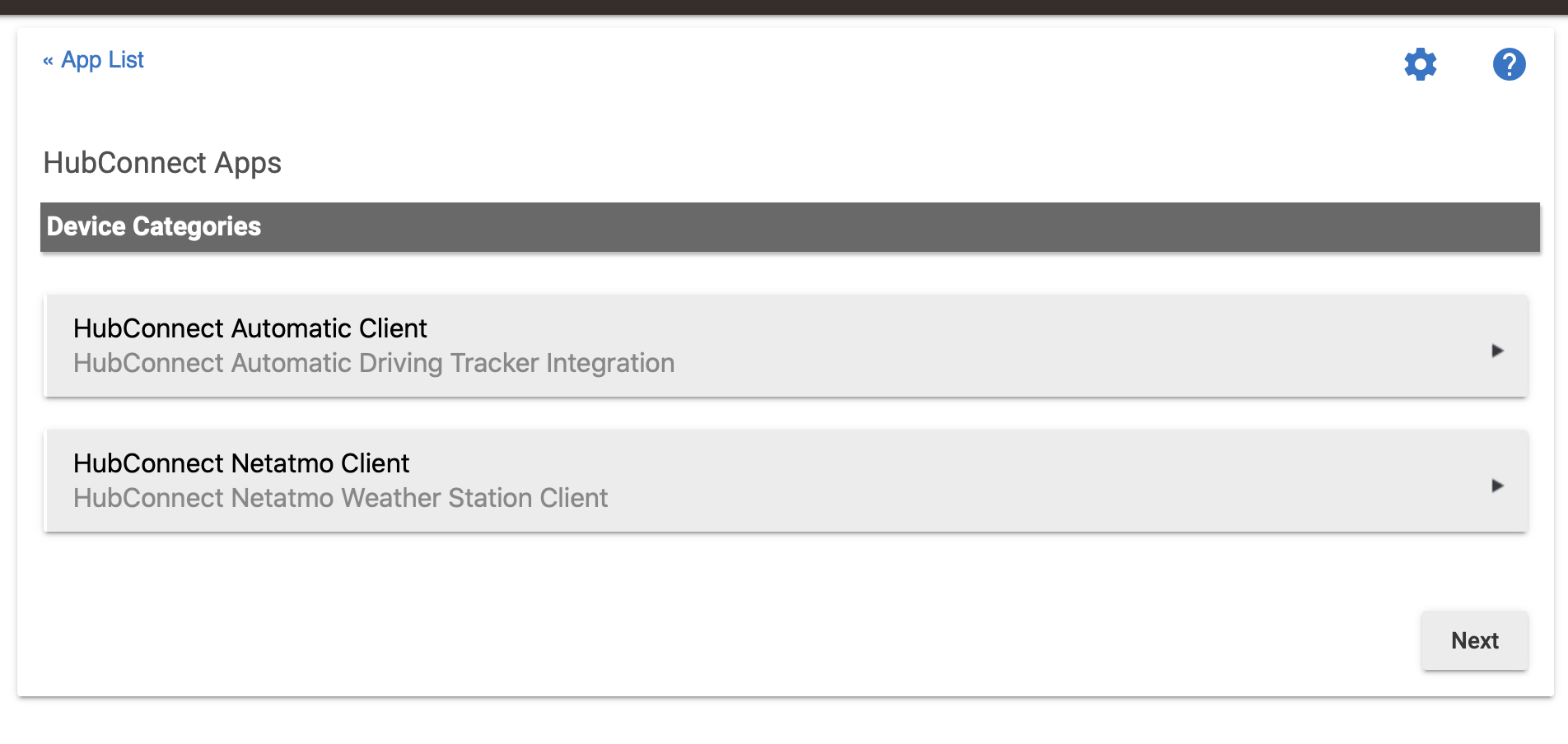
The long game here is to make it so other community apps/drivers can integrate more seamlessly than they do now. 
@csteele, did you see the interchange above about passing a RM connector (string variable)? I can't figure out how to do it. Is it possible?
I certainly remember creating the GVOmnisensor driver and testing it in September of last year. I don't use Global Variables and Connectors so it's been 'out-of-sight--out-of-mind' for me.
I'll have to a) remember my tests; b) create new tests; to validate the feature. (I can barely remember what GV's are used for  ) Sorry for the memory loss but those cells have been taken over by v1.7 features.
Hmm, thanks for the reply. Tried GVOmnisensor, but my string variable connector doesn't show up on the list.
I'm trying to replicate the test I did 'back then'...
And I got as far as you did, it seems:
dev:2764 2020-01-20 10:31:06.240 am info LocKode variable is Wife
app:2283 2020-01-20 10:31:06.186 am info Action: Set LocKode to '%value%'
app:2283 2020-01-20 10:31:06.176 am info _TEST DOOR WHO UNLOCK_ Triggered
app:2283 2020-01-20 10:31:06.160 am info _TEST DOOR WHO UNLOCK_: Yale DoorLock lockCode Wife
dev:806  2020-01-20 10:31:06.053 am info Yale DoorLock was unlocked by Wife[6:6]
dev:2764 2020-01-20 10:26:48.271 am info LocKode variable is empty
dev:2764 2020-01-20 10:26:48.231 am warn installed...
More research still needed.
I'll never understand how you seem to find infinite time to work on this. Props to you. And amazement from me.
Ok, I found the flaw and I'll ask @srwhite to include a fix for it in v1.7.
I have no way of going back in time, but the test worked then and the same test doesn't now.
Well.. it does for ME now... LOL 
So a virtual contact would suffice ?

