Perhaps you would have a better chance of getting the problem resolve by posting in the HPM topic.
3 Likes
Infortunately, the Reolink siren always show as "unknown". Therefore no state change ever occurs. So HADB will never see it.

It is still controlable with a turn_on or turn_off action though. I suggest you share a switch helper with a simple automation in HA to mirror the state of the switch to the siren or even simplier use the custom call service command in HADB device.
If someone else has a siren that do report its state, I'll be happy to add support for it.
I tried searching but didnt see an answer, but when you bring a device from HA over into HE, it shows each component, so if it has a battery sensor, motion sensor etc, each is its own device. Is there a way to combine them into one device somehow in HE?
That is how HA present them through the bridge. Separate entities --> separate devices.
Not that I know of.
2 Likes
Well, some devices come across in ways that give full control, ie I have TAPO lights that comes as light.device and gives all control, and a mini split that comes as climate.device that does the same, but then other devices like NEST Protect do not and each sensor is seperate.
This is because HA defines ligths and climates entities (as well as others) with multiple attributes when some others do not (sensors mostly). HADB has no control over that. It creates devices to follow how HA choose to define its different domains.
2 Likes
Create a virtual Omni sensor, and then make rules to mirror the values from the HADB child devices to your virtual device.
3 Likes
This is the way. You can even create your own custom virtual driver with just the capabilities and attributes that match your device.
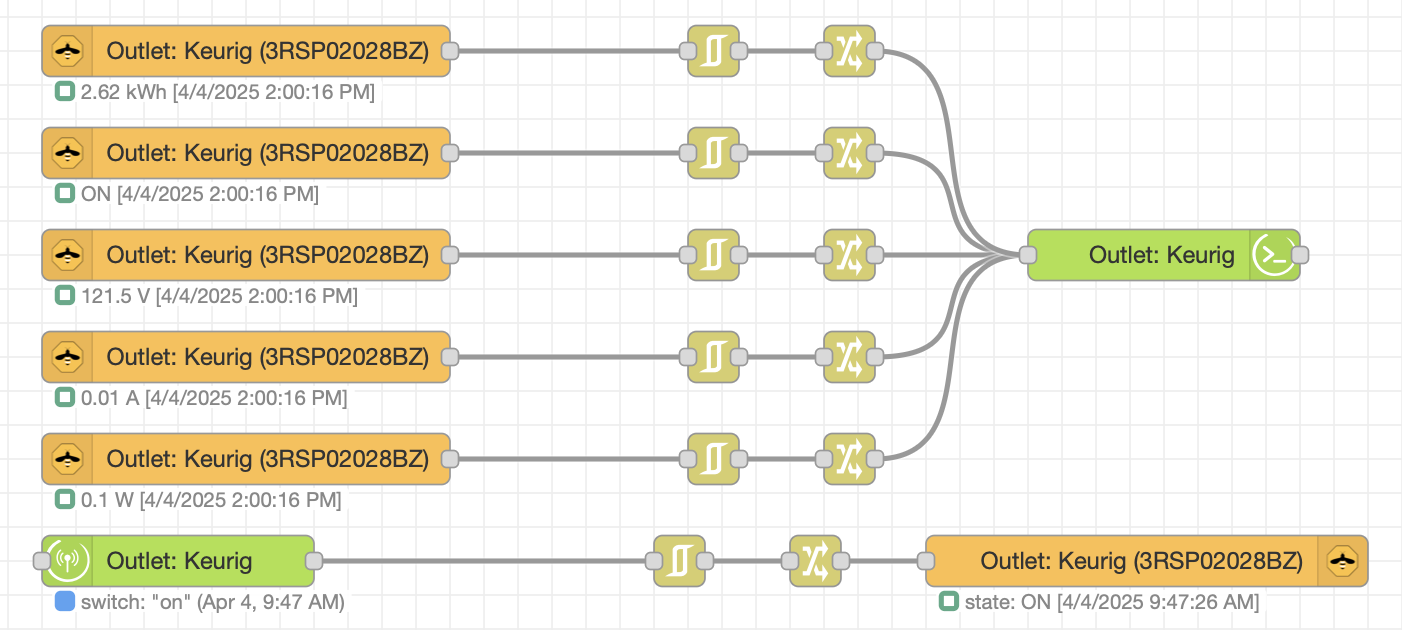
I do this for devices that I paired with zigbee2mqtt but use in Hubitat. Here's an example for an energy monitoring outlet. Like HADB, outlet control is bidirectional. And my virtual device driver permits all the entities shown to be populated in the virtual device.
2 Likes
Big thank you to you both for this minor but big ease of use fix.
When I updated HA and it restarted the battery level device in HADB is showing offline on my devices section in Hubitat. I have several battery power devices coming from HA right now that consist of Moes Door/Window Sensors and Tuya Water Leak Sensors. The battery in the health status shows offline and has the red wifi symbol. The devices however all function properly with no issue. It is just the battery entity showing offline. I am currently using the most recent version of HADB in HPM for reference.

I removed the battery from one of the devices and left it out about 10 seconds but this did not change anything.
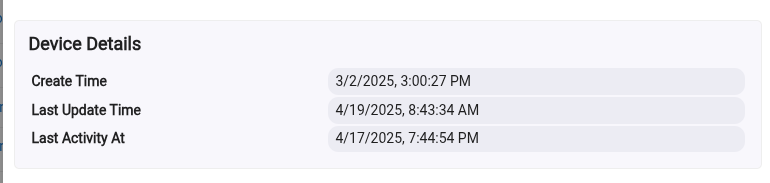
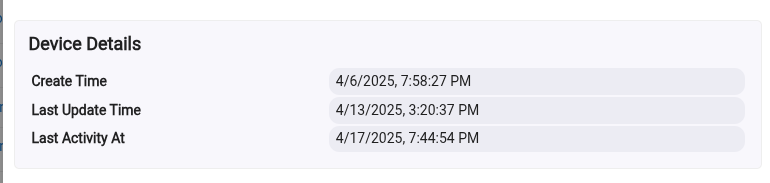
The devices started to show offline several days ago but when I go into the devices info tab it shows activity since then. I am attaching a screen shot of the devices I took the battery out of and another device. The one I took the battery out of shows the last update as of today. The other device shows the last update of 4/13 but has activity on 4/17.
Device I removed the battery today:
A different device that also shows offline:
Is there a way to get the battery entity to not show offline?
What does the HealthStatus attribute report for the battery device?
Anyway the "online" status is relevant for a device but not so much for its battery. Much time may elapse before a change occurs in the battery status even though the device itself reports activity.
I don't know what Hubitat use as a criteria to decide when to report a device as being offline.
The health status attribute for the battery showed offline as well. It isn't a huge deal because I have noticed in the past when the level would change they would come back online until another update and HA had to restart. Then offline again. Also I have notifications through HA as well for those specific devices.
Here is an odd thing though, but may make more sense to you. I installed something there today and had to restart HA. When I did the battery devices showed online again. Maybe it triggered communication or something.
I'd been pulling my hair out for a couple hours (maybe longer  ) with trying to set up HADB for the first time, and then I finally scrolled down to this nugget.... When I originally copied in the IP, it never even occured to me to remove the http://
All's well that ends well - thank you (and the others) for this fantastic integration!
5 Likes
should a lock come in as one device, incurring its battery state ?
You will have to select the lock and the battery in HADB to bring them both over. Then they will come over into HE as two superate devices. HADB brings over each entity in HA as a separate device when you choose them. The lock will show up as soon as you work the lock and change it's state. The battery will show up later when the battery state changes and the lock reports in out. All devices have to be triggered/report a state change before they will show up in HE.
3 Likes
Is there no way to make them come in as one? I have a button switch which is doing the same and would like them in one device ideally.
No, unfortunately there isn't. I am sure there are some guys out there that can explain the reason why. I don't know enough to accurately explain.
All devices coming from HA are that way. It adds to the device list but really doesn't impact the hub. I use that to my advantage though and some devices in HE I can't get battery reports I also connect to HA and just bring in the battery.
1 Like
You could use a virtual device and then create a rule to mirror the values from the HADB devices to the virtual. Might need to mirror the lock status back to the HADB as well if you will control it from the virtual device. Not the most elegant but it should work.
I imagine it would be pretty complicated to account for all the different device types and combos, and have it create combination devices. You would almost need some sort of advanced config in the app to pick what entities to combine and then pick a virtual driver to combine them to. I could be done, just maybe no very easily.
What would be really cool if is you could just pick an existing device to send the values to! That might actually be easier to do. So you make your own virtual device, so it is not a child anymore. Then in HADB for each entity you could map it to the virtual device.
1 Like
This is more like what i was thinking, we select the device and say send X and Y entity's to it. Could have both ability's that it creates one for you as it does now or you say advanced and select the device
1 Like
I also didn't like different entities for a single physical device coming in as separate Hubitat devices. So for some of my devices, I bring them into Hubitat in the following way.
- I write a simple virtual driver that has all the attributes/capabilities that I need.
- I import the HA device into Node-RED (if the device is a zigbee device, then I directly bring it into Node-RED using a z2m pallette).
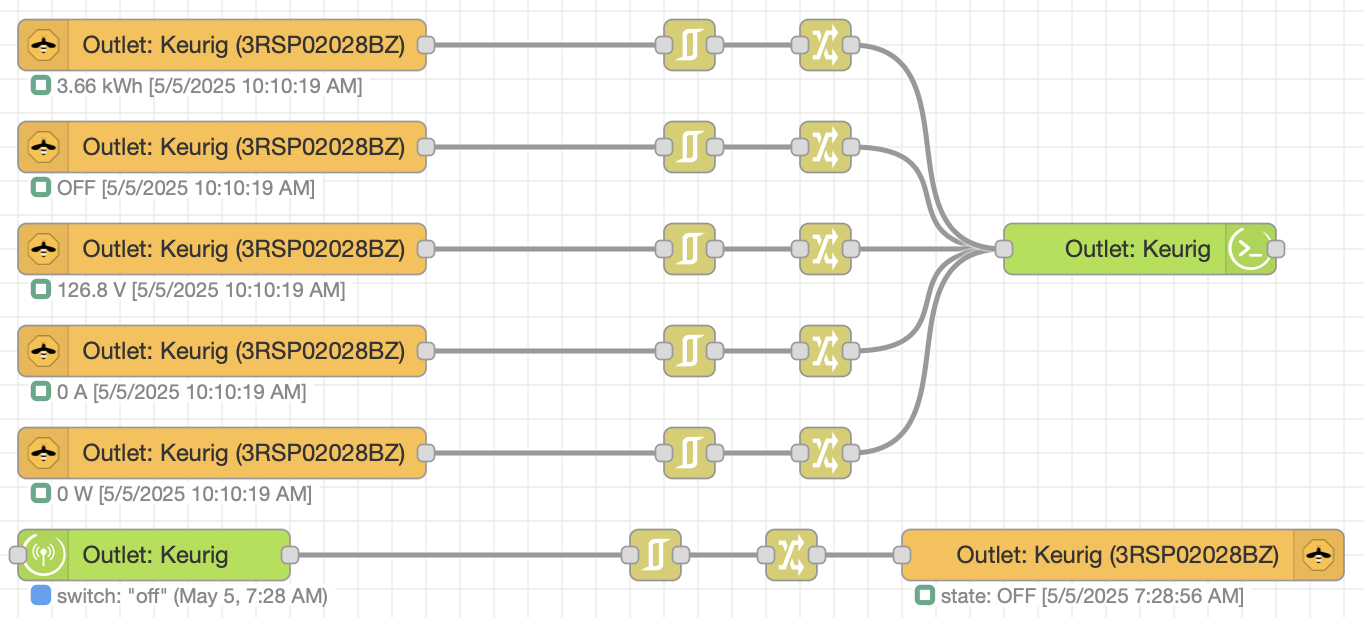
- I create a simple sequence in Node-RED to populate the Hubitat device based on input from the physical device. If the z2m/HA device is controllable, I also create a Node-RED sequence that controls the z2m/HA device based on the state of the Hubitat device.
This meets my needs. Here's what the Node-RED sequences and Hubitat device look like - in this example for a zigbee energy monitoring plug:
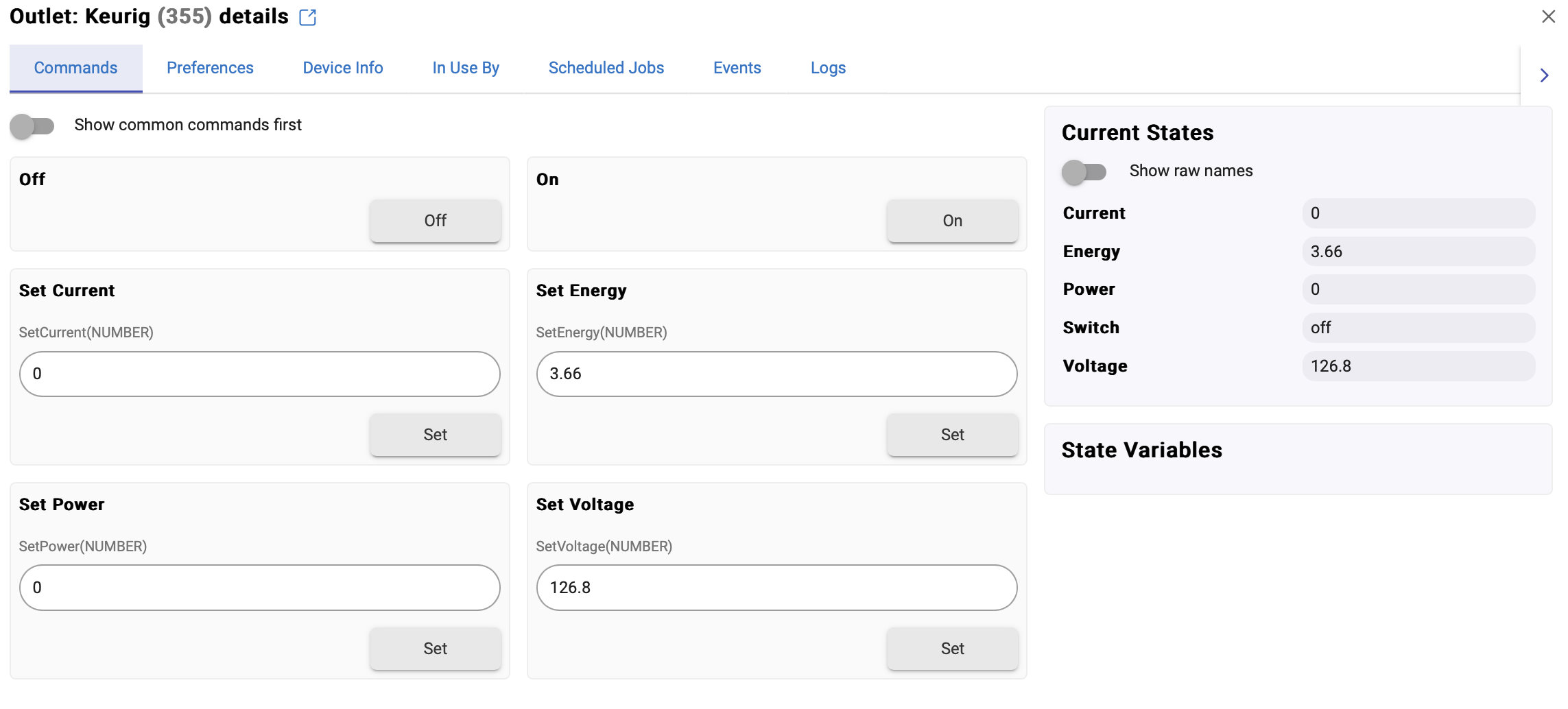
I started doing this several years ago - before HADB was available.
Also, tagging @ritchierich - who has considered alternative ways of achieving a similar end result.
2 Likes

