Now that Ring devices are officially supported can Ring camera live views be shown in HD+ ?
great question! and good timing too since I've been pretty focused on video improvements. Does the app/driver support any kind of video stream? I haven't seen it but will look into it. Let me know if it's possible and already discussed in another thread
I have tried going to the lowest quality video setting on my cameras and still they don't operate properly. It used to be perfect, no issues. Then all of a sudden they start freezing. I tried some newer Focam cameras that use 5ghz wifi, but same issue.
The drivers haven't changed - ExoPlayer and RTSP. I did find and fix some issues in the last release with keeping the video connection from reconnecting and it worked on my test devices (Reolink & Kasa cameras) and at least some others I believe.
Both drivers have updates available but they both require changing the minimum Android version which would exclude old Fire Tablets like what I'm running on.
If you have a higher end Android device or tablet, give this app a shot here. It's using different video drivers (JavaCV for Android). I also was able to add some other features like recording, opening the video full screen with no delay, zoom & panning in on the video
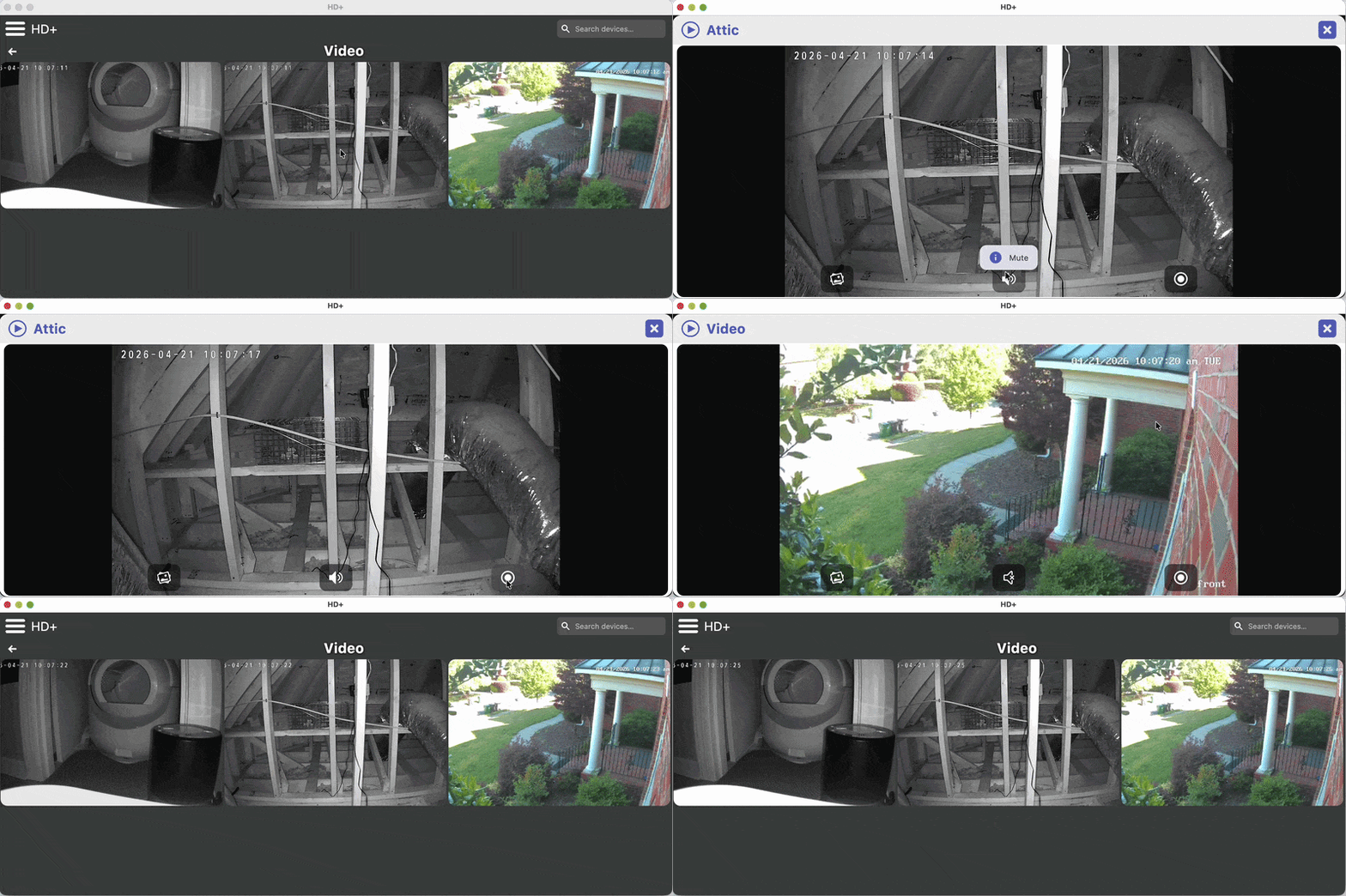
The reason for so many different drivers is RTSP video streaming support is a really mixed bag. I just went with the ones that worked the best in my testing.
I've thought about porting that logic to this new app but there's too many risks of breaking existing dashboards. Video drivers are really large too so I wouldn't want to add another 20 Meg to the apk size.
First post here. I have used the HD+ for a long time and love it! Thanks! But....this morning I opened up the app and I keep getting "Invalid Access Token" "Select UPDATE to try and fetch a new token (local network only)". I've pressed the "UPDATE" button many, many times to no avail. I've tried to uninstall and reinstall, but I always get the same message. Any help you could provide would be greatly appreciated.
Are you able to send device logs? That might help explain what you're seeing. Is it possible the Hub's IP address changed?
I have a similar issue with the "Invalid Access Token". I probably brought the issue on myself.
I migrated from a C7 to a C8 Pro and Cloud access did not work. I created a new token in Maker API and was going to update in HD+. Unfortunately it does not seem to work.
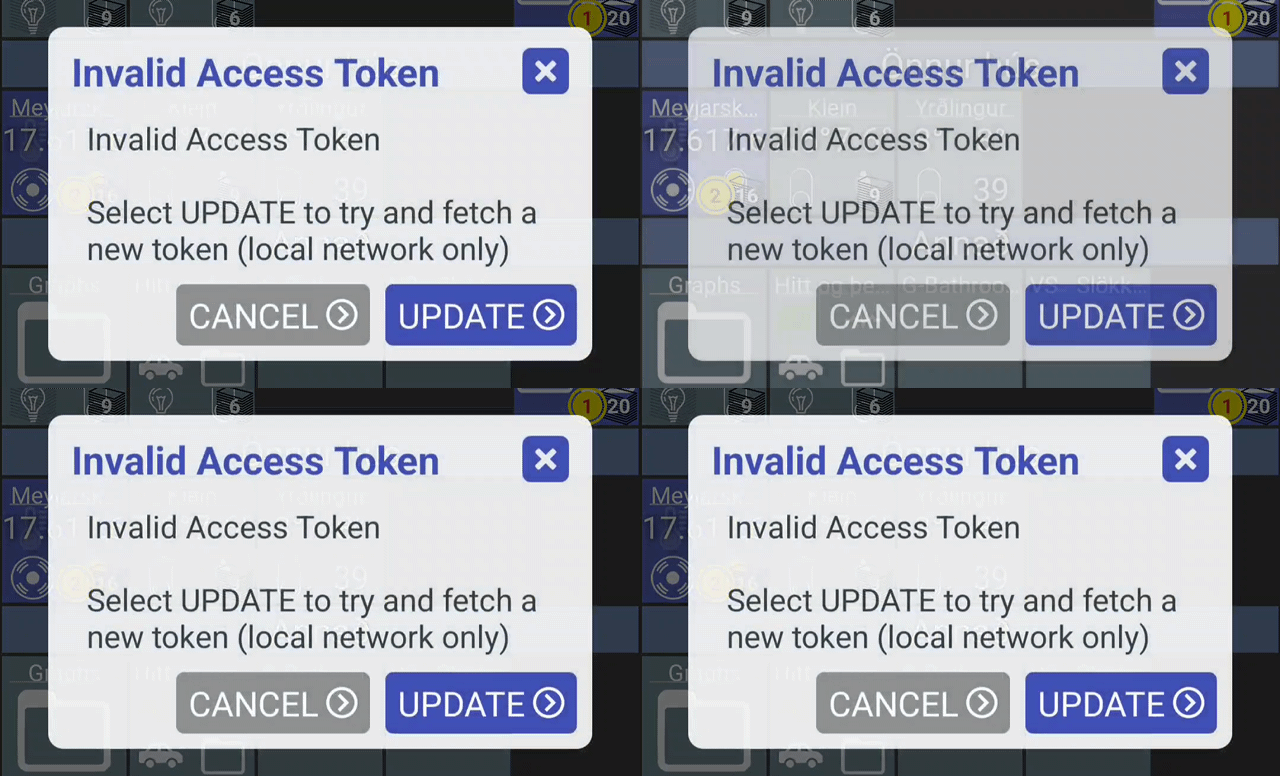
When trying to refresh, it will show "Invalid Access Token" and ask to cancel or update. Sometimes it will flash this message dozens of times. I can hit update and it will show "Updated Access Token", but the invalid message will be back, so stuck in a loop.
HD+ works fine in local mode.
I tried manually updating the access token (got it from maker API), but still the app will say invalid access token. However, after changing the token, the "flashing" is slower, which means I am unable to move around the UI until much later whne it seems to have stopped flashing. I assume it is coming up with a invalid message on each device that is the dashboard?
Any thoughts on how to fix this?
Update: After manually entering the new token, I am now stuck in an endless loop where I get the invalid access token message and cannot get into the UI to change to local only.
Here is a video gif:
1 Like
Thanks for reporting this - I'll try to detect that error and stop trying again
Do you happen to know if the MakerAPI app ID is the same? ie: the "/38/" from below?
http://192.168.0.200/installedapp/configure/38/mainPage
1 thing that would really help is device logs -- either if you send them from the app (about -> feedback) or even if you just view device logs in the app and take a screenshot?
I'm guessing I can test this by changing MakerAPI access token but I'm also thinking it'll be a pain to fix all of the devices around the house 
I would love to take screenshots or send logs, but I seem to be stuck in a loop. I have cleaned cache, still stuck.
I believe in the past that I have been able to manually edit the dashboard config file. Could that work to change the token?
I do have HD+ installed on my iPad and am able to connect there, but in local mode. I don´t really want to enable cloud mode there. I can see my maker API is 1256 in Hubitat, which is the same in the iPad.
I clicked on a log upload button in the iPad app, not sure if that helps?
EDIT: I realized the app is also installed on my wifes phone, I can confirm the App ID is the same still. I uploaded logs from her phone.
version 1.0.2807 (beta)
- fix logic capturing access token
- don't show URL when connecting to video
- adjust bottom margin for folders
- fix invalid access token dialog repeating
- detect hub security when fetching access token
This fixes an issue with automatically discovering the access token. It also does a better job of detecting an invalid access token and pausing any refresh until you update it or re-login.
There's 1 small UI change with folders.. I never liked how there was no space at the bottom.. the icons just looked too big. So, that should be more consistent now - see images at the bottom of this post
1 Like
hopefully the new version will fix the loop
EDIT: I realized the app is also installed on my wifes phone, I can confirm the App ID is the same still. I uploaded logs from her phone.
I'm looking at them now and see a couple of errors - the biggest one is:
Failed to connect to /192.168.1.200:443
Is the Hub still at this same IP address? I see a different IP address from a LONG time ago. Maybe the Hub rebooted and got assigned a new IP address.
The other error is really more of a warning:
startActivityClient: FAILED, java.lang.SecurityException: Activity detection usage requires the ACTIVITY_RECOGNITION permission
Hopefully you have presence enabled or else I wouldn't want to even have that logic active at all. It's just an optional permission (detects movement like driving, biking, etc which in turn kicks off the geofence check). Anyway, this is 1 reason why the app works much more reliably for presence.
Either way I'll check for the permission first so that error will go away
I have cleaned cache, still stuck.
FWIW I think clear data is the one that clears out the apps local storage - resetting it back to default. If you're able to update the app first (either Play Store or manually) that will hopefully fix it though so you don't have to reset anything
Ah, that is the old IP, so my wifes phone is still trying to find that one. I will update the app on my phone, but I cannot see the new version on the play store, yet (I am a beta tester). Perhaps I can download the APK directly?
EDIT: Crazy workaround. I was looking at the HD+ page in Play store, waiting for the beta. If I click the open button on that page, it will open the app and it will no longer be stuck in the loop. I was therefore able to upload the logs from my own phone. If I open the app again, I will be stuck in the loop, until I go into Play store and click open.. Weird.
Just tried to change an icon of a folder or the icon color, but without any success. Is this a known issue? Even so I wasn't able to use or "install"many icons from The Noun Project.
Any ideas? I'm on the latest HD+ release.
Thanks
It can take a few days sadly.. still faster than the iOS App Store
If I click the open button on that page, it will open the app and it will no longer be stuck in the loop. I was therefore able to upload the logs from my own phone. If I open the app again, I will be stuck in the loop, until I go into Play store and click open.. Weird.
very weird.. can't even imagine why that would open the app any differently.. if you did send the logs though I'll take a look
1 Like
I believe they changed their API and/or removed the free version I was using. I'm guessing that if you were using any icons in the past they'd be OK since the API key was just to search for images.. once you picked one it used a valid link that hopefully didn't change. The app will download and cache the image so it'd work even if the link was broken but eventually that would break it too.
Thanks for your the explanation. That's a pity. As mentioned before, what I also noticed, I wasn't able to change the icon at all. Even with HD+ internal icons and also not able to change the color at least with a new folder.
@jpage4500 Any chance you could add an option to not show the Go Back button or the Folder Title at all as they are not needed when using gesture navigation.
I have a Nest thermostat and am able to have basic control on HD+ using the thermostat device type but it does offer or recognize the ECO mode. Is there any way to configure the device or tile type so that the Nest has more control in HD+ ?
@jpage4500,
Please see error below:

I just tried the Auto setting and that is effectively the Eco mode - setting both low and high temps. I'll start using that instead of the dedicated Eco mode
1 Like