My tablets are already set to "disabled" on the stay awake feature. I'd like to just use your screensaver feature, but I don't want just the blank screen. I want to be able to use the Dakboard url that I have configured that displays a variety of photos, time, weather, etc. Maybe a feature request? Thanks for the response.
I was able to correct the multiple errors in the log by adjusting the "unrestricted battery" setting for the HD+ app on my Samsung phone. Thanks to those who pointed me in the right direction and helped me find this solution. I'm sharing it in case you have the same problem.
1 Like
I've got a minor issue with shades in my HD+ setup.
If I click a tile for my shades/curtains, I get the pop up set position window with options for Open, Close, 75% and 25%. Clicking Open or Close their works fine. While re-doing my dashboards due to some unconnected device changes I noticed the option on the shade tile for 'Hide advanced UI' and selected that as we only ever fully open/close our curtains. However with the advanced UI hidden, the two icons that pop up when I click the tile for 'Open' and 'Close' don't work. I'm not sure whether this is a bug or something in my setup (though it's the same for different devices). I'm using an older version of HD+ (1.0.2585) as this is the last version where the RTSP driver works for my Hikvision cameras.
Edit: while messing around I've discovered that changing the device type for my shades and curtains to 'switch' works better for our use case, as it allows a single tap to go from open to close or close to open without any additional pop up.
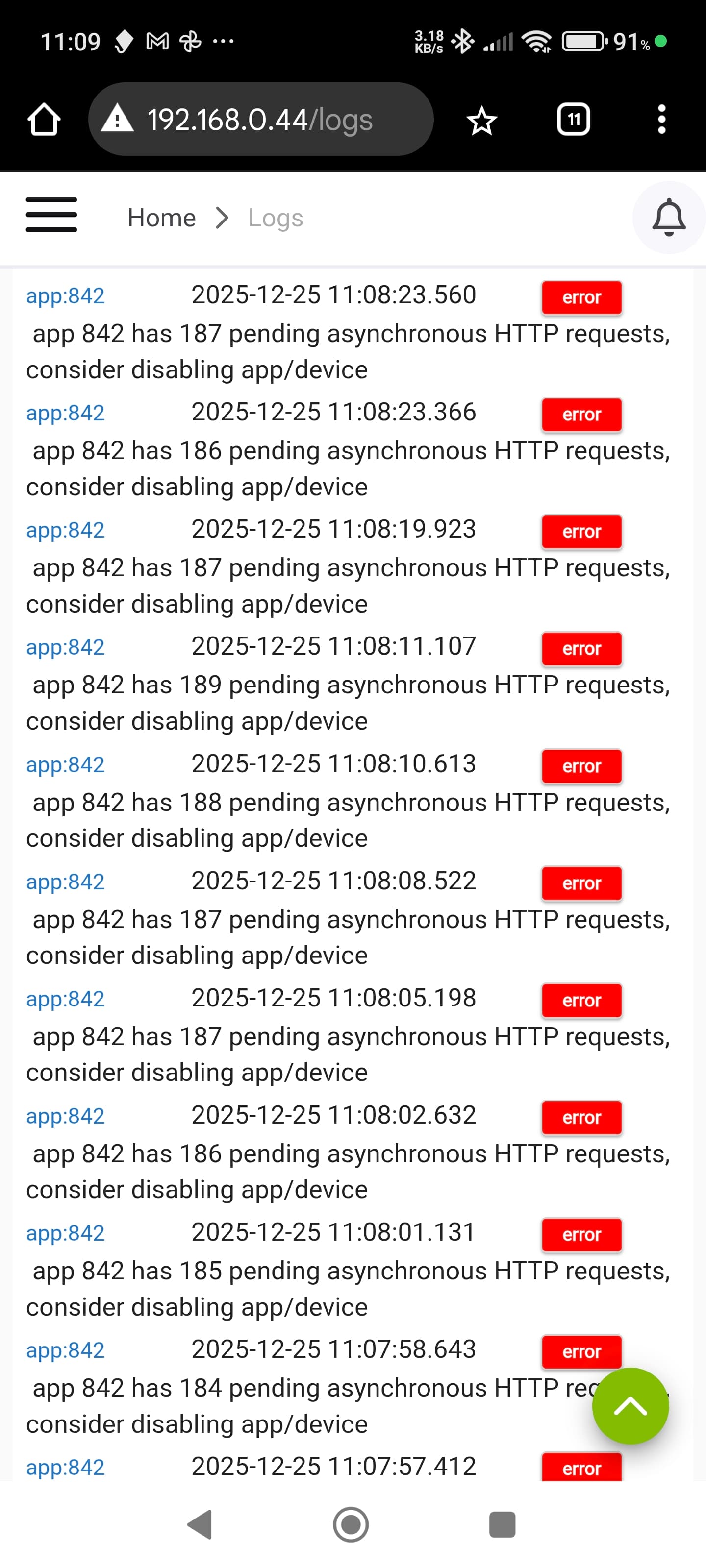
I'm also getting error messages. I've stopped the HD+ app in my android settings and restarted but the errors still occur. Any ideas folks as this is seriously spamming my hub?
What version of the Hub are you running? It looks like I'm on 2.4.2.134. Just looking for what could have changed or be different from my hub. Also, is there a support thread for this?
Are you sure that app 842 is HD+ and not some other app?
I'm assuming this ID is MakerAPI, which HD+ uses to get devices, send commands, etc. When in local most (same network) HD+ doesn't request the devices very often. It uses a webhook endpoint that 'pushes' device changes as they happen. However, when in cloud mode it does refresh the device list every few seconds.
Did something in the Battery Monitor change recently? Most of my battery devices are not listed now.
Im running 2.4.3.173. I found a bum IP Address as shown below in Maker API. I've completely deleted the address and it seems to have resolved the issue. Would this cause the issue or is it a coincidence?

1 Like
Maybe this has been answered before. I searched but did not find a viable answer. Can the HD+ dashboards be updated dynamically. If I edit the bathroom dashboard on my spare pad at my computer and save that update to the hub, can the bathroom pad periodically check to see if there is an update and install the new update without me doing so?
Not easily, no. I did some research into that a long time ago -- I don't remember exactly what came out of it but probably didn't want to accidently replace a dashboard.
It makes sense though... something along the lines of:
- add a checkbox (default:off) to auto-reload changes
- not sure where exactly this setting belongs but I'd want to limit it to hub files.. i have some settings in backup dialog today so that's probably where I'd put it.
- side-note: should auto-backup also try to auto backup changes to the hub? I worry there that 1 accidental change could mess up all dashboards though
- if that setting is enabled, every X minutes do a check of the hub backup file date and if it's newer, try to import/restore

Yeah, that's probably the issue!! It's telling MakerAPI to call that URL every time a device is updated. Since the URL is invalid the calls are probably just stacking up.
2 Likes

Seems to work for me. Can you try deleting the tile and re-adding? If it still doesn't work let me know and I'll look at what it's looking for to include devices
This was also the same issue for me (post 6343), I noticed that I was not getting the errors on a newly created MakerAPI instance, and then I discovered that my old IP address was populated in the "URL to Post device events" for the previous instance of MakerAPI which was giving the errors, (this must have happened when I moved by system to a new IP address), doh!
So, it appears that the Battery Monitor tile only shows the battery of devices selected for that dashboard and not all of my battery devices. Not sure if this is a change from previous. Can the option be added to include all battery devices?
Looks like we've hit on the same issue👍. All the best for 2026👍
1 Like
HD+ can only see devices that are added via MakerAPI. Is that what you mean by selected devices?
Yes. I thought on previous dashboards that I did not have to select all of my battery devices. I guess that I do.
Ok, I have 20 battery devices. I want to add them to the Battery Monitor on my bathroom pad. Is there a way to add those to that MakerAPI without adding all of those new devices to my bathroom pad screen, thus requiring me to hide all of them?
Could you make it user selected? Scenario: I'm at my computer editing a new version of my bathroom dashboard (on my development pad). I save it to the hub. Now I instruct the bathroom pad to update to the new saved file without having to go to the pad in the bathroom to do so.
Food for thought : update a pad at a remote location without having to go there.....