It would be great to have that possibility.
But in order to keep the current behavior for people who only use .5ºC precision, I'd keep single click for that precision and long press, or even better in my opinion, double click for .1ºC precision.
I there as easy way to switch between a production layout and a development layout?
I'd rather not have the wife being bothered with new layouts and devices I'm playing with until they are ready for real use 
Just use a different device. Each has its own config.
I forgot exactly how it shows up but there's a quick restore option that shows up in the menu that does just that. I believe you just have to use the Restore option to open a couple of different config files
1 Like
The backup/restore option works fine to go between a production layout and a development one. Tested and works great
Nice option to save to hub (instead of device).
Thanks
Well some time ago I asked you if adjusting setpoints by 0.5 F was possible, and I haven't heard from you since, then I run across this post where you didn't think it made sense???
Well it DOES for ME and that is why I had asked you about this before.
Is it possible for 0.5 F on a thermostat dashboard tile?
I'm surprised that you have a use-case for 0.5 degree changes. I'm certain I could not tell the difference.
I'm not a heating/cooling expert but every thermostat I've used just goes in 1 degree increments. I didn't even know it was possible to change some thermostats by .5F.. I've got a Nest but would need someone to say if that would even work.
Anyway, I know even less about how thermostats work in Celsius but given the fact that 1 degree Celsius is close to 1.8 Fahrenheit at least it makes more sense to me to add more fine grained control there.
I am no longer see HD+ in my Android Auto. Started about a month ago. Seeing CarAPI 7 in the HD+ phone app. Running a Samsung Galaxy S24+
Anyone else having issues with Android Auto?
I removed everything from the AA on HD+ and AA went away on the More Settings page. I went to my car to re-add it and it is not appearing as it did when I first started using it over a year ago.
BTW: I do direct updates and not using Google Play Store and I am on v.1.0.2726
This battery status widget comes with HD+? I want to change the 50% threshold. Who wants to change the batteries at 50%???
Well I am not directly controlling a physical stat, but the thermostat controller app that uses several different temp sensors and averages them, which creates a temperature value that is controlled by the thermostat controller app, hence the use of 0.5 deg F granularity.
It does make a difference in my situation where 1 deg F is a little too much sometimes.
This is why I asked for the half degree capability with the HD+.
@jpage4500 I am experiencing severe load messages from HE, which appear to be tied to Maker API
Do you know of this issue?
Would you be able to suggest Maker settings that perhaps are turned on incorrectly? I am not sure how to go about troubleshooting
I haven't looked but there really shouldn't be much. It ultimately depends on how often the app polls MakerAPI. In local mode it should be very minimal as there's a websocket that's used to get realtime device updates. Polling doesn't happen very often. Cloud mode is different since there's no websocket available. So, the app will poll every few seconds while open.
Ideally if this is an always on device (ie: wall mounted tablet) you'd be using local mode and the MakerAPI usage should be very light.
I've got maybe 100 devices returned via MakerAPI as well
Okay.
One big question - I don't need to POST device events to a URL do I? For the app to work?
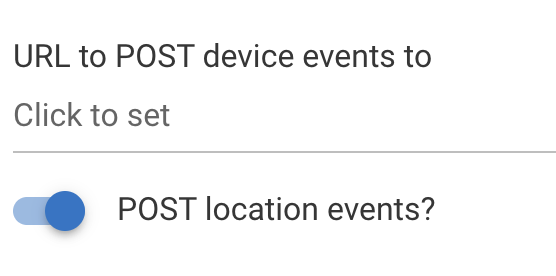
I've never used this before but I think the idea is if you have a server running somewhere that can receive events you can set this webhook and it'll get called anytime something changes.
Gotcha. okay, that was causing issues, so I turned it off. Will see if it decreases the errors.
@jpage4500 I'm having an issue with the companion app. Every so often, the Google oauth token expires, and my notifications stop working. Is there any way it can refresh the oauth token automatically?
@jpage4500, before I make my request, I want to express my appreciation once again for this amazing app. Every time I sit down to do something with it, I am freshly amazed it how well it is designed and the functionality it delivers!
My request
I would like more control over what is display when one is looking at a folder that is "closed":
- Ability to show HTML formatted text.
- Ability to limit the number of tiles contained in the folder that will be displayed when "Show contents" is set to "Tiled" mode. Currently the first 4 are always shown, but there are times when I would like to limit it to 2.
My use-cases
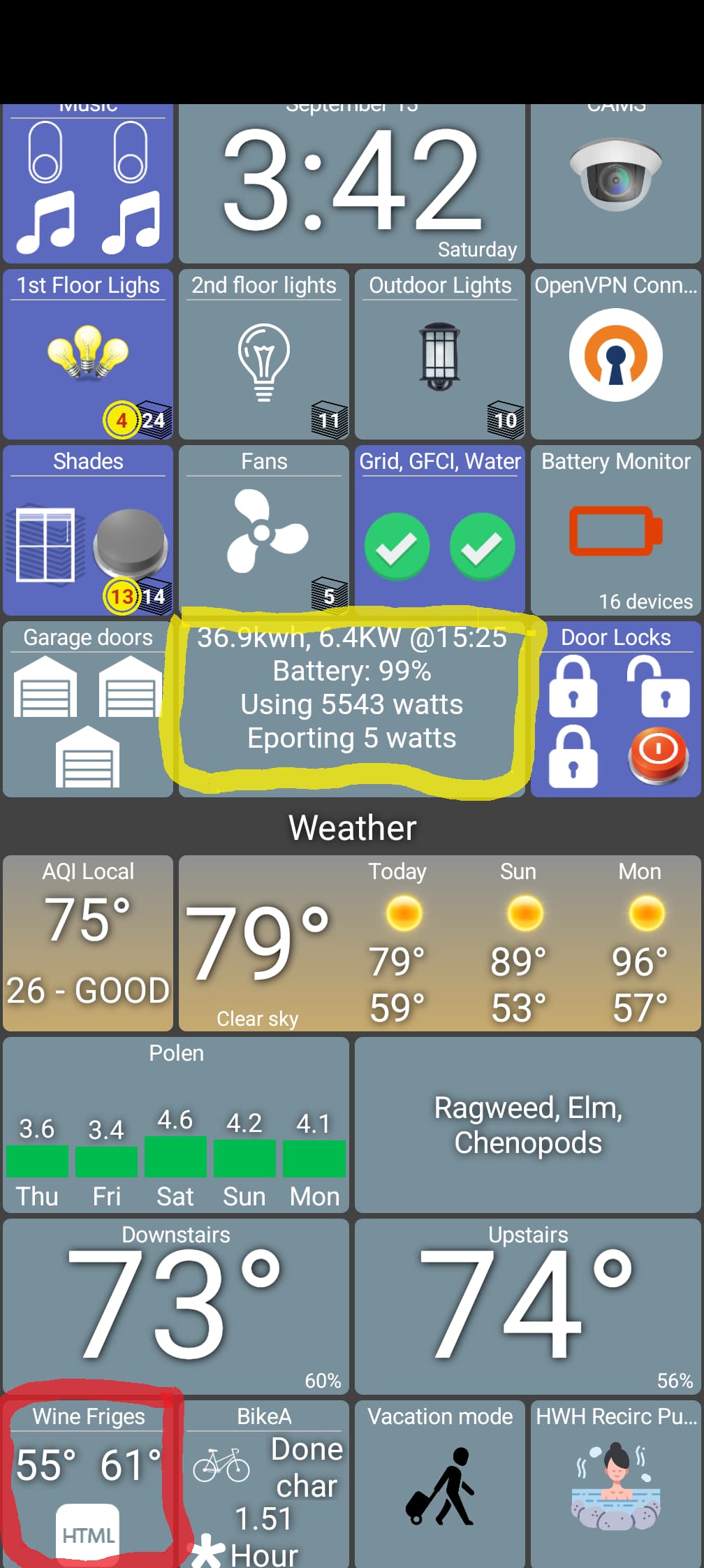
- Use-case # 1: See the tile outlined in yellow in the first screenshot, below. That tile is showing an HTML formatted string. I'd like to be able to "click" on that tile and open up a folder that will contain additional information as well some graphs that were created using WebCore.
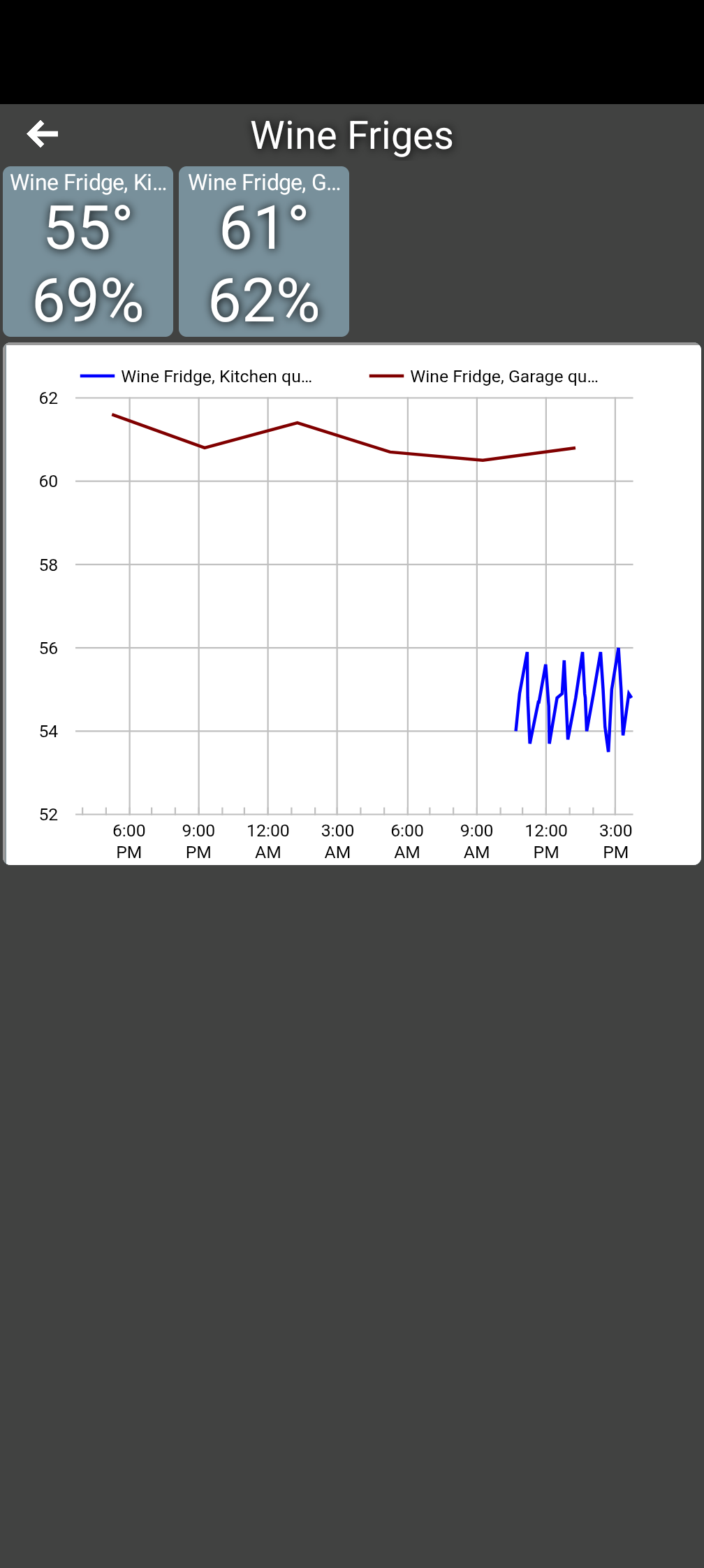
- Use-case # 2: See the tile outlined in red in the first screenshot, below. That is a folder that contains 2 temperature sensors and a WebCore generated graph, as shown in the 2nd screenshot. The temperature sensors show up as expected on the folder view, but I'd like to get rid of the "HTML" icon by limiting the "closed folder" view to the first 2 tiles in the folder.
Thank you for your consideration,
Marc
I would like to add to this...
I have some items where the natural state is on. I would like to be able to switch how they register on a folder. For example on my "Outside" folder I have the water valve which makes me think something outside is on.. when it is on... on is open and open is the natural state. Same with m y mailbox. The sensor reads open when it is closed. I need to be able to reverse that so the folder does not show that there is an item on when the mailbox is closed. I hope this makes sense.