This is essentially a 2026 version of one of my favorite apps - [PROJECT] Google Photos integration for dashboard image slide-show
The basic idea is you link the app to your Google Photos account, select several images and it’ll create a child device with a link to an auto-refreshing image.
Google threw a major wrench into the process back in May 2025 by preventing API access to any of your images beyond a short window. That broke the original project.
This version fixes this by basically what @dkilgore90 said:
The flow:
- Open a Google Photos picker → select as many images as you want
- App will download the images and re-upload them to a new Google Photos folder that it ‘owns’, which is what’s required for the API to get access to these images later on
I am downloading the images with a max size (2042 by default) so the resulting image that’s uploaded should be fairly small but the downside is still valid - just worth the tradeoff to me (I have an album with 50 images and it’s less than 20 Meg total)
Side-note – I actually have to re-size the image before uploading as otherwise Google would figure out an uploaded image already existed in Google Photos and the API wouldn’t be able to access it anymore 
Installation
- search for “Google Photos Cloud” in HPM
- described in step-by-step here: Google Photos | HD+ (Hubitat Dashboard)
- Note: You don’t need HD+ for this.. any dashboard should be able to display these images
- If you do use HD+ Dashboard, I’ll make sure the next version supports this device
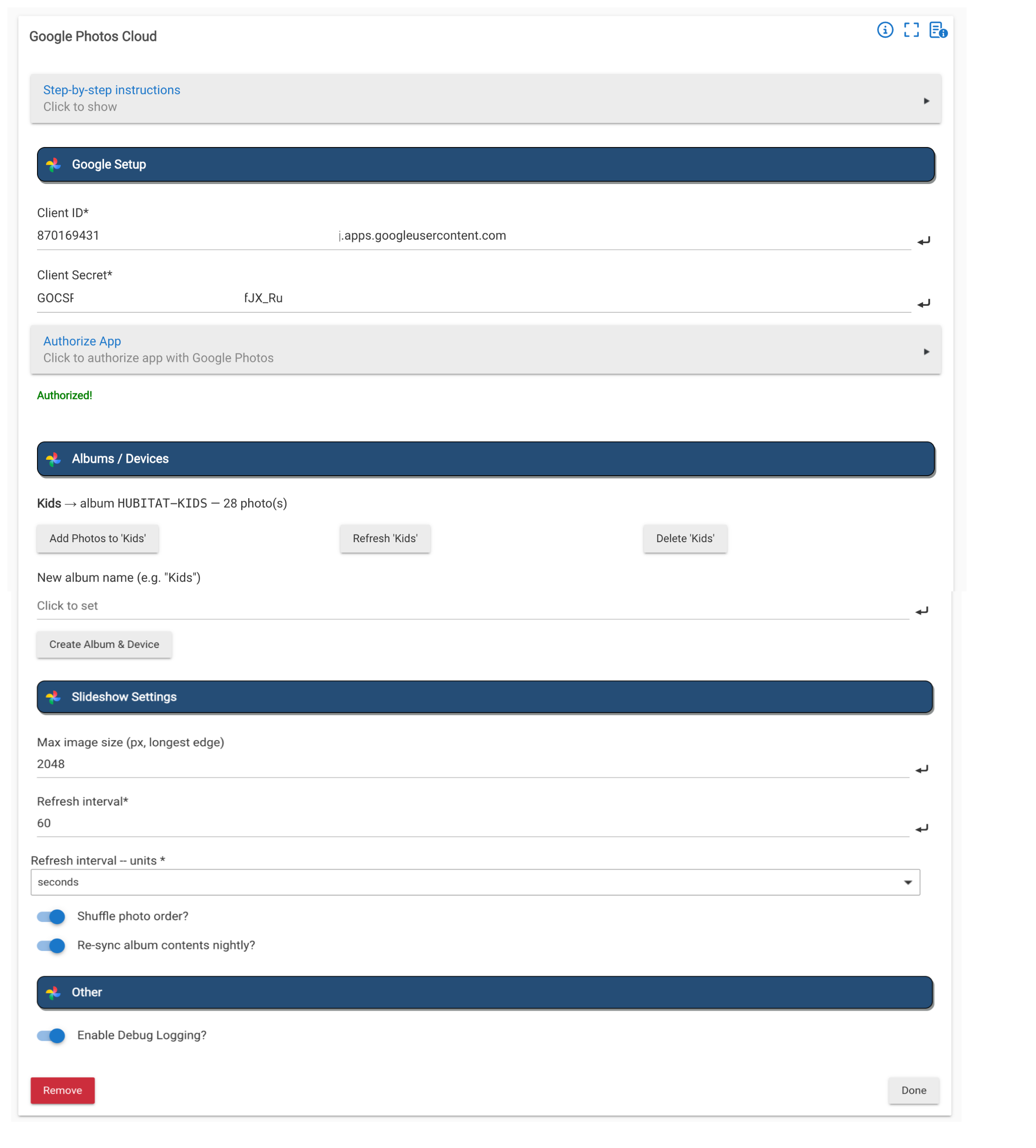
Screenshot
Alternatives
I tried a few alternatives a while back before settling on this one.
- Using Dropbox for storage but it wasn’t convenient enough (my images are in Google Photos)
- Using the Hub’s Filemanager to save and serve up the images.. this works great if you can access this locally but Hubitat’s cloud access has a very small response limit and I never found a good way around that