Yes assuming your Google calendar was queried in advance of the internet outage. A schedule is created to toggle the switch which could be up to 7 days out, based on your example.
The app is designed to find a single matching Google calendar event, task or email and perform automations based on that. Frequent search triggers are expected to occur based on your use case. This said the first event found matching your search criteria will toggle the child switch but the other events won’t without Internet access.
It may be a little confusing but over the years community members have asked to look at sequential meeting blocks to expand the end date if multiple meetings are occurring. Or query for all events to include in notifications. But again automations around events after the first are mostly ignored and frequent queries are expected.
I have this triggering HVAC in a specific room. Is there a reason this cannot keep toggling the child switch off and then on for the next scheduled events, if it is already in memory?
That’s the thing it’s really not in memory. Scheduled jobs are created at the time the search trigger queries the Google APIs for the first event found. Your use case would require a pretty extensive redesign to accomplish.
The code is in the public Hubitat Community GitHub repo so if you or anyone else wants to take this on please do so as I would love to see community help with this project.
This enhancement came up where a community user wanted to alert his family he was on conference calls and to not disturb him. There was a light outside the office that he turns on based in the calendar events. When he had back to back meetings he wanted it to remain on through the end of the last meeting. So in this case the switch turns on at the start of the first meeting found but instead of the off at say the end of a 30 minute meeting, it checks for back to back meetings and sets the off time to the end of the last meeting.
Your example has a 30 minute gap between the first and second event so child switch would toggle at 10 and then at 11
If the events were the following and that preference enabled:
Event 1: Monday 10am-11am
Event 2: Monday 11am-12pm
Child switch would toggle at 10 and again at 12
Edit: the only idea I have for you is to enable the Next Event setting and that will capture whatever details of the next event into the child switch’s nextEvent attribute. Once populated maybe you can parse it with custom code or a rule. Unfortunately not something I can help you with here. Please note this only captures details of the single next event, not all matching events found.
I see. If I may suggest, it would make more sense to change the preference name from "Sequential Event Preference" to "Back-to-Back Events Preference"
Regarding "next events" in a given search, would it be too much work to add an option to capture the subsequent events' start and end times in variables that can then be used to for the scenario I described above if internet or api is down?
I will consider it in a future release but will say it has been called this for several years and there is description text to help explain.
HE is a great solution for local automations but this solution does require internet access to work. You should really consider a backup internet solution. There have been a few posts here on this community about it.
That would be a more expensive solution, but it would not address the issue of Google api outages. What if you limit the variable creation for the next 5 upcoming events? That would be 10 total variable that store the next 5 event start and end times.
Is this a problem? I have over 10 search triggers and only occasionally get an error, very rarely. I have it in my list to add limited retry logic if there are timeouts.
A related issue:
Event 1: 3:00–4:00pm
Event 2: 4:30–5:00pm
I have the start offset set to -60min, to allow room to cool before the start of the actual event.
So at 3:30pm the switch will toggle ON for event 2.
However, it will toggle OFF at 4:00pm for event 1, and stay off.
Could you allow for the internal logic to factor in the offset?
So if the offset overlaps with the next event, the toggle stays on.
So I have this integration all up and running and can send email notifications through the gmail connector device from hubitat (via rules engine, mostly).
I am now trying to send an email request via Maker Api(sent thru curl) and deviceNotification command, assuming this is possible. I may not understand the capability here as so far I've only gotten it to deliver back the gmail connector status and 'last message sent etc'.
It may be a format thing, encoding thing or something else. I was assuming the 'secondaryValue field (string) would match the gcal string format.
Can anyone share what a maker api to send a message thru the connector looks like? Or just set me straight if that cannot be done...
For testing APIs and development I use PostMan to validate things. It is a free utility that you can download and it can even provide you example code once you successfully test your API Call such as Curl examples.
All this said, I setup PostMan to call MakerAPI to successfully send an email via my Gmail notification device. It is important to note that since the email message is passed via the URL query string it must be encoded otherwise the message might not send correctly. For example spaces end up being '%20'. There are many free online encoders and decoders such as:
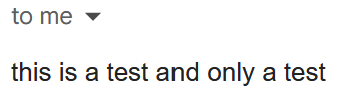
Here is an example URL to send "This is a test and only a test" email:
Thanks very much for that. I swear I tried this combination unsuccessfully, but your example worked straight from a browser for me once I adjusted the Ids and token.
I was originally trying to use the fields 'To: From: Subject" etc. but punted to straight simple text with no joy. I must have had something wrong.. or.. the translation /encoding/expectations when sending thru curl are different... I can have a look at that too.
Yeah, I know Postman... I'm presently working in a legacy (running) perl script from an older integration, so sending by curl is straightforward. I'll go back at it with this rosetta stone example though.
I did a little more testing adding To and Subject and saw errors happening in the log. MakerAPI is using the commas and passing then as separate parameters to the deviceNotifiction function. I was able to fix it by adding the following to the GCal Notification driver:
//Added for use with MakerAPI where commas come across as separate parameters
def deviceNotification(message1, message2, message3, message4) {
    deviceNotification(message1 + "," + message2 + "," + message3 + "," + message4)
}

//Added for use with MakerAPI where commas come across as separate parameters
def deviceNotification(message1, message2, message3) {
    deviceNotification(message1 + "," + message2 + "," + message3)
}

//Added for use with MakerAPI where commas come across as separate parameters
def deviceNotification(message1, message2) {
    deviceNotification(message1 + "," + message2)
}
Give this a try to see if it solves your issue. I will get this added to a new version.
I set up four rules in my app to set virtual devices but I did not name them well. So I went back into the app and renamed the devices. I see the original devices showing in device settings but I don't see any evidence of the new names. I have refreshed, etc. What is the appropriate way to update child device names for a rule? Thanks.

 )
)
