I have two simple event searches that have been working fine until recently (I know it worked on the 10th). I am on ver 3.5.5 from HPM. When I click done on the search trigger child I get this error in the log: [error]java.lang.NullPointerException: Cannot invoke method indexOf() on null object on line 464 (method updated)
I also tried re-creating one of the searches and got the same error when clicking on done. Any ideas?
v3.5.6 has been posted to Github and HPM to fix a NullPointerException error.
Arg sorry about that. Code I introduced in the initialize function for the last features and forgot to ensure it only runs if Gmail search. I just corrected with v3.5.6
1 Like
That fixed it. Thanks
1 Like
Hi,
Thanks for this addon. However, it does not work for me with custom labels. Is that known ?
When I select one of the custom labels, it replaces the search query with a Label_, which does not work in the search query.
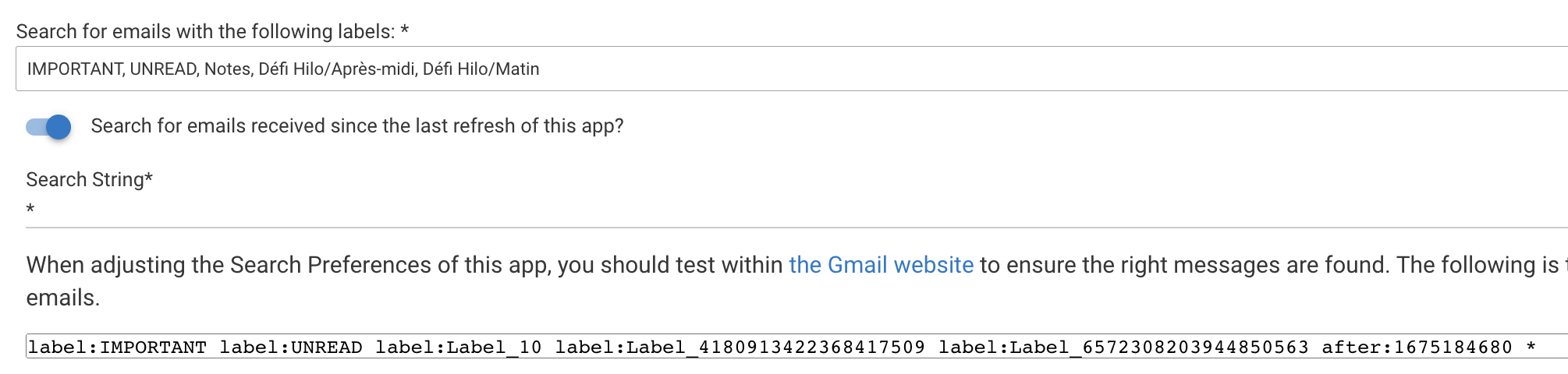
If I search for "label:"Défi Hilo/Matin"" in Google, the message does come through, but if I search for "label:Label_6572308203944850563", it does not
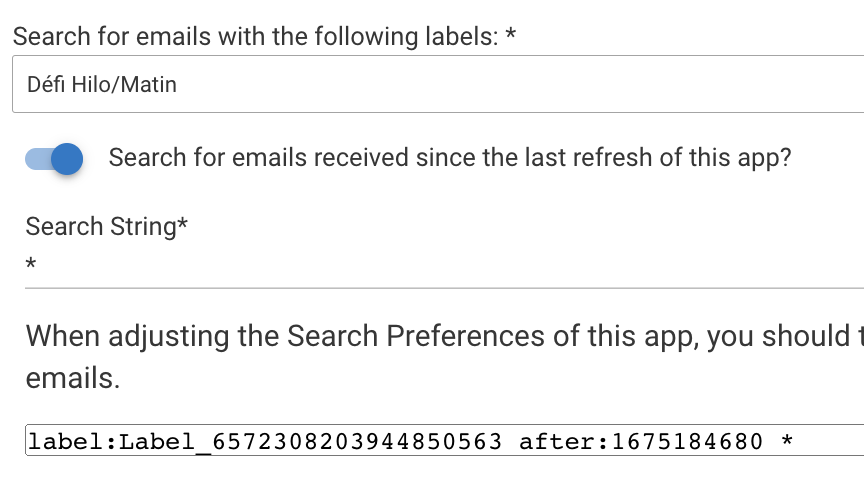
v3.5.7 has been published to GitHub and HPM to fix an issue using personal labels with Gmail query searches.
Sorry about that its a bug and fixed in v3.5.7.
3 Likes
Thanks for the quick fix!
1 Like
@mboisson All good with the latest update?
I have mentioned in the many recent posts, please let me know how Gmail search is working for you and if there are any enhancements you think will be beneficial for others.
@mboisson All good with the latest update?
I have mentioned in the many recent posts, please let me know how Gmail search is working for > you and if there are any enhancements you think will be beneficial for others.
I think so, but hard to tell, since this is for an email notification that I only get occasionally, when the weather is cold (although I should get more toward the end of the week, given the current meteorological forecast).
I had worked around the issue by actually having "label:Défi Hilo/Matin" in the search string (i.e. not relying on selecting a label, but relying on typing the search myself).
As for feedback, I would say that the mandatory "Search String" should not need to be mandatory if a label is selected
1 Like
I can confirm that it works. I just received a notification and it was properly found and triggered proper action.
1 Like
@ritchierich - anything we need to do after migrating from a C-7 to a C-8? I looked through setup instructions and didn't see any point where a Hub UID was entered into the Google Cloud console.
Given its a LAN connection you may need to go through the Google API Authorization again. But before you do, open a search trigger and click the refresh button and check the logs to see if you get any errors. If no errors, add something to the calendar to make sure it is found.
If you do get errors, open the parent search app and click the Google API Authorization link and then click Reset and go through it again.
I get my C8 today but plan to keep this integration on my C7 LAN hub along with my other chatty LAN interfaces.
2 Likes
I think I had to do that to get it working when I migrated. To confirm I did as he said, go into one of the triggers and try to refresh it. It did not work on its own, I found out when the "No School" switch did not turn on and all the alarms went off in the morning. Kids were not amused.
1 Like
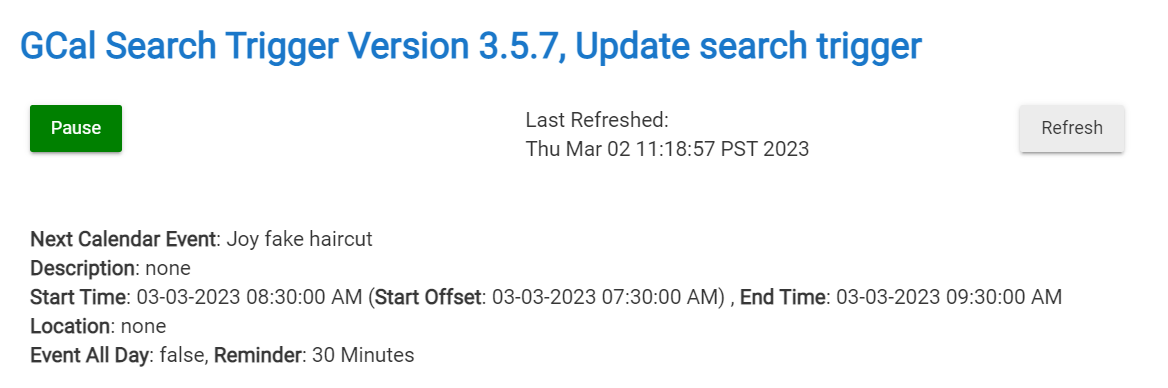
Funny, @jtp10181, I refreshed my searches and didn't see any errors in my logs...normal looking debug responses is all I see. It seems to work. I'm going to enter a calendar event and run a refresh and confirm it actually does something...
Seems to be working:
1 Like
Awesome glad to hear!
1 Like
Mine too, no need to re-authorize
2 Likes
@albertjmulder this might be possible, what do you have in mind? Are you logging data to a file on the hub? How large are these files?
The files are small, they are pictures from cameras, I want to be able to take a picture that is saved to the file storage and email it to myself using my Gmail account that I uses for hubitat stuff to send it and to my main email account. This way when I am not home and motion is detected I will get an email of the image to see if I should be concerned or not.
This would save me time from opening my camera app and scrub the data to fine the event, and incase the system becomes off line after the movement, I would at least have something to go by. (Basically incase they broke in and stole/destroyed the camera system)
How do you know which image to look at? And how quickly after motion is detected is the image on the hub?
In order to make this work the message would need to contain the file name that I could then navigate to the files and send that specific file along, thinking out loud here as I haven’t proven this can be done.
So I am using drivers that are already created for the grabbing of the pic,. and its almost instant that the file appears on the system, and the filename stays the same as it will overwrite the previous file when a new pic is taken. I use webcore to trigger the picture taken, and can easily add a 1 sec wait after taken before the next.
Not sure if your setup ties into webcore, but that would be ideal so I could say if camera x has motion take a pic, then use you setup to say send file x to email address x (Using gmail as the sender)
Hope you understand.
Got it that makes things easier.
I have never used Webcore, used the old CoRE on ST, but assuming Webcore can send a notification via HE notification device this should work.
Let me play around with the Google API to see if I can get this working.
1 Like

