Device Health Monitor v1.4.5
Small but useful update — the in-app guide got a major expansion.
What changed in v1.4.5:
The
App Guide & Reference page (accessible from the main page under Help & Support) has been completely rewritten with seven permanent documentation sections:
- Health Ratings — what each rating means and the thresholds behind them
- How Baselines Are Learned — sample collection, the Pending state, the minimum gate, EWMA smoothing, and the 20-sample window
- Protocol Detection & Overrides — how auto-detection works, why devices land on LAN or Hub Mesh, Unknown devices, and how protocol overrides work
- State Attribute Overrides — how the Current State column picks an attribute, when to override it, and how to reset
- Verification (Ping / Refresh) — how verification fires on Poor/Offline devices, Refresh vs Ping priority, and the full Hue Bridge requirement explained:
- Hue bulbs and fixtures can't be pinged/refreshed directly — they go through the Bridge
- You must add your Hue Bridge to monitored devices to enable verification
- One Bridge refresh covers all your Hue devices simultaneously
- If the Bridge isn't added, devices will show
Cannot verify — add Hue Bridge to monitored devices
- Hub Mesh Source Hub Detection — how grouping works and the current C-8 Pro firmware limitation
- Tips for Best Results — including the Hue Bridge tip and notes on Force Scan, State Changed timing, and Low Activity devices
No functional changes — health scoring, scan logic, protocol detection, and all pages work exactly as before. This is purely a documentation improvement to help users understand what they're seeing without needing to dig through the community thread.
3 Likes
Device Health Monitor v1.4.6
Two bug fixes.
Fix 1 — State Attribute Overrides missing devices on fresh hubs
Presence/Life360, locks, water sensors, smoke/CO, contact, and motion devices were being excluded from the Protocol & State Overrides page if they only had one attribute populated. On an established hub this rarely surfaced — but on a fresh install or newly paired device, currentStates hasn't fully populated yet and those devices silently dropped off the list.
- Attribute detection now also scans declared capabilities, so newly paired devices appear correctly before they've reported a value
- Known single-primary-attribute types (presence, locks, water, smoke, contact, motion, valves) now always appear in the override list regardless of what's populated
Fix 2 — Notifications section collapsing when toggling Enable Notifications
Toggling Enable Notifications caused the section to snap closed, requiring you to reopen it every time you changed a setting. The section now stays open through re-renders. Sub-inputs still show and hide correctly when the toggle is flipped.
No functional changes — health scoring, scan logic, protocol detection, and all pages work exactly as before.
2 Likes
Device Health Monitor — v1.5.0
A significant update focused on three things: a web portal you can open from any browser, smarter handling of devices that go quiet, and better performance on large installs.
Web Portal
Thanks to @ShaneAllen for the idea and feedback that shaped this feature.
You can now view your device health from any browser — phone, tablet, or desktop — without opening the Hubitat app.
The portal shows all your devices with health status, current state, last check-in, and location. A summary bar at the top gives you a quick count of Offline, Poor, Fair, and Healthy devices. You can group devices by Protocol, Health, or Location, and tap any device card to update its location or description without touching the Hubitat app.
A Force Scan button lets you trigger a refresh from the browser, and the portal silently refreshes itself every 60 seconds.
To enable: Go to Apps Code → find Device Health Monitor → click OAuth in the top right → Enable OAuth → Update. Then open the app and tap Done. Your Cloud and Local URLs will appear at the top of the main page.
What's New
Batch scanning — devices are now processed in groups rather than all at once. On large installs this prevents the scan from blocking the hub. Health scores update progressively as each batch finishes so you don't have to wait for the full scan to complete.
Smarter verification — layered approach — when a device goes Poor or Offline the app now works through three levels before leaving it flagged:
- State-change self-verification — if the device fired any state change after it went quiet (a switch turning on, a door opening, motion detecting), that's treated as proof it's alive. The gap sample that caused the drop is discounted automatically and no ping is sent. This eliminates most false alarms on scheduled devices like pool lights and irrigation, and on motion or contact sensors that only report on events.
- Ping / Refresh — if no state change is available, the app sends a refresh() or ping() to the device. If it responds, health recovers on the next scan.
- Low activity cap — only if both of the above fail does this kick in. Devices with sparse check-in history that can't be pinged and haven't fired a state change are capped at Poor instead of Offline. The app genuinely can't confirm they're unreachable, so it won't declare them dead.
A device reaching Offline means it hasn't reported anything — no state change, no ping response, nothing — for longer than your configured threshold. That's the closest the app gets to "this device needs your attention." The threshold is yours to set.
Offline threshold default changed from 72 hours to 7 days (168 hours) — 72 hours was too aggressive for sensors on rarely-used doors, smoke detectors, and other infrequent reporters. If you're upgrading and already have a custom value set, it is preserved.
Location assignment — assign rooms and locations to devices from the new Location Assignment page. These show on device cards in the portal and enable the Group by Location view.
Konnected Alarm Panel support — if you have Konnected sensors, add the Alarm Panel device to your monitored list. The app will refresh the panel when any connected sensor goes Poor or Offline, covering all child sensors in one call.
Deep Verification Scan — a one-shot scan that attempts to ping or refresh every device that hasn't been verified yet. Useful after a fresh install or after adding a large batch of new devices. Runs once and auto-disables.
Repeat Drops detection — devices that drop to Poor or Offline three or more times in 24 hours are flagged with a
Repeat Drops tag so genuinely unstable devices stand out from ones that self-recovered.
Extended state tags — motion sensors that have been active for 2+ hours and contact sensors open for 24+ hours now get a
tag showing how long they've been in that state.
Problem Devices page expanded — now includes a full verification summary showing how many devices are Verified, Declared (capability exists but untested), and Unverifiable, along with a list of devices that haven't been scanned yet.
Upgrading from v1.4.x
Your existing device history, health scores, and locations are preserved.
One thing to know: the app will reset its internal capability data on first run after upgrading. This is a one-time cleanup that fixes a corruption issue from earlier builds. Devices will rebuild their verification status on the next scan — nothing is lost, it just takes one scan cycle to repopulate.
If you want to enable the web portal, follow the OAuth setup steps above after saving the new code.
4 Likes
Device Health Monitor v1.5.1 — Patch Notes
Bug Fixes
- Fixed stale Last Seen for devices using certain custom drivers — Some community-written Z-Wave drivers store last activity in driver state rather than updating Hubitat's device activity timestamp, causing DHM to score devices as Fair or Poor despite recent use. DHM now supplements
getLastActivity()withlatestState()event history to get the most accurate recent activity timestamp regardless of driver behavior.- Fixed Last Seen not updating when activity gap was below minGate —
lastSeenwas only being updated when the elapsed time since the previous check-in exceeded the minimum gate threshold. It now always updates on new activity, while sample recording still respects the gate.Notes
- If you have devices with persistent Fair ratings after upgrading, the culprit may be a custom driver that doesn't update Hubitat's last activity timestamp on physical events. Try hitting Configure on the device page and resetting that device's history in DHM. This typically unsticks the issue going forward.
- Other Fair devices after upgrade are likely baseline mismatch from v1.4.6 and will self-correct within 24-48h.
3 Likes
Since yesterday afternoon, the scan doesn't run every other hour. Seems to coincide with installing your last update.
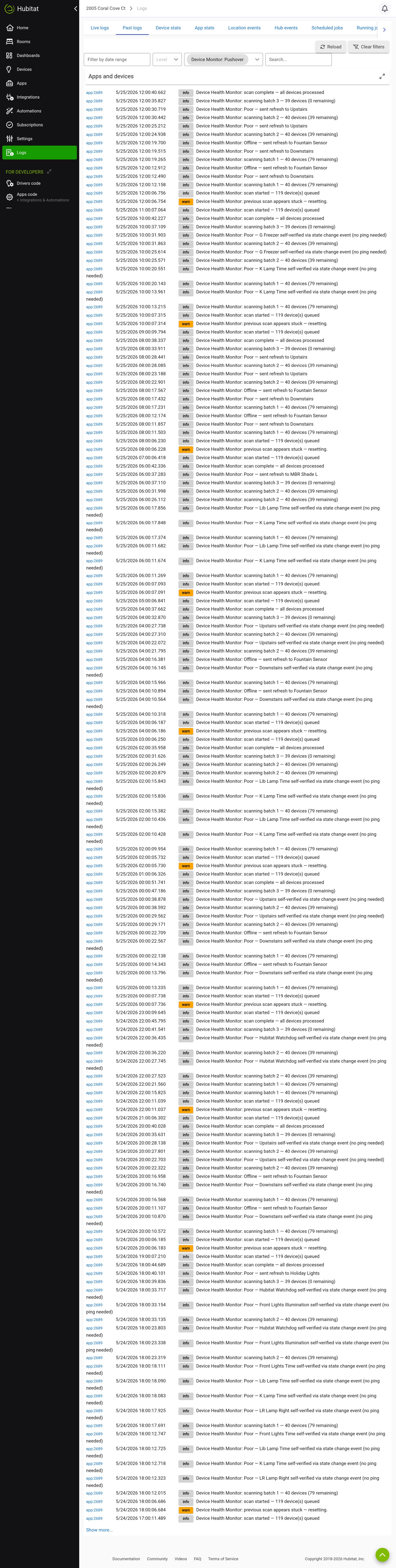
- Enable debug logging
- Tap Done all the way out of the app
- Wait for the next scheduled cycle and share logs
Most likely the schedule got offset when you installed the update and a simple Done will fix it.
Device Health Monitor v1.5.2 Release
Auto-reset verification status on health recovery.
When a device recovers from Poor or Offline back to Good or Excellent, its verification status is automatically cleared so it gets a fresh attempt next time it drops. Prevents devices from being permanently stuck as Unverifiable after a single bad attempt.
Device Health Monitor - V1.5.3
Five changes, all focused on eliminating false positive Poor ratings. No configuration needed.
Run Force Scan after updating to rebuild health scores immediately, or you can let them build naturally.Fix 1: Loosened health thresholds
Devices now have significantly more breathing room before reaching Poor:
- Excellent: within 1.5× baseline (was 1.2×)
- Good: within 3× baseline (was 2×)
- Fair: within 6× baseline (was 3×)
- Poor: beyond 6× baseline (was 3×)
Fix 2: Protocol-aware minimum baseline floors
Burst usage (Apple TV streaming for a few hours, a lock used heavily one morning) can no longer drag the learned baseline down to an unrealistically short value:
- Zigbee / Z-Wave: 30 min floor (unchanged — real mesh failures still caught quickly)
- Matter: 2 hour floor
- LAN / Hub Mesh: 8 hour floor
- Virtual / Hub Variable: 24 hour floor
Fix 3: Pingable devices hold at Fair for one scan before reaching Poor
If a pingable device enters Poor for the first time, it is held at Fair for one scan cycle while a verification ping is sent:
- If it responds → recovers on its own, never reaches Poor or fires a notification
- If it doesn't respond → confirmed Poor on the next scan, notifications fire as normal
Fix 4: Slower baseline learning
Smoothing factor reduced from 0.3 to 0.15. Burst activity takes longer to pull the learned baseline down, so spurt-use devices maintain a more realistic baseline over time.
Fix 5: State-change verification window extended
The state-change verification window was 75% of the offline threshold. It is now 100% if a device fired any state change within the full offline window it is considered verified and will not be promoted to Poor or Offline.
