Love your work!!
1 Like
Submitted to HPM. If I did this correctly and @csteele has the time, we should see it there soon.
Once there, i will update the OP.
4 Likes
Fixed RAW link in OP.
Still working through HPM.
1 Like
This is officially in HPM. See OP
I will monitor this thread for bug support.
5 Likes
I love the ability for the app to track all this info on its own.
What is "Health"? All of my batteries, even the ones that are -67% are showing good health. 
Request to be able to rename the app.
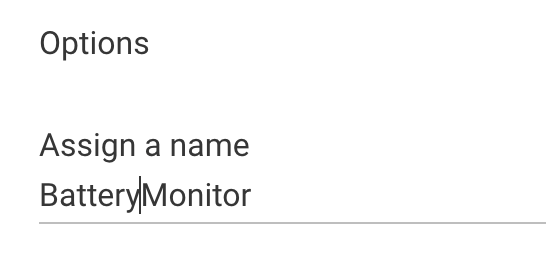
Excellent app! Keep up the great work!
1 Like
Excellent...note to others, a "Matchup" or "Repair" won't work for this in HPM, it's a new install.
Great progress, JD, really shaping up nicely, reports are much easier to read. And thanks for making it easy w/the HPM addition.
I did notice this...assume it's a known WIP issue...

2 Likes
@neerav.modi
I will consider the renaming of app.
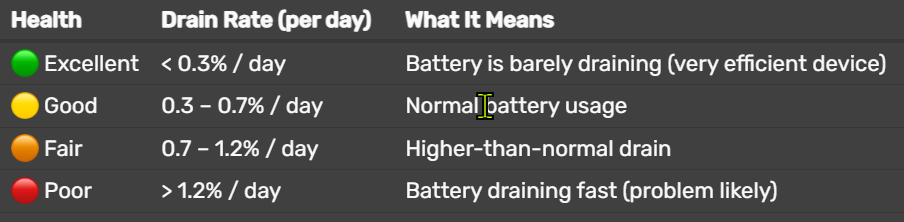
Here is table of the health condition.
Health Drain Rate (per day) What It Means Excellent
< 0.3% / day Battery is barely draining (very efficient device) Good
0.3 – 0.7% / day Normal battery usage Fair
0.7 – 1.2% / day Higher-than-normal drain Poor
> 1.2% / day Battery draining fast (problem likely)
@danabw
I removed and added the app and did not see that condition.
Can you try again? What did the logs show?
2 Likes
I removed the manually installed app and reinstalled via HPM and did not see this.
1 Like
I removed one of your earlier test builds and tried again and the error went away. I have Larry's original Battery Monitor app, and your Battery Monitor 2.0 app from HPM, and both are now working normally. 
Agree w/the desire to have an app rename option.
Also, would suggest that "100%" in the reports/tables should be green rather than red...a little visually confusing to see red used for both the lower battery levels and for 100% battery level.
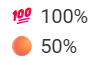
This app is really humming along...
4 Likes
The table below is very helpful...maybe add to the home page of the app below the report buttons for easy reference (and to avoid many future users of your app asking the question over and over...) 
2 Likes
Battery Monitor 2.0 - Version Release 2.1 (HPM)
1- Allow custom name change for UI
2- Added note for manual battery replacement.
2 Likes
I found a few more things:
-
I have Keen vents and instead of using alkaline batteries, I use rechargeable AA batteries, so instead of the starting voltage of 3.0+ V, my vents will be 2.4-2.5 V when batteries are changed. This displays in the app as 50%. I'm fine with that. Is there a way to custom rescale these devices? Or change the limit at which it goes from green to yellow?
-
Request to be able to sort the various charts by clicking on the column title. e.g. the trends chart. Currently, it isn't sorted by Name, by Trend, Drain, or Battery. Seems to be randomly ordered.
-
Again, those pesky vents. The devices were BELOW 40, and I changed the batteries. They are now at 50%, but do not display in the Replacement History.
-
When trying to manually mark those vents as changed, I choose the device, turn on the Confirmed Battery Replaced, and then nothing appears to happen. No new entry in the log below, no new entry in the Replacement History. I've also clicked Done, gone out of the app, opened manual replacement again and the device is still chosen with the toggle still on.
-
Changed the battery in a Ring G2 contact sensor. It was definitely below 40% (actually dead) in the charts. Battery now shows 100%, but nothing in the Replacement History.
-
If there was a way to enter battery type/quantity, I (and I would suspect others) could get rid of a bunch of custom notes, as well as other battery apps, as well as a number of battery-related rules.
Again, loving this app!
2 Likes
+1
2 Likes
I will look into this.
I am not sure the app will be able to decipher the difference. Its what the device driver pushes out that the app reads. I would think the drivers need to be corrected other than the app itself.
IF the driver believes the device is 50% even when its full, my app reads only that.
@neerav.modi
Check you PM. I sent you a RAW link for testing.
1 Like
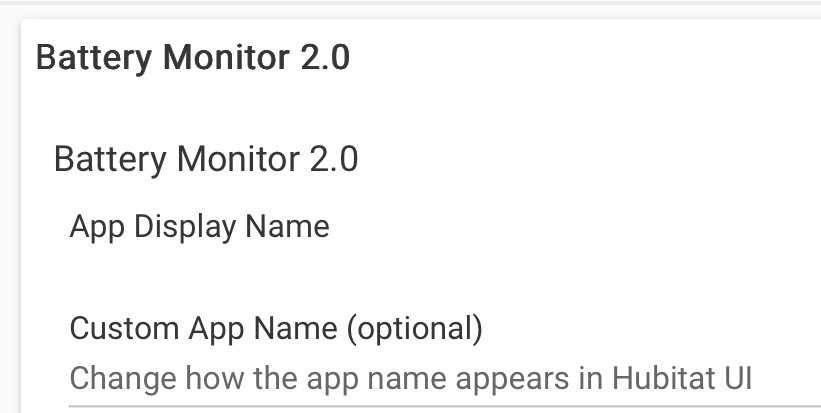
Post language changed. The app will always stay Battery Monitor 2.0.
Release version candidate changes for HPM to pick up update.
1 Like
Excellent idea. Thankfully, it's not a driver that gets any updates, so I edited the driver and added a "*2" to the value and it works great. Well, except for a couple of vents that still have alkaline batteries in them. They are now showing 180%!
1 Like
Clone the driver and have one with the 2X factor and the other one without. Assigned appropriately to your vents.
1 Like
Simple enough idea. 
I'm trying to move to all rechargeable. Thankfully, I'm down to 2 out of 10 that still use alkaline. For now, I don't mind the 100+ values. Unless there is some other more important downside I am not aware of?
Does anyone have batteries that are lower than 40% to test an update?
Manual update logs should be working now.
1- Install as a stand alone app (App Drivers)
2- Add devices that are lower than 40% battery.
3- Give the app time to start registering. about 30 minutes.
4- Replace battery in device. Let it register (15 minutes).
5- See if it logs the replacement.
You can delete the app and code any time without affecting the main app.
Test Code: Battery Monitor 2.2 ( It will not affect your Battery Monitor 2.0 app)
1 Like

