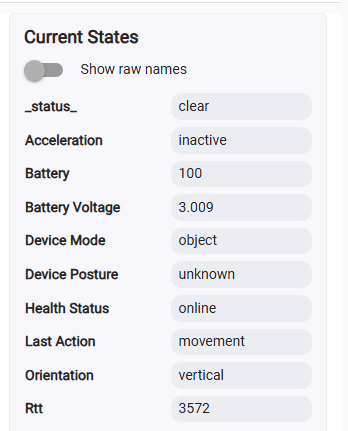
The new Aqara Multi-State Sensor P100 is already natively supported in Hubitat in Matter mode.
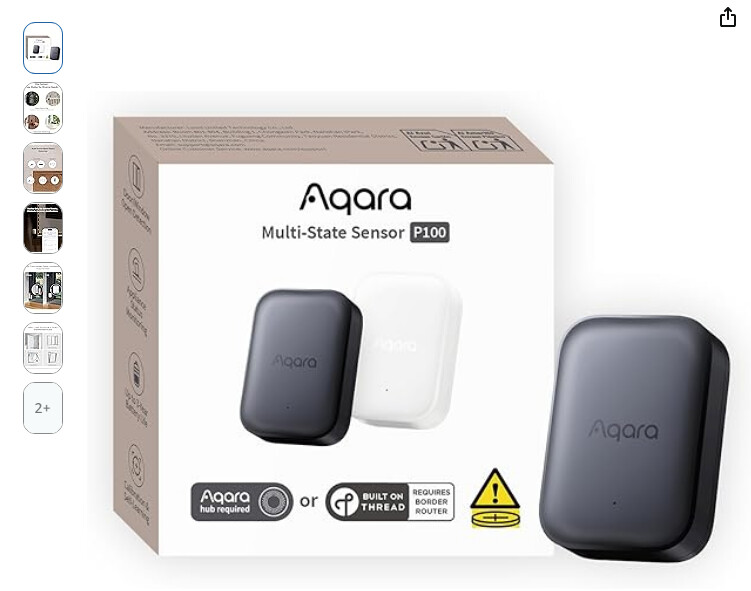
Full description of the device capabilities is available on Aqara site :
Zigbee mode support is COMING SOON! 
The new Aqara Multi-State Sensor P100 is already natively supported in Hubitat in Matter mode.
Full description of the device capabilities is available on Aqara site :
Zigbee mode support is COMING SOON!
Reserved
Interesting device!
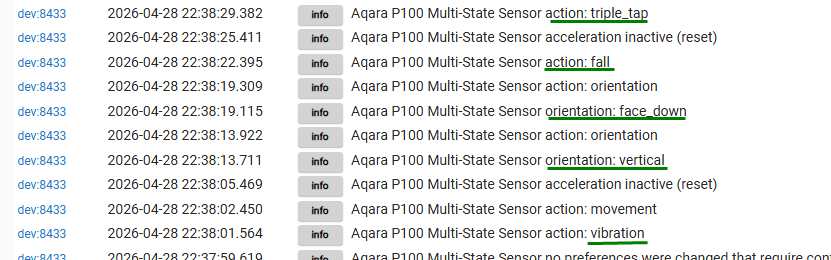
In Object Monitoring mode (available only in Zigbee protocol with an Aqara hub), the P100 sensor is able to detect movement, tilt, vibration, and fall events in 3D space, while also monitoring orientation (face up or face down).
How does that differentiate it from something like the SmartThings multisensor? (other than not needing a magnet for door/window open/close detection... according to Aqara launches Multi-State Sensor P100 with Matter support | Matter Alpha)
Working reliably without a magnet (in “Door and Window Monitoring” mode) is the most useful feature for me at a first try . Seems to be more sensitive than the Samsung multi-sensor.
The first Beta version can be installed manually from GitHub :
Please pair the device twice to your HE hub!
Thank you, @rad1, for the initial alpha testing!
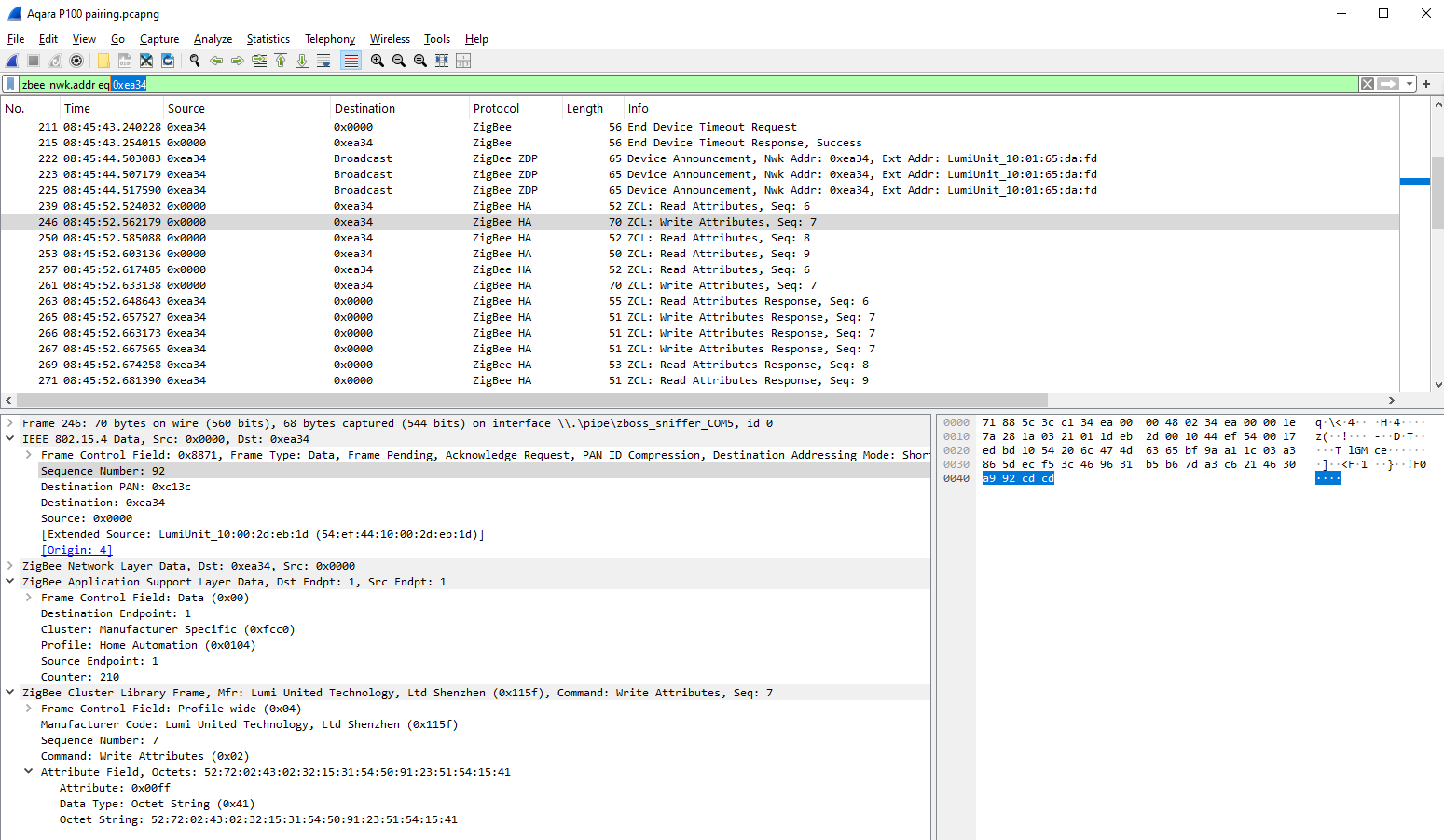
The problem already reported by @rad1, where the new Aqara P100 multi-state sensor does not like something in HE Zigbee stack implementation and leaves the Zigbee network after 24 hours, is confirmed, unfortunately ... 
The question that I don't have an answer to is: why does Z2M work with a very simple converter implementation and not need all this complex magic?
Or maybe the problem is here?

This is the magic code that tries to forcefully update the P100 clock when the device wakes up every one hour :
// ==============================================================================================
// TIME CLUSTER: respond to P100 time-sync requests (cluster 0x000A)
// ==============================================================================================

void replyToTimeClusterRead(Map descMap) {
    // The P100 sends a ZCL Read Attributes on cluster 0x000A (Time) for attrs 0x0000/0x0002/0x0005
    // on every rejoin. The Aqara E1 hub responds with current UTC time + timezone + DST offset.
    // Probably, without this reply the device's internal 24-hour watchdog timer causes it to leave the network?
    final long ZIGBEE_EPOCH_OFFSET = 946684800L   // seconds between Unix epoch and ZigBee epoch (Jan 1 2000 UTC)
    long zigbeeTime = (now() / 1000L).toLong() - ZIGBEE_EPOCH_OFFSET
    int tzOffsetSec = location.timeZone.rawOffset.intdiv(1000)          // e.g. +10800 for UTC+3
    int dstSec = location.timeZone.inDaylightTime(new Date()) ? location.timeZone.getDSTSavings().intdiv(1000) : 0

    String tHex   = toLEHex32(zigbeeTime)
    String tzHex  = toLEHex32(tzOffsetSec)
    String dstHex = toLEHex32(dstSec)

    // ZCL Read Attributes Response header: 0x18 = profile-wide | server-to-client | disable-default-response
    // seq=00 (device doesn't require exact match), cmd=0x01 (Read Attributes Response)
    // Attr 0x0000: type 0xE2 (UTCTime/uint32), Attr 0x0002: type 0x2B (INT32), Attr 0x0005: type 0x2B (INT32)
    String payload = "18 00 01 00 00 00 E2 ${tHex} 02 00 00 2B ${tzHex} 05 00 00 2B ${dstHex}"
    List<String> cmds = ["he raw 0x${device.deviceNetworkId} 1 1 0x000A {${payload}} {0x0104}"]
    logInfo "Sending Time cluster reply: UTC=${zigbeeTime} (${new Date()}) TZ=${tzOffsetSec}s DST=${dstSec}s"
    sendZigbeeCommands(cmds)
}

.....

private String toLEHex32(long value) {
    // 4-byte little-endian hex string, space-separated; handles signed negatives via 2's complement masking
    long v = value & 0xFFFFFFFFL
    return String.format("%02X %02X %02X %02X", (v & 0xFF), ((v >> 8) & 0xFF), ((v >> 16) & 0xFF), ((v >> 24) & 0xFF))
}
The driver was updated yesterday to version 0.1.5 - Fingers crossed! 
We have good news and bad news.
The good news is that the P100 sensor has now stayed connected to both C-8 and C-8 Pro hubs for more than 48 hours. The Zigbee connection also survived a battery replacement and even powering off the Hubitat hub for several hours.
The bad news is that this new Aqara sensor still drops from the Zigbee network when paired directly to a C-7 or older Hubitat hub.
The latest beta version of this driver is 0.1.6 (2026-05-06).
Hi @kkossev ,
Any news on this driver for Aqara P100 on C-5 Hub?
What does this mean?
Any updates on this?
@rgr No updates, sorry. I don’t plan to spend more time testing this on the C-7 or older hubs. It seems the P100 requires a Zigbee 3.0-compatible coordinator, so it won’t be supported on the C-5/C-7.
@DarellCraighead By “pair twice,” I mean pair it normally, then - without deleting the device- start Zigbee pairing again and put the P100 into pairing mode once more. It should be found as the same device. The second pairing helps complete the Aqara initialization.
Quick update: the Aqara P100 Multi-State Sensor driver is available through Hubitat Package Manager (HPM). Search for "Aqara P100 Multi-State Sensor" in HPM to install. Feedback and bug reports are always welcome.
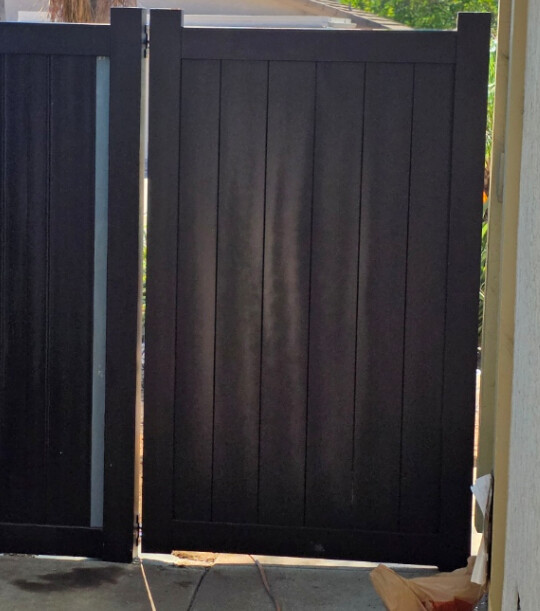
What are your thoughts about the P100's ability to monitor an outdoor gate like this? I want to mount the sensor on the side of the gate near the wall, preferably near the bottom of the gate, but I do want to put it wherever it will be most accurate. I can wrap it in saran wrap (my standard "weather-proofing" approach that has worked w/other devices) if necessary. The gate may be left open in some cases for five to ten minutes (taking/bringing in trash cans and (rarely) an hour or two if we have a contractor over doing something.
I'm trying to avoid a standard sensor/magnet approach as the wife doesn't want "...a bunch of ugly plastic stuff" on the gate.  I do have executive approval to try this single "ugly plastic thing" to see if it will work.
Does this look like an easy "Oh sure, it will handle accurate Open/Close reporting no problem" or ? The gate itself is metal, not sure if that will be an issue or not...
I don't know about a P110 - I assume that is a typo, but the P100 on a swing gate like that SUCKED for me!
I presently have a Z-Wave (Aeotec Series 7 Pro Door/Window Sensor) in a waterproof box and use reed sensors connected by wire to the sensor. My setup is mostly successful. My gate is cedar though and the gap between the two gates changes dramatically when the wood swells/contracts from moisture. I constantly have to "adjust" the magnet placement. I also have had to replace the sensor twice in 5 years due to them dying (likely from sitting in 110+ temps with direct sunlight.
My preference would be a more solid network (Zigbee, ZWLR, even Thread) and batteries that last more than 6 months. But in comparison, the P100 had constant false reports of open/close and I had to constantly "reset" the position (multiple times/day).
I also tried the P100 inside my aluminum cluster-type mailbox (where I have used multiple Zigbee contact sensors), but I had the same problem - it constantly had to be reset (and in that location I thought all/some/part of the problem was radio connectivity, but "fix" was same, multiple times/day go push the button 3 times.)
Yup - typo, meant P100.
Bummer about your experience, I was hoping for better news...
I am disappointed with the P100 performance as well.
It did seem like it was a little bit too magical.
Waaaa!!
Oh well, back to the drawing board, time to get creative w/sensor and magnet placement. Might need a little paint as well...