The catch is HomeKit only exposes the setpoint in Celsius, so the °F→°C→°F round-trip was adding a stray tenth (80°F came back as 80.1).
Fixed in 0.17.1: setpoints are now rounded back to whole °F, so the arrows stay clean. The live temperature still shows a decimal since that’s a real reading.
Update and hit Save Preferences once (Hubitat doesn’t re-run setup on an HPM update). Thank you for letting me know. I wasn’t aware of that because I use it in Celsius and only use it via Homekit, not in a Hubitat dashboard.
The wrinkle is it’s not universal: a °F-native ecobee (display set to °F) uses whole-°F setpoints, and HomeKit only exposes them in Celsius quantized to a tenth — so an 80°F setpoint comes back as 26.7°C = 80.06°F, a genuine ~0.1° of round-trip noise on a value meant to be whole. I confirmed it on my own ecobee4 — it reports 26.1/26.7°C, which aren’t 0.5°C steps, they’re the °C of whole °F. There, rounding recovers the intended number.
So in 0.17.2 the rounding is conditional on the thermostat’s own units (via HAP TemperatureDisplayUnits): °C-native shows the exact tenths, °F-native rounds to whole °F. Should be right for both now.
The code is open to the public, you can always add your touch to it by submitting a PR. That way you will be directly involved in the final product. Who knows, maybe you’ll identify something that was missed …
Done in 0.17.4. The diag state (and the raw customParams dump) now only show while debug logging is on — with it off they’re removed from Current States entirely.
Save Preferences once with debug logging off, and both rows drop off. Turn debug back on if you ever need them.
@ramset I don’t suppose there’s accessible data that can be integrated with the countdown (or up) of when to change the filter when it’s set in a thermostat?
That parameter isn’t exposed via HomeKit—it’s a cloud-only feature. I handled a different scenario using Rule Machine and a hub variable: I edit the variable once, the rule evaluates it, sends notifications as needed, and may set another variable (e.g., Change Filter to True/1/Yes) for helping with a Hubitat dashboard.
I moved my 2nd Ecobee3 over to this from HA and it installed in a breeze.
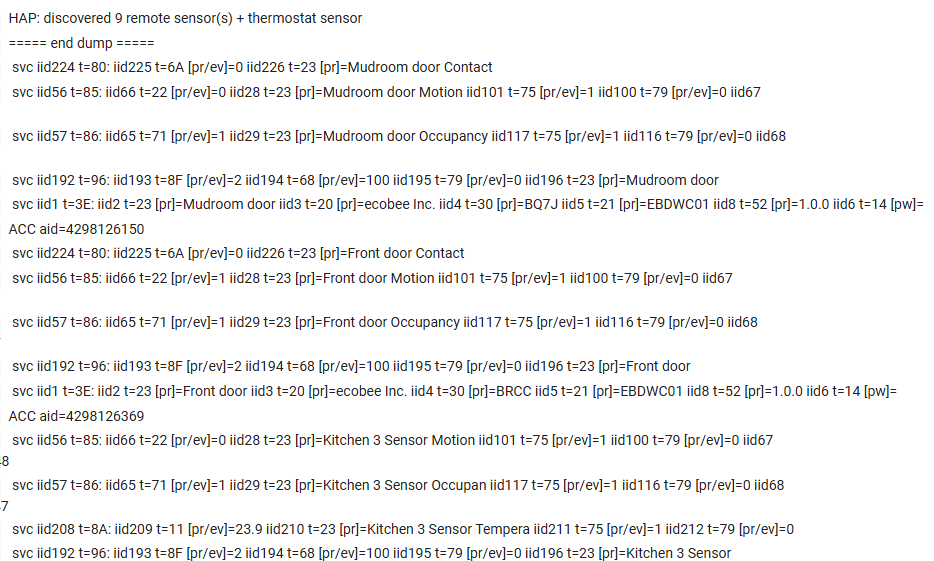
One thing I noticed: I have 2 Ecobee SmartSensor for door and window sensors (*). I see them in the Dump Accessories (Front door and Mudroom door), but there are no child devices, so I guess they aren't supported yet.
They are basically contact, motion, and occupancy. No temperature.
Ecobee gave them to me when the product was first introduced. They are nicely designed (the magnet can be on either side), but bulky. Battery life with the CR2477s is an amazing 5 years.
They weren't exposed via the API, so the only way to use them was via HomeKit. I started using them when I first set up HA.
Both are in the update I just pushed (thermostat 0.18.0, sensor child 0.11.0):
Door/window sensors: your EBDWC01s expose contact + motion + occupancy + battery. The reason they never made child devices is that the driver only created a sensor child when the accessory had a temperature reading — and these don’t. Now, any sensor with contact/motion/occupancy gets a child, reporting open/closed.
Your Front door and Mudroom door should show up.
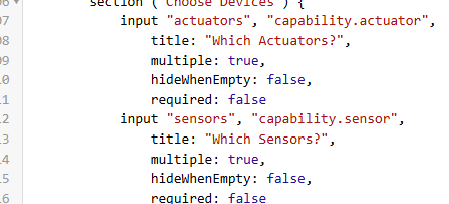
capability "Sensor": nice one — I added it to the remote-sensor child officially, so it survives updates and your app’s device filter will see these.
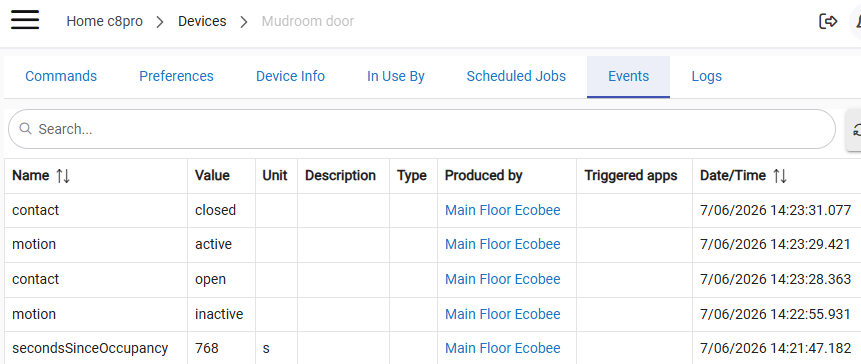
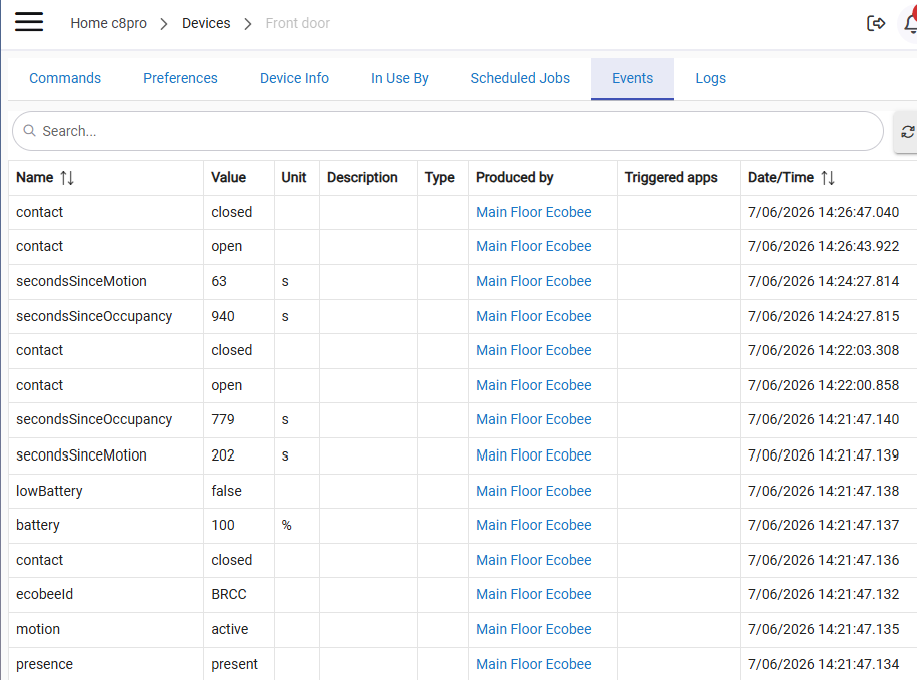
I mapped contact as 0 = closed / 1 = open per the HAP spec; open a door and check it flips to “open,” and tell me if it reads reversed.
L.E. Outside the thermostat and the sensors paired to it, I have no other Ecobee devices.
I use the helper apps I wrote for the windows and humidity.
I'm seeing variable timing on when inactive fires, anywhere from 3 minutes to 15 minutes. These devices are in fairly active areas of the house, but I just checked the timing when no one was around.
I've never really looked at how long this took on them before. I suspect they might just not have a reliable timeout (unlike the temp sensors).
These logs are from when I know I was the only motion.
That lines up with the dump: the ecobee holds the right value but doesn't reliably push the motion-clear as an event — so "inactive" arrives either whenever it does push it or on the driver's next background read, which is why the delay varies instead of being a fixed period. Part device (its own motion timeout isn't consistent), part that the clear rides the poll.
The long first time was just the initial subscription settling.
I dug into what the sensors expose, and the honest answer is the variability is the ecobee's own design, not something the driver can smooth out automatically.
On these door units, motion is slow occupancy-style detection (minutes-scale), not a snappy PIR — and "inactive" fires on the ecobee's internal timeout, which is what you're seeing swing from ~3 to 15 minutes.
There's no steadier signal to switch to. Both MotionDetected and the secondsSinceMotion counter run off that same variable timeout, and secondsSinceMotion only updates on the background poll anyway — so I can't derive a more consistent "inactive" from the device; it just doesn't expose one. The driver currently reflects whatever the ecobee reports, which is accurate but inherits the jitter.
Already maxed out on $0 Nests last year as "dummy" physical thermostats in each room. I think I have to wait until next year.
I made a number of enquiries before getting the discounted thermostats from my electric company. Thankfully, not required. However, the irony is that they have a program that pays me for every thermostat every year enrolled. So I signed them all up! I get notification when there is going to be an adjustment and they precool prior to the peak period. The best part is that I can override the adjustment if I want by manually changing the setpoint. I haven't found a need for that in the 1 1/2 seasons so far.
@ramset - just coming back to update as expected my Kitchen Sensor dropped from the Thermostat as I noted by the alert, the battery was low and I assume now died.
The child HAP device shows 100%
The HAP Thermostat device correctly shows the alert that the Kitchen Sensos is lost
So I think that further proves that there is no update on the battery reporting for the HAP temp / motion / presence sensors. You may consider dropping the battery reporting to avoid future confusion unless it seems to be working for others???
I’ll leave the capability (but comment it out) and add a detail on why it is “disabled”.
Maybe in the future I can come back to it …
You can Update/Save. The code bit is done.
Hubitat leaves stale attributes in place when you drop a capability. So new children won't have battery, but your Kitchen child will keep showing the stale 100% — which means the update alone doesn't fix it.
Update in HPM, then open the thermostat device and hit Save Preferences once — that also clears the stale 100% off your existing sensor children.
I also have their "SmartCamera" (they gave they to me, too). HA is able to see it via their HomeKit emulation and pull images from it. I haven't tried to move it over.