[RELEASE] Advanced Severe Weather Detector (BMS-Grade Predictive Engine)

I am incredibly excited to release the Advanced Severe Weather Detector to the community for free.

For a long time, I have wanted my smart home to move past simply reacting to a weather event after it arrives. I wanted to build a system that makes the house truly intelligent and hands off—a Building Management System (BMS) that actively predicts incoming kinetic energy, drops the storm shutters, isolates power circuits, and warns the family before the first drop of rain even hits the roof.

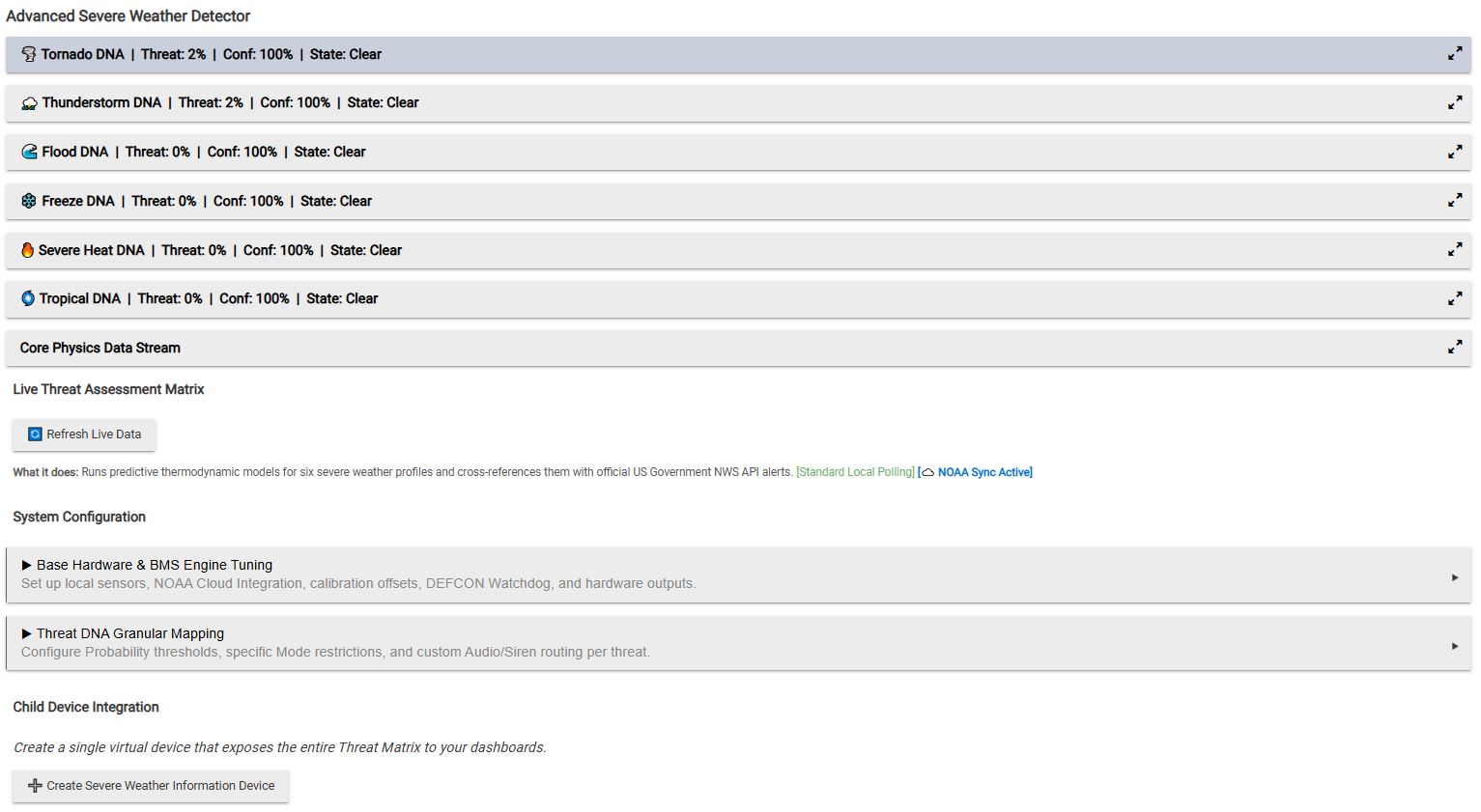
This application is the result. It is a localized, predictive thermodynamic engine that crosses your personal sensor data with the official United States National Weather Service (NWS) API to track six distinct hazard profiles.

:tornado: The 6 Threat DNAs (Predictive Math Engine)

This app doesn't just look at wind speed and flip a switch. It analyzes the synergy between multiple environmental factors to calculate Threat Intensity, Probability, and System Confidence in real-time.

  • Tornado / Extreme Shear: Looks for dangerous synergies. If your barometric pressure enters a rapid vacuum drop while your wind direction sensors detect sudden, extreme angular shear, the probability spikes before the kinetic wind impacts the house.
  • Thunderstorm (CAPE Proxy): Cross-references high heat and high dewpoints (moisture loading) with rapid atmospheric squeeze velocities (temp/dewpoint convergence) to predict brewing convection and gust fronts.
  • Flood: Monitors real-time rain rates against daily accumulation. If the ground is already heavily saturated and a low-pressure front is moving in, the predictive flash flood probability increases.
  • Freeze: Calculates the exact trajectory of temperature drops. It tells you exactly how many hours until a hard freeze hits, and differentiates between a dry freeze and a hoar frost (based on dewpoint spread).
  • Severe Heat: Utilizes the official NWS polynomial regression equation to calculate the true Heat Index, scaling probability based on upward heating trajectories.
  • Tropical: Calibrates your local barometric pressure to Mean Sea Level Pressure (MSLP). Looks for sustained, multi-hour deep pressure drops combined with heavy moisture loading to identify incoming tropical cyclones.

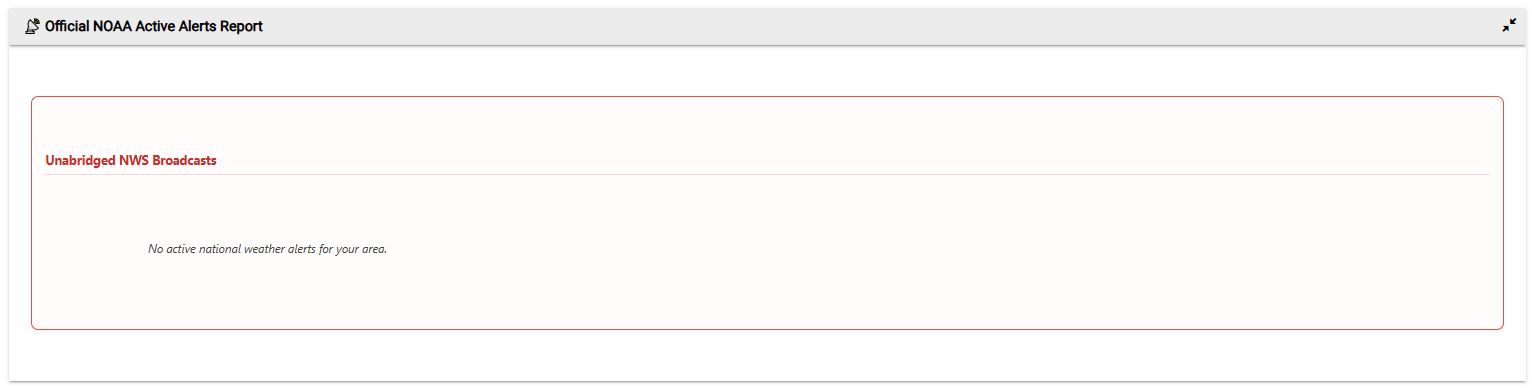
:cloud: Official NWS / NOAA Cloud Integration (Zero-Install)

To ensure hyper-accuracy, the local sensor engine is cross-referenced with the US Government.

  • No API Keys Required: The app automatically pulls your Hub's Latitude and Longitude to query the NWS grid.
  • Async Watchdog: If the internet goes down or the NWS API crashes, the app instantly catches the timeout, suspends network polling to prevent hub flooding, and falls back to running 100% locally on your sensors.
  • Hardware Override: You can allow official NWS Watches and Warnings to bypass your local math and directly trigger your physical hardware alarm switches.

:police_car_light: DEFCON Watchdog Polling

Standard polling (e.g., every 5 minutes) is great for your Zigbee/Z-Wave mesh, but too slow for a tornado. When any hazard probability crosses your defined threshold (e.g., 25%), the app breaks out of its standard schedule and shifts into DEFCON Watchdog Overdrive. It will aggressively poll your sensors every 1, 2, 3, 4, or 5 minutes to track the atmospheric degradation. Once the threat clears, it gracefully downshifts back to your standard schedule.

:control_knobs: Granular Output & Hardware Routing

Every single hazard DNA has independent routing for both WARNING and ALARM states.

  • Mode Restrictions: Only fire Thunderstorm audio alerts if the hub is in 'Home' or 'Awake' mode, but fire Tornado alarms regardless of the current mode.
  • Audio/Siren Routing: Independently route Push Notifications, custom TTS strings (perfect for Sonos), MP3 Sound Files, and physical Sirens/Strobes (like Zooz sirens) for each specific threat.
  • Virtual Automation Mapping: Map specific virtual switches to each state to trigger your Hubitat Rule Machine rules (e.g., "If Tornado Alarm switch is ON, turn off HVAC and close all shutters").
  • System-Wide Debounce: A safety hardware hold timer prevents your shutters or valves from flipping on and off rapidly if a storm is hovering right on the threshold line.

:bar_chart: HTML Dashboards & "Show Your Work" Diagnostics

The app automatically creates a single Child Device that exposes the entire threat matrix to your Hubitat Dashboards via pre-formatted HTML tiles.

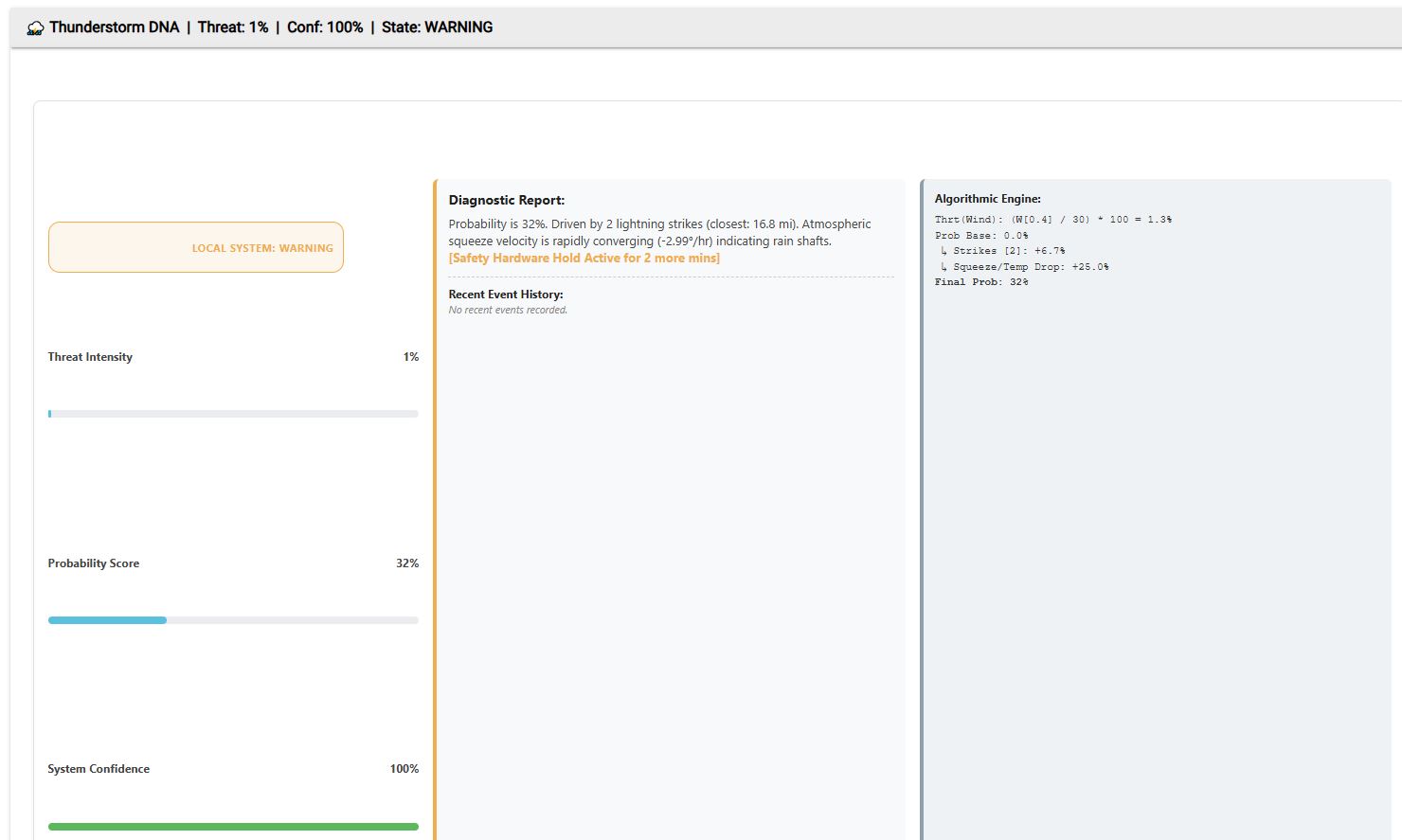
  • Diagnostic Report: The app UI features a 3-column layout that explains why a threat is elevated in plain English, alongside a raw math column showing the exact algorithms and scores from the last evaluation tick.
  • Daily NWS Forecast: Generates a clean, scaled HTML dashboard tile showing your localized NWS detailed text forecast for the current day and tonight.
  • Glitch Filtering: Automatically rejects physically impossible sensor leaps (e.g., a 10-degree jump in 60 seconds because a bird landed on the sensor or a battery died), keeping your house from going into lockdown over a hardware glitch.

:hammer_and_wrench: Hardware Requirements

To run the base matrix, you need:

  1. Outdoor Temperature Sensor
  2. Outdoor Humidity Sensor
  3. Barometric Pressure Sensor

For the full predictive matrix, Wind Speed, Wind Direction, Rain Accumulation, and Lightning Detectors are highly recommended. Works flawlessly with Ecowitt, Ambient Weather, and any standard Hubitat weather device drivers.

App:
raw.githubusercontent.com/ShaneAllen334/Hubitat_Apps/refs/heads/main/Advanced_Severe_Weather_Detector/Advanced_Severe_Weather_Detector.groovy

Driver:
raw.githubusercontent.com/ShaneAllen334/Hubitat_Apps/refs/heads/main/Advanced_Severe_Weather_Detector/Advanced_Severe_Weather_Component_Device.groovy

DISCLAIMER: This application is a localized predictive thermodynamic engine designed for home automation. It DOES NOT replace official NOAA broadcasts, National Weather Service alerts, or Emergency Alert System (EAS) activations. It should never be relied upon as a primary life-saving tool or safety device. The author and distributor assume no liability for missed meteorological events, false alarms, property damage, or injury.

Let me know what you guys think, how the predictive math is holding up in your specific regions, and what you're automating with the Warning/Alarm switches!


Weather4

Bug fixes for Advanced Severe Weather Detector are available on Github.

:cloud_with_lightning: MAJOR UPDATE: Advanced Severe Weather Detector (BMS-Grade Physics, Structural Load & New Threat DNAs)

We have completely overhauled the predictive engine for the Advanced Severe Weather Detector.

:tornado: Advanced Meteorological Physics Engines

1. Structural Kinetic Wind Load & Air Density Tracking Wind speed is just a number; wind load is what breaks your roof. We introduced a kinetic physics model that calculates dynamic Air Density (kg/m³) based on your localized Absolute Pressure, Kelvin Temperature, and Vapor Pressure.

  • The Logic: Cold, dry air is significantly heavier than hot, humid air. A 40 mph winter gust exerts far more destructive physical force than a 40 mph summer gust. The engine now uses dynamic pressure equations to translate raw wind speed into Pounds per Square Foot (PSF) or Pascals of structural force hitting your house, scaling the Tornado and Thunderstorm threat probabilities dynamically based on physical mass.

2. Atmospheric Gravity Wave Detection You can now detect supercells before the main pressure drop arrives.

  • The Logic: Massive supercell updrafts physically displace the atmosphere, pushing out invisible "ripples" ahead of the storm. The engine actively analyzes micro-oscillations in your barometric pressure over a rolling 15-minute window. If your pressure bounces rapidly up and down without a mean trend change, it flags a Gravity Wave and proactively elevates the Tornado/Storm threat before a single drop of rain hits your house.

3. Dry Microburst / Virga Detection Standard microbursts come with heavy rain, but dry microbursts happen when rain evaporates before hitting the ground (Virga). This flash-cools the air column and causes violent, destructive straight-line winds with zero warning.

  • The Logic: If your Dew Point Spread is massive (bone-dry air) + Temp suddenly crashes + Wind spikes + Rain gauge reads 0.00, the system instantly triggers a localized Dry Microburst Alarm.

4. True WBGT (Wet-Bulb Globe Temperature) The standard NWS Heat Index is flawed because its mathematical formula assumes you are standing in the shade.

  • The Upgrade: If you map a Lux (Solar Radiation) sensor to the app, the engine abandons the standard Heat Index and calculates a proxy for WBGT—the gold standard used by the military, OSHA, and athletic associations. It factors in exactly how the sun is baking you and how the wind is cooling you to determine true human heat stress in direct sunlight.

5. Storm Intercept Vectoring (Approach Velocity) Standard lightning sensors just tell you a storm is 10 miles away. They don't tell you the closing speed.

  • The Upgrade: By analyzing the slope of strike distances over time, the app now filters out "ghost" strikes and calculates the Approach Velocity (MPH) of the storm core, giving you a highly accurate vector of whether the storm is stalled, departing, or bearing down on your location.

:police_car_light: New Threat DNAs

6. Fire Weather (Red Flag) DNA We've covered water, wind, and ice, but wildfires are a massive blind spot. We introduced a 7th Threat DNA specifically for Fire Weather.

  • The Logic: This uses Vapor Pressure Deficit (VPD) to measure exactly how violently the air is sucking moisture out of local vegetation. It combines this with sustained wind speeds and a rolling 7-day rainfall history (Fuel Moisture). If the fuel is dry, the air is thirsty, and the wind is high, it triggers a Fire Weather Alarm so you can automatically cut power to outdoor smart outlets and prevent spark risks.

7. The Ice Accumulation Index The app now differentiates between harmless snow and destructive freezing rain.

  • The Logic: Ice storms cause significantly more power outages than standard snow. If your Dry-Bulb temp is hovering just above freezing (e.g., 34°F) but your Wet-Bulb is sub-freezing, and physical precipitation starts falling, the app recognizes it as a flash-freeze event. It routes to a dedicated "ICE ALARM" state so you can trigger specific automations (like turning on pipe heaters).

:gear: System Resilience & Hub Health Tweaks

8. EMI / EMP Lightning Guard Close lightning strikes generate massive Electromagnetic Interference (EMI), which frequently causes residential Zigbee/Z-Wave sensors to "freeze" or send junk data.

  • The Tweak: If a strike hits within 3 miles and your sensors immediately go stale, the app flags an "EMI Lock." Instead of assuming the storm physically destroyed your hardware and triggering the "Dying Breath" failover, it waits for the interference to clear.

9. Global "Stand-Down" Sequencer (The All-Clear) No more premature all-clear announcements when the eye of a storm passes over. The new Stand-Down Sequencer waits until every single DNA in the matrix reads 'Clear', and then verifies that the barometric pressure is actively rising and kinetic winds have completely died down before officially broadcasting the All-Clear TTS and Zooz chime.

10. Aggressive Hubitat Database Protection (Memory Pruning) Rendering 24-hour charts requires saving a lot of state variables. To ensure this app never causes memory bloat on your hub, we implemented an aggressive array-pruning algorithm. No matter how fast your sensors poll, the engine forcefully limits the history arrays to exactly 288 points (24 hours at 5-minute intervals), keeping the app incredibly lightweight.

11. MSLP Barometric Calibration If you live 500 feet above sea level, your absolute pressure looks like a Category 1 Hurricane to the math engine. We added a dedicated Barometric MSLP Offset input so you can sync your localized raw pressure perfectly to the NWS Mean Sea Level Pressure (MSLP), preventing false Tropical DNA alarms. We also re-wired the "Reset" button to use absolute state.remove() commands, allowing you to instantly wipe the cache when calibrating.

12. Active Diagnostic Heartbeat Added a live telemetry UI to the top of the dashboard showing the exact compute time of the last engine cycle (in milliseconds), system state, and array sizes so you can visually verify the Hubitat background scheduler hasn't hung up.

App:

raw.githubusercontent.com/ShaneAllen334/Hubitat_Apps/refs/heads/main/Advanced_Severe_Weather_Detector/Advanced_Severe_Weather_Detector.groovy

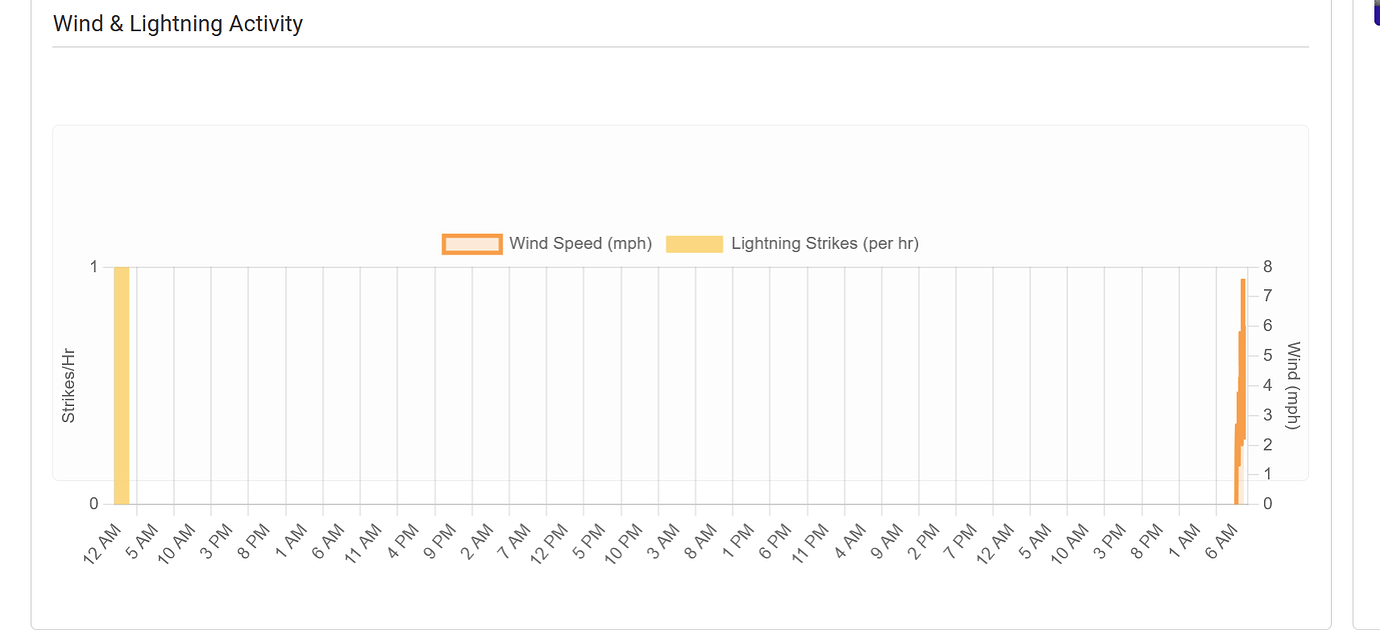
Just tried using this, i believe it suscribes to the wrong lightning event when looking for storms. Im using ecowitt sensors and i only ever see lightning events at midnight:

The Core Problem

The app is subscribed to lightningDistance on your lightning sensor (line 706), but looking at the Ecowitt RF Sensor driver, the attribute it actually fires events on is lightningCount — not lightningDistance.

From the Hubitat events screenshot, you can see your sensor is emitting lightningTime and lightningCount events. The lightning handler is simply never firing because it's listening for the wrong attribute name.

There are actually two bugs here:

Bug 1 — Wrong attribute subscribed:

groovy

// Line 706 - what the app does:
subscribeMulti(sensorLightning, ["lightningDistance", "distance"], "lightningHandler")

// What your Ecowitt driver actually emits:
"lightningCount"   ← this is what triggers
"lightningTime"    ← paired timestamp

Bug 2 — lightningCount is a cumulative daily count, not a per-strike event. The app's lightningHandler treats each event value as a distance reading for storm vectoring, which won't work correctly with a count attribute.


The Fix

In the app code, find this line (~line 706):

groovy

subscribeMulti(sensorLightning, ["lightningDistance", "distance"], "lightningHandler")

Replace it with:

groovy

subscribeMulti(sensorLightning, ["lightningCount", "lightningDistance", "distance"], "lightningHandler")

Then find the lightningHandler (~line 939):

groovy

def lightningHandler(evt) { updateHistory("lightningHistory", evt.value, 1800000); runIn(1, "evaluateMatrix") }

Replace it with:

groovy

def lightningHandler(evt) {
    // Handle both lightningCount (Ecowitt cumulative) and lightningDistance style events
    if (evt.name == "lightningCount") {
        def count = 0
        try { count = evt.value.toString().toInteger() } catch(e) { return }
        // Only record if count increased (new strikes detected)
        def lastCount = state.lastLightningCount ?: 0
        if (count > lastCount && count > 0) {
            def newStrikes = count - lastCount
            newStrikes.times {
                // Record each new strike with a placeholder distance of 99 (unknown)
                def hist = state.lightningHistory ?: []
                hist.add([time: now(), value: 99])
                def cutoff = now() - 1800000
                hist = hist.findAll { it.time >= cutoff }
                if (hist.size() > 288) hist = hist.drop(hist.size() - 288)
                state.lightningHistory = hist
            }
        }
        // Handle daily reset (count goes back to 0)
        if (count == 0) { state.lastLightningCount = 0; return }
        state.lastLightningCount = count
    } else {
        // Original distance-based path for other sensor types
        updateHistory("lightningHistory", evt.value, 1800000)
    }
    markActive()
    runIn(1, "evaluateMatrix")
}

What This Does

  • Subscribes to lightningCount so Hubitat actually delivers events to the handler when your Ecowitt station detects lightning.
  • Detects new strikes by comparing the new count to the previous count (handles the cumulative nature of lightningCount).
  • Handles the daily reset when count goes back to 0 at midnight.
  • Remains compatible with distance-based sensors if you ever change hardware.

How to Apply It

  1. In Hubitat, go to Apps Code → find Advanced Severe Weather Detector
  2. Make the two edits above
  3. Click Save
  4. Go back to the app and click :gear: Force Matrix Evaluation to confirm it picks up your sensor

You should then see the Light[] counter in the diagnostics telemetry bar start populating when lightning is detected, and the thunderstorm matrix will react in real time rather than only on the timed poll cycle.

1 Like

You are correct, I've made the mistake during some of the changes and linked it to the wrong attribute. I'll get this fixed in the next release.