Since the original driver by @gavincampbell is no longer maintained, I have decided to fork it and implement some improvements.
This is version 1.5.0, and the most notable changes from 1.4.1 are:
Configurable polling interval
States to be updated on Hubitat are now configurable
The full list of changes can be found on the header of the driver's code.
FKB is a complex software and I'm not an specialist in it by all means, actually, I just started using it about a week ago, but I will at least try to keep the current functionality working
Do you use Fully Kiosk? I use it for my main dashboard tablets. I've looked at the advanced features but have never taken the time to play around with them.
The feature to turn on the screen by using the front camera as a motion sensor is apparently used in this driver for it to be a motion device, as well as having many other links between Hubitat and Fully.
I may try it out, and play around with those camera features now. I never knew the original version of this driver existed until now.
There are a bunch, but in a nutshell I can make a dashboard tablet in my home into an HE device. That device allows me to monitor the dashboard (e.g., what web page is it on, is the motion sensor active or inactive) and more importantly allows me to control the dashboard (e.g., stop the screensaver and pull up a camera stream when somebody rings the front doorbell, sound a short beep-beep when an exterior door is open, issue a text-to-speech message using the tablet's speaker about some critical event).
In my case I'm running FKB now on 5 Fire HD 10" tablets and 2 Android smartphones. All are dedicated HD+ dashboards.
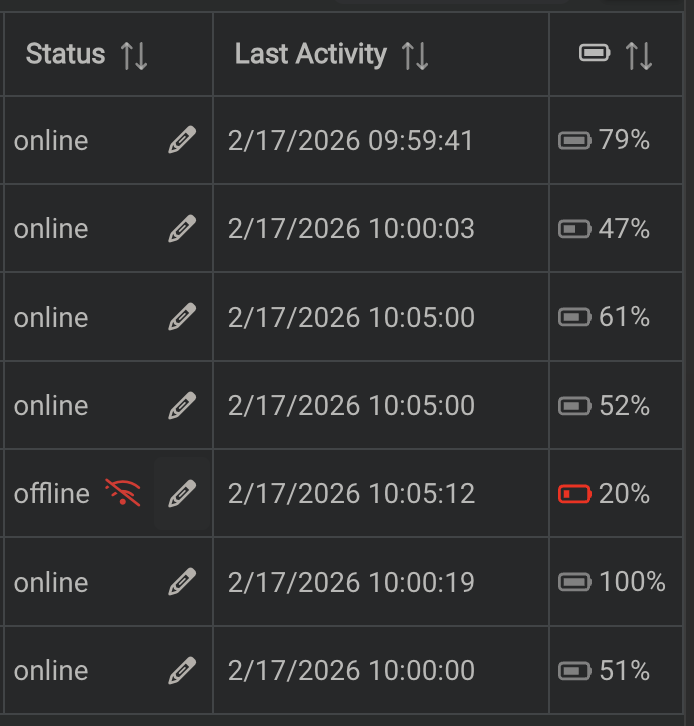
After 3 years with the devices connected to power and with the batteries at 100% 24/7, and after having battery issues with some other devices, I've grown scared of having swollen batteries, so I have installed Zigbee switches inside their power outlets to keep the batteries in the 40-70% range.
Of all 7 devices, only one smartphone has a built-in option to limit the battery charge. The other one almost jumped off the wall due to a swollen battery
FKB is running in background, the Hubitat driver fetches the battery reading every 5 minutes and decides if it needs to cut or restore power.
In my experience, the events actively sent by FKB to Hubitat were not reliable, they stop working after some minutes, or don't work at all when the devices restart for any reason. To wake them up, I needed to manually click the FKB icon on the tablet and then click on "Start using fully" button. I have tried MANY combinations of tablet/FKB settings. Maybe it is because in my case FKB is in background. That was despite having no battery usage restrictions, and despite the fact that FKB always responds to the HTTP requests, so the app is always running.
Other than that, I have just improved my bedtime experience by turning the screen off on my bedroom tablet with the same automation that turns all lights off.
I hope your device is better than my Fire HDs, I've tried using this feature, but it needs more processing power than my devices can provide, so they would sometimes freeze for many seconds.
Thank you Eduardo for taking this on. Really appreciate it. I moved on from Hubitat a few years back and I know there were many that liked this driver. Hopefully it doesn't keep you too busy.
Oh… active development, you’re gonna make me add your repo to HPM aren’t you?
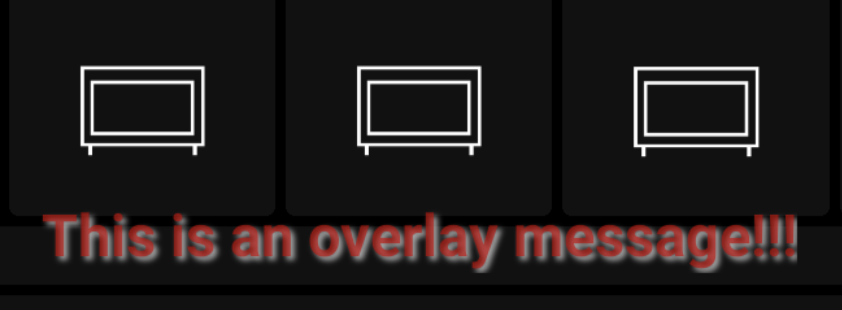
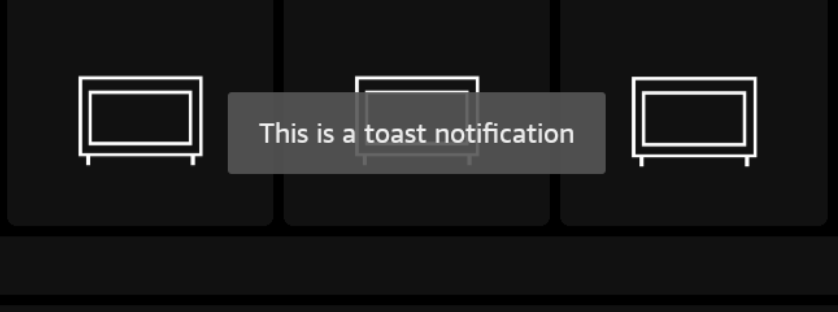
Nice work BTW, you clearly have some good ideas to push this driver forward. Food for thought, have you considered adding capability "Notification" to the driver… with a toggle to choose between overlay/ toast notifications. That way the devices will show up as notification devices for the rule tool / app of your choice.
If you want more reference code, back when I moved from SmartThings to Hubitat I was still using FKB and built a standalone driver. It includes a few extra features for my own needs. I don’t support it anymore, and I’ve mostly given up on wall dashboards. I just use TV remotes, plus iOS/macOS dashboards via SharpTools now.
Feel free to use any parts of it, or none at all. Also, glad to see someone supporting FKB again. It’s a solid app, and you can do some great stuff with Android or Amazon tablets, including real-time image capture back into Hubitat.
Added support for Notification capability with a toggle to display as overlay or toast.
Added commands to capture images from the device camera and screen, with support for base64 image storage in attributes.
Screenshot is from the FKB screen, it can't access data from other apps.
Breaking: Removed HealthCheck capability and 'lastActivity' attribute as networkStatus provides better insight into connectivity.
It wasn't working properly anyway.
It is there now.
The necessary files are there as far as I understand, I don't know much about HPM from the developer perspective, but it shouldn't be very difficult to do that.
Logging system refactored to use numeric levels (1-5) with caching for improved performance. IMPORTANT: On existing devices, you need to go to the preferences, select a log level and save. Otherwise you'll see errors in the logs and the driver won't work properly.
Unified HTTP response validation via isResponseOk() with proper FKB error status detection.
Better error messages on wrong server password ('please login' detection).
Improved async callback handling for consistent response/data argument order.
Extracted poll failure tracking into dedicated recordPollFailure() method with named threshold constant.
Fixed potential crash in handleBatteryLevel when battery level is null.
clearImage now sets attribute to 'none' instead of empty string for consistency.
Standardized changelog version numbering to semver format.
The password is configured in FKB app settings on each device. The port is where FKB listens to requests, also configurable in settings. I'm not sure if 2323 is the default, but it is what I'm using on all devices here.