[RE-RELEASE] EcoWitt and Wittboy Weather Stations And Sensors (Local)

@cbhous @Madcodger

Blockquote

this should be the code with the wh52 integrated based on latest release version.. i dont have one to test plus am not at home but let me know

based on the list of new attributes you posted.. thanks.. weird it reports soil_ec_humid instead of soilmoisture

1 Like

Thanks for the update. The wh52 soil sensor now shows up and displays all of the attributes. Only a couple of minor things.

The soilHumAD is a percentage. The wn1920 app displays 98% while yours diplays 520.

I had to modify line 763 in the gateway code.
from "WN35": "Leaf Wetness Sensor";]
to "WN35": "Leaf Wetness Sensor",

Thanks again for the quick responce.

2 Likes

see attributes you posted above, soil hum ad is not a percentage it shows 557 or something?
not sure why the ecowitt is showing percentage... it is not, ad is raw voltage just like the other ads.
the soil hum (humidity) should be a percentage.. sounds like a bug in the ecowitt app.

you can turn debugging back on and post again what it is passing for the sensor but based on what you posted above pretty sure the code is correct.

are the new attributes temperature, humidity, and conductivity showing up correctly?

Anyone having good data from the Ecowitt LSD01 Distance sensors? I know its not part of this driver yet so I monitor from the ecowitt app. I have 2 measuring water tank level at 2 locations. Data is all over the place. Sometimes accurate but most of the time they bounce around by a few feet every couple hours or so. Sometimes they just don't report for hours. Will try a fresh set of batterys and see.

hello,
please shoo me away if this is too annoying, im looking at how this handles lightning detectiom, but im not smart enough with code so i asked claude. Im looking at using the vibe coded severe weather app in the other section. Right now im using an ecowitt lightning detector, but it only reports a summary of the day's lightning events at around midnight every night.

this is my first time playing with this kind of AI stuff so i wanted to run it past the community and see what the consensus is :

The Core Problem

The app is subscribed to lightningDistance on your lightning sensor (line 706), but looking at the Ecowitt RF Sensor driver, the attribute it actually fires events on is lightningCount — not lightningDistance.

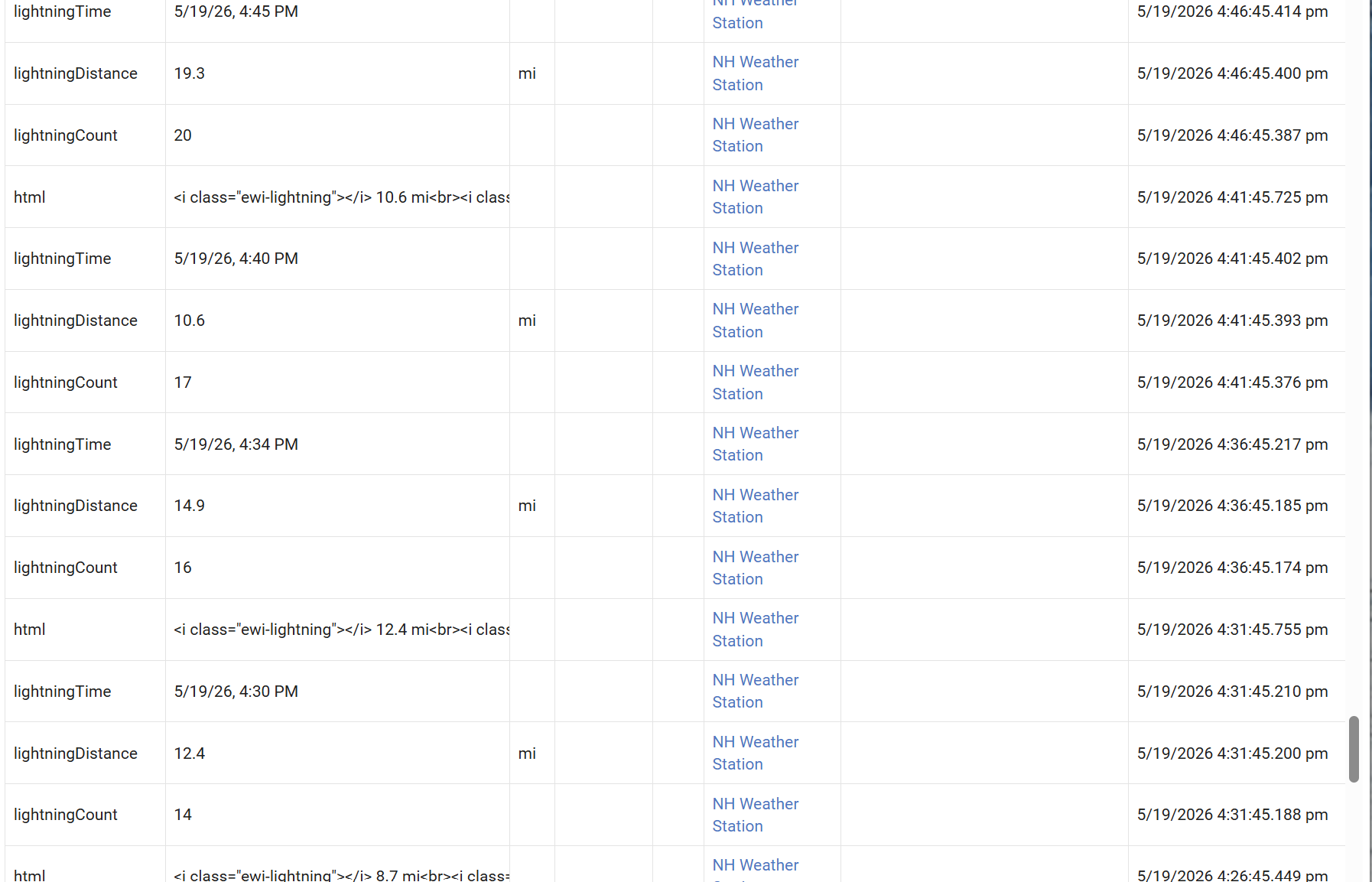
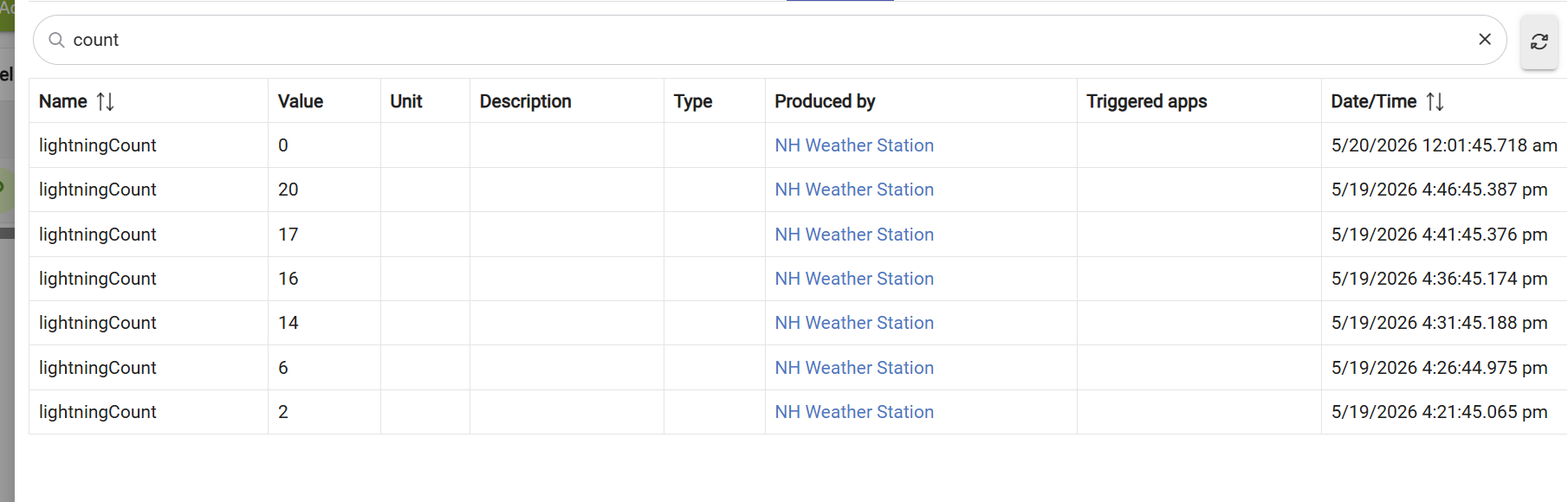
From the Hubitat events screenshot, you can see your sensor is emitting lightningTime and lightningCount events. The lightning handler is simply never firing because it's listening for the wrong attribute name.

There are actually two bugs here:

Bug 1 — Wrong attribute subscribed:

groovy

// Line 706 - what the app does:
subscribeMulti(sensorLightning, ["lightningDistance", "distance"], "lightningHandler")

// What your Ecowitt driver actually emits:
"lightningCount"   ← this is what triggers
"lightningTime"    ← paired timestamp

Bug 2 — lightningCount is a cumulative daily count, not a per-strike event. The app's lightningHandler treats each event value as a distance reading for storm vectoring, which won't work correctly with a count attribute.


The Fix

In the app code, find this line (~line 706):

groovy

subscribeMulti(sensorLightning, ["lightningDistance", "distance"], "lightningHandler")

Replace it with:

groovy

subscribeMulti(sensorLightning, ["lightningCount", "lightningDistance", "distance"], "lightningHandler")

Then find the lightningHandler (~line 939):

groovy

def lightningHandler(evt) { updateHistory("lightningHistory", evt.value, 1800000); runIn(1, "evaluateMatrix") }

Replace it with:

groovy

def lightningHandler(evt) {
    // Handle both lightningCount (Ecowitt cumulative) and lightningDistance style events
    if (evt.name == "lightningCount") {
        def count = 0
        try { count = evt.value.toString().toInteger() } catch(e) { return }
        // Only record if count increased (new strikes detected)
        def lastCount = state.lastLightningCount ?: 0
        if (count > lastCount && count > 0) {
            def newStrikes = count - lastCount
            newStrikes.times {
                // Record each new strike with a placeholder distance of 99 (unknown)
                def hist = state.lightningHistory ?: []
                hist.add([time: now(), value: 99])
                def cutoff = now() - 1800000
                hist = hist.findAll { it.time >= cutoff }
                if (hist.size() > 288) hist = hist.drop(hist.size() - 288)
                state.lightningHistory = hist
            }
        }
        // Handle daily reset (count goes back to 0)
        if (count == 0) { state.lastLightningCount = 0; return }
        state.lastLightningCount = count
    } else {
        // Original distance-based path for other sensor types
        updateHistory("lightningHistory", evt.value, 1800000)
    }
    markActive()
    runIn(1, "evaluateMatrix")
}

What This Does

  • Subscribes to lightningCount so Hubitat actually delivers events to the handler when your Ecowitt station detects lightning.
  • Detects new strikes by comparing the new count to the previous count (handles the cumulative nature of lightningCount).
  • Handles the daily reset when count goes back to 0 at midnight.
  • Remains compatible with distance-based sensors if you ever change hardware.

How to Apply It

  1. In Hubitat, go to Apps Code → find Advanced Severe Weather Detector
  2. Make the two edits above
  3. Click Save
  4. Go back to the app and click :gear: Force Matrix Evaluation to confirm it picks up your sensor

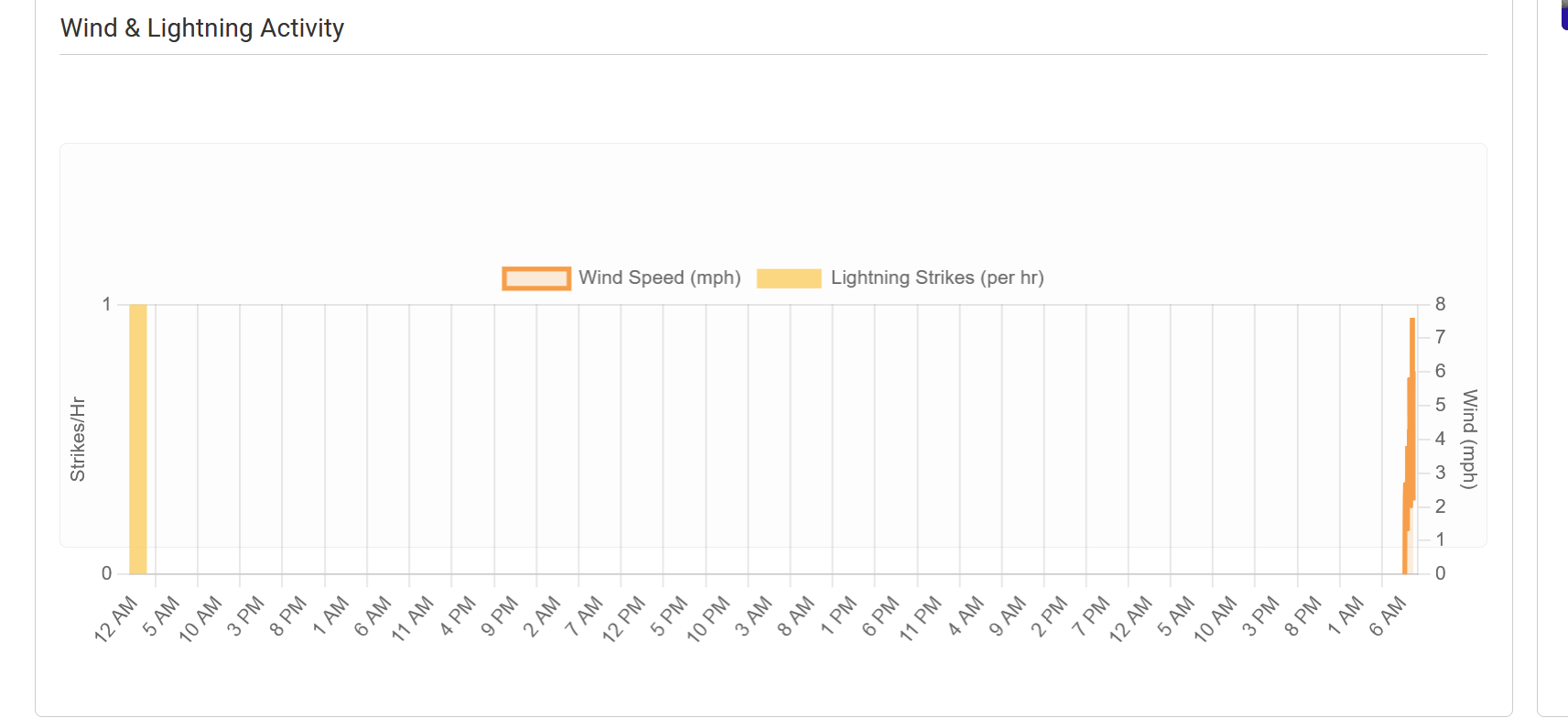
You should then see the Light[] counter in the diagnostics telemetry bar start populating when lightning is detected, and the thunderstorm matrix will react in real time rather than only on the timed poll cycle.

1 Like

As a developer I am not about to shout down someone from contributing using AI.... (Tip, "twitch" gives some very different results to what you expect in the GIF search...)

Angry Bobs Burgers GIF

But, seriously... My memory is that lightning could have been mentioned before, but I'm too lazy to search for it, thinking that @lcw731 could have been someone who was part of that discussion. I'm not sure that the accuracy is great.... Maybe @kahn-hubitat could also weigh in on this...

If there is some level of confidence in the accuracy of the sensor for what it is intended to be used for I might consider some changes, if necessary.

its not ultra accurate, i get strikes from the local airport (aircraft engine igniters?) but it definitely reports an uptick in lightning strikes as storms pass by in the ecowitt GW2000 interface. Its afternoon thunderstorm season where i am right now. Hubitat just doesnt seem to keep up and only displays a strike total around midnight.

What frequency do you have configured for the custom data feed from the gateway to HE?

90 sec upload interval on the GW2000

Hmmm.. That is... odd....Can only think that either the Lightning was only detected later in the night or there was some kind of comm's error....

lightning is working correctly here are the events notice lightning count going up as well as distance setting. .at midnight you are seeing the count reset. we had a storm yesterday so i could check.

at this point i suggest you restore your code as i have no idea what you did to it and any reporting now is invalid. In addition, relying on ai for stuff like this is NOT a good idea.

1 Like

didnt change a single thing, just posted here. I didnt want to mess with other peoples working code before trying to change stuff i didnt understand

:man_facepalming: but i also may be looking at all this wrong. I think this other vibe coded app weather app is subscribed to the wrong attribute from the lightning sensor, not that the ecowitt is reporting wrong
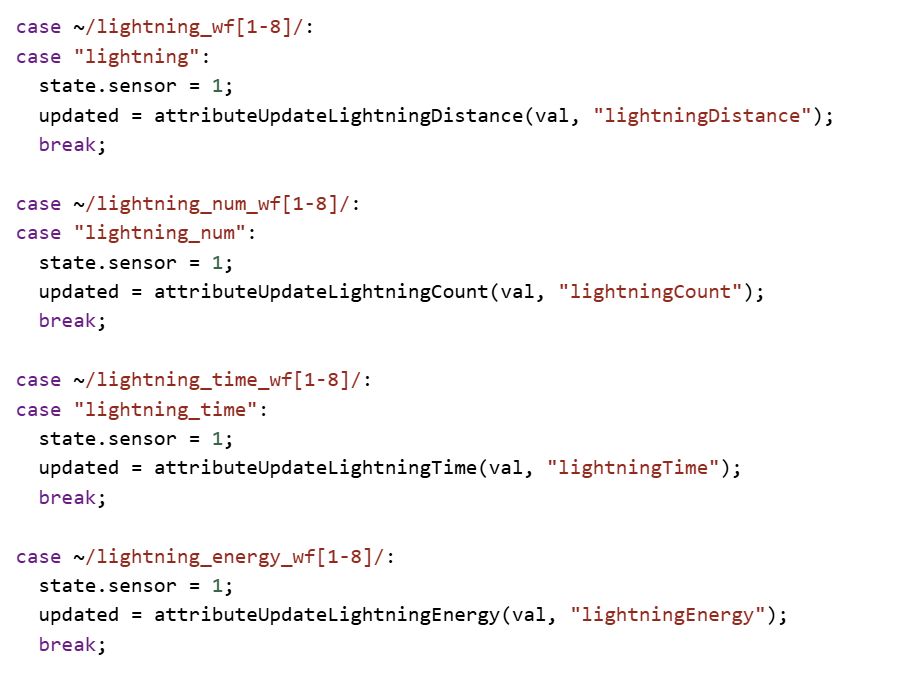
these are the attributes it reports

here is how those raw attributes get mapped to the attributes displayed on the driver panel.. i believe our sensor does not do energy so not sure why it is there..

1 Like

yep, im playing with that app now and i posted over in the vibe code section for it. Seemed like a pretty cool use of my sensors:

it may be worth adding lightingCountYesterday if there is enough interest so we dont loose the last day settings at midnight.

Steve was referencing my Advanced Server Weather application. I did indeed link the wrong lightning attribute to my storm vector logic. That's why releasing these applications to the community helps troubleshoot and allows for fast corrections.

I did indeed use Gemini in assisting with a lot of the complex formulas, but from my personal testing most seem to be as accurate as a micro weather station will allow.

Thanks again for the help.

1 Like

So he upshot of that is you (Steve/Shane) don't need any changes to the drivers at the moment?

The driver is fine, it's my application looking at the wrong driver attribute.

2 Likes

Heck, that must have been a while ago; I don't even remember it. I don't really have my Ecowitt all that tightly integrated with Hubitat at the moment. The Ecowitt app does give an up-to-the-minute lighting count and does include distance. How accurate that measurement is, I can't tell you. I know I have a steady stream of lightning strikes all day every day at 9 miles, which is pretty much how far I am from the FedEx and Amazon Prime Air cargo hubs at Fort Worth Alliance Airport (Ecowitt does mention the possibility of false positives in relative close proximity to airports). It's frequent enough; I have alerts for 0-7 and 10-25 miles.

1 Like

have u tried to play with the sensitivity setting I can get it pretty accurate by turning that down.