Thanks for that. I've tried restarting everything, so Removed the three devices and the Parent device. All drivers downloaded via HPM (and repaired). Restarted Hubitat (just in case) and re-added. So I added the Unifi API device, then went to Preferences, set as per the top of this thread.
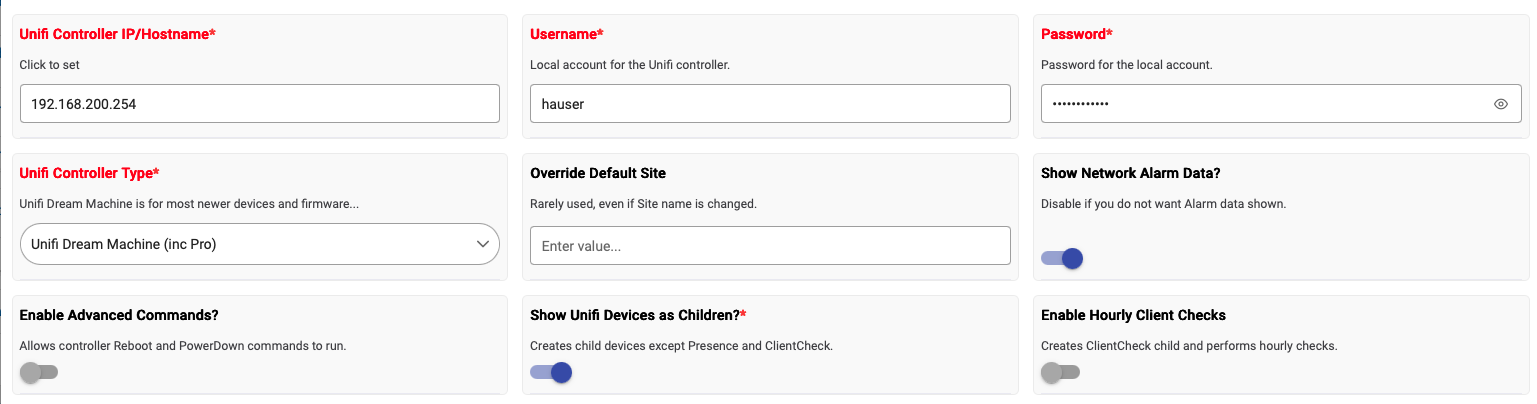
Click Save. Went back into new Device, get Cookie error telling me to login again. Click Login and Refresh and then Refresh Unifi Devices. At which point, the three devices are added. The UCG-Ultra however adds as a UCGMax, but the two Switches add as UnifiChild (as they did before), I can then change to the -USW16LPoE driver, but I end up in the same situation, the set POE doesn't make any difference.
So it's not auto discovering the device type of the switches. I did try various combinations of the Rule / Action / Parameters yesterday, but had eventually landed on 2 separate strings, and I've double checked that today as well.
Only other thing I can add is that as above, its discovering the UCG-Ultra as a Max, which isn't a massive issue, except that's the device I connect to initially, could it be something to do with that, or is that clutching at straws?
(as a sidenote, I've separately setup the connection to the switches via HomeAssistant and from there I can change the state as expected, so I'm confident the problem isn't the switches or the user account or anything).
Thanks for taking a look at least.
EDIT:
Did just spot around the same time as the device was initially updated, I get the following, which could explain why its not auto discovering the devices at least...


