Hi guys. I saw a hub update was available so I backed up my hub (so glad) and then proceeded to update. Everything went like clockwork until it rebooted. After the update, all my rules (in basic rules app) were gone and so was the basic rules app itself.
My c-7 hub was running version 2.4.4.156 and was updating to the newest one. Luckily I did this on my PowerHouse hub and nothing in there is critical at this time.
So, what happened? I will not update my main hub (another c-7) until I know or my wife will kill me. She is used to the way it is now.
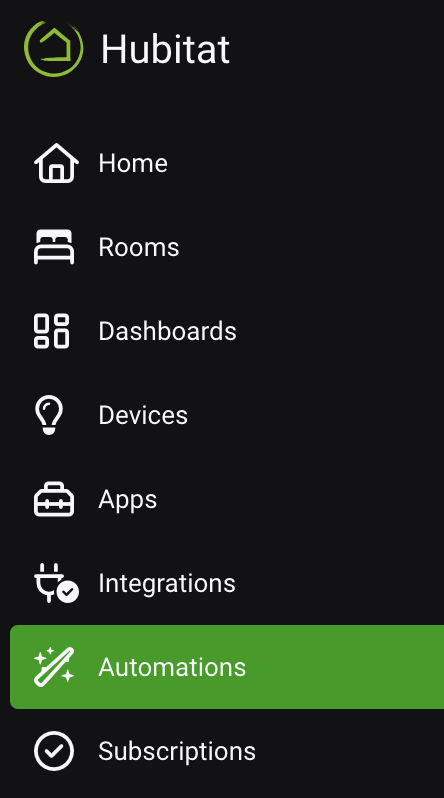
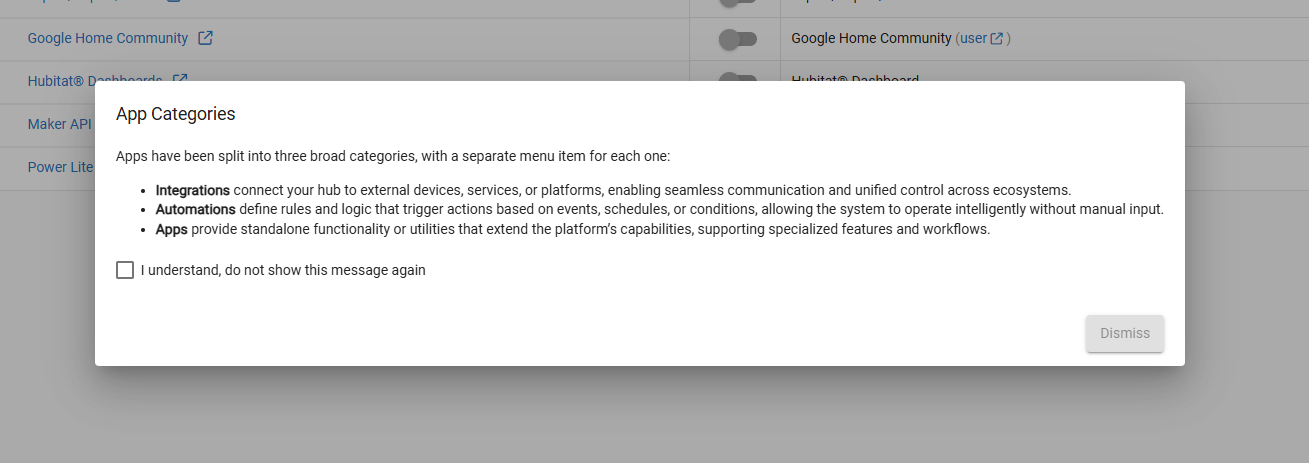
But even if you went to "Apps" first, like an old habit (I'm still doing that!), the dialog that popped up the first time should have explained the new structure.
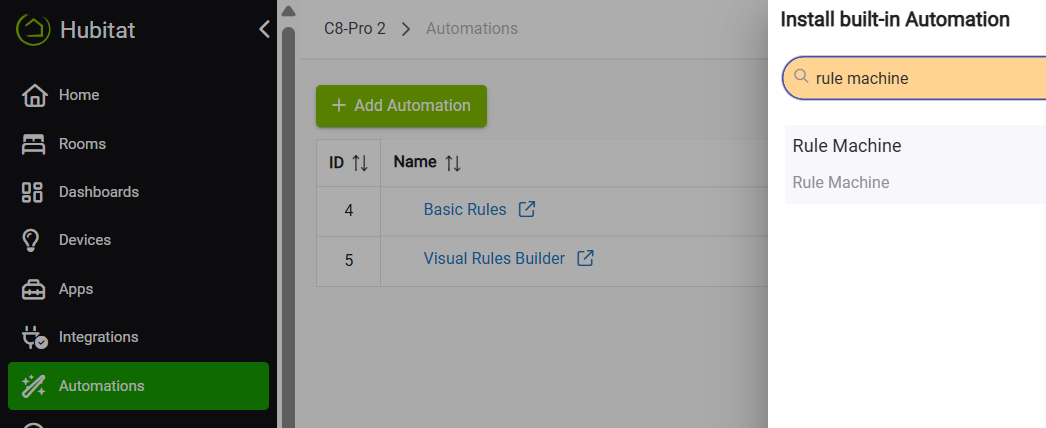
I just noticed that to even to use an app that I did not install yet, it is no longer in the apps section and it is listed under add automations. That was a bit weird but I can get used to it.
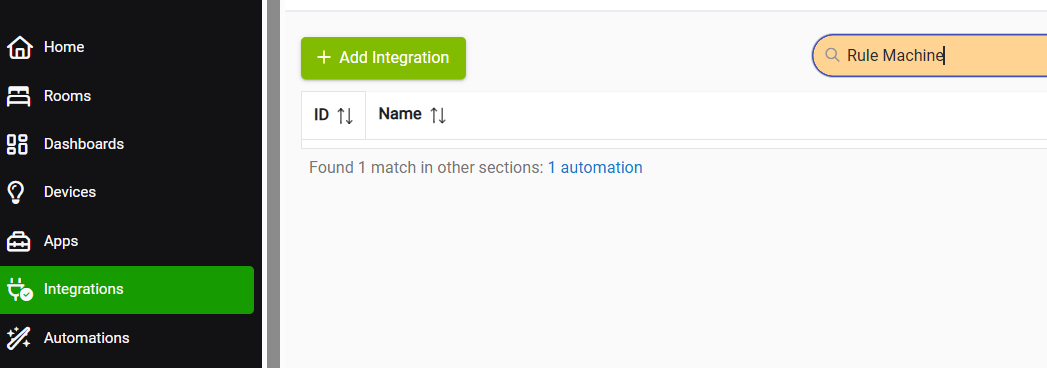
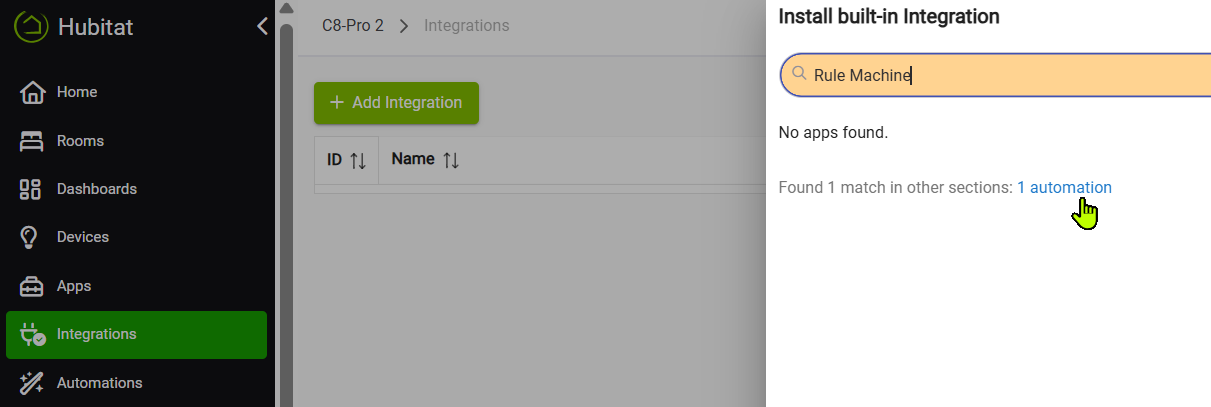
The good news is that you will find bread crumbs to get you to what you're looking for...below example, I'm in Integrations, looking for Rule Machine, and Search points me to where RM is in Automations.
Thanks. Yes, I did find it. I just didot expect a major change in the software. Usually it is simple but fixes. I know now to read the parts that are getting upgraded. It is usually just boring things getting updated. Lol. It was entirely my bad.
But at least we need some consistency. The user installed 'webCoRE' is under 'Apps', and the Hubitat native version of 'webCoRE' is under 'Automations'.
And on mobile this is a complete PITA for folks with just a few of the “former apps” installed. When you’ve only got a couple things, the sidebar turns into a whole lot of nothing. We need a way to undo this for people who want fewer icons. I watched this in beta, assumed someone louder than me would call it out… and here we are in production.
When significant changes occur that could cause concern or confusion for users, we make every effort to communicate them clearly. You shouldn’t have to rely only on the release notes to stay informed. It appears our notification didn’t effectively convey the change in this case—sorry for the confusion:
Nice to see the categories well defined. Strange my naming convections use the same logic. I am holding back on the update for some quiet time in the house before jumping over to the new major release.
@bobbyD Oh, I get the homework on our side. Just struggling to see how this came from users and not a late-night “wouldn’t it be cool if…” session. Would love to see the long list of feature requests that got skipped so this bag of hammers could make the cut.
User apps can be easily organized under your preferred category. Go to “Apps Code” in the "For Developers" section, open the app, and update the top definition to include your desired menu category.
Available options are: "Integrations", "Automations", or "Apps".
It appears to me that the beta testers have their own agenda as to what they and only they get what they want, that's fine for techno heads but not for the likes of me. I have decided that the lesser of the two evils will prevail and I have reverted to the previous version which is of greater benefit to me than other useful things in the update.
What are the two “evils” you’re referring to? The ability to stay on a version that works best for you, or the option to receive new features and improvements over time? Neither of those seems particularly negative—they’re there to give users flexibility and choice
Beta testers may have their "own agenda", but they’re not deciding what new features get built.
Their role is to help us test new features and fixes in a real-world environment so we can catch issues and improve stability before a wider release.
That feedback—good and bad—is incredibly valuable and we are forever grateful for their contributions.
We understand that not every update will align with every user’s needs, and that’s exactly why the option to roll back or delay updates exists. Your feedback matters just as much, and it’s part of what helps shape future improvements.
I can assure you that we beta testers did not have some secret lobby to push this staff into making this change
It was weird for me at first and I admit I was not a huge fan when it hit the beta, but you get used to it suprisingly fast...
Now it's no big deal for me, and since I spend most of my time in that (old) Apps realm managing rules stuff, now I like the fact that the (new) Automations section has only that related stuff in it.
I recommend you give it some time - it might grow on you.
I updated HubiThings Replica to “Integrations,” and it moved as expected. Didn’t know what to call the fix in HPM, so I just went with “Hubitat ‘bag-of-hammers’ update.”
You might want to let Bruce know there is even more opportunity to waste menu space by doing the same to the dev space icon tree.
On the positive side of this, at least Hubitat and Home Assistant are finally aligning on something: making simple things confusing. Devices or Services, Apps or Automations, Rules or Integrations. Same puzzle, different labels.